manuals.online logo
Brands
  1. Home
  2. •
  3. Brands
  4. •
  5. LG
  6. •
  7. Portable Speakers
  8. •
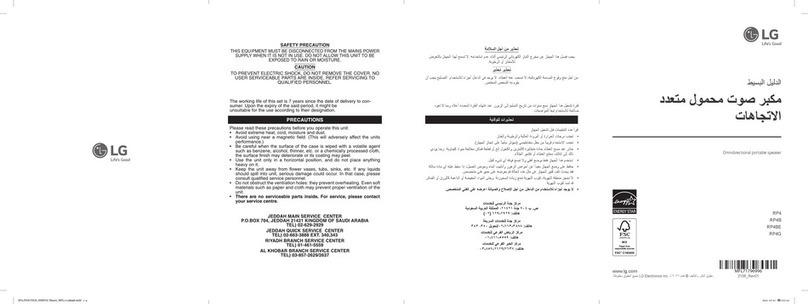
  9. LG RP4BE Specification sheet

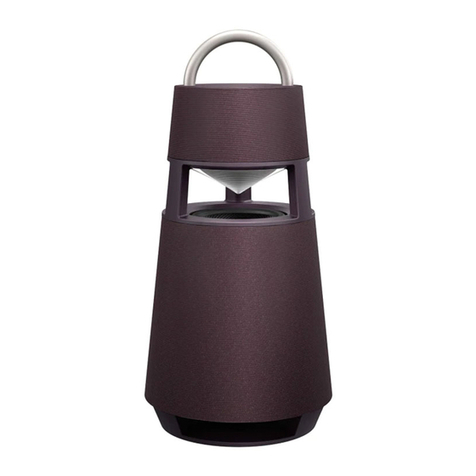
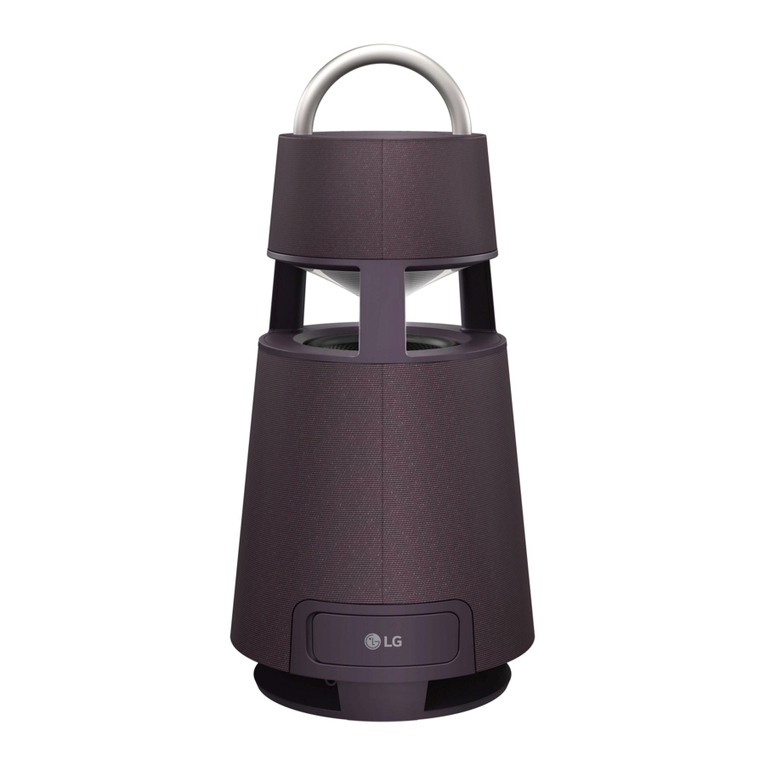
LG RP4BE Specification sheet

This manual suits for next models

3

Other LG Portable Speakers manuals

LG PN1 Specification sheet

LG

LG PN1 Specification sheet

LG NP5550WO Specification sheet

LG

LG NP5550WO Specification sheet

LG OM7550K User manual

LG

LG OM7550K User manual

LG XO3QBK Specification sheet

LG

LG XO3QBK Specification sheet

LG PL2 Specification sheet

LG

LG PL2 Specification sheet

LG XL5S Specification sheet

LG

LG XL5S Specification sheet

LG PJ9 Specification sheet

LG

LG PJ9 Specification sheet

LG RP4 User manual

LG

LG RP4 User manual

LG NP3530 User manual

LG

LG NP3530 User manual
LG PL5W Specification sheet

LG

LG PL5W Specification sheet

LG RP4 User manual

LG

LG RP4 User manual

LG MSP-100 User manual

LG

LG MSP-100 User manual

LG PK5W User manual

LG

LG PK5W User manual

LG DRP4B User manual

LG

LG DRP4B User manual

LG PL7.DUSALLK Specification sheet

LG

LG PL7.DUSALLK Specification sheet

LG RP4 Specification sheet

LG

LG RP4 Specification sheet

LG RP4B User manual

LG

LG RP4B User manual

LG RP4 Specification sheet

LG

LG RP4 Specification sheet

LG XO3C User manual

LG

LG XO3C User manual

LG RP4 Specification sheet

LG

LG RP4 Specification sheet

LG DRP4 Specification sheet

LG

LG DRP4 Specification sheet

LG RP4 User manual

LG

LG RP4 User manual

LG XO3QBK User manual

LG

LG XO3QBK User manual

LG RP4 Specification sheet

LG

LG RP4 Specification sheet

Popular Portable Speakers manuals by other brands

Innovative Technology ITSB-300 user manual

Innovative Technology

Innovative Technology ITSB-300 user manual

Blueant BLUESONIC user manual

Blueant

Blueant BLUESONIC user manual

Altec 730C Specifications

Altec

Altec 730C Specifications

Aiwa BST-330 user manual

Aiwa

Aiwa BST-330 user manual

Prestigio PIS1 instruction manual

Prestigio

Prestigio PIS1 instruction manual

Akai AWS08BK manual

Akai

Akai AWS08BK manual

Philips BT6700 user manual

Philips

Philips BT6700 user manual

Wren V5BT Setup guide

Wren

Wren V5BT Setup guide

Sven PS-320 user manual

Sven

Sven PS-320 user manual

Urban revolt Streetbox Quick installation guide

Urban revolt

Urban revolt Streetbox Quick installation guide

Philips BT4000 Short user manual

Philips

Philips BT4000 Short user manual

Monster Rockin Roller 2 user manual

Monster

Monster Rockin Roller 2 user manual

Panacom monsoon user manual

Panacom

Panacom monsoon user manual

Lenovo speaker M0520 user guide

Lenovo

Lenovo speaker M0520 user guide

Mackie THUMP GO quick start guide

Mackie

Mackie THUMP GO quick start guide

Trevi XR 400 APP user guide

Trevi

Trevi XR 400 APP user guide

Philips sbm130 user manual

Philips

Philips sbm130 user manual

Trevi XF 4200 DJ user guide

Trevi

Trevi XF 4200 DJ user guide

manuals.online logo
manuals.online logoBrands
  • About & Mission
  • Contact us
  • Privacy Policy
  • Terms and Conditions

Copyright 2025 Manuals.Online. All Rights Reserved.

www.lg.com
Copyright © 2022 LG Electronics Inc. All Rights Reserved.2106_Rev01
RP4
RP4B
RP4BE
RP4G
SIMPLE MANUAL
Omnidirectional portable
speaker
Enceinte portable omnidirectionnelle

MFL71891188
ENGLISH
Specication
Power requirements
yRefer to the main label.
Power consumption
yRefer to the main label.
Dimensions (W x H x D): Approx. 247.5 mm x 514.0 mm x 247.5
mm
Bus Power Supply (USB): 5 V 0500 mA
Amplier (Total RMS Output power): 120 W RMS
Battery Life: Approx. 10 hours (Varies by volume level and audio
content.)
yThis unit contains magnets which can be harmful to some
kind of object (Ex: Magnetic card, Pacemaker etc.).
yInternal lithium battery in the unit should not be replaced by
user because of danger of explosion if battery is incorrectly
replaced, and must be replaced with the same type battery
by expert.
yDo not leave the unit on an unstable place such as high
shelves. It may fall down because of the vibration of the sound.
CAUTION when using this product in environments of low
humidity.
-It may cause static electricity in environments of low
humidity.
-It is recommended to use this product after touching any
metal object which conducts electricity.
FRANÇAIS
Caractéristiques
Alimentation
yRéférez-vous à l’étiquette principale
Consommation électrique
yRéférez-vous à l’étiquette principale
Dimensions (L x H x P) : Env. 247,5 mm x 514,0 mm x 247,5 mm
Alimentation électrique par Bus (USB) : 5 V 0500 mA
Amplicateur (puissance de sortie RMS totale) : 120 W RMS
Autonomie de la batterie : environ 10 heures. (Varie selon le
niveau de volume et le contenu audio)
yCette unité contient des aimants pouvant être nuisibles pour
certains types d’objets (carte magnétique, pacemaker, etc.).
yLa batterie interne au lithium ne doit pas être remplacée
par l’utilisateur en raison d’un risque d’explosion en cas de
remplacement incorrect. Elle doit être remplacée par un
expert par une batterie de même type.
yNe pas laisser l’unité à un emplacement instable comme sur
une étagère en hauteur. Elle pourrait chuter en raison de la
vibration des sons.
FAIRE ATTENTION lors de l’utilisation de ce produit dans des
environnements légèrement humides.
-Il peut être à l’origine d’électricité statique dans les
environnements légèrement humides.
-Il est recommandé de toucher un objet métallique
conducteur d’électricité avant d’utiliser ce produit.



y

y



0USB
RMSRMS


y

y 



y


-
-
RP4.DDZALLK_SIMPLE (Sheet)_MFL71891188.indd 1-4 2022-06-15  7:25:29
AUX
USB
BT
a
b
c
d
TWIN
MAIN
OTHER
RESET
AUX. IN
e
<Android> <iOS>
A
B
E
D
C
C
ENGLISH
Installing and Using the Product
Please read this manual carefully before operating your set and retain it for future reference.
To view the instructions of advanced features, visit http://www.lg.com or scan QR code and then download
Owner’s Manual. Some of the content in this manual may differ from your product.
A Handle
B Controls
C Speaker
D Mood lighting
E Woofer
aConnectthepowercordtotheproductandchargeitbeforeuse.Youcanndthepowersocketatthebottomofthe
product.
bConnectingtheSpeakertoaSmartphoneUsingBluetooth
APress the Power button to turn on the product.
BPress and hold the Function button on the product until you hear a notication sound. Bluetooth LED blinks for 60
seconds.
C Tap the Settings button on your smartphone and select Bluetooth. Turn on the Bluetooth function. ( Off >
On)
D From the list of smartphone devices, nd and tap on “LG-RP4(XX).”
E Once the smartphone is connected to the product via Bluetooth, the Bluetooth LED will turn on. Play a desired track in the
music app on your smartphone.
cPlayingMusicfromtheUSB
A Open the back cover of the product and plug the USB storage device into the USB terminal.
BPress the Power button to turn on the product.
CPress the Function button on the product repeatedly to select the USB function. The USB LED will turn on.
DPress the Play/Pause button to enjoy the music.
dConnectingtoanExternalDevice
A Open the back cover of the product and connect the external device to the AUX. IN terminal via a 3.5 mm stereo cable.
BPress the Power button to turn on the product.
CPress the Function button on the product repeatedly to select AUX. The AUX LED will turn on. If you play music on the
connected external device, you can start listening on this product.
eConnectingtotheLGXBOOMApp
AFind the LGXBOOM app on the Google Play or App Store and install it on your smartphone.
BRun the LGXBOOM app and use its functions.
fPowerSaving
If there is no playback or button input for 15 minutes, the product turns off automatically. On the LGXBOOM app, you can enable or
disable [Auto Power Management].
yDesign and specications are subject to change without notice.
FRANÇAIS
Installation et utilisation du produit
Veuillez lire attentivement ce manuel avant d’utiliser votre appareil et conservez-le pour référence ultérieure.
Pour afcher les instructions des fonctionnalités avancées, rendez-vous sur http://www.lg.com ou scannez
le code QR puis téléchargez le manuel de l’utilisateur. Certaines parties de ce manuel peuvent ne pas
correspondre à votre produit.
A Poignée
B Commandes
C Haut-parleur
D Éclairage d’ambiance
E Haut-parleur de graves
aRaccorderlecordond’alimentationauproduitetlechargeravanttouteutilisation.Laprised’alimentationsesitueenbas
duproduit.
bConnecterl’enceinteàunsmartphoneàl’aideduBluetooth
AAppuyer sur le bouton Marche-Arrêt pour allumer le produit.
B Maintenir enfoncé le bouton Fonction du produit jusqu’à entendre un son de notication. Le voyant LED Bluetooth clignote
pendant 60 secondes.
CAppuyer sur le bouton Paramètres de votre smartphone et sélectionner Bluetooth. Activer la fonction Bluetooth.
( Arrêt > Marche)
D Dans la liste des appareils disponibles, rechercher et appuyer sur « LG-RP4(XX). »
EUne fois le smartphone connecté au produit via Bluetooth, la LED Bluetooth s’allume. Choisir la piste de votre choix dans
l’application de musique de votre smartphone.
cEcouterlamusiqueenregistréesurunecléUSB
A Ouvrir le cache arrière du produit et brancher la clé USB dans la borne USB.
BAppuyer sur le bouton Marche-Arrêt pour allumer le produit.
CAppuyer plusieurs fois sur le bouton de Fonction du produit pour sélectionner la fonction USB. La LED USB s’allumera.
DAppuyer sur le bouton Lecture/Pause pour proter de votre musique.
dConnecterunpériphériqueexterne
A Ouvrir le cache arrière du produit et brancher le périphérique externe à la prise AUX. IN à l’aide d’un câble stéréo Jack de
3.5 mm.
BAppuyer sur le bouton Marche-Arrêt pour allumer le produit.
CAppuyer plusieurs fois sur le bouton de Fonction du produit pour sélectionner AUX. La LED AUX s’allumera. Si vous mettez
de la musique sur le périphérique externe connecté, vous pourrez l’entendre sur votre enceinte.
eSeconnecteràl’applicationLGXBOOM
ARechercher l’application LGXBOOM dans Google Play ou l’App Store puis l’installer sur le smartphone.
BExécuter l’application LGXBOOM et utiliser ses fonctionnalités.
fÉconomied’énergie
En cas de non lecture de musique ou d’appui sur un bouton pendant 15 minutes, le produit s’éteindra automatiquement. Dans
l’application LGXBOOM, vous pouvez activer ou désactiver cette fonction [Gestion automatique de l’alimentation].
yLa conception et les caractéristiques peuvent être sujettes à modication sans préavis.


 



 A
 B
 C
 D
 E
 a
Bluetooth b
  A
BluetoothLED  B
 BluetoothBluetooth   C
.» D
BluetoothLEDBluetooth E

USB c
.USBUSB A
  B
.USBLEDUSB  C
  D
 d
 A
  B
LED  C

 e
 A
 B
 f

.]
y
RP4.DDZALLK_SIMPLE (Sheet)_MFL71891188.indd 5-8 2022-06-15  7:25:30