EN User Manual
• If the measured circuit exceeds the maximum
measurement limit, the display shows OL.
• ATTENTION: If you are not sure of the approximate
value of the measured value, then set the instrument
to the maximum measurement limit or automatic
measurement limit mode. In order to avoid damage to
the device or electric shock, cut o the external power
source of the circuit to be measured, or turn o the
high-power capacitors!
Continuity, tensile test
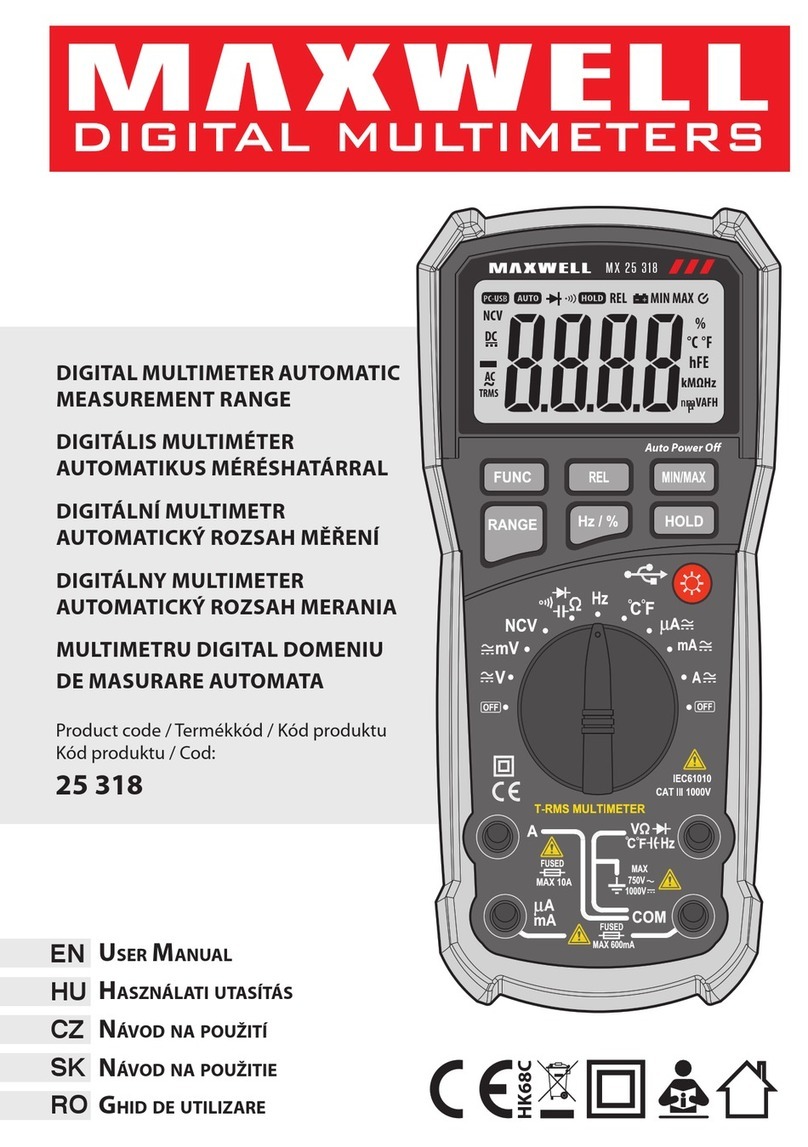
• Set the function selector to position.
• Press the FUNC button to select the function.
• Connect the black test lead to COM and the red test
lead to
V
.
• Connect the other ends of the test leads to the circuit
under test. If the resistance between the two points is less
than 30 Ω, the device indicates this with a beeping sound.
• Note: the continuity test is also good for looking at the
open/closed state of a circuit.
• ATTENTION: In order to avoid damage to the device
or electric shock, cut o the external power source of
the circuit to be measured, or turn o the high-power
capacitors!
Diode measurement
• Set the function selector to position.
• Press the FUNC button to select the function.
• Connect the black test lead to COM, and the red test
lead to
V
jack.
• Touch the red lead to the diode’s anode and the black
lead to its cathode.
• The opening voltage of the diode will be read on the
display. If the polarity is accidentally reversed, the OL
icon will appear on the display.
• ATTENTION: In order to avoid damage to the device
or electric shock, cut o the external power source of
the circuit to be measured, or turn o the high-power
capacitors!
Current measurement
• Set the function selector switch to
A
mode or
A
~
mode depending on the measurement limit.
• Turn o the power supply to the circuit to be measured.
• Discharge any high capacity capacitors.
• Connect the black test lead wire to the COM socket
and the red to the mA terminal max. up to 600mA
measurement limit, or for A the max. For 10A
measurement limit.
• Connect the multimeter in series to the circuit.
• Read the measured value from the display. In the case
of DC measurement, the polarity of the red cable is also
shown on the display (only the negative sign).
• If the display shows OL and the device beeps
continuously, switch to a higher measurement limit.
• ATTENTION: If you are not sure of the approximate
value of the measured value, then set the instrument
to the maximum or automatic measurement limit. To
avoid damage to the device, check the condition of
the fuse before measuring! Always use the specied
dimensions and values! When measuring current, do
not connect the instrument leads in parallel to the
circuit, as this can lead to circuit and instrument failure.
Capacity measurement
• Set the function switch to 100mF.
• Press FUNC to select function F.
• Place the test lead in the
V
socket and the black
one in the COM socket. Connect the test leads to the
capacitor to be measured.
• Before measuring capacity, discharge the capacitor
to be measured. Measuring mF capacitors can take
several seconds.
• Note: It is normal if the small value of the capacitance does
not return zero, in order to obtain an accurate value, the
readings must be subtracted during the measurement.
Frequency measurement
• Set the function switch to HZ. Connect the test leads to
the COM and
V
sockets. Connect the test leads
to the signal source to be measured.
• Note:
• Do not measure frequency at a voltage higher than
250 V(RMS)..
• In noisy environments, it is advisable to use a shielded
cable when measuring small signals.
• Avoid touching the circuit when measuring at
high voltage.
Inductance measurement
• Set the function switch to the desired inductance
measurement limit L.
• Connect the coil to be measured to the µA/mA and
COM sockets.
• Note: If the inductance of the coil is not known, start the
measurement at the measurement limit H.
Duty cycle measurement %
• Set the function switch to Hz, then press the FUNC
button once to measure the duty cycle. Connect the
instrument cable to the COM and
V
sockets and
then to the signal source to be measured.
Temperature measurement
• Set the function switch to the °C / °F position. Press the
FUNC key to select the measurement unit. Connect
the black banana plug of the thermometer to the COM
socket and the red one to the
V
socket. Touch
the measuring tip to the surface to be measured.
• Attention: when measuring hot objects, the
thermometer probe can also overheat, in order to avoid
burns, perform the measurement carefully.
MIN/MAX data hold
• Press briey to store and display the minimum or
maximum measurement value.
• Long press exits the function.