2
These instructions should be read carefully and retained after installation by the end user for
future reference and maintenance.
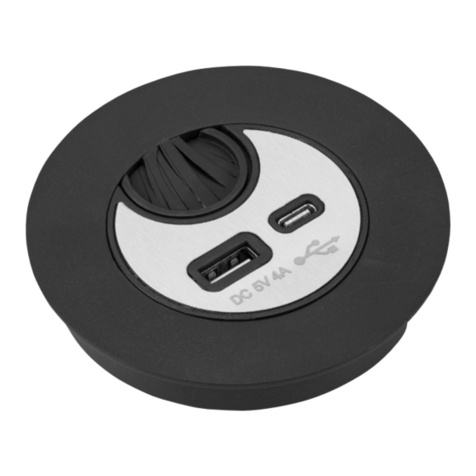
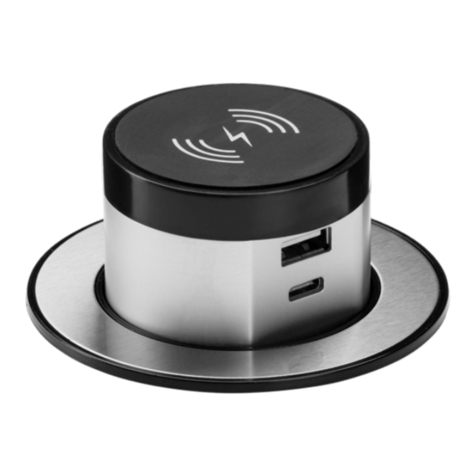
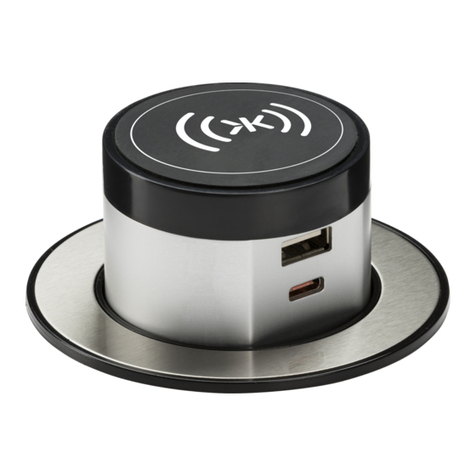
These instructions should be used to aid installation of the following product:
SK0010
GENERAL INSTRUCTIONS
SAFETY
INSTALLATION
• Installation of this product should only be carried out by a qualified electrician or competent
person to the current Building and IEE Wiring Regulations (BS7671)
• Check the total load on the circuit (including when this product is fitted) does not exceed the
rating of the circuit cable, fuse or circuit breaker
• Please note the IP (Ingress of Protection) rating of this product when deciding the location for
installation
• This product is Class II double insulated
• This product is IP20 rated
• Provide power to the point of installation (a single 13A socket is required per unit)
• Select a surface of at least 10mm in thickness to mount the product into, ensure there is
sufficient space under the surface to accommodate the product when recessed
• Cut a suitable hole in the surface as per the cut-out details (see Fig 1) ensuring not to infringe
with any joists, gas/water pipes or electrical cables
• Insert product into the hole
• Connect the USB outlets to the plug-in adapter
• Switch on power and test for correct operation
Fig 1
3
SK0010
These instructions should be read carefully and retained after installation by the end user for future reference and
maintenance.
These instructions should be used to aid installation of the following product:
SK0010
SAFETY
•Installation of this product should only be carried out by a qualified electrician or competent person to the
current Building and IEE Wiring Regulations (BS7671)
•Check the total load on the circuit (including when this product is fitted) does not exceed the rating of the
circuit cable, fuse or circuit breaker
•Please note the IP (Ingress of Protection) rating of this product when deciding the location for installation
•This product is Class II double insulated
•This product is IP20 rated
INSTALLATION
•Provide power to the point of installation (a single 13A socket is required per unit)
•Select a surface of at least 10mm in thickness to mount the product into, ensure there is sufficient space under
the surface to accommodate the product when recessed
•Cut a suitable hole in the surface as per the cut-out details (see Fig 1) ensuring not to infringe with any joists,
gas/water pipes or electrical cables
Fig 1
•Insert product into the hole
•Connect the USB outlets to the plug-in adapter
•Switch on power and test for correct operation
WARNING
This product must be disconnected from the circuit if subjected to any high voltage or insulation resistance testing.
Irreparable damage will occur if this instruction is not followed.
WARNING
GENERAL
WARRANTY
This product must be disconnected from the circuit if subjected to any high voltage or insulation
resistance testing. Irreparable damage will occur if this instruction is not followed.
The product should be recycled in the correct manner when it reaches the end of its life. Check local
authorities for where facilities exist.
Clean with a soft dry cloth only, do not use aggressive cleaning products or solvents which may
damage the product.
This product has a warranty of 1 year from date of purchase, failure to install this product in
accordance with the current edition of the IEE Wiring Regulations, improper use, or removal of
the batch codes will invalidate the warranty. If this product should fail within its warranty period it
should be returned to the place of purchase for a free of charge replacement. ML Accessories does
not accept responsibility for any installation costs associated with the replacement product. Your
statutory rights are not affected. ML Accessories reserve the right to alter product specification
without prior notice.
SK0010 INSTRUCTIONS_SPREADS.indd 4-5 16/06/2017 09:50