▶Booting
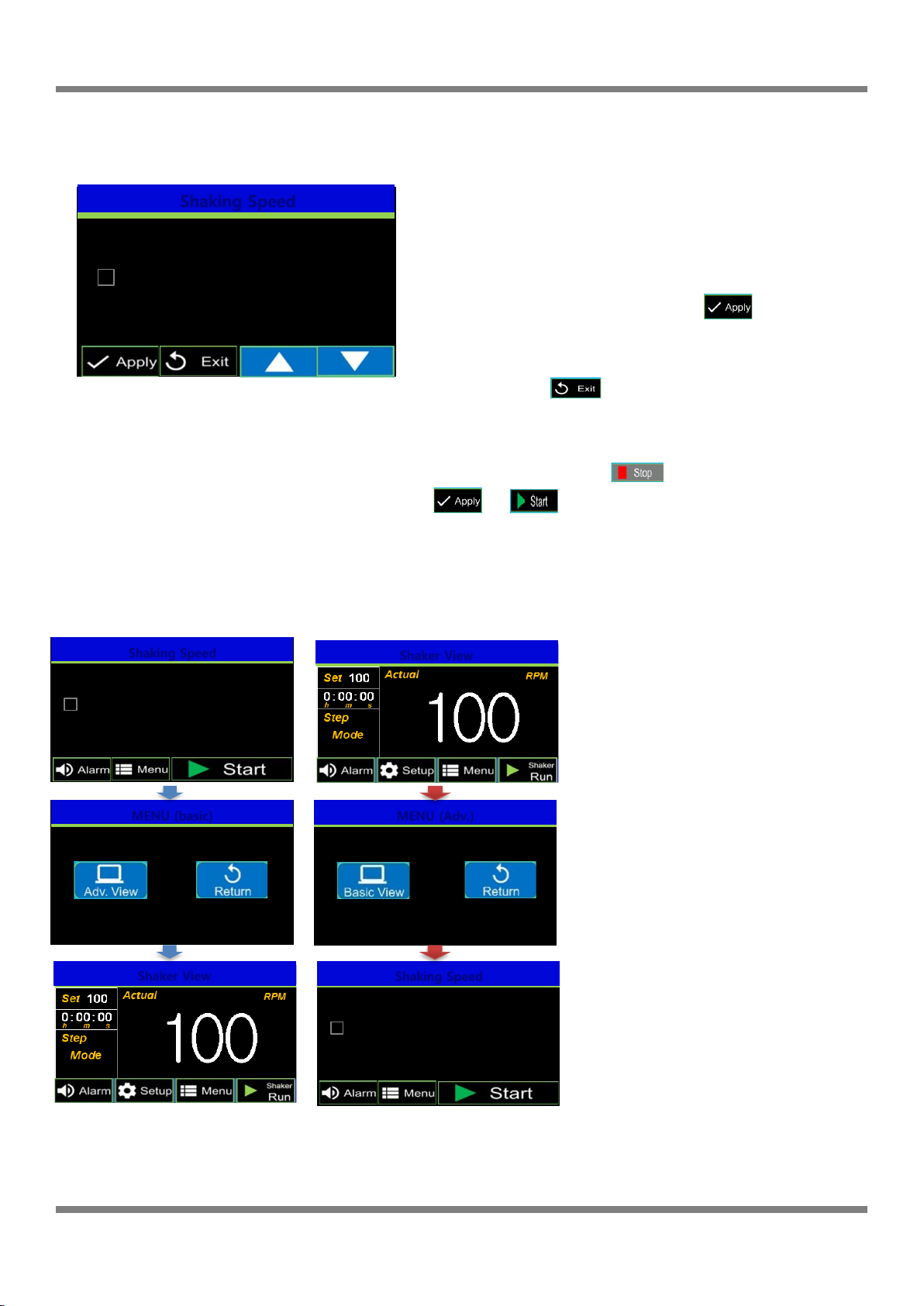
Press the power switch into the ON position, the display
illuminates and the booting screen is displayed for 2 seconds
before showing the “Basic View”screen.
NOTE: If the shaker has been powered off before the
completion of a run, the unit will automatically power on to
the previous settings.
And if shaker stop running and turn off, no matter any mode
shaker will turn on as Basic View.
4.1 Basic View Screen
▶Basic View Screen
ⓐRUN LED: indicates if the shaker is running.
ⓑTime setting: Indicates the set or remaining time.
(To adjust, TOUCH the time value)
ⓒRPM setting: Displays the set or current RPM
(To set the desired shaking speed, TOUCH the RPM value)
ⓓAlarm Mute : The audible alarm can temporarily deactivated by TOUCHING the
key when the audible alarm is active (beeping). This silences/mutes the
alarm for 10 minutes and the icon is displayed as . Following the 10
minute mute, if alarm event continues, audible alarm is unmuted.
To unmute the alarm, TOUCH the key to toggle to the unmuted setting,
.
Alarm Disabled : The alarm can be disabled by TOUCHING and holding the
key for 3~5 seconds. To reactivate the alarm setting, TOUCH the
once.
ⓔMenu: TOUCH to activate the main menu
ⓕShaker Start/Stop Button
TOUCH to start or to stop the shaker.
ⓖShaker end: Indicates that the setting time has expired and the
shaker stops running.
▷RPM setting change
ⓐTOUCH the RPM value, The numbers become red
ⓑ“SET MODE”is displayed (flashes)
ⓒInput the desired value by pressing UP(▲)/DOWN(▼) buttons
NOTE: Press and hold the buttons to increase or decrease the
value quickly.
ⓓApply: To store the newly set value TOUCH
(Or wait 5 seconds for the value to store automatically)
ⓔExit: If you press after changing any values, the values
are not saved and the screen returns to the previous screen