manuals.online logo
Brands
  1. Home
  2. •
  3. Brands
  4. •
  5. Nice
  6. •
  7. Gate Opener
  8. •
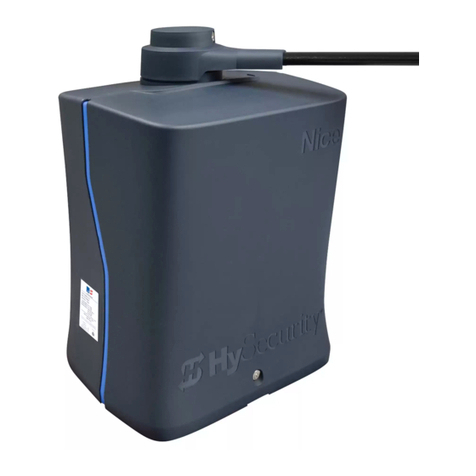
  9. Nice HySecurity TITAN 12L1 Instruction Manual

Nice HySecurity TITAN 12L1 Instruction Manual

This manual suits for next models

1

Other Nice Gate Opener manuals

Nice HYPPO HY 7005 Technical specifications

Nice

Nice HYPPO HY 7005 Technical specifications

Nice RUN Series Technical specifications

Nice

Nice RUN Series Technical specifications

Nice 7251 Assembly instructions

Nice

Nice 7251 Assembly instructions

Nice ROAD 400 Technical specifications

Nice

Nice ROAD 400 Technical specifications

Nice OTTO Series Installer manual

Nice

Nice OTTO Series Installer manual

Nice TITAN12L User manual

Nice

Nice TITAN12L User manual

Nice hyke HK7024 User manual

Nice

Nice hyke HK7024 User manual

Nice RIVA Series Technical specifications

Nice

Nice RIVA Series Technical specifications

Nice MC824L User manual

Nice

Nice MC824L User manual

Nice Toona 4 Series Technical specifications

Nice

Nice Toona 4 Series Technical specifications

Nice SFAB2024 Technical specifications

Nice

Nice SFAB2024 Technical specifications

Nice XFAB2024 Technical specifications

Nice

Nice XFAB2024 Technical specifications

Nice ROX600 User manual

Nice

Nice ROX600 User manual

Nice M-Fab Series Technical specifications

Nice

Nice M-Fab Series Technical specifications

Nice Titan 912L Installation and operating manual

Nice

Nice Titan 912L Installation and operating manual

Nice Moby Series Product manual

Nice

Nice Moby Series Product manual

Nice Neo Product manual

Nice

Nice Neo Product manual

Nice hyke HK7224 Technical specifications

Nice

Nice hyke HK7224 Technical specifications

Nice MhouseKit WG2W Technical specifications

Nice

Nice MhouseKit WG2W Technical specifications

Nice Mighty Mule MM271 User manual

Nice

Nice Mighty Mule MM271 User manual

Nice Slight Technical specifications

Nice

Nice Slight Technical specifications

Nice 4024 Technical specifications

Nice

Nice 4024 Technical specifications

Nice LFAB4000 Technical specifications

Nice

Nice LFAB4000 Technical specifications

Nice WALKY 1024 Technical specifications

Nice

Nice WALKY 1024 Technical specifications

Popular Gate Opener manuals by other brands

Nortek Security & Control Mighty Mule HD272 installation manual

Nortek Security & Control

Nortek Security & Control Mighty Mule HD272 installation manual

tousek TURN 10 Installation and operating instructions

tousek

tousek TURN 10 Installation and operating instructions

SOMFY AXOVIA 220B RTS installation instructions

SOMFY

SOMFY AXOVIA 220B RTS installation instructions

Nice HySecurity CBOX1050 Installation and programming manual

Nice HySecurity

Nice HySecurity CBOX1050 Installation and programming manual

CAME FROG-PM4 installation manual

CAME

CAME FROG-PM4 installation manual

Aprimatic ONDA 500 installation instructions

Aprimatic

Aprimatic ONDA 500 installation instructions

Turnstiles FSW 900 manual

Turnstiles

Turnstiles FSW 900 manual

Erreka BUL BL33 Quick installation and programming guide

Erreka

Erreka BUL BL33 Quick installation and programming guide

Extel VERA quick guide

Extel

Extel VERA quick guide

Beninca R1-2 WBV quick start guide

Beninca

Beninca R1-2 WBV quick start guide

Erreka VULCAN D user manual

Erreka

Erreka VULCAN D user manual

Motorline professional FORT User& installer's manual

Motorline professional

Motorline professional FORT User& installer's manual

Beninca BOB5024 manual

Beninca

Beninca BOB5024 manual

AGA GATEMASTER 900 HD installation manual

AGA

AGA GATEMASTER 900 HD installation manual

Cardin BL Series manual

Cardin

Cardin BL Series manual

Westfalia 85 27 06 instruction manual

Westfalia

Westfalia 85 27 06 instruction manual

Riello Elettronica CARDIN ACE FAST Instruction handbook

Riello Elettronica

Riello Elettronica CARDIN ACE FAST Instruction handbook

Telcoma ARM Instruction handbook

Telcoma

Telcoma ARM Instruction handbook

manuals.online logo
manuals.online logoBrands
  • About & Mission
  • Contact us
  • Privacy Policy
  • Terms and Conditions

Copyright 2025 Manuals.Online. All Rights Reserved.

TITAN12L1, 912L (w/1050)
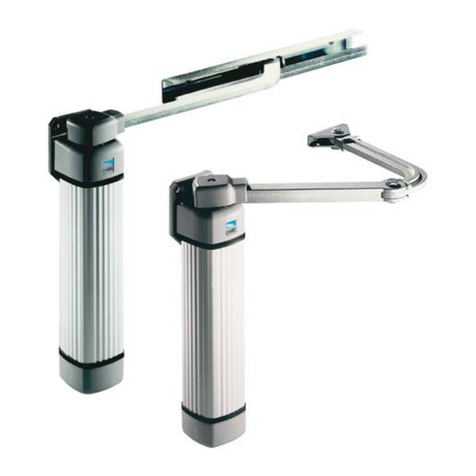
Swing Gate System
QUICK START
INSTALLATION
GUIDE
1
GATE
6”
11”
Weld or clamp pivot arm on gate hinge post for Pull-to-Open (left) or Push-to-Open (right).
Attach Actuator
to Pivot Arm Attach Actuator to
Gate Bracket
WASHERS
FIGURE 1: INSTALLATION OF ACTUATOR TO PIVOT ARM AND GATE BRACKET
GATE
BRACKET
912L ACTUATOR
ENSURE
LEVEL
PIVOT ARM
6”
13”
PIVOT ARM
PIVOT ARM
GATE
GATE
PIVOT ARM: Push-To-Open
PIVOT ARM: Pull-To-Open
ACTUATOR AND CONTROL BOX INSTALLATION:
HINGE
POST HINGE
POST
HINGE
HINGE
GATE BRACKET CENTERLINE
Pivot Arm
Top of Pivot Arm
TOP VIEW
TOP VIEW
FRONT VIEW
FRONT VIEW
1/2”
1/2”
Pivot
Arm
1B
1A
2
4
PULL-TO-OPEN:
Fully open gate,
then locate bracket
on gate support.
PUSH-TO-OPEN:
Fully close gate, then
locate bracket on
gate support.
Pull-To-Open
Push-To-Open
Push-To-OpenPull-To-Open
Bracket Position
Bracket Position
GATE OPEN
Ensure actuator arm is fully retracted, then position gate
bracket on gate structural support as shown below:
GATE CLOSED
TOP OF
PIVOT ARM
Afx Gate
Bracket to
gate struc-
tural support
by welding
or using
bolt/nut.
5
7 8
9
10
ical release open, manually
push gate to desired close
limit, then push to desired
open limit, and then push
to halfway open position.
Close mechanical release,
but do not lock.
actuator and minimum six feet
away from pivot arm (See FIG-
URE 2).
cable through rubber grom-
mets in bottom of control
box and wire per diagram
at right.
For dual gate, dig trench
across drive and run 2nd
actuator cable through con-
duit.
Open mechanical release on actuator.
2 31
6
3
CAUTION! Do NOT weld while control board is powered!
1/2”x
2-7/8”
PIVOT
BOLT
1/2”x3.5”
BOLT
LOCK NUT
LOCK
NUT
Manually Set Limits:
With actuator mechan-
Mount Control Box
same side as primary
Wire actuator to
control board: Pass
Orange
Orange
White
White
Green
Green
Blue
Blue
Yellow
Yellow
Red
Black Red Black
NOTE: Dual gate: wire Motor 1 and Motor 2 the same way.
EXTREMELY
IMPORTANT!
Read entire
manual before
attempting the
installation.
This is NOT a
“do-it-yourself”
project. Use a
qualied con-
tractor to install
this system.
Read all safety
information!
Place Battery inside
control box with ter-
minals facing toward the front.
CAUTION! Do not mount the control box where the person using
the push button on box can come in contact with the gate!
5 54 43 3
3
32 2
22 1 1
11
TITAN12L1, 912L (w/1050)
Swing Gate System
QUICK START
INSTALLATION
GUIDE
2
CAUTION!
AC POWER
Actuator Cable
BlueBUS Wiring
Loop Wiring
Solar Panel Wiring
AC Power Wiring
6 foot min.
from pivot
install
Conduit for BlueBUS
and actuator cable
BlueBUS
Photo Eye
Open
Limit Safety
Loop
Open
Limit
Close
Limit
8
16
9
10
3
4
5
15
11 11
12
1
7
7
7
2
6
FIGURE 2: TYPICAL TITAN GATE SYSTEM (PULL-TO-OPEN, DUAL-GATE SHOWN)
OPEN
MOTOR 2 Limit
LED (Red/Green)
MOTOR 1 Limit
LED (Red/Green)
MOTOR 1 Inputs Button
OXI/A RX
Green LED
Solar
Panel 12VDC
Battery
DO NOT USE
POWER INPUTS
12-32VDC Power
Supply (Optional)
MOTOR 2 Inputs
STOP
CLOSE
UP
OK
DOWN
Exit
Edge
Entrap
Shadow
Safety
OXI/A Plugin
Radio Receiver
DISPLAY
FORCE
RESET
Display
SPEED Safety Device Conn.
Audio
Alarm
BlueBUS Connector
+
FUNCTIONS
DELAY
FUNCTION
1. Learn
LEARN
Swing
FUNCTIONS
Button
PRESS
OK
OK OK
Light
Heavy
Average
Enter
LEARN
Slide
UP Use UP/DOWN
buttons to
select
“Average”
BLINKING =
Learn Mode
GATE LIMIT LEARN PROCEDURE:
1. Test Gate Conditions: Remove pivot bolt(s) and move gate
to open/close positions. Check for free travel without bind-
ing, then reconnect actuator(s) to gate.
2. Connect power: See INSTRUCTION 13, above.
3. Enter Learn Mode: See FIGURE 4.NOTE: With “ENTER”
ashing, “OPEN” and “CLOSE” buttons must be held
down to operate. Complete Step 4 for each actuator/gate
individually (disconnect actuator NOT being adjusted). Re-
connect both actuators prior to Step 5.
4. Adjust Limit Location: a) Hold down “OPEN” button until
desired open position reached. If motion is opposite than
desired, switch RED and BLACK wires at motor input. b)
Adjust open limit until Limit LED glows GREEN. If illumi-
nated RED, switch ORANGE & WHITEWHITE wires at terminal
block. c) Hold down “CLOSE” button until desired close
position. d) Adjust close limit until Motor Limit LED illumi-
nates RED. e) Hold down “OPEN” until gate at middle of
travel. If dual gate, connect both actuator cables to board.
5. Commence Limit Learn: In Learn Mode (with “ENTER” still
ashing) press “OK” and the following events will occur:
a) Partial open. b) Slow travel in close direction. c) Slow
travel in open direction. d) Full speed in close direction.
Basic limit programming is complete. See the manual for ad-
ditional programming.
11
12
13 16
15
14
Install, and connect to con-
trol board, 100 feet max.
See 1050 diagram below.
al power supply, and/or solar
panels to board. See 1050 dia-
gram below. Run AC power to
AC-DC power supply, but do
NOT connect AC power direct-
ly to control board!
hold OXI/A RX button until
green LED lights solid, then
release. b) Within 10 seconds,
press/hold any key on Nice TX
until green LED blinks 3 times.
c) Wait 15 sec. then press TX
buttons to verify operation.
accessories, such as safety
loops, strobes, photo eyes,
or other safety devices. See
FIGURE 3 below.
Determine BlueBUS
photo eye locations:
Attach warning
signs to gate.
To power 1050 board,
connect battery, option-Program receiver and
transmitters: a) Press/
Connect audio alarm,
then connect other
Perform limit learn
procedure (below).
15
13
13
FIGURE 3: 1050
Control Board
FIGURE 3:
1050 CON-
TROL BOARD
FIGURE 4: ENTERING LEARN MODE (1050 BOARD)