IV
During Use
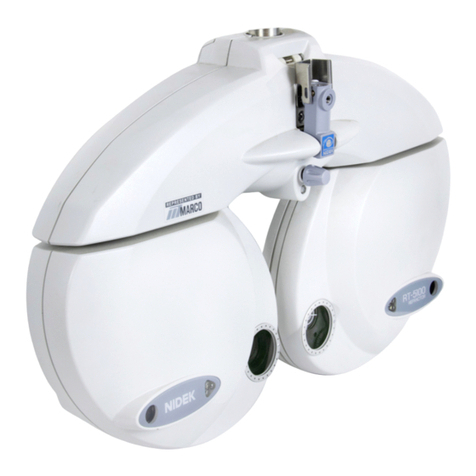
•When moving the refractor head, make sure that there are no obstacles in
its path.
If the arm is swung carelessly, it may bump against someone or something and injury
or malfunction may occur.
•When installing and operating the device, observe the following
instructions about EMC (electromagnetic compatibility):
- Do not use the device simultaneously with other electronic equipment to avoid elec-
tromagnetic interference with the operation of the device.
- Do not use the device near, on, or under other electronic equipment to avoid elec-
tromagnetic interference with the operation of the device.
- Do not use the device in the same room with other equipment such as life-support
equipment, other equipment that has major affects on the life of the patient and
results of treatment, or other measurement or treatment equipment that involves
small electric current.
- Do not use the device simultaneously with portable and mobile radio frequency
communication systems because it may have an adverse effect on operation of the
device.
- Do not use cables and accessories that are not specified for the device because
that may increase the emission of electromagnetic waves from the device or the
system and decrease the immunity of the device to electromagnetic disturbance.
•Unplug the power cord and contact NIDEK or your authorized distributor if
the internal wires are exposed, the table turns on or off when the power
cord is moved, or the cord and/or plug are too hot to hold.
This may result in electric shock or fire.
•Keep the measuring windows free of fingerprints and smudges.
Failure to do so could affect the data accuracy.
•In the event of smoke or strange odors, immediately turn off the device and
disconnect the power plug from the outlet. After you are positive that the
smoke has stopped, contact NIDEK or your authorized distributor.
Continued use of the device under such abnormal conditions may cause fire or elec-
tric shock.
•When the device is not in use, turn it off and put the dust cover over it.
If the device is not covered for an extended period, the accumulation of dust may
affect the data accuracy.
•Do not touch the touch-screen panel with anything other than the tip of a
touch-screen pen.
Contact with a hard or sharp object such as a ball point pen may scratch the panel.
In addition, although the tip of a touch-screen pen is covered with resin which is
unlikely to scratch the panel, the panel may be scratched by strongly pressing the pen
against the panel.
Do not touch the panel with fingers. Doing so could decrease the panel sensitivity or
make the panel dirty. It may affect the near vision test accuracy.