PNSPO
Model
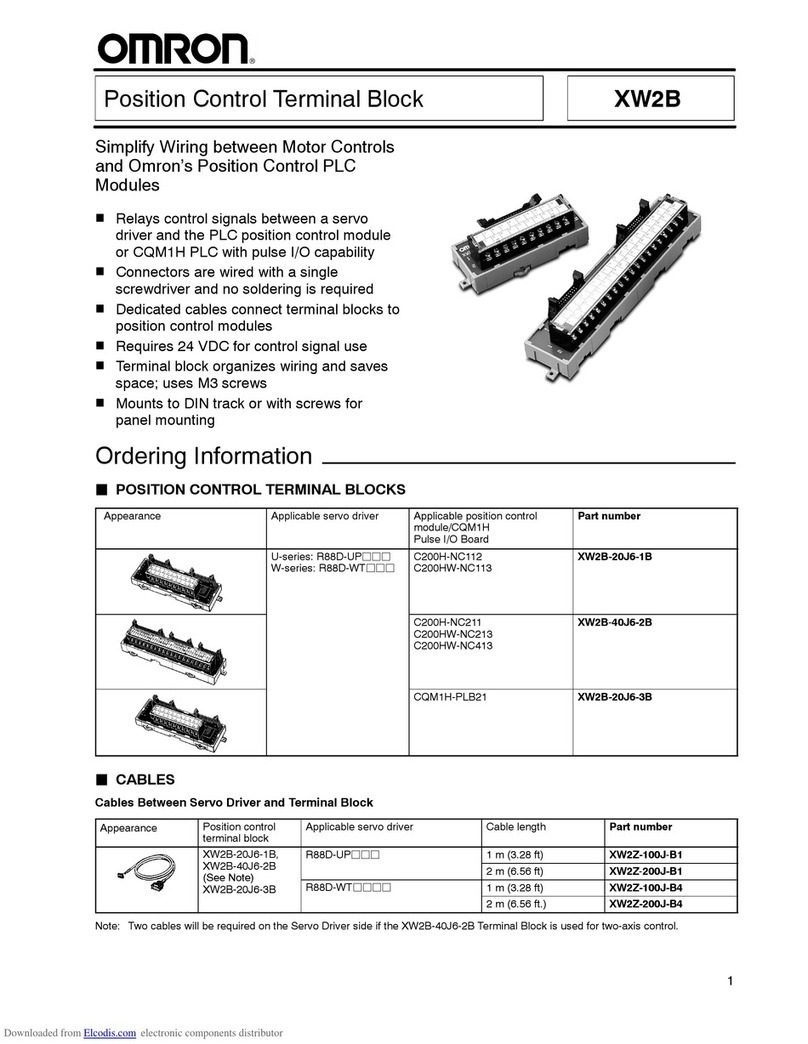
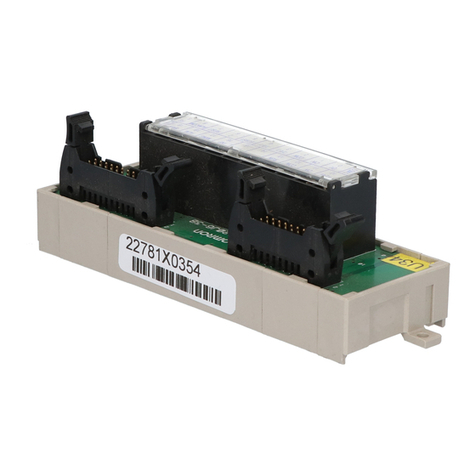
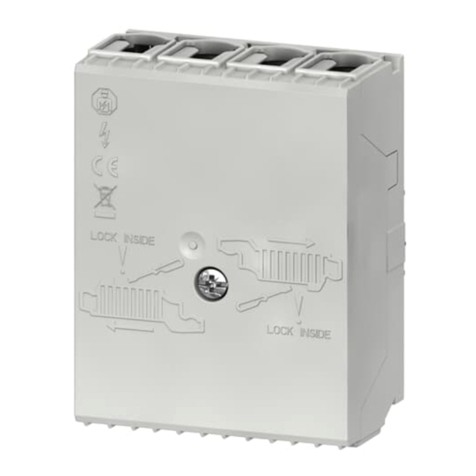
XW2G-40G7-E
Input Terminal Block for CJ1W-CTL41-E
Thank you for purchasing an OMRON product. Read this
instruction sheet thoroughly and familiarise yourself with the
functions and characteristics of the product before using it. To
ensure safe and correct use of this Unit, also read the following
manual (Cat No. W02E-EN-01 CJ1W-CTL41-E 4-Channel
Counter Unit Operation Manual).
Keep this instruction sheet for future reference.
OMRON MANUFACTURING OF THE NETHERLANDS B.V.
© OMRON Corporation 2004 All Rights Reserved
1643469-2A
!DANGER Do not attempt to take the Unit apart and do not
touch any internal parts while the power is being
supplied. Doing either of these may result in
electrical shock, and serious or fatal injury.
!Caution Do not use the XW2G-40G7-E Input Terminal
Block with other Units than the CJ1W-CTL41-E.
Doing this might cause damage to these Units.
■Nomenclature
■Unit Specifications
Storage temperature -20 to +75 °C
Ambient temperature 0 to +55 °C
Ambient humidity 10 to 90% (non-condensing)
EMC compliance EN 50081-2, EN 61131-2
Mounting DIN-rail mountable
Weight 125 g (typical)
1A+ 1A - 1B+ 1B-
1Z+ 1Z- 1V+ 1V-
2A + 2 A - 2 B + 2 B-
2Z+ 2Z- 2V+ 2V-
3Z+ 3Z- 3V+3V-
4A+4A-4B+4B-
4Z- 4V + 4V-4Z+
V+ V + V- V-
3A + 3 A - 3 B+ 3 B -
Channel 1
jumpers
Channel 2
jumpers
Channel 4
jumpers
Channel 3
jumpers
Connector to
CJ1W-CTL41-E
Channel 1
connections
Channel 2
connections
Channel 3
connections
Channel 4
connections
Encoder Power
Supply input
■Dimensions
■Jumper settings
The XW2G-40G7-E provides a means to select the level for every
Input signal separately, using the jumper. The following selections are
possible
• Always set all three jumpers for a channel to a single selection.
• Default jumper setting: 24 V
!Caution Do not set the jumpers to the Line Driver (LD)
setting if the Encoders signals are 24V. Doing so
can cause damage to the CJ1W-CTL41-E Unit.
■Encoder Power Supply
The XW2G-40G7-E provides power distribution to Encoders:
• Power supply input terminals: V+ / V-
• Power output to Encoders: nV+/nV- (n = 1, 2, 3, 4)
• In case encoders with different supply voltages are used on one
counter unit, supply power to them separately
■Cable specifications
The XW2G-40G7-E must be connected to the CJ1W-CTL41-E using
one of the following cable types:
These cables can be ordered from OMRON
■Wiring
The figure below shows a Line Driver wiring example for one
Encoder:
Setting Description
LD The Line Driver level is selected.
Input signals are directly connected to
the cable connector.
24V The 24 V level is selected
Input signals are connected to the cable
connector via a resistor of 2.7 kΩ.
Cable type Length Cable type Length
XW2Z-050K 0.5 m XW2Z-200K 2.0 m
XW2Z-100K 1.0 m XW2Z-300K 3.0 m
XW2Z-150K 1.5 m XW2Z-500K 5.0 m
1A+1A-1B+1B-
1Z+ 1Z- 1V+1V-
2A + 2 A - 2 B + 2 B -
2Z+2Z-2V+2V-
3Z+ 3Z- 3V+3V-
4A+4A-4B+4B-
4Z- 4V + 4V-4Z+
V+ V + V- V-
3A + 3 A - 3 B + 3 B -
157
7
11
3
45
20
24.2
LD
24V
Line Driver
LD
24V
24V
Black/red: Phase A-
White/red: Phase B-
Brown: 5Vdc
Blue: 0Vdc (COM)
Orange/red: Phase Z-
1A+
1B+
1Z+
1A-
1B-
1Z-
0 V
+5Vdc
5 Vdc
Power supply
XW2G-40G7-E
Input Terminal Block
Terminals
Ex. E6B2-CWZ1X
Line Driver Outputs
Encoder
Black: Phase A+
White: Phase B+
Orange: Phase Z+
to CJ1W-CTL41-E
Counter Unit
1V+
1V-
V+
V-
XW2Z-xxxK
OMRON I/O cable
Note: All Channel 1 jumpers in Line Driver setting
INSTRUCTION SHEET
PNSPO
OMRON CORPORATION
OMRON EUROPE B.V.
Wegalaan 67-69, NL-2132 JD, Hoofddorp, The Netherlands
Phone (+31) 23 - 56 81 300, Fax (+31) 23 - 56 81 388
Note: Specification subject to change without notice
Printed in The Netherlands 1643469-2A