
manuals.online logo
Brands
  1. Home
  2. •
  3. Brands
  4. •
  5. Open Plan Systems
  6. •
  7. Indoor Furnishing
  8. •
  9. Open Plan Systems XPAND UP User manual

Open Plan Systems XPAND UP User manual

Other manuals for XPAND UP

1

Other Open Plan Systems Indoor Furnishing manuals
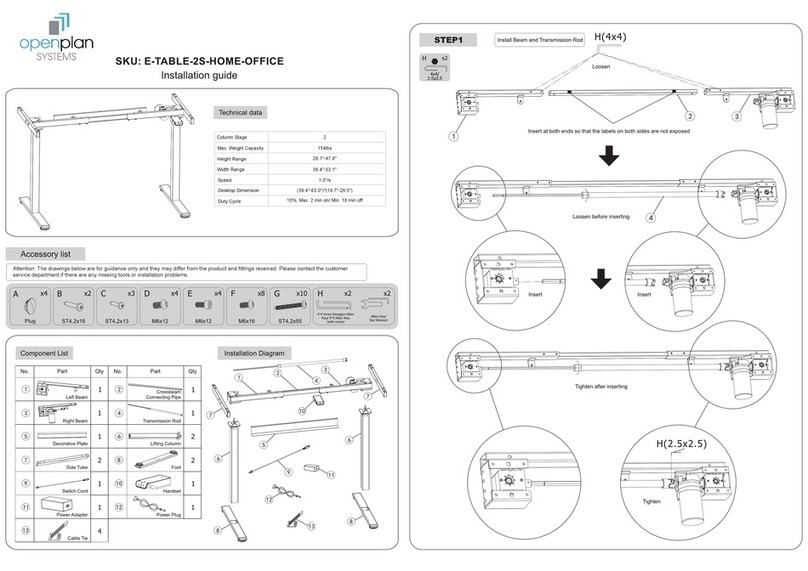
Open Plan Systems E-TABLE-2S-HOME-OFFICE User manual

Open Plan Systems

Open Plan Systems E-TABLE-2S-HOME-OFFICE User manual

Open Plan Systems OPS-B14 IMPACT User manual
Open Plan Systems

Open Plan Systems OPS-B14 IMPACT User manual

Open Plan Systems L2 Lumen User manual
Open Plan Systems

Open Plan Systems L2 Lumen User manual

Open Plan Systems TRAINING TABLE User manual
Open Plan Systems

Open Plan Systems TRAINING TABLE User manual

Open Plan Systems XPAND REACH User manual
Open Plan Systems

Open Plan Systems XPAND REACH User manual

Open Plan Systems PGHM User manual

Open Plan Systems

Open Plan Systems PGHM User manual
Open Plan Systems e-table90-j Assembly instructions
Open Plan Systems

Open Plan Systems e-table90-j Assembly instructions

Open Plan Systems EMERGE II User manual
Open Plan Systems

Open Plan Systems EMERGE II User manual

Open Plan Systems MOTIVATE - MID BACK 820 User manual
Open Plan Systems

Open Plan Systems MOTIVATE - MID BACK 820 User manual

Open Plan Systems XPAND REACH User manual

Open Plan Systems

Open Plan Systems XPAND REACH User manual

Open Plan Systems E-TABLE-2S-T-LEG User manual
Open Plan Systems

Open Plan Systems E-TABLE-2S-T-LEG User manual

Open Plan Systems XPAND REACH User manual
Open Plan Systems

Open Plan Systems XPAND REACH User manual
Open Plan Systems XPAND REACH User manual

Open Plan Systems

Open Plan Systems XPAND REACH User manual

Open Plan Systems DTR-CR User manual

Open Plan Systems

Open Plan Systems DTR-CR User manual
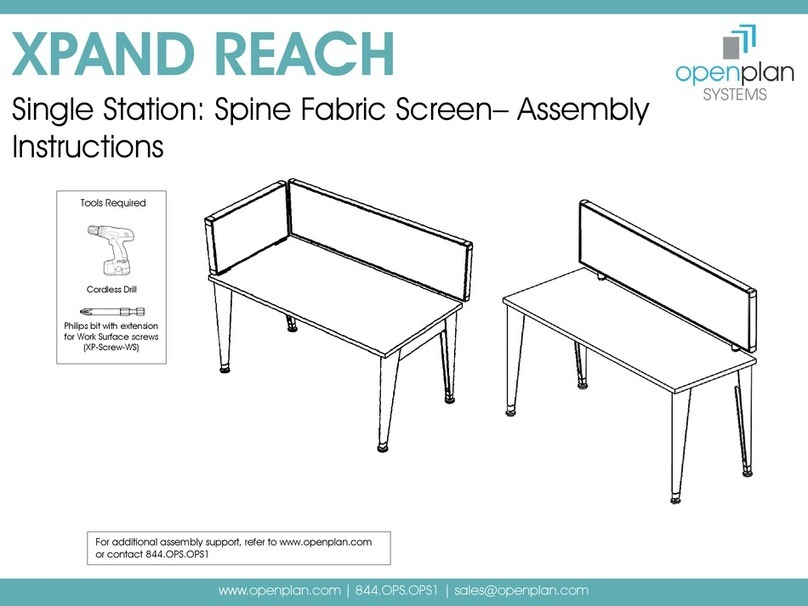
Open Plan Systems XPAND REACH Single Station Spine Fabric... User manual

Open Plan Systems

Open Plan Systems XPAND REACH Single Station Spine Fabric... User manual

Popular Indoor Furnishing manuals by other brands

Regency LWMS3015 Assembly instructions

Regency

Regency LWMS3015 Assembly instructions

Furniture of America CM7751C Assembly instructions

Furniture of America

Furniture of America CM7751C Assembly instructions

Safavieh Furniture Estella CNS5731 manual

Safavieh Furniture

Safavieh Furniture Estella CNS5731 manual

PLACES OF STYLE Ovalfuss Assembly instruction

PLACES OF STYLE

PLACES OF STYLE Ovalfuss Assembly instruction

Trasman 1138 Bo1 Assembly manual

Trasman

Trasman 1138 Bo1 Assembly manual

Costway JV10856 manual

Costway

Costway JV10856 manual

moss DESIGN Caisson Credenza Assembly instructions

moss DESIGN

moss DESIGN Caisson Credenza Assembly instructions

Aquaglide FULL DECK 15.0 owner's manual

Aquaglide

Aquaglide FULL DECK 15.0 owner's manual

AREBOS AR-HE-SW30 user manual

AREBOS

AREBOS AR-HE-SW30 user manual

Till-Hilft Fulda 87005.330 Assembly instructions

Till-Hilft

Till-Hilft Fulda 87005.330 Assembly instructions

Twoey Outside 2010 quick start guide

Twoey Outside

Twoey Outside 2010 quick start guide

Hettich Easys 200 operating instructions

Hettich

Hettich Easys 200 operating instructions

The bedboss RELAX 404 Series owner's manual

The bedboss

The bedboss RELAX 404 Series owner's manual

Oeseder Möbelindustrie Bern 991 720 Assembly instructions

Oeseder Möbelindustrie

Oeseder Möbelindustrie Bern 991 720 Assembly instructions

Costway HW68469 user manual

Costway

Costway HW68469 user manual

Next ALIX A27743 Assembly instructions

Next

Next ALIX A27743 Assembly instructions

BROSA Hans Assembly guide

BROSA

BROSA Hans Assembly guide

Prodigg MINIKA PBA015T-FUR installation manual

Prodigg

Prodigg MINIKA PBA015T-FUR installation manual

manuals.online logo
manuals.online logoBrands
  • About & Mission
  • Contact us
  • Privacy Policy
  • Terms and Conditions

Copyright 2025 Manuals.Online. All Rights Reserved.

Tools Required
For additional assembly support, refer to www.openplan.com
or contact 844.OPS.OPS1
Cordless Drill
Philips bit with extension
for Work Surface screws
(XP-Screw-WS)
Measuring Tape
3/16 Hex drive bit
for XP-Screws
Level
XPAND UP
Single Bench –Multiple Station- Assembly Instructions
www.openplan.com | 844.OPS.OPS1 | sales@openplan.com
Rubber Mallet
XPand Parts Used for Assembly
2
Item Part name Part
Description
Image
1 XP-HA-Base, leg Legs for XP-HA-
Base
2 XP-HA-Base-
Feet
Base Feet
3 XP-HA-Base,
Frame support
Frame support
for HA-Base
4 XP-HA-SCT-BKT Bracket for Single
Height
Adjustable
5 XP-HA-SCT-S Side Bracket for
Single Cable tray
6 XP-HA-SCT-XX Single Cable
Tray, XX”
7 XP-HA-SCT-MC Mid Cap
Item Part name Part
Description
Image
8 XP-HA-SCT-EC End Cap
9 XP-HA-SCTC-XX Cable Tray cover
10 HA-Base Screw M6X 10 Screw for
HA-Base
11 XP-Screw-WS 10-9X1 PH Pan
Head, ST P’bd
12 XP-Screw 5/16-18 x .5” Hex
Socket Cap
13 XP-HA--TXXXX HA Work Surface
XPand UP – Single Bench-Multiple Station
Step 1: Prepare a large floor space to put the XPand order together. Unpack the parts and check to see if all the XPand parts are present as per
the sales order pick list.
3
Step 2: Remove the Leg Glide and assemble
the Base Feet to the Leg using the same
screws.
Step 3: Repeat Step 2 to assemble another leg to the Base Feet.
Assemble the Frame support and the cross beam using the HA-Screws
provided with the XP-HA-Base.
Note: If the order is for Single Station and no Cable Trays, jump to Step 9 to assemble Work Surfaces
XPand UP – Single Bench-Multiple Station
4
Step 4: Assemble XP-HA-SCT-BKT to the HA-leg using
(2) XP-screws per bracket.
Step 5: Assemble XP-HA-SCT-S to XP-HA-SCT-BKT using (4) ½” Self Tap screws
shown in Figure A and Figure B.
Note: Assemble (1) XP-HA-SCT-S to XP-HA-SCT-BKT at the
end of the run and assemble (2) XP-HA-SCT-S to XP-HA-
SCT-BKT facing each other on extended side of the run.
End of the run
Extended side of the run
Figure A
(End of the run)
Figure B
(Extended side of the run)
XPand UP – Single Bench-Multiple Station
www.openplan.com | 844.OPS.OPS1 | sales@openplan.com
5
Step 6: Repeat Step 2 to Step 5 to assemble another Single Station
and assemble both the Stations in chain using XP-HA-SCT-18 (18”
Single Cable Tray ). Assemble XP-HA-SCT-18 to the XP-HA-SCT-BKT
using (2) XP-Screws.
Step 7: Assemble XP-HA-SCT-XX (Single cable tray) to XP-HA-SCT-
BKT using (2) XP-Screws per cable tray.
XPand UP – Single Bench-Multiple Station
www.openplan.com | 844.OPS.OPS1 | sales@openplan.com
6
Step 8: Assemble the cable tray covers XP-HA-SCTC-XX to XP-HA-
SCT-BKT using (2) XP-Screws per cable tray cover. Slide in the
plastic caps, XP-HA-SCT-EC (End caps) at each end of the run
and XP-HA-SCT-MC (Mid Caps) in the center of the run to cover
the gaps between the cable tray covers.
Step 9: Place the Work Surfaces on the frame of the HA
station and center it. Secure the Work Surfaces to the
frame using (6) XP-Screw-WS per Work Surface.
XPand UP – Single Bench-Multiple Station










