Origin live ENCOUNTER User manual

INTRODUCTION
Thank you for ordering an Origin Live arm. We trust you
will enjoy getting closer to the original sound and
appreciating your music in a new way.
Please give special attention to underlined text in these
instructions.
Notes:
a) t may seem there is “play” in the bearings - this is a
design feature. The dual pivot bearings for vertical
movement allow for a great deal of arm movement but
always re-centre themselves.
The conventional bearings for horizontal arm swing are
very high grade. However they are “floated” inside the
vertical bearing house to allow slight movement rather
than rigidly coupling it to the structure. Again these
bearings are self centering so you need not be concerned
about apparent movement.
b) You should handle the arm in exactly the same way as
a conventional gimballed arm.
c) The sound of new arms and rewires will improve
significantly over the first 40 to 100 hours of running
time as wires burn in.
Mounting Requirements
Arm mounting varies depending on the make of
your turntable. This section caters for various
scenarios.
Geometry & dimensions
You do not need a mounting template.
For standard Origin Live arms with effective
length of 9.5 inch (240mm)
The arm mounting hole diameter should be 23mm
to 24.5 mm.
Centre of mounting hole to centre of platter should
be 222mm (plus or minus 1mm tolerance).
Page 1
Instructions for
ENCOUNTER, ILLUSTRIOUS,
& CONQUEROR
I n s t r u c t i o n s b y O r i g i n l i v e 1 1 / 2 0 1 6 ©
***essential reading***
ARM CLI
HEADSHELL
ARM
TUBE
LIFT LOWER CURVED REST
COUNTERWEIGHT
YOKE
REAR STUB
LIFT LOWER LEVER
ARM
LATE

For 12 inch arms (309mm)
Dimensions are same as above, but mounting hole to
centre of platter is 295.6mm
eight consideration
Origin Live arms can be raised by approx 16mm using
VTA adjustment. However performance is optimized
with the arm raised as little as possible. deally the
height from the top of armboard to top of platter should
be 24mm but not lower.
f this dimension is significantly larger on your deck,
you can use spacing washers – a 4mm Acrylic washer is
included for this purpose. This should be placed directly
on top of your armboard before fitting the arm.
There are other methods of adjusting armboard height
which may be advised by your turntable manufacturer.
Achieve ounting Conditions
f your deck already has correct mounting dimensions
then skip the next section and read “Mounting the Arm”.
f your deck does not yet have the correct geometry then
alternatives are as follows.
Modify your existing armboard
You can probably modify your existing arm board to
achieve the required geometry. Please refer to our web
site – on any tonearm page see right side menu “fitting
guidance” tab.
Obtain a compatible armboard
Origin Live arm geometry is identical to that of Rega
arms. This means they are perfect drop in replacements
for all Rega arms. Many deck manufacturers cater for
mounting Rega arms and can supply you with a Rega
geometry armboard that will perfectly fit your Origin
Live arm.
f necessary ask how to fit an “old style Rega geometry,
threaded base mounting”? This is easier than the newer 3
point mount and may save you money. They should
understand what is required.
Note that although newer Rega arms have a 3 point
mounting, their armboards always have a central 24mm
diameter hole and this is all you need to mount Origin
Live arms.
f your arm has an SME mount there is an adaptor
plate available on the Origin Live website – see
Accessories > Vinyl > Adaptors
Mounting the Arm
Refer to diagram below.
1. nsert arm through mounting hole in the
armboard.
2. Fit cork washer underneath the armboard.
3. Follow this with the large clamping nut
and tighten to just finger tight.
The mistake is often made of over tightening this
nut with the result that the music sounds deadened.
Simply tighten to finger tight - as hard as you can.
f you do not have a strong grip then use a spanner,
pliers or mole grips to “nip” the nut a fraction
tighter.
Page 2

UNDERSTANDING DUAL PIVOT
Why dual pivot?
The innovative dual pivot bearing is one of the secrets
behind this arms leading performance.
Similar in many respects to uni-pivots, the arm sounds
fluid, easy on the ear, and transparent. These are the
characteristics of low friction, well decoupled bearings.
The problem with uni-pivot arms is that they're fiddly to
set up and produces mediocre bass due to their
instability.
Dual pivots on the other hand have all the advantages of
uni-pivots but none of the drawbacks.
•No wobble
•Easier set up
•mproved performance
•Better handling
How dual pivot works
The above illustration shows the dual pivot bearing
which enables vertical arm movement.
Note that the horizontal axle is free to move a little in all
directions within the “bearing cups”(except downwards).
This may be a little disconcerting at first but confidence
sets in after a little experience.
t's also reassuring to know the arm cannot be knocked
off it’s bearings or come loose in any way. You can turn
the arm upside down and nothing will fall off as it
would in the case of a uni-pivot arm!
Minimal friction design
The pivot bearings are designed to reduce friction
to an absolute minimum. To achieve both a robust
design whilst maintaining extremely low friction, a
sharp tungsten point locates on a shallow radiused
bearing cup. Although the points can be forced to
move sideways in the cup they always return to
centre by gravity.
The “self centring” of the points in their cups may
vary by 0.01mm or so which accounts for the slight
deviance in tracking force of up to +0.06 grams. n
practice this has no effect on performance and is
also common among certain uni-pivot designs with
very low friction bearings.
Some may argue that a very sharp point in a deep V
shaped cup would restrain sideways movement
better. However this increases friction levels
significantly and uni-pivots employing this
approach are exceedingly fragile.
Page 3
When arm is
horizontal – bottom
surface of the yoke
should be roughly
parallel with turret
plate in side view.
NOTE
It's not necessary
to understand
these diagrams.
They're for
information only.
Enterprise Front View of Dual Pivot
Arrangement
Side view of Dual Pivot
ALLEN SCREW HOLDING IVOT OINT
Rotating clockwise raises this side of the
yoke.
TURRET LATE – Rotates
freely on conventional bearings
IVOT OINT IN THREADED
SCREW Adjusts Azimuth
YOKE RIGIDLY FIXED TO ARM TUBE
HARDENED BEARING CU

CONNECT THE AR
Fit Cable Clip
For optimal performance, support the arm cable with a
clip fastened underneath the plinth. This helps prevent
vibration feeding into the arm.
Leave a slight droop in the cable so it's not tight.
Clipping the cable is not always possible or convenient
so may be omitted.
Connect the arm to your Phono stage / Amplifier
Plug the arm lead phono plugs into your phono stage or
amplifier. These can occasionally be a very tight fit to
sockets due to variations in plating thickness etc.
f this is the case, the manufacturers of plastic bodied
plugs advise you to heat the plugs with a hair dryer (or
similar) to soften them slightly till they fit easily onto
your phono stage / amplifier phono sockets without
causing potential damage or aggravation.
Avoid overheating the plugs to the point where they are
too hot to touch easily. Once fitted, you do not need to
reheat the plugs in future as they will maintain the
correct tightness.
Earthing arrangements
Optimal earthing arrangement is largely a matter of trial
and error as it depends on your phono stage / amplifier
design. Most vinyl systems hum slightly at high volume
levels, especially valve amplifiers. This can be reduced
sometimes by changing the earthing arrangement.
Some of our external tonearm leads have a different
number of earth leads so please read the section below
that relates to your case.
Single earth wire on tonearm lead-outs
f your arm has a single earth lead, try connecting the
blue tonearm earth wire to the first component in the
chain from the arm. For example if you have a phono
stage connected to an integrated amp, then connect the
arm earth wire to the phono stage. On some amplifiers
it's best to leave the arm earth disconnected to reduce
hum.
3 Blue Earth wires and a Black signal return earth
wire on tonearm lead-outs
f your arm has the configuration shown opposite, try the
following and settle for the configuration with least hum.
A) Connect only the wire denoted “arm earth” and leave
the “screen earths” and “black wire” disconnected.
B) Connect all 3 blue earth wires to earth.
Connect “2 blue screen earths” only and leave arm earth
disconnected.
f hum still persists disconnect blue wires from
earth and connect only the thin black wire
sprouting from the “white RCA plug” to the phono
earth.
Then try the options A to C but with the black wire
connected.
This process does not take long and is only
necessary if you experience hum.
Additional notes on connections
Avoid pulling the external wires at the base of the
arm as they are not indestructible and can become
detached if excessive force is used to manipulate
them. This also applies to the cable joints in the
phono plugs.
f you have XLR plugs, you will not get both plugs
through the mounting hole for the arm. The hole is
too small to allow the 2nd plug to go through as the
1st cable wire takes up space.
For this reason we normally fit only one XLR plug
and leave you to fit the other. Full instructions on
how to fit the other XLR are available on our web
site - see top navigation bar > Support > Solving
problems > Tonearms then scroll down to near end
of page.
Page 4

Freeing the yoke
Remove the 2 “Transit bolts” located in the top of the
yoke (with white nylon washers under the heads for
protection). These are fitted for transit only and are
critical to avoid potential damage by preventing the pivot
points contacting the bearing cups.
t’s advised to wait till the arm is mounted before
removing the bolts for extra safety.
KEEP THE TRANS T BOLTS AND NYLON
WASHERS W TH THE PACK NG BOX N CASE T'S
NEEDED. There may come a time when you need to
dispatch the arm for sale, repair, or upgrade. The Transit
bolts are essential to prevent damage to the delicate pivot
points so always remember to insert it if you post or
pack the arm.
Fit Cartridge
f you're not familiar with fitting cartridges then please
read the detailed section “Hi-Fi Cartridges explained”
found towards the end of this manual.
ounting
Mount the cartridge in the headshell using mounting
screws (usually 2.5mm Allen bolts).
At this stage the headshell screws should be just
tensioned sufficiently to hold the cartridge against
the headshell, but loose enough for the cartridge to
be rotated and moved.
Set the initial position of the cartridge with
mounting bolts approximately midway along the
slots as shown below.
Carry out the set up procedure outlined below
without deviating from sequence. Each step affects
the next — change the order and setup will be
wrong.
Notes on cartridge mounting
Once cartridge is later aligned, mounting bolts
should be tight. Stainless steel Allen bolts are best
for mounting cartridges – the aluminium or brass
ones supplied with some cartridges are OK but
difficult to tighten in comparison to Allen heads.
Avoid steel bolts as they are magnetic and degrade
your cartridge magnets.
t's safest to fit the cartridge with the stylus guard in
place but it may be necessary to remove for phases
of installation. f you do so, replace it as soon as
possible.
Be especially careful when the stylus guard is off,
as many MC cartridges have a strong magnetic
field at the base of the cantilever. This can attract
the tip of a steel-bladed screwdriver with
irresistible force and destroy the stylus! To be safe,
use a non-ferrous screwdriver, or keep the stylus
guard on when you’re using the screwdriver near it.
Fit the Counterweight
Fit the counterweight over the rear stub of the arm
as shown in below photo.
The counterweight is deliberately a loose fit on the
stub for best performance. Lightly clamp it onto the
rear stub by turning the clamping Allen grub screw
in the side of the counterweight such that it just
“nips” tight. This way the counterweight has a little
friction to hold it before later sliding it backwards
and forwards.
Once final tracking force is set, this grub screw
should be firmly tightened to secure the
counterweight tightly.
Page 5
INITIAL POSITION OF CARTRIDGE
TRANS T BOLTS

Ensure that the clamping Allen grub screw is oriented at
the nearside of the arm as shown (not the top).
Mis-understandings of lift lower
devices.
The lift lower device should need no adjustment and will
only work properly once the arm height is correctly set
for VTA (see later).
Some people mistakenly think variables such as
cartridge body height affects the setting of the lift / lower
device.
Another misunderstanding is that if the platter height
changes with the addition of say a platter mat, that the
lift lower needs adjustment.
These misconceptions can cause a great deal of
frustration. The lift / lower is factory set and works
properly once the arm height is set correctly. Correct
means the arm tube sits parallel to the surface of the
record when the cartridge is on the record.
Correct operation of Lift lower
device
When the lift / lower lever is in the raised position the
lever must travel past vertical to stay up. The arm will
remain in this position with the cartridge lifted above the
surface of the record.
Once you pull the lever back down to just past it's
vertical point, the arm will gently fall till the stylus
lands on the record surface.
hoto showing lift / lower lever raised past vertical
Take care not to pull the lever down further once
it's gone past vertical. This can stop the device
functioning properly. Rather, once you've taken the
lever past vertical just let the arm fall under its own
weight.
hoto showing lever at release point, just past vertical.
Descent rates vary on lift lower devices but a quick
rate of descent is not a bad thing. This is similar to
hand queuing records, which offers a very fast rate
of descent. Notably hand queuing results in no
degradation of records even when carried out mid
track, hundreds of times. Slow descent on the other
hand is more likely to “graze” a record and cause
slight degradation.
Set initial tracking force
Set tracking force to manufacturers
recommendation.
easure Tracking Force
To measure tracking force, use a stylus force gauge
under the cartridge stylus as shown below.
f you find the armtube is far from level, it may
render tracking force measurements impossible so
adjust arm height accordingly. Read how to set arm
height in next section.
Notes on Stylus Force gauges
Most stylus force gauges work on the same
principle as a set of scales or balances. For example
with the Ortofon Stylus Force Gauge, first place the
stylus on the inscribed or graduated portion of the
scales. Then try the stylus at different points until
you find the point where the beam “balances”
freely in a roughly level position. You then read the
force that is being exerted.
Page 6
CLAM ING GRUB SCREW NEARSIDE
FINE ADJUSTER
Vertical position of lever

From this number you can assess whether you need to
increase the tracking force or vice-versa. Move the
tonearm counterweight accordingly and re-measure the
tracking force. Repeat this procedure until the correct
reading is obtained.
A digital force gauge works slightly differently so
follow the manufacturer’s instructions.
hoto of stylus force gauge to set tracking force
Adjusting tracking Force
First screw in the fine adjuster on the rear of the
counterweight in as far as possible.
To adjust tracking force slide the large counterweight to
approximately the correct position on the rear stub.
Sliding the counterweight towards the cartridge increases
tracking force and away decreases it.
Set the tracking force to within 0 to 0.35 grams OVER
the correct reading.
Then to obtain the correct force, screw the fine adjuster
outwards.
Notes on counterweight adjustment
The trick to precise positioning of the counterweight is
to lightly nip the grub screw when you get close to your
desired reading. Then gently twist the counterweight
slightly while pushing it in the desired direction till it
gives the correct reading. Once this is achieved, clamp
firmly and recheck the reading.
Tracking force will likely need re-setting later so don't
worry about getting it too exact at this stage - within 0.3
grams of recommended tracking force is fine.
Set arm height
How to raise and lower arm base to set VTA
To raise or lower the base of the arm use the VTA
adjuster wheel – see diagram below.
The arm must be unclamped for the VTA wheel to
work. So slacken“VTA clamping grub screw” half
a turn or so using the Allen key provided.
Just under the arm plate is the thin silver VTA
height adjuster wheel – To raise the arm, turn the
wheel clockwise (anti-clockwise to lower it). The
wheel has a dimple so that you can see how far you
turn it - each half revolution of the wheel is
equivalent to a 0.5mm change in height.
Judging correct arm height is described later but
once achieved, clamp the arm firmly using the
clamping grub screw.
The final clamping stage is to turn the VTA adjuster
wheel clockwise and tighten – this prevents the arm
from “rocking” and ensures absolute rigidity
The wheel is capable of raising the arm around
16mm.
Adjust VTA
Set the arm height so that the arm tube is parallel to
the surface of the record. This is fundamental for
VTA and for the lift lower to work correctly.
To check arm height, lower the cartridge onto a flat
record. Use a track position approx midway across
the record.
Looking sideways across the arm, see if the arm
tube is parallel to the horizontal lines on the
alignment gauge. f the arm is down at the rear then
raise the base of the arm and visa versa.
To obtain an accurate assessment on parallel you
must hold the card parallel to the arm tube in both
planes as shown below.
Page 7
HORIZONTAL LINES ON ALIGNMENT GUAGE
VTA ADJUSTER WHEEL
VTA CLAM ING GRUB SCREW

Above photo shows correct orientation of alignment card
Above photo shows incorrect orientation of alignment card
Notes on VTA fine tuning
Cartridge suspensions “bed down” over the first 40
hours. There are also manufacturing variations in stylus
angle tolerances.
For these reasons, final VTA tuning is best carried out by
ear after this time period. There is a detailed Youtube
video on how to do this on our Youtube channel.
Experimentally set the optimum arm height by listening
to different VTA settings. f the arm base is too high, the
sound is usually slightly on the bright side and lacking
body in the bass – too low and it veers on the dull side.
For the sake of speed in VTA setting, we recommend
you leave the arm un-clamped during the comparisons.
However it will sound FAR better clamped, once you
have arrived at the VTA “sweet spot”.
Align Cartridge
f you have never carried out cartridge alignment, there
are numerous Youtube videos which some may find
easier than reading.
Set overhang
First set cartridge overhang to 17mm unless you have a
12 inch arm in which case the overhang is 13.2mm.
Overhang is the measurement from centre of platter to
tip of stylus (see below). When measuring this ensure the
armtube is positioned with it’s centre line directly over
the centre of the spindle as shown.
Use the alignment gauge or a ruler to judge this
measurement. n the above photo, notice that the
ruler is butted against the spindle although it's the
centre of the spindle that we need to measure from.
To compensate for this simply add 3.5mm (half the
diameter of the spindle) to measurement readings.
This is easier than trying to align the ruler with the
centre of the spindle.
Note that when you later twist the cartridge to align
it, the overhang position must be maintained and
checked at the end of the whole procedure.
Page 8
LATTER
S INDLE
7MM DIAMETER
STYLUS
TI OVER
RULER
USE RULER OR
MARK
ON ALIGNMENT
CARD

Align Cartridge
Once overhang is set, place the alignment gauge on the
platter as shown below.
Gently lower the cartridge onto the alignment gauge and
follow the instructions printed on it. Twist the cartridge
body in the headshell till body or stylus aligns with grid
then re-check overhang. Repeat procedure if necessary
till desired result is achieved.
When all adjustments are correct, carefully tighten down
the cartridge mounting screws keeping a firm grip on
cartridge and headshell together so nothing shifts.
Gradually tighten each screw in turn until tight.
Tightening one screw fully before tightening the other is
almost certain to move the cartridge out of alignment.
However careful you’ve been, always check the
alignment again after tightening.
Ensure the headshell wires are bent so they are clear of
the record surface.
Align stylus or cartridge body?
Most cartridge bodies have faces that are perfectly
aligned with the cantilever so you can align the
cartridge body on the gauge.
However this does not apply to all cartridges and
some brands do not build their stylus aligned
symmetrically with the body.
n these cases align stylus along centreline of the
card. This takes precedence over cartridge body
alignment in the case of Lyra, Soundsmith and
other cartridges.
Reset tracking force if necessary
Now that your cartridge is adjusted you will almost
certainly find that your initial tracking force
reading has changed.
Re-set the tracking force to it's correct reading
using the same procedure as before.
Page 9
CENTRE LINE OF
ALIGNMENT GUAGE
ALIGN STYLUS AS THE PRIORITY
RECORD S INDLE ALIGNMENT GUAGE

Diagram showing adjusters for VTA and Azimuth
SIDE BIAS
Side bias (sometimes called “Anti-skate”) applies an
opposing (outward) balancing force, to the natural
inward drag of a pivoting arm while playing. Without
side bias force, the stylus would push up against the
groove inner wall, causing distortion from cantilever
skew and possible mis-tracking.
Orientate wire loop
Carefully orientate the wire loop to the correct angle
relative to the arm base. Hold the enclosed paper
template alongside the arm to do this (see below). The
angle only needs to be approximate.
The wire loop is clamped in position by a set screw
at it’s base – this can be re-tightened if necessary
using the Allen key supplied.
Use paper template to set angle of wire loop
Fit side bias balls
Carefully unpack the 2 balls and joining thread
(shown in below).
hoto showing side bias ball arrangement
Page 10
AZIMUTH CLAM ING
SCREWS
Do Not adjust without
reading instructions –
These should never need
adjustment.
DO NOT TOUCH THESE SCREWS
They clamp in the retaining rings which
prevent the arm coming apart – loss can
result in breaking arm wires
VTA HEIGHT ADJUSTER WHEEL
Half turn clockwise raises arm 0.5mm
Must slacken VTA clamping screw before
turning.
Reclamp after adjusting to your preferred
tension.
VTA CLAM ING SCREW
Tighten once arm height is set
Remove cork
packing strips and
keep them for
transit purposes
DO NOT adjust this
grub screw opposite
the VTA clamp
screw.
COUNTERWEIGH
T CLAM ING
SCEW
DO NOT ADJUST IVOT ADJUSTER
SCREW
Do Not adjust without specific
instructions – or damage will result.
Enterprise Adjustments
CLAM BALL HANGING BALL
WIRE LOO
SIDE-BIAS ROD
CLAM BALL
HANGING BALL
WIRE
LOO
A ER TEM LATE
HELD ARALLEL
WIRE
LOO
A ER TEM LATE
HELD ARALLEL
CLAM
SCREW
This manual suits for next models
2
Table of contents
Other Origin live Turntable manuals

Origin live
Origin live Aurora Mk3 User manual
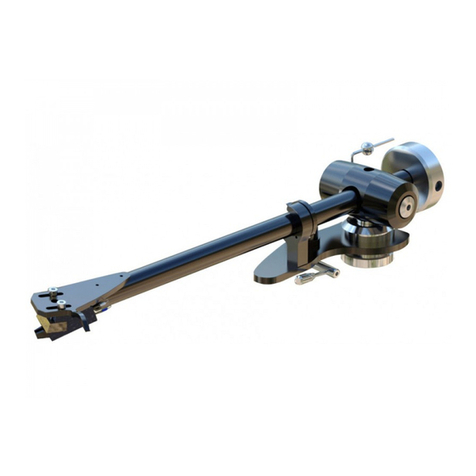
Origin live
Origin live ALLIANCE User manual

Origin live
Origin live THE RESOLUTION CLASSIC User manual

Origin live
Origin live Calypso MKII User manual

Origin live
Origin live Calypso MK3 User manual

Origin live
Origin live Turntable kit ALL VERSIONS User manual

Origin live
Origin live The Complete Ultra Turntable kit User manual
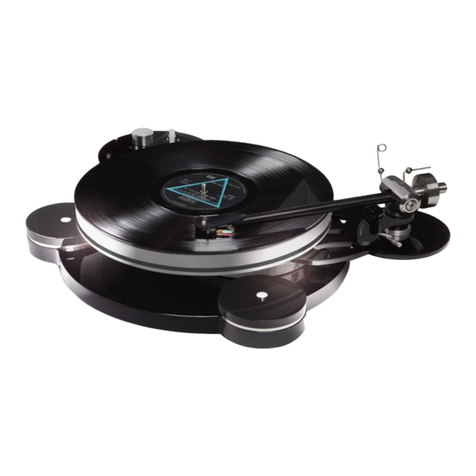
Origin live
Origin live Aurora MK4 User manual
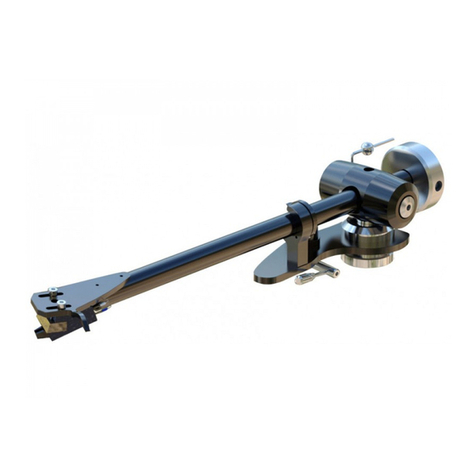
Origin live
Origin live ALLIANCE User manual

Origin live
Origin live AURORA GOLD User manual