manuals.online logo
Brands
  1. Home
  2. •
  3. Brands
  4. •
  5. PerkinElmer
  6. •
  7. Laboratory Equipment
  8. •
  9. PerkinElmer LED Solutions ACULED Designer Kit Silver User manual

PerkinElmer LED Solutions ACULED Designer Kit Silver User manual

This manual suits for next models

1

Other PerkinElmer Laboratory Equipment manuals

PerkinElmer Frontier FT-IR User manual
PerkinElmer

PerkinElmer Frontier FT-IR User manual

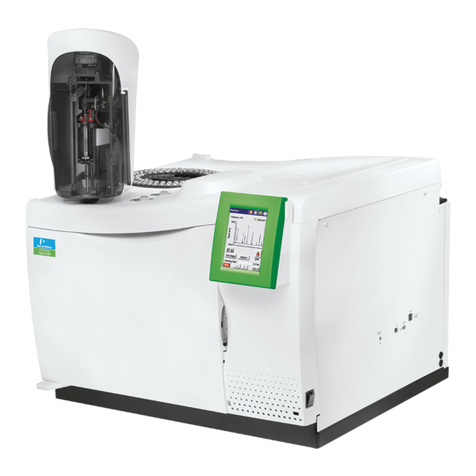
PerkinElmer CLARUS 600 GC User manual

PerkinElmer

PerkinElmer CLARUS 600 GC User manual
PerkinElmer Spectrum Two HATR User manual
PerkinElmer

PerkinElmer Spectrum Two HATR User manual

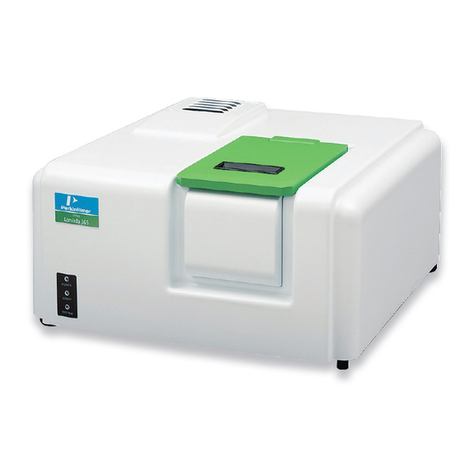
PerkinElmer Lambda 365 User manual

PerkinElmer

PerkinElmer Lambda 365 User manual

PerkinElmer QuickSTAR Horizon User manual

PerkinElmer

PerkinElmer QuickSTAR Horizon User manual

PerkinElmer TORION T-9 User manual

PerkinElmer

PerkinElmer TORION T-9 User manual

PerkinElmer Frontier Optica FT-IR User manual
PerkinElmer

PerkinElmer Frontier Optica FT-IR User manual

PerkinElmer OilExpress 4 User manual

PerkinElmer

PerkinElmer OilExpress 4 User manual

PerkinElmer Wallac 1420 User manual

PerkinElmer

PerkinElmer Wallac 1420 User manual
PerkinElmer Lambda 465 User manual

PerkinElmer

PerkinElmer Lambda 465 User manual

PerkinElmer UATR User manual

PerkinElmer

PerkinElmer UATR User manual
PerkinElmer clarus 500 gc User manual

PerkinElmer

PerkinElmer clarus 500 gc User manual
PerkinElmer FT-IR User manual

PerkinElmer

PerkinElmer FT-IR User manual

PerkinElmer HATR User manual

PerkinElmer

PerkinElmer HATR User manual

PerkinElmer VICTOR Nivo User manual

PerkinElmer

PerkinElmer VICTOR Nivo User manual

PerkinElmer Migele User manual

PerkinElmer

PerkinElmer Migele User manual

PerkinElmer AVIO 500 User manual

PerkinElmer

PerkinElmer AVIO 500 User manual

PerkinElmer Lambda 650 Installation instructions
PerkinElmer

PerkinElmer Lambda 650 Installation instructions

PerkinElmer Lambda 650 Installation instructions

PerkinElmer

PerkinElmer Lambda 650 Installation instructions

PerkinElmer Lambda 365 User manual

PerkinElmer

PerkinElmer Lambda 365 User manual
PerkinElmer Spectrum 100 Series User manual

PerkinElmer

PerkinElmer Spectrum 100 Series User manual

PerkinElmer Raman Flex 400 Series User manual

PerkinElmer

PerkinElmer Raman Flex 400 Series User manual

PerkinElmer TGA 8000 Assembly Instructions

PerkinElmer

PerkinElmer TGA 8000 Assembly Instructions

PerkinElmer Spotlight 150 User manual

PerkinElmer

PerkinElmer Spotlight 150 User manual

Popular Laboratory Equipment manuals by other brands

Radleys Carousel 6 Plus instructions

Radleys

Radleys Carousel 6 Plus instructions

Hemotherm 400MR Operation & technical manual

Hemotherm

Hemotherm 400MR Operation & technical manual

mrclab DVO Series Operation manual

mrclab

mrclab DVO Series Operation manual

CoolLED pE-800 quick start guide

CoolLED

CoolLED pE-800 quick start guide

Luminex Guava easyCyte Maintenance Guide

Luminex

Luminex Guava easyCyte Maintenance Guide

IKA A10 basic operating instructions

IKA

IKA A10 basic operating instructions

Belden HIRSCHMANN RPI-P1-4PoE installation manual

Belden

Belden HIRSCHMANN RPI-P1-4PoE installation manual

Koehler K1223 Series Operation and instruction manual

Koehler

Koehler K1223 Series Operation and instruction manual

Globe Scientific GCM-12 quick start guide

Globe Scientific

Globe Scientific GCM-12 quick start guide

Getinge 86 SERIES Technical manual

Getinge

Getinge 86 SERIES Technical manual

CORNING Everon 6000 user manual

CORNING

CORNING Everon 6000 user manual

Biocomp GRADIENT MASTER 108 operating manual

Biocomp

Biocomp GRADIENT MASTER 108 operating manual

Cole Parmer Stuart SB3/1 instruction manual

Cole Parmer

Cole Parmer Stuart SB3/1 instruction manual

BEVS 2501/2A user manual

BEVS

BEVS 2501/2A user manual

Qiagen DML 3000 user manual

Qiagen

Qiagen DML 3000 user manual

Queensgate NANOSCAN OP400 Quick start instructions

Queensgate

Queensgate NANOSCAN OP400 Quick start instructions

Parr Instrument 4560 Operating instructions manual

Parr Instrument

Parr Instrument 4560 Operating instructions manual

Integra DOSE IT operating instructions

Integra

Integra DOSE IT operating instructions

manuals.online logo
manuals.online logoBrands
  • About & Mission
  • Contact us
  • Privacy Policy
  • Terms and Conditions

Copyright 2025 Manuals.Online. All Rights Reserved.

www.optoelectronics.p erkinelmer.com
Product Overview
PerkinElmer Elcos offers designer kits
that allow you to test and run ACULED®
products in your application and assess
their functionality in your design.
The ACULED Silver kit offers the basic
equipment for entering the world of multi-
color High-Power LEDs. The ACULED
Designer Kit Silver includes three
mounted ACULED RGYBs, three heat
sinks, one power supply, and two types
of lenses. It is easy to use and ready-to-
operate in a few quick steps.
Features and Benefits
•All-in-one plug and play designer kit
•Three mounted ACULED RGYBs
•4-channel power supply 350 mA
•Two lens types
•Heat sink
Technical Support
•For technical support, please
contact us at:
elcos.sales@perkinelmer.com.
ACULED
®
Designer Kit
Silver
E001790
U S E R M A N U A L
www. opto el ectronics .p erkin elm er .com AC UL E D ® D e sign er K it
S i l v e r 2
U S E R M A N U A L
Table of Contents
Revision History 2
Content of the Designer Kit 3
Mounting and Installation of the ACULED® VHL™ / DYO™ Module 4
Operating the ACULED VHL / DYO Module 6
Revision History
This table provides a summary of the document revisions.
Date
Revision
Description
February 2008 Initial release of document to customers
June 2008 1 Change of ACULED Content
www. opto el ectronics .p erkin elm er .com AC UL E D ® D e sign er K it
S i l v e r 3
U S E R M A N U A L
Content of the Designer Kit
Type Product Number Description Quantity Item
ACULEDs on Adapter Plate
ACULED VHL module
RGYB (Red, Green, Blue, Yellow) n/a ACL01-MC-RGYB-E08-C01-L-R000
Soldered on adapter plate (through looking device)
1
1
ACULED VHL module
RBG4 (Red, Green, Blue, White
4500K)
n/a
ACL01-MC-RBG4-E09-C01-L-R000
Soldered on adapter plate (through looking device)
1
ACULED VHL module
666R (White 6500K, Red) n/a ACL01-MC-666R-E09-C01-V-S000
Soldered on adapter plate (through looking device)
1
Power Supply
PSU-ACL01-350 E001673 4-channel power supply, 350 mA / channel 1 2
Lenses
LHS-AL25-L22 22° E000524 ACULED lens 22°(lens + holder) 3 3
LHS-AL25-L22 32° E000525 ACULED lens 32°(lens + holder) 3 4
Heat Sinks
Heat sink 350 mA n/a 25 x 25 mm² aluminum, ready for ACULED + lens assembly 3 5
Tools
Thermal grease n/a Tube 5 mg 1
6Box of screws 1.6mm n/a Bag: 100 pieces 1
Screw driver n/a Flat headed screwdriver 1
Documentation
Manual n/a Manual Silver Kit 1 Outside
case
CD
n/a
Manuals / Datasheets ACULED, ACULED VHL, Custom Design
Guide DYO / Application Notes Thermal Management, Mounting,
Electrical Driving, Silicone and COB brochure
1 In case
2
5
3
4
1
6 6
6
www. opto el ectronics .p erkin elm er .com AC UL E D ® D e sign er K it
S i l v e r 4
U S E R M A N U A L
Mounting and Installation of the ACULED® VHL™ / DYO™ Module
Short Instruction (for LED Experts)
1. Screw down an ACULED module with thermal grease on an appropriate heat sink.
NOTE: Do not apply pressure on the ACULED module encapsulant. This might cause damage to the LED.
2. Connect module with power supply.
NOTE:
1. Please unplug the AC power before connecting or disconnecting the ACULED module to avoid potential
damage to the ACULED or the driver.
2. Orientation of cable connector to ACULED module has to be PCB down for all modules except
IR1+IR2. IR1 and IR2 need to be connected green PCB up.
3. Please verify the DC/DC connection cable is correctly attached between the ACULED and the driver.
3. Caution: ACULED modules are extremely bright. Before applying power,
direct the light source away from your eyes or wear protective eye wear.
4. Plug in power supply.
Detailed Instruction
NOTE:
Before operating the ACULED modules, it is mandatory to mount them on an appropriate heat sink.
Please be aware that operation of the ACULED module without heat sink may partially or fully damage the
ACULED due to overheating. For details on thermal management please refer to the Application Note “Thermal
Management of the ACULED VHL”.
It is recommended that thermal grease is used when mounting the ACULED module, which has to be applied
between the copper backside of the ACULED module and the heat sink (fig. 1). Please see our Application Note
“Mounting of the ACULED Product Family”.
Figure 1
Left: components for mounting
ACULED module
Right: application of thermal grease
on ACULED backside
www. opto el ectronics .p erkin elm er .com AC UL E D ® D e sign er K it
S i l v e r 5
U S E R M A N U A L
Figure 2
Screwing down the ACULED module
on a 350 mA heat sink
Screw down the module on a heat sink (fig. 2).
NOTE: Pay attention not to angle the screws and not
to touch the silicone surface of the ACULED (see
Application Note “Silicone” enclosed).
For operation, the pre-mounted end connector has to be plugged in. Connect the module with the power supply.
Please pay attention to the orientation of the connector.
NOTE: For all ACULED versions except Infrared 1 and Infrared 2 the connector has to be up (PCB down). For the
Infrared versions it has to be down (PCB up).
Caution: ACULED modules are extremely bright. Before applying power, direct the
light source away from your eyes or wear protective eye wear.
Finally plug in the power supply to a wall socket.
www. opto el ectronics .p erkin elm er .com AC UL E D ® D e sign er K it
S i l v e r 6
U S E R M A N U A L
Operating the ACULED VHL / DYO Module
The ACULED Designer Kit is equipped with two 4-channel power supplies that can either provide 350 mA or 700
mA to the ACULED (fig. 4). Details on the two power supply units can be found in the separate power supply
datasheets. The ACULED modules contain different versions of ACULED VHL and ACULED DYO that have four
separately addressable chips (see datasheets). Each channel of the power supply addresses one chip and can be
adjusted manually with the enclosed screwdriver (fig. 5).
North American Sales Office
PerkinElmer Optoelectronics
35 Congress Street
Salem, MA 01970, USA
Telephone: +1 978-745-3200
Toll free: (North America) +1 800-950-3441
Fax: +1 978-745-0894
Email: [email protected]
www.optoelectronics.perkinelmer.com
European Headquarters
PerkinElmer Optoelectronics
Wenzel-Jaksch-Str. 31
65199 Wiesbaden, Germany
Telephone: (+49) 611-492-269
Fax: (+49) 611-492-170
Email: [email protected]
Asia Headquarters
PerkinElmer Optoelectronics
47 Ayer Rajah Crescent #06-12
Singapore 139947
Telephone: (+65) 6775-2022
Fax: (+65) 6775-1008
Email: [email protected]
For a complete listing of our global offices, visit www.optoelectronics.perkinelmer.com
©2008 PerkinElmer, Inc. All rights reserved. The PerkinElmer logo and design are registered trademarks of PerkinElmer, Inc. ACULED®, VHL™, DYO™, and the LED Solutions logo are
trademarks of PerkinElmer, Inc. or its subsidiaries, in the United States and other countries. All other trademarks not owned by PerkinElmer, Inc. or its subsidiaries that are depicted herein are the
property of their respective owners. PerkinElmer reserves the right to change this document at any time without notice and disclaims liability for editorial, pictorial or typographical errors.
600230_02 USM0608
Figure
5
350 mA heat sink with mounted ACULED module and driver
Left: module without operation
Middle: operated module
Right: adjustment of channel 1
Figure 4
Left: 350 mA power supply
Right: 700 mA power supply