manuals.online logo
Brands
  1. Home
  2. •
  3. Brands
  4. •
  5. Philips
  6. •
  7. Recording Equipment
  8. •
  9. Philips CDR-775 User manual

Philips CDR-775 User manual

Other manuals for CDR-775

5

Other Philips Recording Equipment manuals

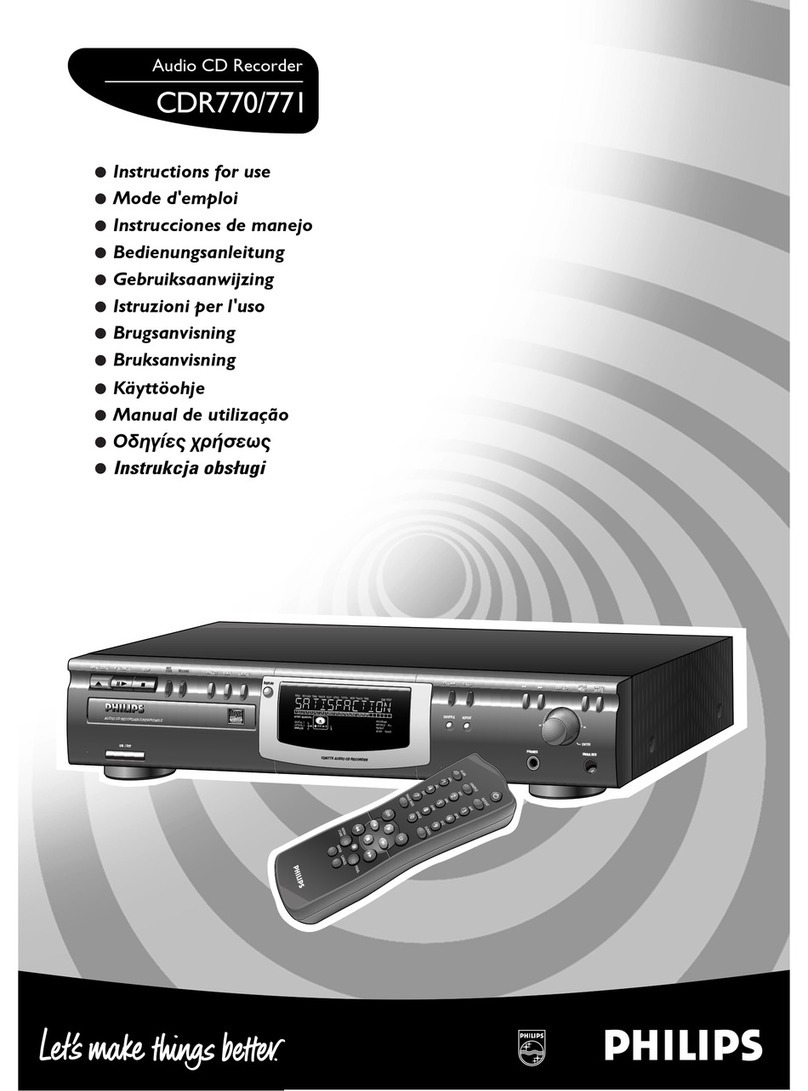
Philips CDR950BK99 User manual

Philips

Philips CDR950BK99 User manual

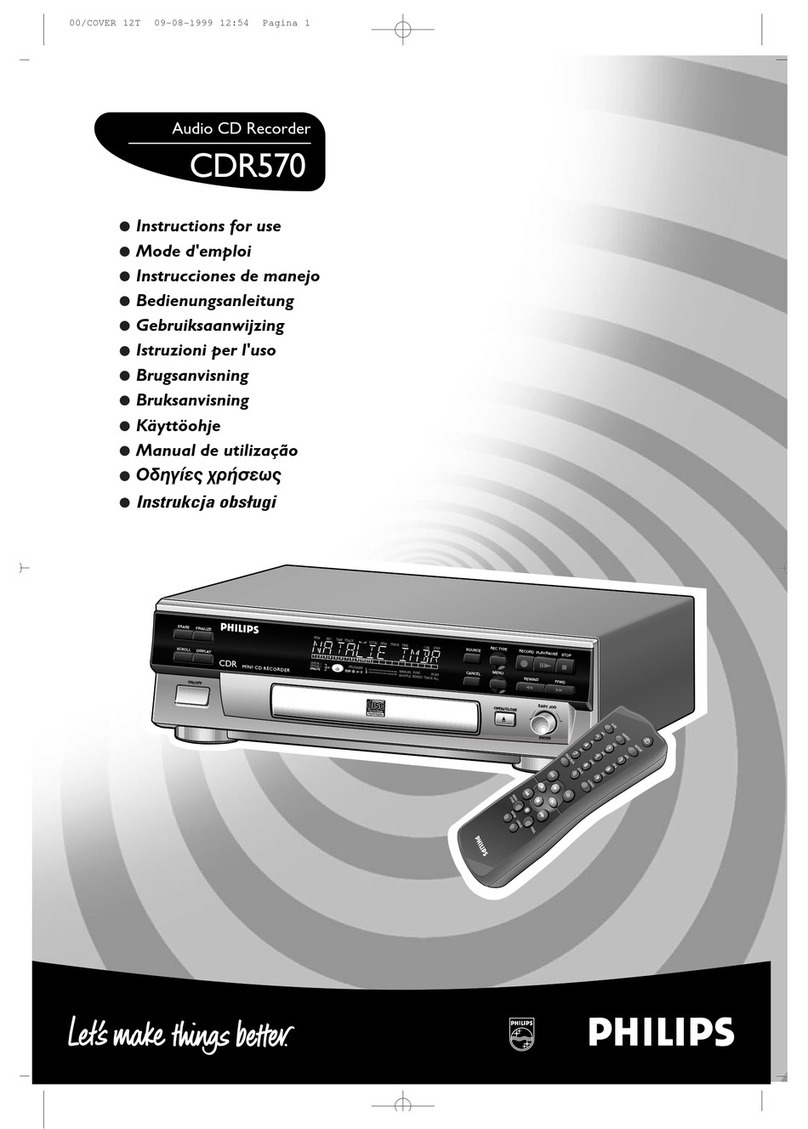
Philips CDR765BK99 User manual

Philips

Philips CDR765BK99 User manual

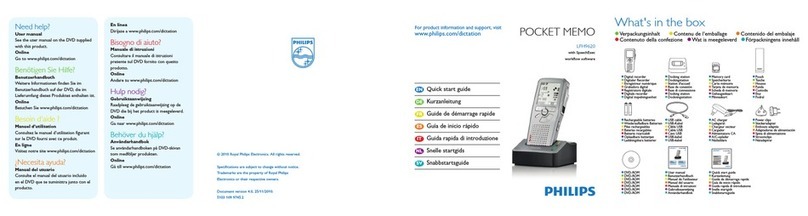
Philips POCKET MEMO LFH9620 User manual

Philips

Philips POCKET MEMO LFH9620 User manual

Philips dynalite DPMI940 User manual

Philips

Philips dynalite DPMI940 User manual

Philips VoiceTracer DVT1600 User manual

Philips

Philips VoiceTracer DVT1600 User manual

Philips N4506 User manual

Philips

Philips N4506 User manual

Philips Digital Pocket Memo 9380 User manual

Philips

Philips Digital Pocket Memo 9380 User manual

Philips CDR 785 User manual

Philips

Philips CDR 785 User manual

Philips CDR-778 User manual

Philips

Philips CDR-778 User manual

Philips CDR-800 User manual

Philips

Philips CDR-800 User manual

Philips CDR779 User manual

Philips

Philips CDR779 User manual

Philips AZ 2785 User manual

Philips

Philips AZ 2785 User manual

Philips CDR776/00C User manual

Philips

Philips CDR776/00C User manual

Philips AZ1008 User manual

Philips

Philips AZ1008 User manual

Philips CDR 760 User manual

Philips

Philips CDR 760 User manual

Philips AZ 1004/01 User manual

Philips

Philips AZ 1004/01 User manual

Philips Dynalite DMNG232 User manual

Philips

Philips Dynalite DMNG232 User manual

Philips VoiceTracer DVT7500 User manual

Philips

Philips VoiceTracer DVT7500 User manual

Philips LFH 0955 User manual

Philips

Philips LFH 0955 User manual

Philips POCKET MEMO LFH0955 User manual

Philips

Philips POCKET MEMO LFH0955 User manual

Philips AZ330T User manual

Philips

Philips AZ330T User manual

Philips CDR560BK User manual

Philips

Philips CDR560BK User manual

Philips CDR800/05 User manual

Philips

Philips CDR800/05 User manual

Philips POCKET MEMO LFH0955 User manual

Philips

Philips POCKET MEMO LFH0955 User manual

Popular Recording Equipment manuals by other brands

ThermoFisher Scientific Dionex DRS 600 Installation checklist

ThermoFisher Scientific

ThermoFisher Scientific Dionex DRS 600 Installation checklist

Shure ANIUSB-Matrix user guide

Shure

Shure ANIUSB-Matrix user guide

Nady Audio HE-1 user guide

Nady Audio

Nady Audio HE-1 user guide

AUDAC APM 01 User manual & installation guide

AUDAC

AUDAC APM 01 User manual & installation guide

Teac GF-350 owner's manual

Teac

Teac GF-350 owner's manual

Fractal Audio MFC-101 MARK III owner's manual

Fractal Audio

Fractal Audio MFC-101 MARK III owner's manual

bmcm USB-OI16 manual

bmcm

bmcm USB-OI16 manual

HHB BurnIT CDR-830 Service manual

HHB

HHB BurnIT CDR-830 Service manual

GE VersaMax IC200CPUE05 manual

GE

GE VersaMax IC200CPUE05 manual

IntesisBox MH-RC-MBS-1 user manual

IntesisBox

IntesisBox MH-RC-MBS-1 user manual

Attero Tech unD4l user manual

Attero Tech

Attero Tech unD4l user manual

Sennheiser UI 765 instruction manual

Sennheiser

Sennheiser UI 765 instruction manual

Sony RCD-W1 Operating Instructions  (primary... Service manual

Sony

Sony RCD-W1 Operating Instructions (primary... Service manual

Roland Planet-P  MKS-10 owner's manual

Roland

Roland Planet-P MKS-10 owner's manual

Roland BOSS GT-PRO Turbostart

Roland

Roland BOSS GT-PRO Turbostart

8x8 Inc Valcom V-2001A manual

8x8 Inc

8x8 Inc Valcom V-2001A manual

Waves SUB Align user guide

Waves

Waves SUB Align user guide

Mitsubishi Electric MAC-334IF-E installation manual

Mitsubishi Electric

Mitsubishi Electric MAC-334IF-E installation manual

manuals.online logo
manuals.online logoBrands
  • About & Mission
  • Contact us
  • Privacy Policy
  • Terms and Conditions

Copyright 2025 Manuals.Online. All Rights Reserved.

Compactdiscrecorder CDR775
Service
/oo
nCOJJPACTriBOMfWCTnOOMPACTHCOMPACT
togl
(ta
oEtascB
GQD§(S
SERVICING
ForservicingCDR775,thesetcandividedintothreeparts.
1.
Thedisplayboard(partly)
1
002,theI/Oboard1004,the
headphoneboard(partly)
1002,
theIRboard(partly)1002,theON/
OFF& StandbyLEDboard(partly)1002andtheCD-outboard
(partly)1002havetoberepairedatcomponentlevel.Thepower
supplyunit1003isavailableassparepart,butcanalsoberepaired
atcomponentlevel.
2.
TheCDRmodule(containingtheCDRloader
81,
CDRmainboard
1001andloaderbracket82,83)willbeexchangedcompletelyin
caseoffailure.ThiscompleteCDRmoduleisavailableasspare
part.Defectivemoduleshavetobereturnedforcentralrepair.
3.TheCDmodule(containingtheCDloader
131,
CDmainboard
1005andloaderbracket132)isa newmodulewithVAL1250
loaderassybutalsoaseparateCDMandseparateloader
parts
will
beavailableviaservicestock.TheCDmainboardcanberepaired
atcomponentlevel.
Alsoavailable:CircuitDescription" TheBasicsofCompactDisc
Recordable/Rewriteable".Servicecodenumber482272525242.
Copyrightreserved1999PhilipsConsumerElectronicsB.V.Eindhoven,The
Netherlands.Allrightsreserved.Nopartofthispublicationmaybereproduced,
storedinaretrievalsystemor
transmitted,
inany
form
or
by
any
means,
electronic,
mechanical,photocopying,orotherwisewithoutthepriorpermissionofPhilips.
MOfTAlAUOtOMBtTAlAUDIO PtGfTAlAUMOOHHTALAUDIO
Contents
1.
TechnicalSpecifications
2.
WarningandServicingHints
3.UserInstructions
4.
MechanicalInstructions
WiringDiagramCDR
WiringDiagramCDloader
ExplodedViewCDR
ExplodedViewCDloader
DismantlingInstructions
5.ElectricalandCircuitDiagrams
OverallBlockdiagram
DisplayBoard
IR/ On/Off&StandbyLEDBoard
Headphone/ CD-outBoard
I/OBoard
Powersupplyunit
CD-Mainboard1A
CD-Mainboard1B
CD-Mainboard1C
CD-Mainboard2
6.DiagnosticSoftware
7.FaultfindingTrees
8.FaultfindingGuide
9.ListofAbbreviations
10.
Partslist(mechanicalandelectrical)
Page
2
4
7
19
19
20
21
22
23
Diagram PWB
24
26
27
28
29
31
33
34
35
36
39
43
49
65
71
26
27
28
30
32
37/38
37/38
37/38
37/38
PublishedbyRH9969ServiceDPSHasselt PrintedintheNetherlands Subjecttomodification <§§>310412540030
PHILIPS
WarningsandServicingHints
SERVICINGHINTS
Intheset,chipcomponentshavebeenapplied.Fordisassemblyandassemblycheckthefigurebelow.
CL96532086_022.eps
080999
CDR775 WarningsandServicingHints
SAFETYGUIDELINESFORTHEPROFESSIONALSERVICETECHNICIAN
Important
ProperserviceandrepairisImportanttothesafe,reliableoperation
ofallPhilipsequipment.Theserviceproceduresrecommendedby
PhilipsanddescribedInthisservicemanualareeffectivemethodsof
performingserviceoperations.Someoftheseserviceoperations
requiretheuseoftoolsspeciallydesignedforthepurpose.The
specialtoolsshouldbeusedwhenandasrecommended,
ItisImportanttonotethatthismanualcontainsvariousCAUTIONS
andNOTICESwhichshouldbecarefullyreadInordertominimizethe
riskofpersonalinjurytoservicepersonnel.Thepossibilityexists
thatImproperservicemethodsmaydamagetheequipment.Italso
IsImportanttounderstandthattheseCAUTIONSandNOTICES
ARENOTEXHAUSTIVE,Philipscouldnotpossiblyknow,evaluate
andadvisetheservicetradeofallconceivablewaysInwhichservice
mightbedoneorofthepossiblehazardousconsequencesofeach
way.Consequently,Philipshasnotundertakenanysuchbroad
evaluation.
Accordingly,a servicerwhousesa serviceprocedureor
toolwhichIsnotrecommendedbyPhilipsmustfirstsatisfyhimself
thoroughlythatneitherhissafetynorthesafeoperationofthe
equipmentwillbeJeopardizedbytheservicemethodselected.
SafetyChecks
Aftertheoriginalserviceproblemhasbeencorrected,a complete
safetycheckshouldbemade.Besuretocheckovertheentireset,
notJusttheareaswhereyouhaveworked.Somepreviousservicer
mayhaveleftanunsafecondition,whichcouldbeunknowingly
passedontoyourcustomer.Besuretocheckallofthefollowing:
FireandShockHazard
1.
BesureallcomponentsarepositionedInsucha wayastoavoid
thepossibilityofadjacentcomponentshorts.Thisisespecially
importantonthoseunitswhicharetransportedtoandfromthe
serviceshop.
2.
Neverreleasea repairedunitunlessallprotectivedevicessuch
asinsulators,barriers,covers,strainreliefs,andother
hardwarehavebeeninstalledaccordingtotheoriginaldesign,
3.Solderingandwiringmustbeinspectedtolocatepossiblecold
solderJoints,soldersplashes,sharpsolderpoints,frayed
leads,
pinchedleads,ordamagedInsulation(Includingtheac
cord).
BecertaintoremoveloosesolderballsandaHother
looseforeignparticles.
4.
Checkacross-the-linecomponentsandothercomponentsfor
physicalevidenceofdamageordeteriorationandreplaceif
necessary.Followoriginallayout,leadlength,anddress.
5.Noleadorcomponentshouldtoucha resistorratedat
1
wattor
more.
Leadtensionaroundprotrudingmetalsurfacesoredges
mustbeavoided.
6.Criticalcomponentshavingspecialsafetycharacteristicsare
Identifiedwitha AbytheRef.No.Inthepartslistandenclosed
withina brokenline*(whereseveralcriticalcomponentsare
groupedInonearea)alongwiththesafetysymbol
Aontheschematicdiagramsand/orexplodedviews.
Replacementpartswithoutthesamesafetycharacteristics
maycreateshock,fire,orotherhazards.
7.Whenservicinganyunit,alwaysusea separateIsolation
transformerforthechassis.Failuretousea separateisolation
transformermayexposeyoutopossibleshockhazard,and
maycausedamagetoservicinginstruments.
8.Manyelectronicproductsusea polarizedaclinecord(onewide
pinontheplug).Defeatingthissafetyfeaturemaycreatea
potentialhazardtotheservicerandtheuser.Extensioncords
whichdonotIncorporatethepolarizingfeatureshouldn»ver be
used.
FireandShockHazard(Continued)
9,Afterreassemblyoftheunit,alwaysperformanacleakage
testorresistancetestfromthelinecordtoallexposedmetal
partsofthecabinet,Also,checkallmetalcontrolshafts(with
knobsremoved),antennaterminals,handles,screws,etc.to
besuretheunitIssafetooperatewithoutdangerofelectrical
shock,
Brokenline:an
LeakageCurrentColdCheck
1,
Unplugtheaclinecordandconnecta Jumperbetweenthetwo
prongsofthe
plug,
Turnonthepowerswitch.
MeasuretheresistancevaluebetweentheJumperedacplug
andallexposedcabinetpartsofthereceiver,suchasscrew
heads,antennas,andcontrolshafts.Whentheexposed
metallicparthasa returnpathtothechassis,thereading
shouldbebetween1 megohmand5.2megohms.Whenthe
exposedmetaldoesnothavea returnpathtothechassis,the
readingmustbeInfinity.Removethejumperfromtheacline
cord.
TO
INSTRUMENTS
EXPOSED
METALPARTS
1500H,
10VV
WATER
PIPE
(EARTH
GROUND)
LeakageCurrentHotCheck
1.
Donotuseanisolationtransformerforthistest.Plugthe
completelyreassembledunitdirectlyintotheacoutlet.
2.
Connecta 1.5k,10Wresistorparalleledbya 0,15uF.capacitor
betweeneachexposedmetalliccabinetpartanda goodearth
groundsuchasa waterpipe,asshownabove.
3.Useanacvoltmeterwithatleast5000ohms/voltsensitivityto
measurethepotentialacrosstheresistor.
4.
Thepotentialatanypointshouldnotexceed0.75volts.A
leakagecurrenttestermaybeusedtomakethistest;leakage
currentmustnotexceed0.5mllllamps.Ifa measurementIs
outsideofthespecifiedlimits,thereIsa possibilityofshock
hazard.
Thereceivershouldberepairedandrecheckedbefore
returningIttothecustomer.
5.Repeattheaboveprocedurewiththeacplugreversed.(Note:
AnacadapterIsnecessarywhena polarizedplugIsused.Do
notdefeatthepolarizingfeatureoftheplug.)
PartsReplacement
1.
ManyelectricalandmechanicalpartsInPhilipsequipmenthave
specialsafetyrelatedcharacteristics.Thesecharacteristics
areoftennotevidentfromvisualinspectionnorcanthe
protectionaffordedbythemnecessarilybeobtainedbyusing
replacementcomponentsratedforhighervoltage,wattage,
etc.Theuseofa substitutepartwhichdoesnothavethesame
safetycharacteristicsasthePhilipsrecommended
replacementpartshowninthisservicemanualmaycreate
shock,fire,orotherhazards.Undernocircumstancesshould
theoriginaldesignbemodifiedoralteredwithoutwritten
permissionfromPhilips.Philipsassumesnoliability,expressor
implied,
arisingoutofanyunauthorizedmodificationofdesign.
Servicerassumesallliability.
2.
AllICsandmanyothersemiconductorpartsaresusceptibleto
electrostaticdischarges(ESD).Carelesshandlingduring
repaircanreducethelifeofthepartdrastically.
LASERNOTE:
DANGER- Invisiblelaserradiationwhenopen.AVOIDDIRECTEXPOSURETOBEAM.
CAUTION- Useofcontrolsoradjustmentsorperformanceofproceduresotherthanthosespecifiedhereinmayresultinhazardous
radiationexposure.
CAUTION- TheuseofopticalInstrumentswiththisproductwillIncreaseeyehazard.
CL96532086_023.eps
080999

6.2.2Requirementstoperformthetest
•Workingkeyboardtostartupthetest.
•Workinglocaldisplaytochecktheoutputmessages.
CL96532086-024.eps
090999

Figure6-1
6.2.1Description
Theintentionofthedealerdiagnosticsistogiveanindication
oftheCDRplayerstatus.Aninexperienced,even
non-
technicaldealerwill/canperformthetest.Testsareexecuted
automaticallywithoutneedforexternaltoolsordisassemblyof
theunit.ThistestcheckstheCDRmainboardusingthesame
testsastheelectricalservicediagnosticsprogram.Onlythe
resultof
the
test,
"PASSED"or"ERROR",will
be
shownonthe
display.Pressingkeys[FFWD]and[REWIND]simultaneously
whileswitchingontheunit,startsthetest.Switchingoff
the
unit
endsthetest.
DiagnosticSoftware
6.DiagnosticSoftware
6.1Dealermode
Thepurposeofthedealermodeistopreventpeopletakingout
theCDinsidetheplayeratexhibitions,showroomsetc..This
modedisablestheopen/closefunctionoftheplayer,
Thedealermodecanbeswitchedonandoffpressingkeys
[OPEN/CLOSE]and[STOP]of
the
CDRplayersimultaneously
whileswitchingontheunit.Thedealermodeisstoredinthe
flashmemory
and
canonlybechangedbyexecutingtheabove
actions.
6.2Dealerdiagnostics
CDB775 DiagnosticSoftware
6.3Electricalservicediagnostics
ELECTRICALSERVICEDIAGNOSTICS
(software
versions,
testfordefectivecomponents)
Figure6-2
DiagnosticSoftware CDR775
6.3.1Description
Theintentionoftheelectricalservicediagnosticsistoshowthe
softwareversionspresentintheplayerandtodirectthedealer
towardsdefectiveinternalunits.Theunitsare: theCDRmain
board,
theCDRloader,theCDloader
in
caseof
a
CDR775and
thekeyboard/displayboard.A sequenceoftestsisexecuted
automatically.Someofthetestscanbeabortedorskipped
withouttheresultbeingtakenIntoaccount.Externaltoolsor
disassemblyoftheunitisnotnecessarytogetthediagnostic
information.Pressingkeys[PLAY/PAUSE]and[FFWD]
simultaneouslywhileswitchingontheunit,startsthetest.
Switchingofftheunitendsthetest.
6.3.2Requirementstoperformthetest
•Workingkeyboardtostartupthetest.
•Workinglocaldisplaytochecktheoutputmessages.
•A CD-DAdiscwitha minimumof3tracksinalltraysto
performthedisctest.
6.3.3Descriptionofthetests
disctestisexecutedtocheckfocuscontrol,discmotorcontrol,
radialcontrolandjumpgroovescontrol.Thedisctestis
performedbyaudioplay-backof5 secondsatthebeginning,
middleandendofthedisc.
CDR
loader
test
Duringthetest,thecurrentdisctimeisshown.Incaseofan
errorthemessage
"BERR1"
willbedisplayedandthe[FFWD]
keymustbepressedtocontinuewiththefollowingtest.
Pressingthe[FFWD]keyalsoabortsthistest.
CDloader
test
ForCDR775only.Duringthetest,thecurrentdisctimeis
shown.
Incaseofanerrorthemessage"BERR2"willbe
displayedandthe[FFWD]keymustbepressedtocontinue
withthefollowingtest.Pressingthe[FFWD]keyalsoaborts
thistest.
Display test
Allsegmentswillblinkata frequencyof
1
Hz.Pressingthe[F
FWD]keywillstartthenexttestbecausetheuserhastocheck
forhimselfifallsegmentsworkproperly.
Player
Information
Inthispartof
the
testthefollowingImportantInformationcanbe
checkedwithoutremovingthecover:
RecorderID.
•SW-versionbackendofplayer.
SW-versionCDRloader.
•SW-versionCDloader(onlyforCDR775).
CDRmain board
test
[FFWD]key.Themessage"DERRn"willbedisplayedwithn
indicatingthefaultytestnumber.
Ifoneofthetestsisabortedwiththe[FFWD]key,noerror
messagewillbedisplayedforthistest.Theflashdataerase
test
("DTST3")
cannotbeaborted!
TheCDRmainboardtestconsistsoutof:
DRAM test
Display:
"DTST1",
TheDRAMusedforbuffermanagementis
testedbywriting,readingandverifyingtestpatterns.
Flash
checksum
test
Display: "DTST2".Thistestchecksthechecksumofthe
player'sSWstoredintheflash.
Flash data erase
Display: "DTST3".Duringthistest,alltemporaryinformation
(CDtxt)intheflashiserased.
CODEC
(ADC/DAC)
test
Display: "DTST4".ThistestcheckstheCODECICbywriting,
readingandverifyingtest
patterns.
Thetestisnotapplicablefor
CDR950.
Keyboard
and
remote
control tests
Thetestwillgivetheusertheabilitytotesteverykeywithout
executingthefunctionassignedto
it.
Therefore,theuserneeds
topresseverykey
on
thekeyboardandtheremote
control.
The
displaywillshowthenameofthekeybeingpressed.Pressing
morethanonekeyatoncewillgiveanunpredictableresult
exceptfor
the
servicecombinations:[PLAY/PAUSE]+[STOP],
[PLAY/PAUSE]+ [FFWD],[FFWD]+ [REWIND],[ERASE]+
[RECORD],[PLAY/PAUSE]+ [RECORD],[OPEN/CLOSE]+
[PROGRAM].
6.4Mechanicalservicediagnostics
CDR
communication
test
Display: "DTST5".Thecommunicationbetweenthehost
processor(DASP)andtheCDRloaderviatheDSA-R-busis
tested.
CD
communication
test
Display: "DTST6").Thecommunicationbetweenthehost
processor(DASP)andtheCDloaderis
tested.
Thetestisonly
applicableforCDR775.
Loader tests
ThesetestsdetermineiftheCDRloaderandtheCDloaderin
caseofa CDR775workcorrectly.A CD-DAdiscwitha
minimumof3 tracksneedstobeinsertedinbothloaders.A
6.4.1Description
Noexternaltoolsarerequiredtoperformthistest.Thecover
needstoberemovedbecausetheuserhastocheckthe
movementsofthetray,focusandsledgevisually.Pressing
keys[PLAY/PAUSE]and[STOP]simultaneouslywhile
switchingontheunit,startsthe
test.
Switchingofftheunitends
thetest.Incaseofa CDR775,onecanchecktheCDloader
mechanicsinthesamewaybypressingtheabovekey
combinationontheCDplayerkeys.
BSEMHH
IHQ^^HHDiagnosticSoftware
6.4.2Requirementstoperformthetest
•Workingkeyboardtocyclethroughthetestsandtostartup
thetest.
Workinglocaldisplaytochecktheoutputmessages.
6.4.3Descriptionofthetests
Focus control test
Thefocussinglensiscontinuouslymovingupanddown.The
displayreads"BUSY".
Sledge control test
Afterpressing[FFWD]thesledgecontinuouslymovesupand
down.
Pressing[REWIND]stopsthesledgeatthepositionitis
inandthefocuscontroltestresumes.Thedisplayreads
"BUSY".
Tray control test
Thisteststartsfromwithinthefocuscontroltestroutine.
Pressing[OPEN/CLOSE]movesthetrayinorout.Inthetray
openpositiononecaninitiatefocusandsledgetestsby
pressing[F
FWD].
Onehastostopthesetestspressing
[REWIND]beforeitispossibletoclosethetrayagain.
Dependingontheactionthedisplayreads"OPEN",
"OPENED",
"CLOSE"or"BUSY".
6.5DC-eraseservicemode
i.5.1Description
Thistestisinitiatedbypressing[ERASE]and[RECORD]
simultaneouslywhileswitchingontheunit.Theplayerwill
erasea completeCD-RWdisc(includingPMAandATIPlead
outarea)atspeedN=2.Thedisplayshowsthecountdownof
theremainingtimerequiredfortheoperationtocomplete,The
formatis"ERmm:ss",where"mm"aretheremainingminutes
and
"ss"
theremainingseconds.Aftercompletionthemessage
"PASSED"
isshown,andtheplayerhastobeswitchedoffand
onagaintostartupinnormaloperating
mode.
Switchingoffthe
unitbeforecompletionofthetest,leavesthediscinan
unpredictablestate.Insuchcaseonlya completeDC-erase
procedurecanrecovertheCD-RWdisc.
5.5.2Requirementstoperformthetest
••FunctionalCDRplayer.
*A CD-RWaudiodiscmustbepresentinthetray.
Figure6-4
Faultfindingtrees
7.Faultfindingtrees
CDR775
7.1CDR-Module
Figure7-1
CDR775 Faultfindingtrees
Figure
7-2
Faultfindingtrees CDR775
Figure
7-3