manuals.online logo
Brands
  1. Home
  2. •
  3. Brands
  4. •
  5. Philips
  6. •
  7. Security System
  8. •
  9. Philips FD100SL User manual

Philips FD100SL User manual

Other Philips Security System manuals
Philips MathLine 27CE7695 User manual

Philips

Philips MathLine 27CE7695 User manual

Philips VSS2364/C4T User manual

Philips

Philips VSS2364/C4T User manual

Philips LRM3220D/27 User manual

Philips

Philips LRM3220D/27 User manual
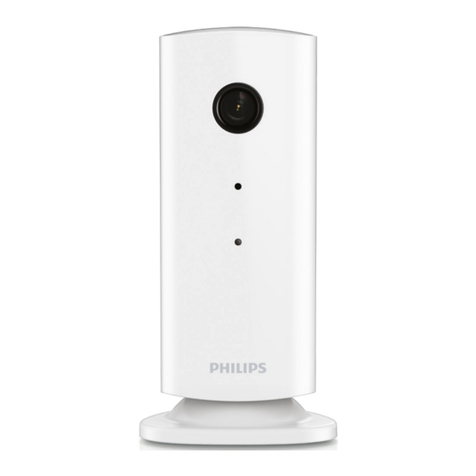
Philips In.Sight M100 User manual

Philips

Philips In.Sight M100 User manual

Philips lifeline User manual

Philips

Philips lifeline User manual

Philips LDH2544/10 User manual

Philips

Philips LDH2544/10 User manual

Philips VSS2360/00T User manual

Philips

Philips VSS2360/00T User manual

Philips Lifeline FD100 User manual

Philips

Philips Lifeline FD100 User manual

Philips VSS7370/D3T User manual

Philips

Philips VSS7370/D3T User manual

Philips LBB 1370 User manual

Philips

Philips LBB 1370 User manual

Philips B200G User manual

Philips

Philips B200G User manual

Philips AutoDome TC700 Series User manual

Philips

Philips AutoDome TC700 Series User manual

Philips HF3506/05 User manual

Philips

Philips HF3506/05 User manual

Philips VSS7374/D4T User manual

Philips

Philips VSS7374/D4T User manual
Philips LRM3120K/27 User manual

Philips

Philips LRM3120K/27 User manual

Philips In.Sight M100 User manual

Philips

Philips In.Sight M100 User manual

Philips VSS2902 User manual

Philips

Philips VSS2902 User manual

Philips 26PF9631D User manual

Philips

Philips 26PF9631D User manual
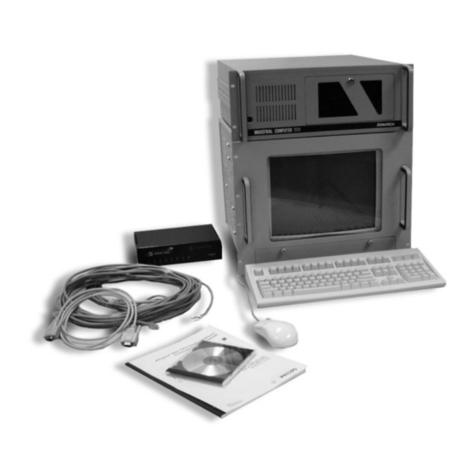
Philips ADIM ADM0101 User manual

Philips

Philips ADIM ADM0101 User manual
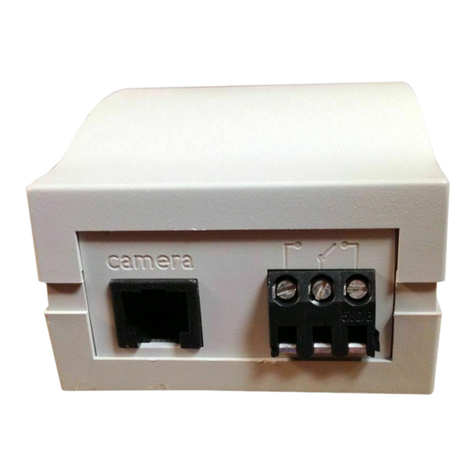
Philips VSS2360/00T User manual

Philips

Philips VSS2360/00T User manual
Philips M100/37 User manual

Philips

Philips M100/37 User manual
Popular Security System manuals by other brands

Polon-Alfa 4000 Installation and maintenance manual

Polon-Alfa

Polon-Alfa 4000 Installation and maintenance manual

Nexcom NViS 14162 Series user manual

Nexcom

Nexcom NViS 14162 Series user manual

Eminent EM8670 Quick install

Eminent

Eminent EM8670 Quick install

urmet domus alpha 1060 INSTALLATION AND USE BOOKLET

urmet domus

urmet domus alpha 1060 INSTALLATION AND USE BOOKLET

SmartPool YardGuard YG03 manual

SmartPool

SmartPool YardGuard YG03 manual

DSC PC5964 Mounting instructions

DSC

DSC PC5964 Mounting instructions

Secure USAB-1 operating instructions

Secure

Secure USAB-1 operating instructions

B&B 480 SERIES Operation & maintenance manual

B&B

B&B 480 SERIES Operation & maintenance manual

ADEMCO VISTA-20P Series Installation and setup guide

ADEMCO

ADEMCO VISTA-20P Series Installation and setup guide

Inner Range Concept 2000 user manual

Inner Range

Inner Range Concept 2000 user manual

Johnson Controls PENN Connected PC10 Install and Commissioning Guide

Johnson Controls

Johnson Controls PENN Connected PC10 Install and Commissioning Guide

Aeotec Siren Gen5 quick start guide

Aeotec

Aeotec Siren Gen5 quick start guide

Swann SW-P-MC2 Specifications

Swann

Swann SW-P-MC2 Specifications

Ecolink Siren+Chime user manual

Ecolink

Ecolink Siren+Chime user manual

EDM Solution 6+6 Wireless-AE installation manual

EDM

EDM Solution 6+6 Wireless-AE installation manual

Siren LED GSM operating manual

Siren

Siren LED GSM operating manual

Detection Systems 7090i Installation and programming manual

Detection Systems

Detection Systems 7090i Installation and programming manual

FRIEDLAND MA10 Installation and operating instructions

FRIEDLAND

FRIEDLAND MA10 Installation and operating instructions

manuals.online logo
manuals.online logoBrands
  • About & Mission
  • Contact us
  • Privacy Policy
  • Terms and Conditions

Copyright 2025 Manuals.Online. All Rights Reserved.

AutoAlert
Help
Button
for
Senior
Livi
Instructions
For
Use
FDI
OOSL
PHILIPS
ng
0940823_AA_User
MANUAL_SL091
21
2.indd
1
+
9/19/12
9:17
AM
JmSRI
0940823AA_User
MANUAL_SLO91
21
2.indd 9/19/12
9:17
AM
+
Contents
VVarnings
4
AutoAlert
Help
Button
Overview
8
Important
Reminders
What
to
Expect
If
You
Fall
Adjusting
the
Neck
Cord
Recommended
Usage
11
Cleaning
12
Troubleshooting
12
Frequently
Asked
Questions
13
Regulatory
Compliance
14
Welcome!
This
manual explains
how
your
AutoAlert
help
button
allows
you
to
call
for
help
at
the
press
of
a
button.
In
addition,
if
the
AutoAlert button
detects
a
fall,
it
can
automatically
call
for
help.
Before
using
your
AutoAlert
you
should
read
and
understand
this
manual,
paying
careful
attention
to the
warnings
below.
3
0940823_PA_User MANUALSLO91212.indd
3
9/19/12
9:17
AM
I I
I
I
VVarnings
Front
View
WARNING
indicates
the
potentially
hazardous
situation
which,
if
these
Button
instructions
are
not
followed,
could Push
here
to
result
in
possible
injury,
death,
or
send
a
Help
Call.
other
serious
adverse
reaction.
Always
press
your
AutoAlert
Button
if
you
need
help
even
if
you
fall.
The
AutoAlert
Help
Button
may
not
detect
every
fall
•
Examples
include,
but
are
not
limited
to:
-
A
gradual
slide
such
as
from
a
seated
position
-
Lowering
oneself
slowing
to
the
ground
(to
brace
the
impact
of
a
fall)
-
A
fall
that
is
less
than
a
vertical
distance
of
100
cm can also
affect
the
ability
of
the
device
to
detect
a
fall.
Always
press
your
button
if
you
need
help.
•
Certain
conditions
can
affect
the
ability
of
the
AutoAlert
Help
Button
to
detect
a
fall.
-
If
you
live
at
an
altitude
above
6,600
feet
-
If
you
are
less
than
4
feet
6
inches
in
height
-
If
you
weigh
less
than
88
pounds
The
ability
to
send a
help
call
by
pressing
the
button
is
not
affected.
Getting
up
from
a
fall will
cancel
the
automatic
Help
Call
If
the
AutoAlert
Help
Button
detects that
you
have
gotten
up
within
30
seconds
of
a
fall
being
detected,
a
Help
Call
will
not
be
generated.
Do
not
attempt
to
stand
if
you
feel
unable
to.
If
you
think
you
need
assistance,
press
your
Help
Button
immediately
to
initiate
the
Help
Call.
4
O94O823_AAUsor
MANUAL_SL091
21
2.indd
4
9/19/12
9:17AM
+
I
__
Neck
Cord
Strangulation
Risk
One
advantage
of
the
AutoAlert
Help
Button
being
worn
as
a
pendant
is
that
the
button
is
accessible
by
either
of
your
hands.
However,
any
cord
worn around
the
neck
can
pose
a
strangulation
risk,
including
the
possibility
of death
and
serious
injuries.
This
may
be
of
more
concern
to
wearers
in
wheelchairs,
using
walkers,
using
beds
with
guard
rails,
or
who
might
encounter
other
protruding
objects
upon
which
the
cord
can
become
tangled.
•
The
neck
cord
provided
on
the
AutoAlert
Help
Button
is
designed
to
break
apart
under
certain
conditions
to
reduce
the
risk
of
strangulation.
If
the
neck
cord
breaks
ask
for
a
replacement.
•
Do
not
use
any
other
neck cord
than
the
one
provided
by
Lifeline.
Other
neck
cords
may
not
provide
the
feature
to
break
apart therefore
increasing
the
risk
of
strangulation.
+
The
AutoAlert
Help
Button
will
not
work
when
outside
the
coverage
range established
on
your
campus.
•
The
AutoAlert
Help
Button
is
a
radio
frequency
(RF)
device
that
transmits
a
signal
to
the
CarePoint
system
on
your campus
which
sends
a
message
to
a
staff
member
in
your
community
who
can
respond.
The
CarePoint
system
may
provide
coverage
within
your
campus,
and
this
button
can
not
summon
assistance
if
you
travel
off
the
campus.
•
The
signal
range
may
be affected
by
environmental
factors,
including
building
materials,
large
masses
covering
the
AutoAlert
Help
Button
(e.g.,
a
person
falling
on
top
of
ii),
and
submersion
in
liquid.
5
O94B23_AA_UserMANUAL_SL_O91212indd
5
9/19/12 9:17AM
+
I
Keeping
the
Vent
Hole
Clear
of
Obstructions
The
vent
located
on
the
back
of
the
AutoAlert
Help
Button
is
part
of
the
fall
detection
sensor
system
and
needs
to
remain clear
of
obstructions
(e.g.,
lint
or
food products).
A
continuous
flow
of
water
(e.g.,
a
shower)
hitting
the
vent
directly
may
also
temporarily
obstruct
the
vent.
However your
AutoAlert
Help
Button
is
waterproof
and
should
be
worn
at
all
times
—
even
when
bathing
or
showering.
AutoAlert
Help
Button
is
Waterproof
•
Your
AutoAlert
Help
Button
is
waterproof
and
should
be
worn
at
all
times
—
even
when
bathing
or
showering.
•
The
AutoAlert
Help
Button
has
a
water
resistance
rating
of
IPX7
which
means
that
it
can
withstand
being
submerged
up
to
a
depth
of
1
meter
for
30
minutes.
Electromagnetic
Interference
The
AutoAlert
Help
Button
may
interfere
with
certain
electrical
equipment,
such
as
magnetic
resonance
imaging
(MRI)
medical
equipment.
It
may
also
interfere
with
aircraft
communications,
so
do
not
take
the
AutoAlert
Help
Button
aboard
an
airplane.
You
may
pack
the
AutoAlert
Help
Button
in
checked
luggage.
6
CAUTION
indicates
the
potential
of
device malfunction, device
failure,
damage
of
the
device,
or
damage
to
other
property.
And,
if
these
instructions
are
not
followed,
may
result
in
minor
or
moderate
injury.
0940823_AA_User
MANUAL_SL_091
21
2.indd
6
9/19/12 9:17AM
1IIII
I
I
Servicing
the
Device
There
are
no
user-serviceable
parts
inside
the
AutoAlert
Help
Button.
Do
not
attempt
to
open
or
modify
the
device.
Device
Battery
•
The
AutoAlert
Help
Button
has
a
built-in
lithium
battery
that
provides
a
long
service
life
without
the
need
for
replacement
or
recharging
by
the
user.
The
user
does
not
need
to
monitor
the
battery
life
as
this
is
done
automatically
by
the
AutoAlert
Help
Button.
The
AutoAlert
Help
Button
will
automatically
send
a
signal
when
the
battery
will
soon
need
to
be
replaced,
and
a
staff
member
will
contact
you
to
replace
it
with
a
new
button.
•
It
is
important
to
start
using
your
replacement
button
immediately
when
received
and
return
your
old
button.
The sensors
that
are
used
to
detect
falls
will
be
disabled
when
there
are
approximately
7
days
of
battery
life
remaining.
This
is
to
conserve
battery
life
for
generating
Help
Calls
initiated
by
a
button
press.
•
The
AutoAlert
Help
Button
should
never
be
exposed
to
flames
or
intense
heat
and
is
not
suitable
for
use
in
the
presence
of
flammable
mixtures.
•
The
lithium
battery
within
the
AutoAlert
Help
Button
must
be
disposed
of
properly.
Do
not
discard
the
Help
Button
in
the
trash.
Always
return
the
AutoAlert
Help
Button
to
a
staff
member
for
proper
disposal.
7
0940823_AA_User
MANUALSLO91212.jndd
7
9/19/12
917
AM
+
AutoAlert
Help
Button
Overview
Your
AutoAlert
Help
Button
allows
you
to
call
for
help
on
your
campus.
Press
your
button
if
you
need
help.
Button
Push
here
to
send
a
Help
Call.
The
AutoAlert
Help
Button
provides
an
added
layer
of
protection.
If
you
fall
and
can’t
get
up
or
are
unable
to
push
your
Help
Button,
and
the
AutoAlert
Help
Button
has
registered
a
fall,
the
AutoAlert
Help
Button
will
automatically
transmit
a
signal
to
the
CarePoint
system on
your
campus
which
sends
a
message
to
a
staff
member
in
your
community
who
can
respond.
•
Always
wear
your
AutoAlert
Help
Button.
Your
AutoAlert
Help
Button
is
waterproof
and
should
be
worn
at
all
times
—
even
when
bathing and
sleeping.
•
Push
your AutoAlert
Help
Button
whenever
you
need
help
or
if
you
have
fallen.
•
If
you
fall
and
cannot
push
your AutoAlert
Help
Button,
and
the
AutoAlert
Help
Button
has
registered
a
fall,
the
AutoAlert
Help
Button
will
automatically
send
a Help
Call
within
one
minute.
What
to
Expect
If
You
Fall
If
the
AutoAlert
Help
Button
detects
a
fall
and
you
are
unable
to
push
your
help
button,
the
button
will
automatically
send
a
Help
Call
within
one
minute
so
that
a
staff
member
in
your
community
can
respond.
The
AutoAlert
Help
Button
detects
standing
up
in
the
same
way
it
detects
falls.
If
you
fall
and
stand
up
in
less
than
30
seconds,
a
Help
Call
will
not
be
8
Front
View
0940B23_AA_User
MANUAL_SL091
21
2.indd
8
9/19/12
917AM
I
+
Adjusting
the
Neck
Cord
U
IU
automatically
generated.
This allows
you
to
recover
from
falls
that
are
not
serious
enough
to
require
help.
However,
if
you
think
you
need assistance,
wait
for
help,
rather
than
attempting
to
stand
up
if
you
feel
unable
to.
As
always,
you
should
still
push
your
AutoAlert
Help
Button
any
time
you
need
help.
False
“fall
detected”
alarms
may
occasionally
occur
•
While
the
AutoAlert
Button
is
designed
to
have
very
few
false
alarms,
it
can
be
expected
that the
AutoAlert
Help
Button
will
occasionally
trigger
a
fall
detected
alarm
when
there
was
not
a
fall
(i.e.
a
false
alarm.)
•
Occasional
false
alarms
do
not
indicate
the
AutoAlert
Button
is
malfunctioning.
To
shorten:
With
a
tab
between
your
first finger
and
thumb
of
each
hand,
slide
both
tabs
apart
in
line
with
your
shoulders.
To
lengthen:
Pull
one
strand of
the
neck
cord
while
sliding
the tab to
the
back.
Repeat
on
the other
side.
9
O94O823AA_User
MANUAL_SL_091
21
2.indd
9
9/19112
9:17AM
I
I
I
I
Explanation
of
Symbols
Back
View
I
—
AutoAlert
Code:
Report
this
code
if
you
ever
have
to
replace
the
unit
Refer
to
Instruction
Manual/Booklet.
Follow
Instructions
for
Use.
Federal
Communications
Commission
ID
Industry
Canada
ID
Serial
Number
Interference
to
electronic
equipment
may
occur
in
the
vicinity
of
devices
marked
with
this
symbol
Date
of manufacturing
10
Type
BF
Applied Part.
This
symbol indicates this
product
complies
with
requirements
for
the
BE
type
applied
part
according
to
IEC
60601
-1.
PHILIPS
6212D
0940823AA_User
MANUAL_SL_091
21
2.indd
10
9/19/12 9:17AM