manuals.online logo
Brands
  1. Home
  2. •
  3. Brands
  4. •
  5. POLA
  6. •
  7. Temperature Controllers
  8. •
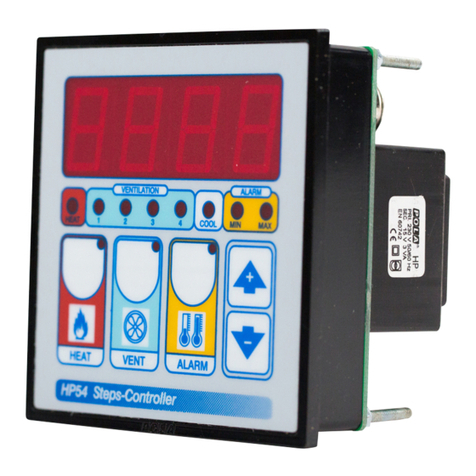
  9. POLA HP54 User manual

POLA HP54 User manual

Other manuals for HP54

1

Other POLA Temperature Controllers manuals

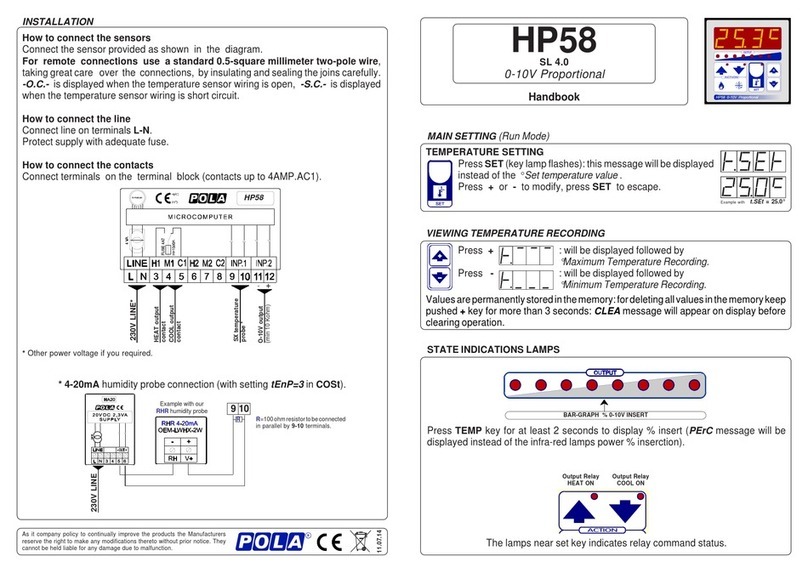
POLA HP58 User manual

POLA

POLA HP58 User manual

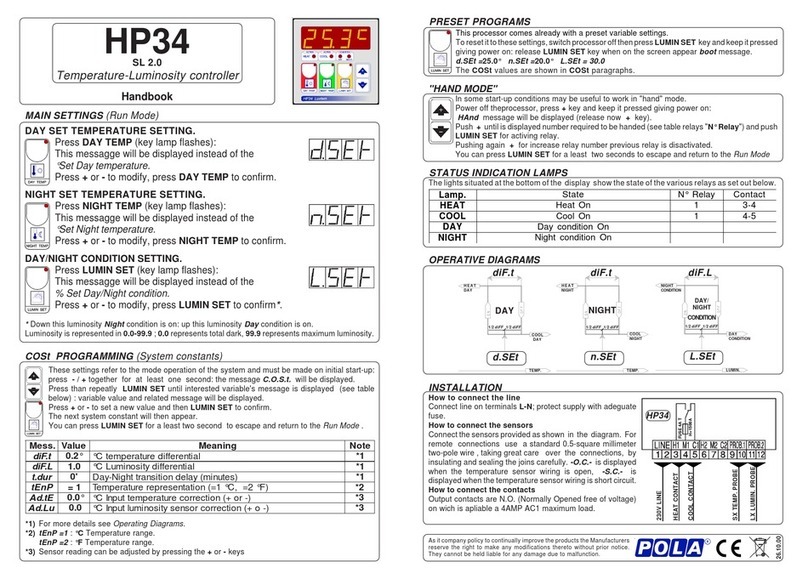
POLA HP34 User manual

POLA

POLA HP34 User manual

POLA HP54 User manual

POLA

POLA HP54 User manual

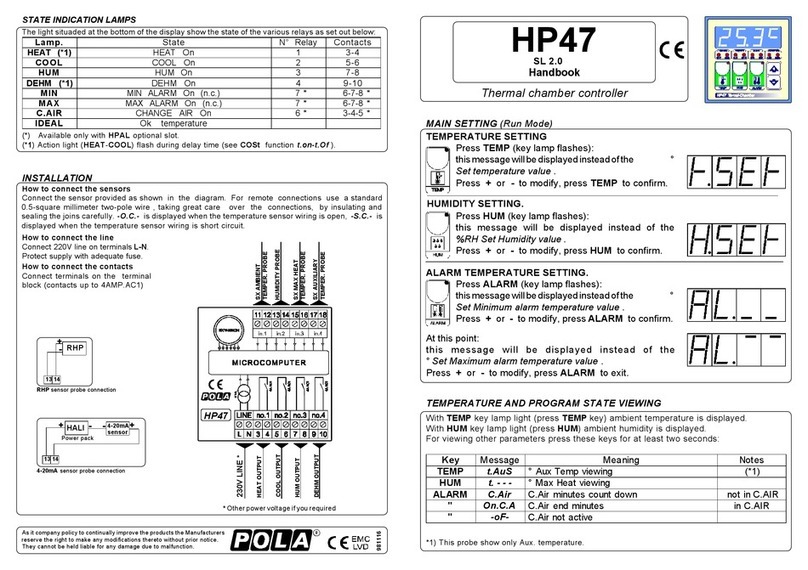
POLA HP47 User manual

POLA

POLA HP47 User manual

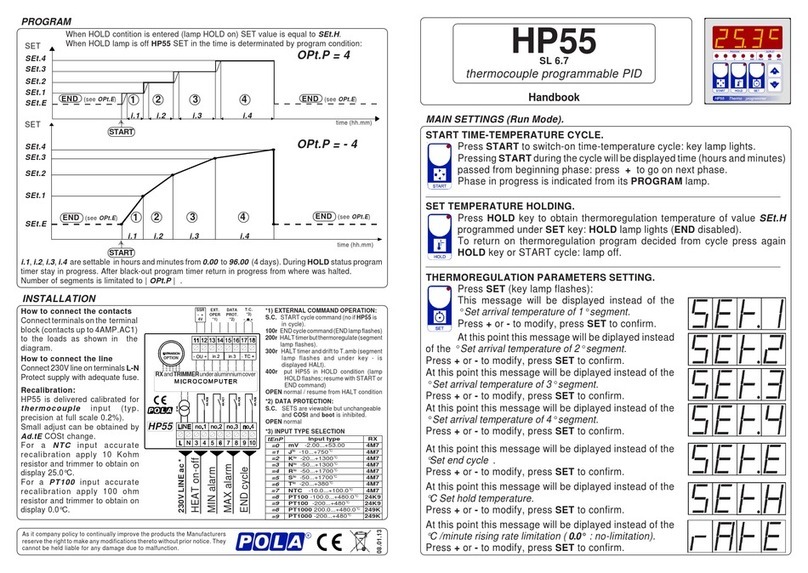
POLA HP55 User manual

POLA

POLA HP55 User manual

Popular Temperature Controllers manuals by other brands

Brookfield TC Series Operator's manual

Brookfield

Brookfield TC Series Operator's manual

Nibe HPAC 45 Installer manual

Nibe

Nibe HPAC 45 Installer manual

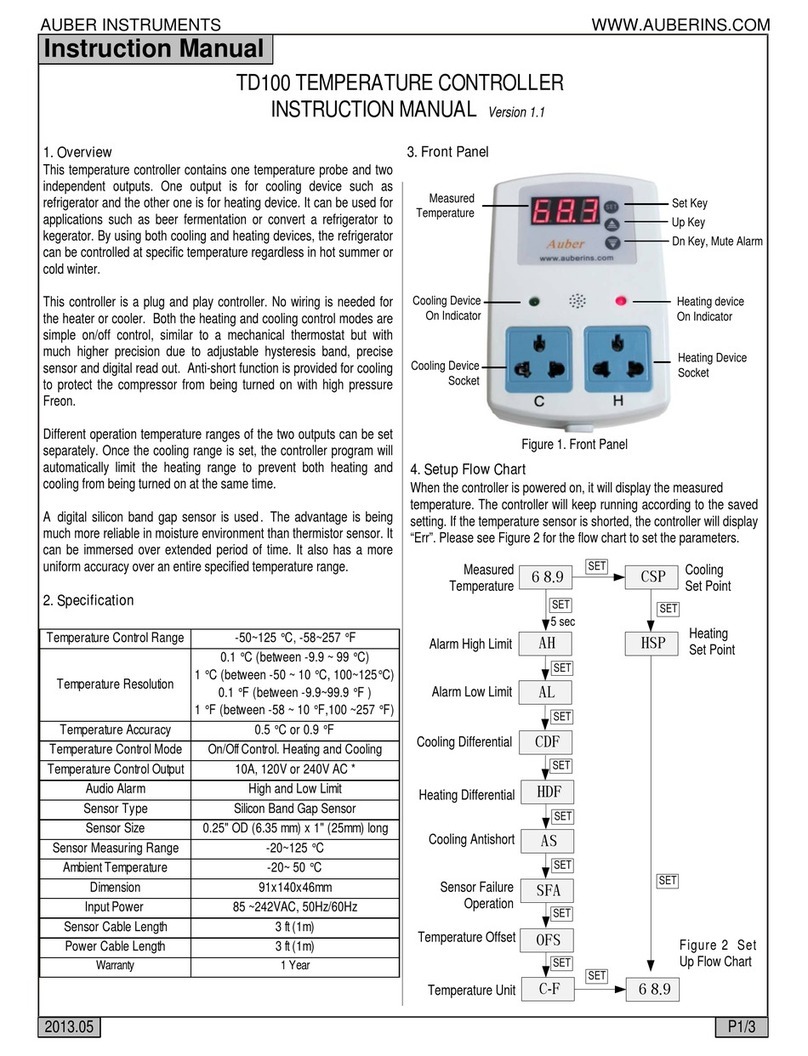
Auber TD100 instruction manual

Auber

Auber TD100 instruction manual

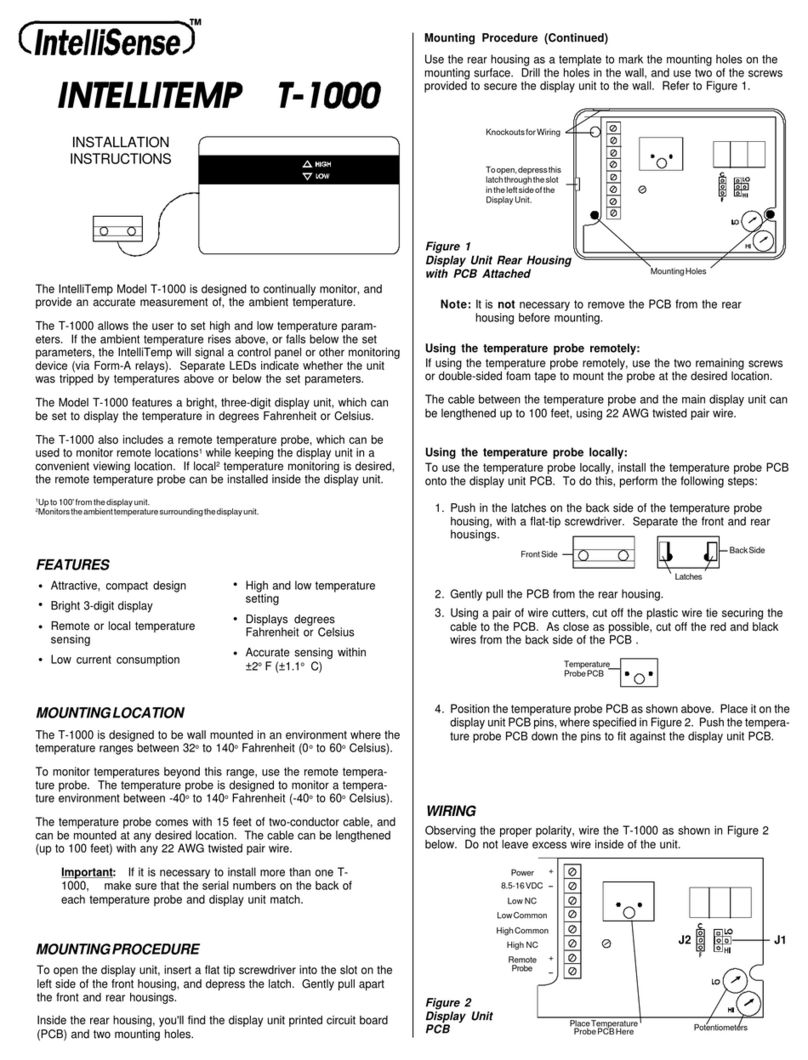
IntelliSense INTELLITEMP T-1000 installation instructions

IntelliSense

IntelliSense INTELLITEMP T-1000 installation instructions

Swegon LUNAd MB Instructions for use

Swegon

Swegon LUNAd MB Instructions for use

Lucky Reptile Thermo Control II Operation instructions

Lucky Reptile

Lucky Reptile Thermo Control II Operation instructions

SMC Networks Thermo-con INR-244-639 Operation manual

SMC Networks

SMC Networks Thermo-con INR-244-639 Operation manual

SENSORMETRIX Argon 100 manual

SENSORMETRIX

SENSORMETRIX Argon 100 manual

Fuji Electric PXE4 instruction manual

Fuji Electric

Fuji Electric PXE4 instruction manual

Yuyao gongyi XMT-808 series Operation manual

Yuyao gongyi

Yuyao gongyi XMT-808 series Operation manual

eltherm Ex-TC It Series operating instructions

eltherm

eltherm Ex-TC It Series operating instructions

Selec TC544C user guide

Selec

Selec TC544C user guide

P.W. KEY rt-208gt operating manual

P.W. KEY

P.W. KEY rt-208gt operating manual

Omron C200H-TV Series Operation manual

Omron

Omron C200H-TV Series Operation manual

BH Thermal BriskONE owner's manual

BH Thermal

BH Thermal BriskONE owner's manual

West Control Solutions KS 45 Operation Notes

West Control Solutions

West Control Solutions KS 45 Operation Notes

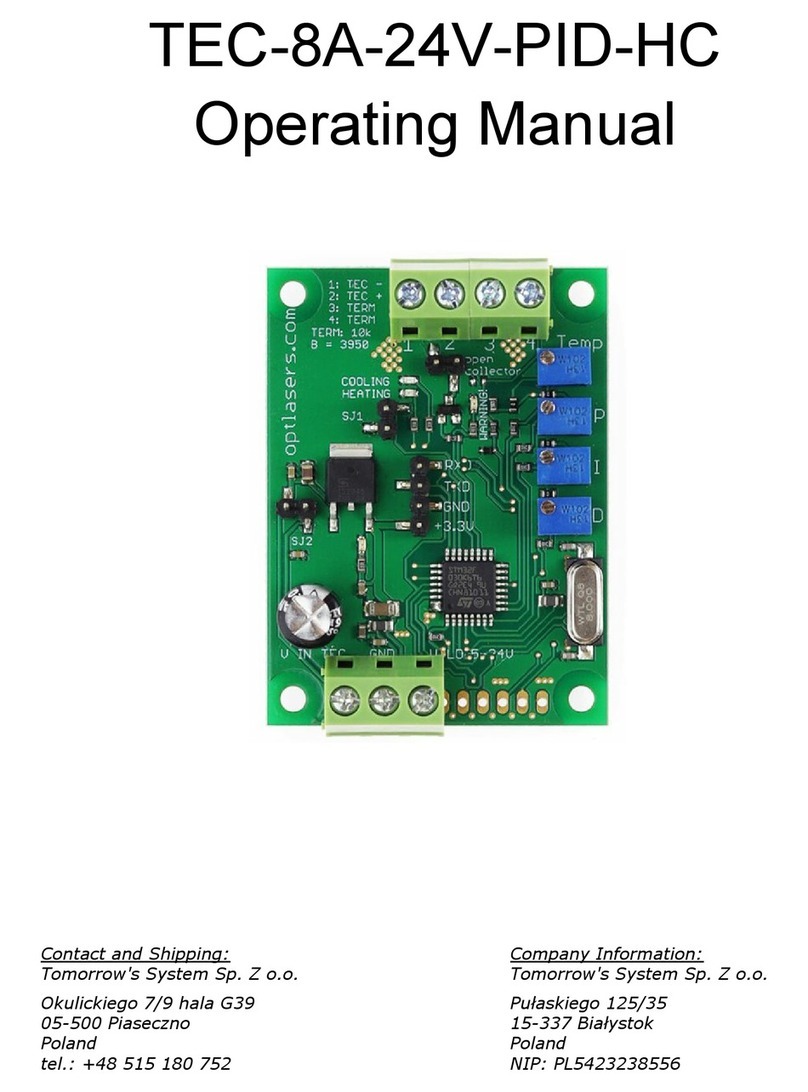
Opt Lasers TEC-8A-24V-PID-HC operating manual

Opt Lasers

Opt Lasers TEC-8A-24V-PID-HC operating manual

Vaillant VR 92/3 Operating and installation instructions

Vaillant

Vaillant VR 92/3 Operating and installation instructions

manuals.online logo
manuals.online logoBrands
  • About & Mission
  • Contact us
  • Privacy Policy
  • Terms and Conditions

Copyright 2025 Manuals.Online. All Rights Reserved.

HEAT TEMPERATURE SETTING.
Press HEAT:
This message will be displayed instead of the
°Set Heat temperature value .
Press + or - to modify, press HEAT to exit.
VENTILATION TEMPERATURE SETTING.
Press VENT:
This message will be displayed instead of the
°Set Ventilation temperature value (start first step).
Press + or - to modify, press VENT to confirm.
At this point: this message will be displayed instead of the
Minimum Ventilation Step (*).
Press + or - to modify, press VENT to confirm.
At this point: this message will be displayed instead of the
Maximum Ventilation Step.
Press + or - to modify, press VENT to confirm.
At this point: this message will be displayed instead of the
Shutter Dwell Time (seconds.).
Press + or - to modify, press VENT to confirm.
(*) If the minimum speed is set to 0, this message appears
instead of the Set Shutter Running Time (seconds).
Press + or - to modify, press VENT to confirm.
At this point: this message will be displayed instead of the
Shut Speed Number.
Press + or - to modify, press VENT to exit.
ALARM PARAMETER SETTING.
Press ALARM:
This message will be displayed instead of the
°Set Minimum Alarm temperature value .
Press + or - to modify, press ALARM to confirm.
At this point: this message will be displayed instead of the
°Set Maximum Alarm temperature value .
Press + or - to modify, press ALARM to exit.
MAIN SETTINGS (Run Mode)
How to connect the sensors
Connect the provided sensor as shown in the
diagram. For remote connections use a
standard0.5-squaremillimetertwo-polewire
, taking great care over the connections, by
insulatingandsealingthejoinscarefully.-O.C.-
isdisplayedwhenthetemperaturesensorwiring
is open, -S.C.- is displayed when the
temperature sensor wiring is short circuit.
INSTALLATION
How to connect the contacts
Output contacts are N.O. (Normally
Openedfreeofvoltage)onwichisapliable
a 4AMP AC1 maximum load.
3-4= Step 1 contact
3-5= Step 2 contact
3-6= Step 3 contact
3-7= Step 4 contact
11-12= Heat contact
12-13= Cool contact
Alarm and Cooling are available only with
HPAL optional slot.
STATUS INDICATION LAMPS HP54
Handbook
SL 3.1
4 step ventilation + thermoreg.
Lamp. N°Relay
HEAT 0 1 2 3 4
HEAT 1 0 0 0 0 0 5
VENT 1 0010 0 0 1
VENT 2 001 1 0 0 2
VENT 3 001 1 1 03
VENT 4 001 1 1 1 4
Lamp. N°Relay
HEAT 0 1 2 3 4
HEAT 1 0 0 0 0 0 5
VENT 1 0010 0 0 1
VENT 2 00010 0 2
VENT 3 0000103
VENT 4 00000 1 4
Output relay
Table of relay Outputs with tYPE= 1-2-3-4-13 (Variable speed control)
Output relays with tYPE = 14 (see COSt)
Table of relay Outputs with tYPE = 14 (On-Off regulation type)
The lights situated at the bottom of the display show the state of the relay.
How to connect the line
Connect 230V line on terminals L-N.
Protect supply with adequate fuse.
COOL
COMMON
HEAT
HP54
* Other power voltage if you required
230V LINE *
COMMON
STEP 4
STEP 3
STEP 2
STEP 1
SX TEMPER.
PROBE
As it company policy to continually improve the products the Manufacturers
reservethe rightto make anymodifications theretowithout prior notice. They
cannot be held liable for any damage due to malfunction.
12.02.13

COSt PROGRAMMING (System constants)
These settings refer to the operation mode of the system and must be made on initial
startup. Press - /+ at the same time for at least one second: the message C.O.S.t. will be
displayed.Press than repeatedly ALARM untilthe messageregarding thechosen variable
is displayed (see table below): variable’s value and message will be displayed.
Press + or - to set a new value and then press ALARM to confirm.
The next system constant will then appear.
You can press ALARM for at least 2 seconds to exit and return to the Run Mode.
OPERATIVE DIAGRAMS
MIN
ALARM
MIN ON
MAX
ALARM
MAX ON
MIN OFF
HEAT
HEAT ON
HEAT OFF
0.2°
d.HEA 0.2°
AMB. TEMP.AMB. TEMP. AMB. TEMP.
MAX OFF
CONDIZIONATED
BY SP. - -
V 4 ON
V3
V2
d.FAn
V1
t.oF t.oft.on t.on rEL.2 rEL.3
r.COL
COOL
COOLON
COOL OFF
rEL.4
d.COL
Stepfrom0to1speedbecomeaccording
to chosed COSt function tYPE.
V4
AMB. TEMP.
AL.--AL._ _HEAt
*1) For more details see Operative Diagrams
*2) You can correct the readings on the sensor (+ or -).
*3) Different mode of ventilator initial start-up optionally settable (step from 0 to 1 speed).
tYPE= 1 : 0 to 1 step become in normal mode.
tYPE= 2 : 0 to 1 step become with a momentary 10 seconds at speed 2.
tYPE= 3 : 0 to 1 step become with a momentary 5 seconds at speed 3.
tYPE= 4 : 0 to 1 step become with a momentary 5 seconds at speed 4.
tYPE=13 : Heating mode ventilation.
tYPE=14 : Progressive ventilation contacts (On-Off regulation type).
Options 2, 3 , 4 permits to make an easy opening of shutter models ventilators.
Option 13 permits Heater mode ventilation (low temperature = higt speed; in other options high
temperature= high speed).
Option 14 permits On-Off regulation mode (in other condition regulation is for variable speed control).
vEnt
rEL.1
d.FAn
d.FAn
d.FAn
Press +: will be displayed followed by
°Maximum Temperature Recording.
Press - : will be displayed followed by
°Minimum Temperature Recording.
VIEWING TEMPERATURE RECORDING
Values recorder are memory permanent stored: for memory clear keep pushed + keys for more than
3 seconds: CLEA message will be composed on display before clearing operation.
PRESET PROGRAMS (bootstrap)
This processor is already programmed with the following (variable) settings.
To return to these settings at any time you may:
Power off the processor, press MAX VENT key and keep it pressed giving power on: boot
message will be displayed (release now MAX VENT key).
HEAt = 20.0° vEnt =25.0° SP._ _= 0 SP.- - = 4 AL._ _= 10.0° AL.- - =40.0°
t.on = 10" t.oF = 60" SP.-- = 0 The COSt values are shown in COSt Promagramming.
.sseM erolaV gninaeM etoN
AEH.d °2.0 laitnereffidTAEH° 1*
1.LEr °0.0 testnEvehtotderrefer1petsfoteserutarepmeT° 1*
2.LEr °0.1 trats1petSehtotderrefer2petsfoteserutarepmeT° 1*
3.LEr °0.1 trats1petSehtotderrefer3petsfoteserutarepmeT° 1*
4.LEr °0.1 trats1petSehtotderrefer4petsfoteserutarepmeT° 1*
nAF.d °2.0 laitnereffidnoitalitneV° 1*
LOC.r °0.6 testnEvotgnirrefertfihsgnittesLOOC° 1*
LOC.d °2.0 laitnereffidLOOC° 1*
PnEt 1= )F°:2=,C°:1=(tinuerutarepmeT
Et.dA °0.0 )-ro+(tnemtsujdarosneserutarepmeT° 2*
EPYt 1edomgninoitcanoitalitnevtratS 3*
MANUAL MODE
In some start-up conditions may be useful to work in "manual" mode:
Powerofftheprocessor,press + keyandkeepitpressedgivingpoweron:HAnd
message will be displayed (release now + key).
Push + until is displayed number required to be handed (see table State
indication lamps ) and push ALARM for activing relay.
Pushing again + for increase relay number previous relay is disactivated.
Youcan pressALARM keyforaleast twoseconds toescape andreturn tothe RunMode.
If Minimum speed is programmed to 0
(SP._ _=0), when the ventilation is off it is
possible to insert a cyclical operation of
minimum speed, composed of a turn-on
time fans (t.on), by a switch-off time fans
(t.oF), and the selected speed during
an’s shuttering operation (SP- -).
With tYPE = 13 :
V0 V4
V1 V3
V2 V2
V3 V1
V4 V0
Heater mode ventilation