manuals.online logo
Brands
  1. Home
  2. •
  3. Brands
  4. •
  5. RedBack Lasers
  6. •
  7. Laser Level
  8. •
  9. RedBack Lasers D27 Series User manual

RedBack Lasers D27 Series User manual

This manual suits for next models

5

Other RedBack Lasers Laser Level manuals

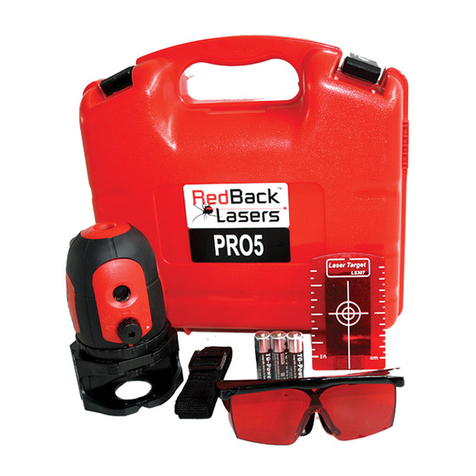
RedBack Lasers PRO5 User manual

RedBack Lasers

RedBack Lasers PRO5 User manual

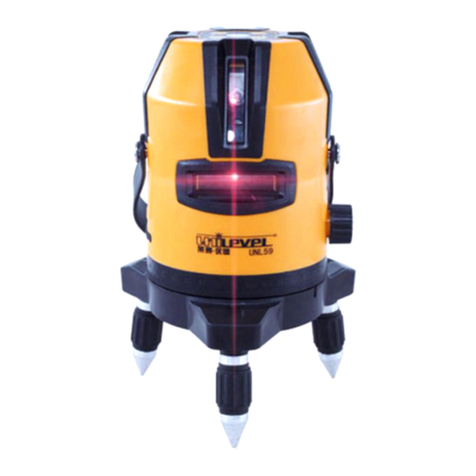
RedBack Lasers Unilevel UNL59 User manual

RedBack Lasers

RedBack Lasers Unilevel UNL59 User manual

RedBack Lasers XLG44 User manual

RedBack Lasers

RedBack Lasers XLG44 User manual

RedBack Lasers 3D3XR User manual

RedBack Lasers

RedBack Lasers 3D3XR User manual

RedBack Lasers ARL516G User manual

RedBack Lasers

RedBack Lasers ARL516G User manual

RedBack Lasers 3L360 Series User manual

RedBack Lasers

RedBack Lasers 3L360 Series User manual

RedBack Lasers LSR Series User manual

RedBack Lasers

RedBack Lasers LSR Series User manual

RedBack Lasers AT1 User manual

RedBack Lasers

RedBack Lasers AT1 User manual

RedBack Lasers Unilevel UNG6631 User manual

RedBack Lasers

RedBack Lasers Unilevel UNG6631 User manual

RedBack Lasers BASIC614 User manual

RedBack Lasers

RedBack Lasers BASIC614 User manual

RedBack Lasers EL614 User manual

RedBack Lasers

RedBack Lasers EL614 User manual

Popular Laser Level manuals by other brands

Sokkia DT7C Operator's manual

Sokkia

Sokkia DT7C Operator's manual

Nedo ET-5 operating instructions

Nedo

Nedo ET-5 operating instructions

geo-FENNEL Maxi-Liner FL 65 HP user manual

geo-FENNEL

geo-FENNEL Maxi-Liner FL 65 HP user manual

LaserLiner X2-Laser manual

LaserLiner

LaserLiner X2-Laser manual

Spectra LL300N manual

Spectra

Spectra LL300N manual

geo-FENNEL Selection PRO FLG 40-PowerCross GREEN SP user manual

geo-FENNEL

geo-FENNEL Selection PRO FLG 40-PowerCross GREEN SP user manual

Nedo Crossliner 4 operating instructions

Nedo

Nedo Crossliner 4 operating instructions

Lasertec FX360G instruction manual

Lasertec

Lasertec FX360G instruction manual

Flex ALC 8 Original operating instructions

Flex

Flex ALC 8 Original operating instructions

Cocraft HL 20-SG Original instructions

Cocraft

Cocraft HL 20-SG Original instructions

Johnson 40-6692 instruction manual

Johnson

Johnson 40-6692 instruction manual

LaserLiner SuperCross-Laser SCL 2 operating instructions

LaserLiner

LaserLiner SuperCross-Laser SCL 2 operating instructions

Leica iCON robot 60 user manual

Leica

Leica iCON robot 60 user manual

DeWalt DW082 Original instructions

DeWalt

DeWalt DW082 Original instructions

LaserLiner ActiveFinder XP user manual

LaserLiner

LaserLiner ActiveFinder XP user manual

imex EL20 manual

imex

imex EL20 manual

Fixturlaser NXA D I-0912 user manual

Fixturlaser

Fixturlaser NXA D I-0912 user manual

Skil 560 Original instructions

Skil

Skil 560 Original instructions

manuals.online logo
manuals.online logoBrands
  • About & Mission
  • Contact us
  • Privacy Policy
  • Terms and Conditions

Copyright 2025 Manuals.Online. All Rights Reserved.

CONTENTS
User Safety 2
Introduction and D27xx™ Accessories 3
D27xx™Diagram 4
Operating Instructions 6
Batteries 6
Power 7
Calibration Self Check & Technical Specications 8
Care & Maintenance, Trouble Shooting 10
Warranty 12
User Safety
• Laser output sign lies near the output aperture.
• Do not stare directly into laser beam.
• Do not disassemble the instrument or attempt to
perform any internal servicing. Repairs and service
should be performed only authorised service
centres of Redback Lasers.
• This instrument complies with the safety
Classication standards of laser radiation.
2
D27xR CAUTION: Class 2 laser <1mW at 635nm.
D27xG CAUTION: Class 3r laser <5mW at 522nm.
Do NOT stare into laser beam or aim at another
person.
Follow relevant Australian Standards
Copyright © CMI LasersTM RedBack lasersTM and Level1LasersTM . All rights reserved CMI Industries Pty Ltd 2016
No artwork or photographs produced by CMI Industries Pty Ltd may be used copied or reproduced without the written consent
from CMI Industries Pty Ltd
3
D27xx INTRODUCTION
Congratulations on purchasing one of the RedBack D27xx range of Auto
Levelling multi dot laser levels. These instructions covers the operation of
the following RedBack models D272R, D272G, D273R, D273G and D275R .
Depending on which model you purchased you will have either 2, 3 or 5
laser dots on your laser level. Also depending on the model you purchased
these laser dots will either be red or green in colour.
The D27xx range are ideal for all manner of internal t out applications. All
models produce a plumb dot oor and ceiling, the D273R/G D275R models
also features a level dot. The D275R has three level dots at 90 degrees to
each other, handy for kitchen and other layout applications.
All D27xx laser levels are powered by 3x “AA” Alkaline batteries.
The D27xx lasers come in a hard clam shell carry case which also contains a
magnetic base and laser target either red or green depending on the model
enclosed.
D27xx™ Kits Included Accessories
• a D27xx™ Laser Unit
• Protective Carry Case
• “AA” Batteries
• Magnetic Base
• Laser Target (either Red or Green)
• Instruction Manual
www.redbacklasers.com.au
4
D27xxTM DIAGRAMS
3L360R & 3L360GTM Laser Units
2
3
1. Laser Output Windows (No. depends on model)
2. Rubberised Casing
3. Pendulum Locking & Power Knob
4. Base Attachment Screw
5. Magnetic Mounting
4
1
5
5
Magnetic Base
www.redbacklasers.com.au
1/4” Camera Tripod Thread
Anti Slip Rubber Pads
5/8” Tripod ThreadStrong Magnets
Attachment Screw
6
D27xxTM OPERATING INSTRUCTIONS
Battery Instructions
Always use a good quality alkaline battery and never mix new and old
batteries for optimum performance and battery longevity.
The D27xx models operate with 3x standard “AA” size Alkaline batteries.
Use a small coin to open the rear battery cover and insert batteries as
indicated inside the battery compartment. Make sure they are inserted
correctly as damage may result from incorrectly tted batteries.
www.redbacklasers.com.au
7
www.redbacklasers.com.au
D27xxTM OPERATING INSTRUCTIONS
Turning On the D27xx
To power up, simply unlock the pendulum by moving it to the “ON” position,
this will automatically self level the laser and power up all the laser dots at
the same time.
For the D272R and D272G models you will see two laser dots one plumb up
and one plumb down.
The D273R and D273G models will produce 3 dots, the plumb up and down
plus a horizontal level dot.
The D275R model produces 5 dots, plums up and down plus 3 horizontal
dots at 90 degrees to each other.
Always transport the D27xx laser level with the pendulum in the locked
“OFF” position to protect the device when not being used.
8
Laser Wavelength 635nm Red
Laser Class 2 <1mW
Visible Range (light dependent) Up To 30m
Accuracy ±2mm/10m
Number Dots D272R x2, D273R x3, D275R x5
Self Levelling Range ±4.5o
Temperature Range -10oC - +45oC
IP Dust Water Resistance IP54
Power 3 x “AA” Alkaline
Low Power Power LED Flash
Included Accessories Magnetic Base and Target
Weight 1.0Kg
Technical Specications
D27xxTM TECHNICAL SPECIFICATIONS
D272R, D273R & D275R - Red Beam
9
www.redbacklasers.com.au
Laser Wavelength 522nm Green
Laser Class 3r <5mW
Visible Range (light dependent) Up To 60m
Accuracy ±2mm/10m
Number Dots D272G x2, D273G x3
Self Levelling Range ±4.5o
Temperature Range -10oC - +40oC
IP Dust Water Resistance IP54
Power 3 x “AA” Alkaline
Low Power Power LED Flash
Included Accessories Magnetic Base and Target
Weight 1.0Kg
D272G & D273G - Green Beam
10 www.redbacklasers.com.au
D27xxTM TROUBLE SHOOTING
• Keep laser and accessories stored in protective case.
• Make sure laser is stored dry, dry out before storage to prevent damage.
• Remove batteries when not used for an extended period of time to prevent
leakage. (battery leakage not covered by warranty)
• The D27xx models are precision instruments and should not be subjected to
excessive knocks, drops or vibrations.
• Self check calibration from time to time. See below
• For service contact Redback Lasers. www.redbacklasers.com.au
Care & Maintenance
Calibration & Self Check
All Redback Lasers have been checked for calibration and certied by one of
our technicians here in Australia prior to despatch and should under normal
conditions not go out of calibration. A calibration certied sticker with the
date and name of technician is located on the laser itself. It is worth checking
calibration from time to time particularly after any known knocks or drops.
An easy way to continually check calibration is to always double check you
work with the laser located in a dierent position or use an alternate vertical
line. Various other methods for checking calibration can be found at www.
redbacklasers.com.au/downloads or the laser can be returned to our
service department for checking and re-calibration.