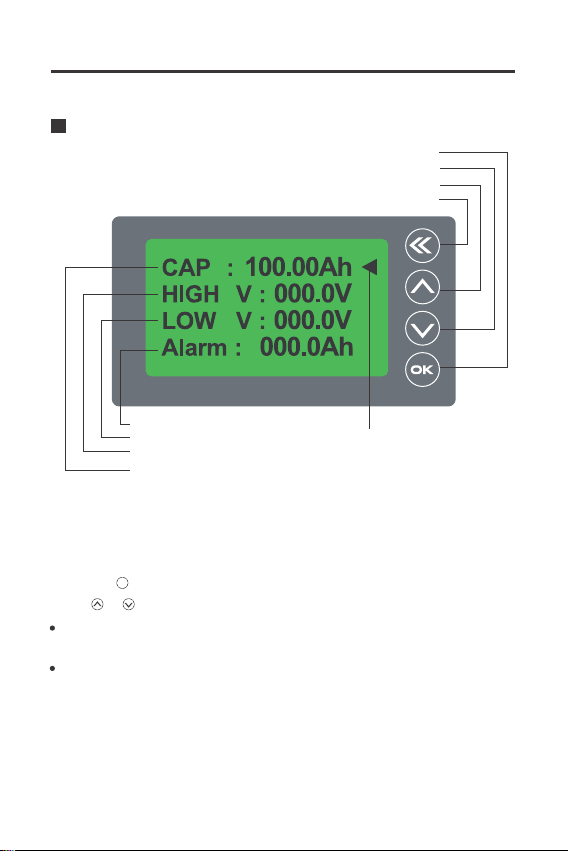
LOW V-Zero capacity voltage: When the voltage is lower than the set value, the
capacity will be automatically set to 0%. If the discharge continues, the voltage value
will flash, and the alarm will beep once every 10s.
ALARM-Alarm setting: When the battery capacity is below the set capacity, the
percentage and battery symbol will flash and the alarm will beep once every 10s.
Attention: If you need to set the HIGH V and LOW V values, please confirm the full
charge voltage and all discharge voltage specifications of your battery.
On first use or change of the battery bank, the memory capacity should be set zero or full:
In the main interface, hold the key for 3s to set the capacity zero, the percentage will
be 0%; hold the key for 3s to set the capacity full, the percentage will be 100%.
1. When the battery current is low, the Renogy Battery Monitor will go into a low power
sleep mode, press any key to see the display if needed. When the battery current rises
over normal value or the battery starts charging or discharging the Renogy Battery
Monitor will wake up.
2. The Renogy Battery Monitor can stay connected to the battery bank since it has a very
low self-consumption.
Set capacity to zero or full:
Sleep mode wake up operation
3. Select CAP and click the key to enter the preset capacity setting; The set value will
flicker, click the key can select other values, click the or key to select the correct
values after this click the key to quit preset capacity setting.
ok
ok
4. We can set other items with the same method as preset capacity. When all the items are
set and all the values are correct, click the key to save the set and quit the setting menu.
While charging the battery, the LCD screen's backlight will also be slowly flashing. In order
to turn off the backlight function,Long press front Keyboard can turn off the backlight,
Long press again Keyboard can Wake up the backlight.
Manual turn off backlight function:
07