Operating Instruction
Operating Instruction
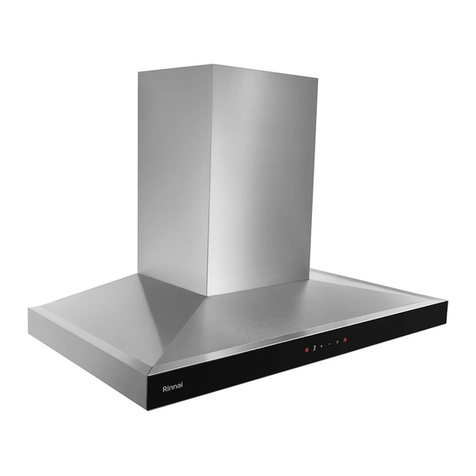
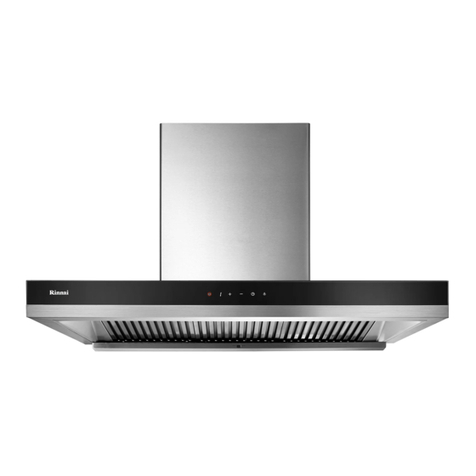
Power Control
Button
Low Speed
Control Button
High Speed
Control Button
Turbo Speed
Button
Delay ButtonLight Control
Button
Power control button (Red light)
1. Push this button to turn on the power and power indicator light will be on.
2. Push again to turn off power、power indicator light and all functions.
Note:If power has been turned on over 9 minutes without any setting ,
system will be shut down automatically for energy-saving.
3. For easy to clean the unit, press the power button 5 sec will automatic
locked the button function, at this moment the function board no function
when the power light twinkle. Press the power button 5 sec will unlock
the it. And will power off.
Speed setting control button(Blue light)
1. Push high speed button to turn on high speed ventilation and high speed
indicator light will be on. Push again to turn off speed function only.
2. Push low speed button to turn on low speed ventilation and low speed
indicator light will be on. Push again to turn off speed function only.
3. Push turbo button to start extremely high speed revolution and turbo
indicator light will be on . Push again to turn off speed function only.
Delay button(Green light)
Push delay button to turn on low speed ventilation and delay indicator light
will be on , system will shut down automatically after 90 seconds. Push
again to turn off delay function only.
*Only for low speed
Light control button (Orange light)
1. Push this button to turn on the illumination and light indicator light will
be on .
2. Push again to turn off the LED illumination only.
Note:If only push Speed/Delay/Light button, power also will be on.
CAUTION:
Each button function must press 0.5sec to activate, this is avoid the program
hand up when pressing the button too fast.