SETTING the TIMER
Delay Timer
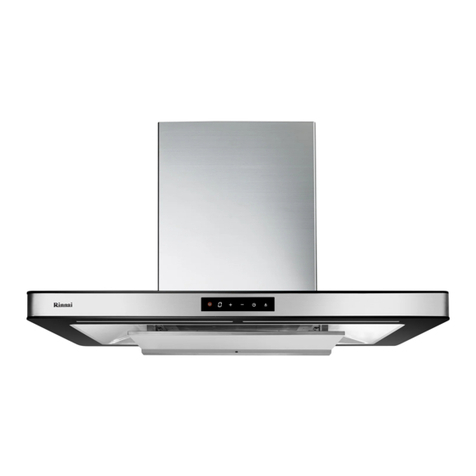
To set up the delay timer, press on the timer switch symbol, the timer switch's orange ring
symbol will light up and together with the numerical number on the display window will
begin flashing. At this time set your prefer time delay by pressing on the timer switch
symbol once (1–2–3–4).
After the required time is set, in approximately 3 seconds later the numerical number on
the display window will switch back to the earlier fan setting.
To disable the delay timer before the preset time has expire, press the ON/OFF switch
symbol.
Note: Pressing once on the timer switch symbol indicates a numerical 1 on the display
window. The timer is preset from a minimum of 5 minutes to a maximum of 20 minutes
where 1 is equivalent to 5 minutes, 2 is 10 minutes, 3 is 15 minutes and 4 is 20 minutes.
CLEAN and FRESH FUNCTION
There are 2 methods to set up the CLEAN & FRESH function.
To set up clean and fresh function when you are done cooking, press on the timer switch
symbol and hold for approximately 3 seconds. The timer switch's orange ring symbol will
light up. Press the ON/OFF switch symbol to start the clean and fresh function.
To disable the clean and fresh function before the expire time, press and hold the timer
switch symbol to turn OFF this setting, the extractor hood will automatically go back to
STANDBY MODE
If there is a need to clean the air in the room when no cooking is observe. In standby
mode, switch ON the extractor hood by pressing the ON/OFF switch symbol than proceed
to press the timer switch symbol for approximately 3 seconds. The timer switch orange
ring symbol will light up. Press the ON/OFF switch symbol to start the operation
immediately.
To disable the clean and fresh function before the expire time, press and hold the timer
switch symbol to turn OFF this setting, the extractor hood will automatically go back to
STANDBY MODE.
Note: Clean and fresh function is preset to work for 6 minutes each hour for 24 hours at
fan setting speed 1.
LIGHTING
Press the light symbol switch to turn the lights to the ON/OFF position.
Note: The lighting can be switch ON and OFF independently of the fan.