Programming Quick Guide
-DC9257L: Docking Scanner
-DC9267L: Wearable Scanner
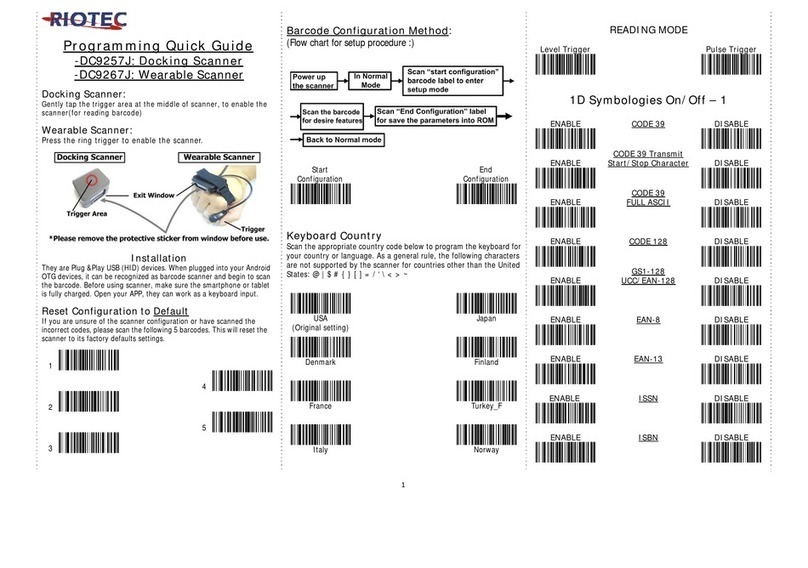
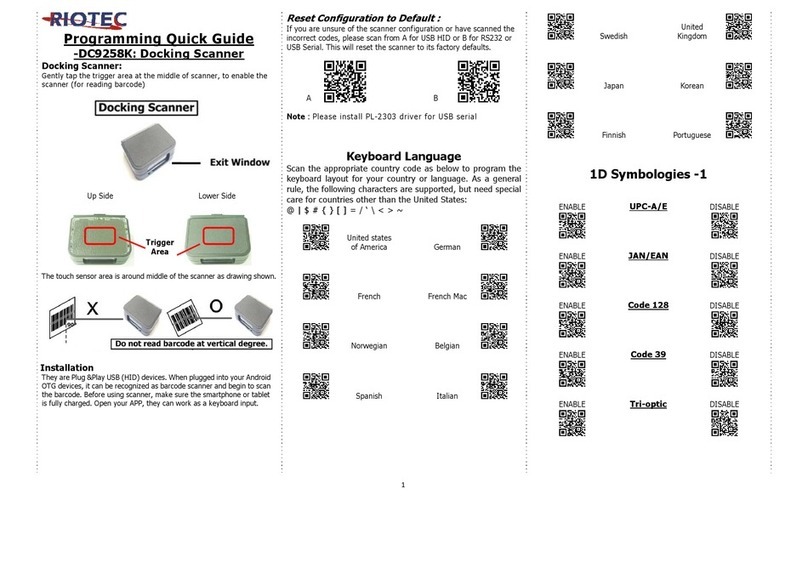
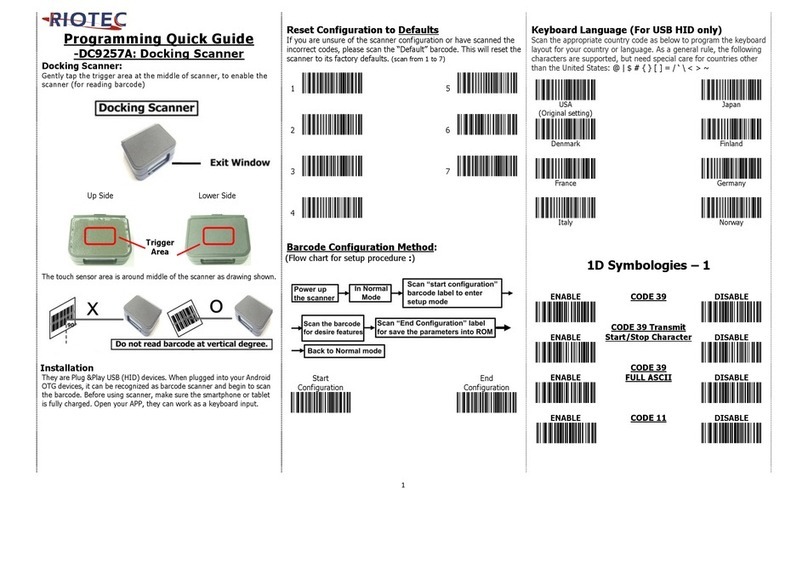
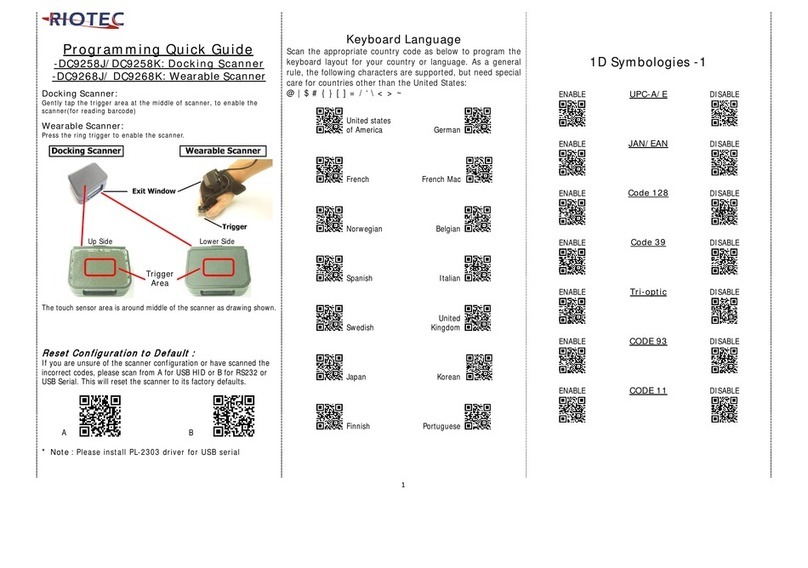
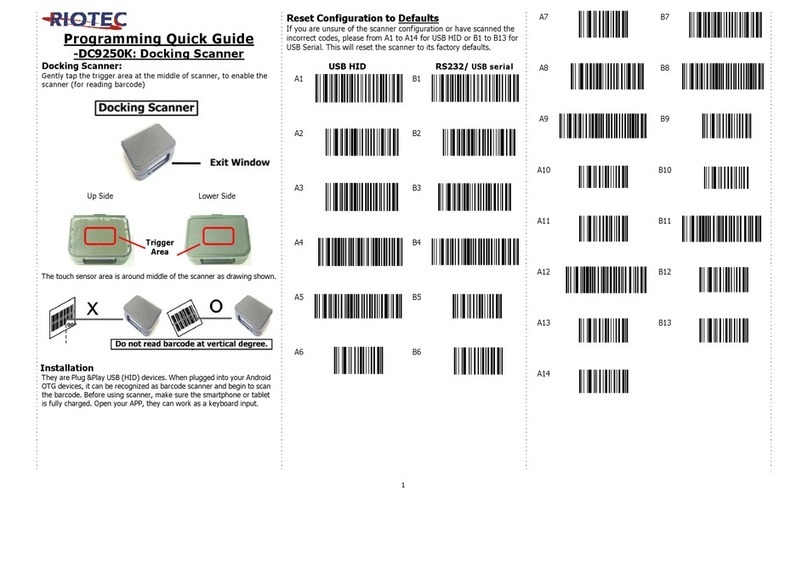
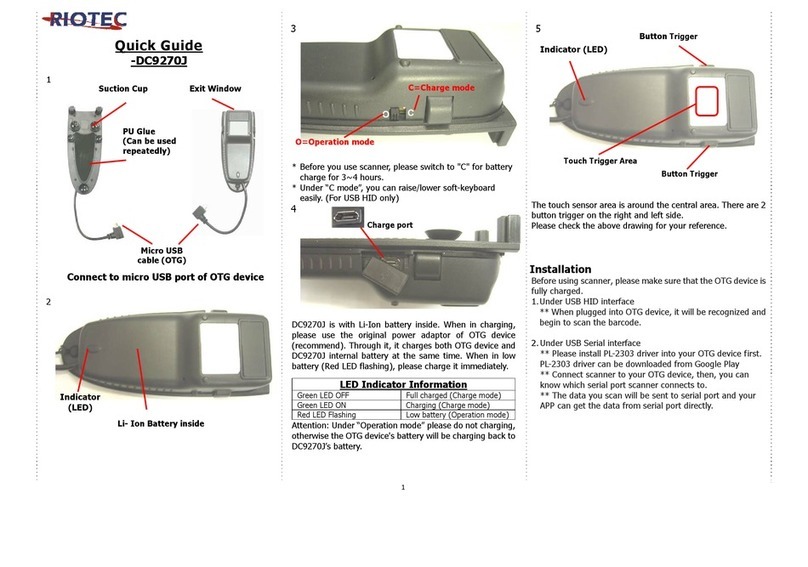
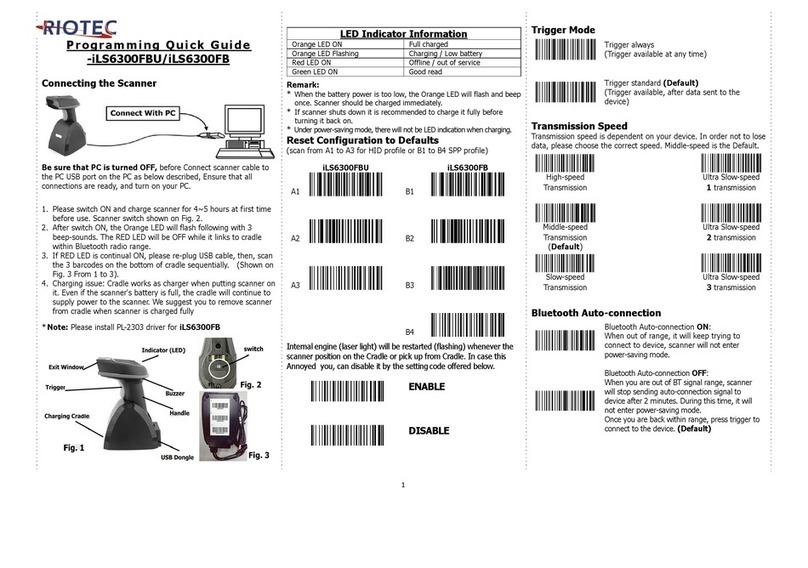
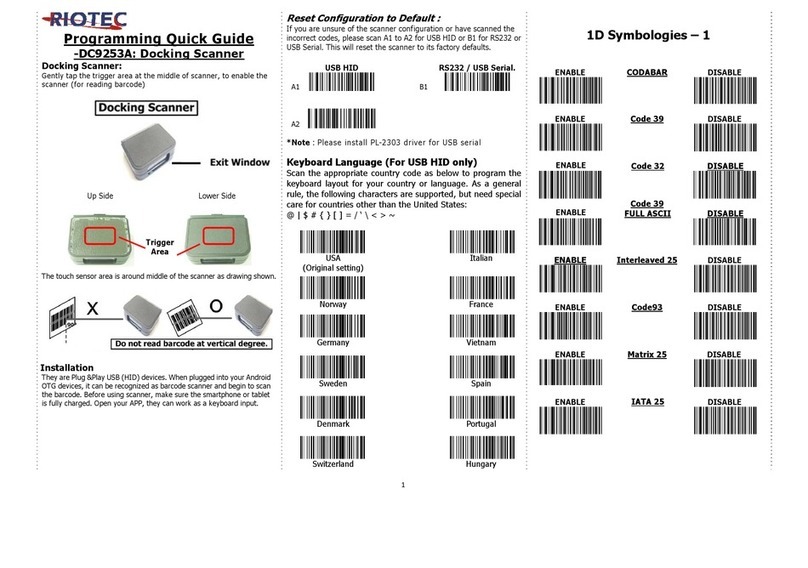
Docking Scanner:
Gently tap the trigger area at the middle of scanner, to enable the
scanner(for reading barcode)
Wearable Scanner:
Press the ring trigger to enable the scanner.
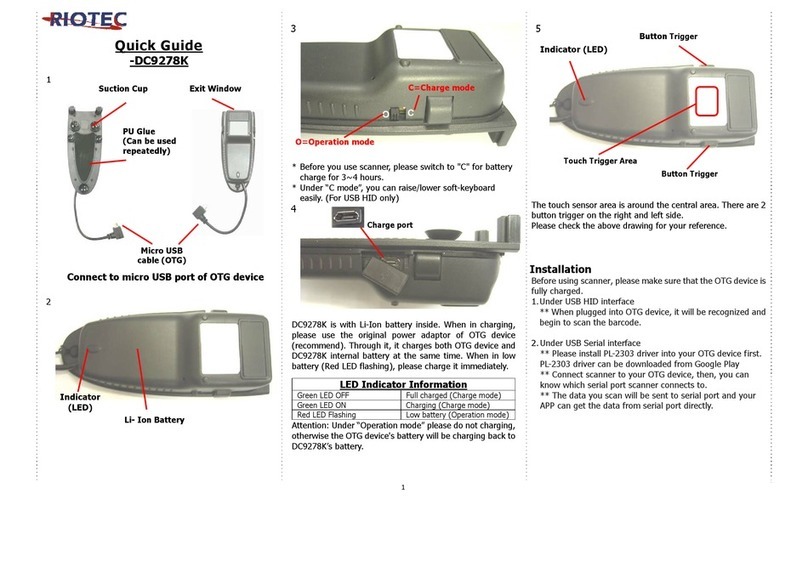
Installation
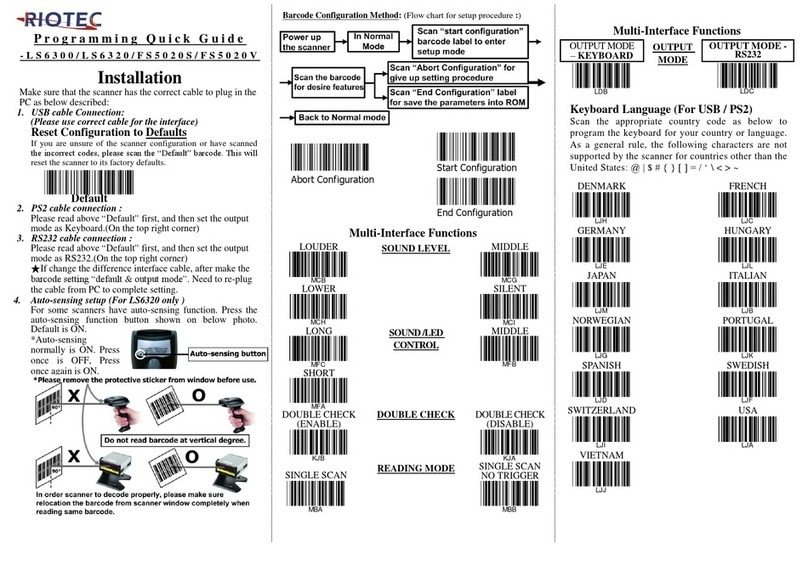
They are Plug &Play USB (HID) devices. When plugged into your Android
OTG devices, it can be recognized as barcode scanner and begin to scan
the barcode. Before using scanner, make sure the smartphone or tablet
is fully charged. Open your APP, they can work as a keyboard input.
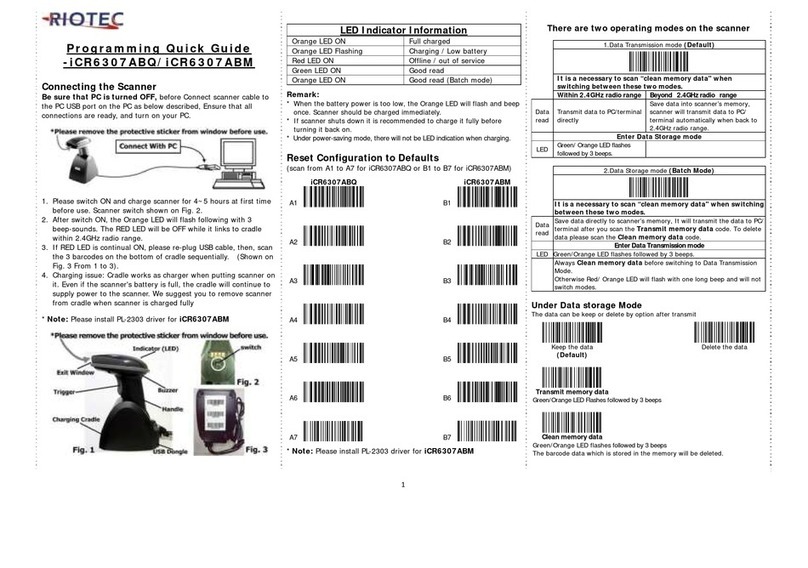
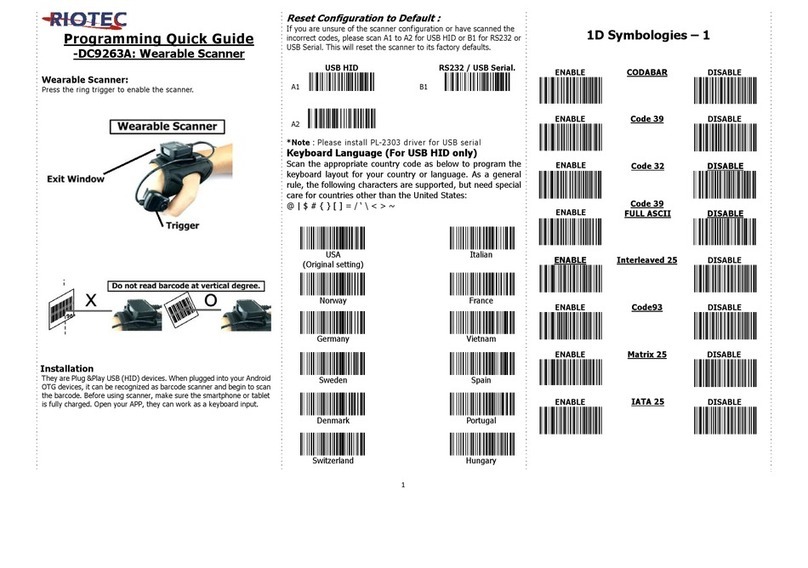
Reset Configuration to Default
(scan from 1 to 7)
1
5
2
6
3
7
4
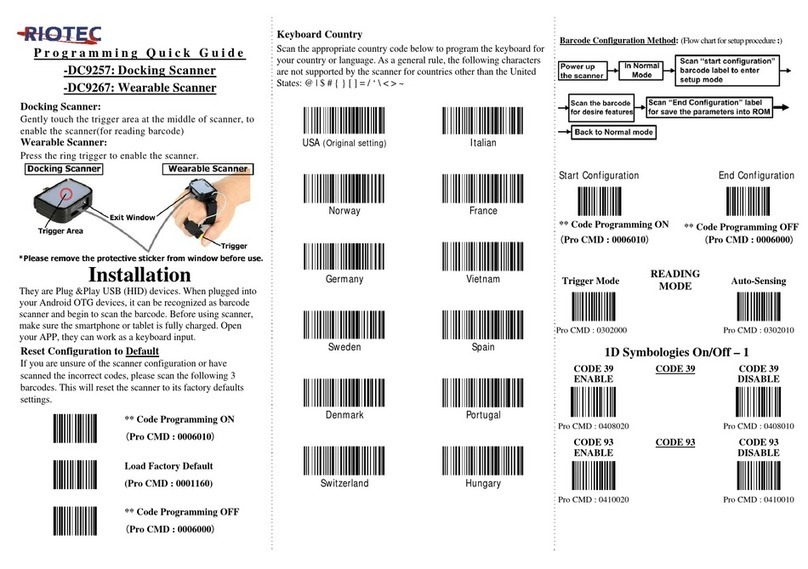
Keyboard Country
Scan the appropriate country code below to program the
keyboard for your country or language. As a general rule, the
following characters are not supported by the scanner for
countries other than the United States:
@ | $ # { } [ ] = / ‘ \ < > ~
USA
Japan
Denmark
Finland
France
Hungary
Italy
Norway
Turkey 1
Turkey 2
Switzerland
Spain
Germany
Brazil
Sweden Nether land
1D Symbologies On/Off – 1
ENABLE
Code 128
DISABLE
ENABLE GS1-128
UCC/EAN-128
DISABLE
ENABLE
EAN-8
DISABLE
ENABLE
EAN-13
DISABLE
ENABLE
ISSN
DISABLE
ENABLE
ISBN
DISABLE
ENABLE
UPC-E
DISABLE
ENABLE
UPC-A
DISABLE
ENABLE Interleaved
2 of 5
DISABLE
ENABLE Matrix
2 of 5 DISABLE
1