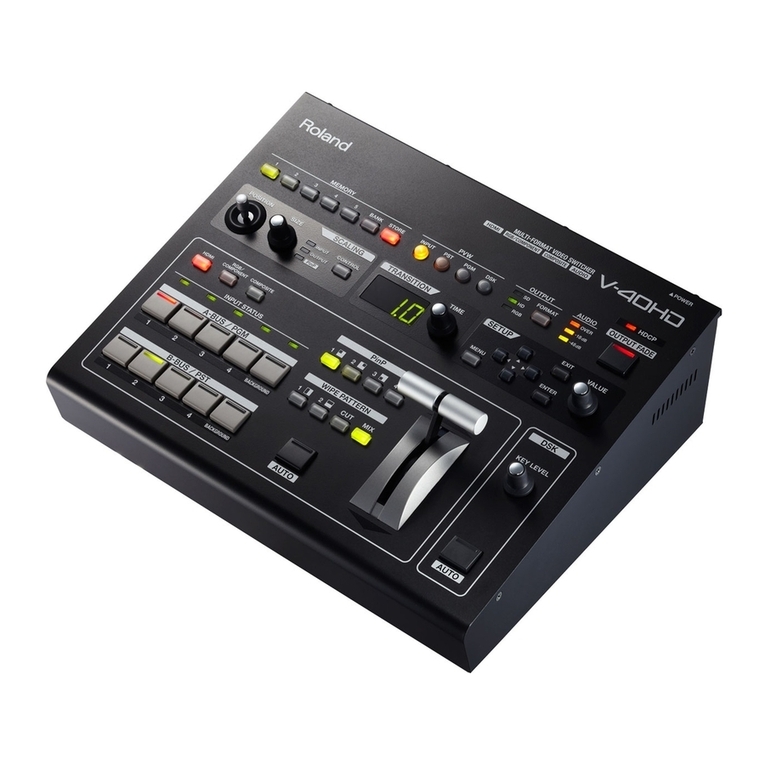
Roland V-40HD User manual

Copyright © 2012 ROLAND CORPORATION
All rights reserved. No part of this publication may be reproduced in any form without the written
permission of ROLAND CORPORATION.
* Roland is either registered trademark or trademark of Roland Corporation in the United States and/or other countries.
* All product names mentioned in this document are trademarks or registered trademarks of their respective owners.
1PS
The V-40HD supports remote control via MIDI and RS-232C. This document describes settings for
remote control
Remote Control Guide

2
Remote Controlling via MIDI................................................................................3
MIDI Control Modes of the V-40HD................................................................................................................................................3
MIDI Menu of the V-40HD..................................................................................................................................................................4
MIDI Implementation ...........................................................................................5
Messages Transmitted and Received in Standard MIDI Mode..............................................................................................5
Messages Transmitted in V-LINK Master Mode ..........................................................................................................................8
Messages Received in V-LINK Slave Mode ...................................................................................................................................9
Messages Received in MVC Mode................................................................................................................................................ 11
Appendices .......................................................................................................................................................................................... 13
RS-232C Command Reference............................................................................14
Specication of the RS-232C Jack ................................................................................................................................................ 14
Overview of Commands.................................................................................................................................................................. 14
Commands Transmitted from an External Device ................................................................................................................. 15
Data Transmitted from the V-800HD........................................................................................................................................... 16
Contents

3
MIDI Control Modes of the V-40HD
These are the MIDI control modes for the V-40HD. Select one mode best suited for your connected device or your application.
Standard MIDI mode
This is the mode for remote controlling the V-40HD from an external MIDI device (like a keyboard) or linking 2 units of the V-40HD.
V-LINK Master mode
This is the mode for remote controlling an external V-LINK device from the V-40HD. In this mode, the V-40HD works as the MIDI
master device.
V-LINK Slave mode
This is the mode for remote controlling V-40HD from an external V-LINK device. In this mode, the V-40HD works as a slave device.
What is V-LINK
V-LINK is a feature for performing video synchronized to music using MIDI. The V-LINK feature provides a quick and simple way to
establish a link with a compatible device.
MVC Slave mode
This is the mode for remote controlling the V-40HD from an external MVC (MIDI Visual Control) device. In this mode, the V-40HD
works as a slave device.
What is MVC (MIDI Visual Control)
MIDI Visual Control is a feature that uses MIDI to link visual expression to a musical performance. Connecting a musical instrument
that supports MVC via MIDI, you can remotely control the V-40HD in accordance with the musical performances.
Remote Controlling via MIDI

4
Remote Controlling via MIDI
MIDI Menu of the V-40HD
You can make V-40HD MIDI settings in the System menu. Select [MIDI] > [STATUS] to select one of the MIDI control modes.
• OFF
• Native
• V-Link Master
• V-Link Slave
• MVC Slave
You cannot select V-Link Slave or MVC from the menu. If the V-800HD receives V-LINK ON or MVC ON message from an external device while it’ s
in standard MIDI mode, the mode switches automatically. Reception of V-LINK OFF or MVC OFF message also switches the mode automatically to
standard MIDI mode.
When [On] is selected for [Through Output], the received signal coming in from MIDI IN jack will be output from MIDI OUT jack without any
alteration. V-40HD exclusive messages (SYSEX) will not be output. When you are not using MIDI, turn it to [O ].
Using in standard MIDI mode
When you use in standard MIDI mode, select [Native] in [Status]. Also match the MIDI channel with the connected MIDI device.
Using in V-LINK Master mode
When you use in V-LINK master mode, select [V-LINK Master] in [Status]. The MIDI device ID of the V-40HD will be [10H].
Using in V-LINK Slave mode
When you use in V-LINK slave mode, send V-LINK ON message while the V-40HD is in standard MIDI mode. The MIDI device ID of the
V-40HD will be [10H].
Using in MVC Slave mode
When you use in MVC slave mode, send MIDI Visual Control ON message while the V-40HD is in standard MIDI mode. The MIDI
device ID of the V-40HD will be [00H].
Refer to“MIDI Implementations”from next page for commands in each mode.

5
Messages Transmitted and Received in Standard MIDI Mode
Control Change
Source Select
Status 2nd Byte 3rd Byte
Bn 0EH 0kH
n = MIDI Channel Number
k = Source : 00H-03H(HDMI, RGB/Component, Composite, Shared Input)
PVW Select
Status 2nd Byte 3rd Byte
Bn 1EH 0kH
n = MIDI Channel Number
k = Output Select : 00H-03H(INPUT, PST, PGM, DSK)
A-BUS/PGM Cross-point Select
Status 2nd Byte 3rd Byte
BnH 0CH 0kH
n = MIDI Channel Number 0H-FH (ch.1 - ch.16)
k = A-BUS/PGM Cross-point button number : 00H-04H (ch.1 - Background)
B-BUS/PST Cross-point Select
Status 2nd Byte 3rd Byte
BnH 0DH 0kH
n = MIDI Channel Number
k = B-BUS/PST Cross-point button number : 00H-04H (ch.1 - Background)
DSK Source Channel Select
Status 2nd Byte 3rd Byte
BnH 10H 0kH
n = MIDI Channel Number
k = DSK Source Channel Number : 00H-03H (ch.1 - ch.4)
Transition Time Select
Status 2nd Byte 3rd Byte
BnH 11H kkH
n = MIDI Channel Number
kk = Transition Time : 00H-64H (0.0sec - 10.0sec)
Wipe Pattern Select
Status 2nd Byte 3rd Byte
BnH 12H 0kH
n = MIDI Channel Number
k = Wipe Pattern : 00H-03H (1, 2, CUT, MIX)
Output Fade Button
Status 2nd Byte 3rd Byte
BnH 13H 7FH
n = MIDI Channel Number
Output Fade Time Select
Status 2nd Byte 3rd Byte
BnH 14H kkH
n = MIDI Channel Number
kk = Output Fade Time : 00H-64H (0.0sec - 10.0sec)
MIDI Implementation

6
MIDI Implementation
Picture in Picture Select
Status 2nd Byte 3rd Byte
BnH 40H 0kH
n = MIDI Channel Number
k = PinP Button 0H - 4H (O, PinP1 - PinP4)
WIPE PATTERN AUTO Button
Status 2nd Byte 3rd Byte
BnH 42H 7FH
n = MIDI Channel Number
DSK AUTO Button
Status 2nd Byte 3rd Byte
BnH 43H 7FH
n = MIDI Channel Number
HDMI Output Select
Status 2nd Byte 3rd Byte
BnH 15H 0kH
n=MIDI Channel Number
k=HDMI Output : 0H-5H(CH1.HDMI Audio - Mixer)
Main Volume
Status 2nd Byte 3rd Byte
BnH 16H kkH
n=MIDI Channel Number
kk= Volume : 00H-37H(Mute, -48dB - +6dB)
Ch1.HDMI Audio Volume
Status 2nd Byte 3rd Byte
BnH 17H kkH
n=MIDI Channel Number
kk = Volume : 00H-37H(Mute, -48dB - +6dB)
Ch2.HDMI Audio Volume
Status 2nd Byte 3rd Byte
BnH 18H kkH
n=MIDI Channel Number
kk= Volume : 00H-37H(Mute, -48dB - +6dB)
Ch3.HDMI Audio Volume
Status 2nd Byte 3rd Byte
BnH 19H kkH
n=MIDI Channel Number
kk= Volume : 00H-37H(Mute, -48dB - +6dB)
Ch4.HDMI Audio Volume
Status 2nd Byte 3rd Byte
BnH 1AH kkH
n=MIDI Channel Number
kk= Volume : 00H-37H(Mute, -48dB - +6dB)
Audio In Volume
Status 2nd Byte 3rd Byte
BnH 1BH kkH
n=MIDI Channel Number
kk= Volume : 00H-37H(Mute, -48dB - +6dB)

7
MIDI Implementation
HDMI Audio Delay
Status 2nd Byte 3rd Byte
BnH 1CH kkH
n=MIDI Channel Number
kk=Time : 00H-78H(0.0ame - 12.0ame)
Audio In Delay
Status 2nd Byte 3rd Byte
BnH 1DH kkH
n=MIDI Channel Number
kk= Time : 00H-78H(0.0ame - 12.0ame)
Video Fader
Status 2nd Byte 3rd Byte
BnH 63H llH
BnH 62H mmH
n=MIDI Channel Number
ll,mm = Video Fader Value : 00H, 00H - 0FH, 7FH (0 - 2047)
* value is nalized on reception of mm.
Program Change
MEMORY Load
Status 2nd Byte
CnH ppH
n=MIDI Channel Number
pp = MEMORY Number : 00H-18H (1-1 - 5-5)

8
MIDI Implementation
Messages Transmitted in V-LINK Master Mode
System Exclusive Message
Data Set (DT1)
This is the message for actual data transmission. Use this when you want to set data for the device.
Status Data Byte Status
F0H 41H,dev,00H,51H,12H,aaH,bbH,ccH,ddH,…,eeH,sum F7H
Byte Explanation
F0H Exclusive Status
41H ID Number (Roland)
10H Device ID
00H Model ID Upper Byte (V-LINK Message)
51H Model ID Lower Byte (V-LINK Message)
12H Command ID (DT1)
aaH Address Upper Byte
bbH Address
ccH Address
ddH Data : Actual data. If multiple, transmitted with address order.
---
eeH Data
sumH Checksum
F7H EOX (End of Exclusive)
Parameter Address Map
System Preference Area
Address Parameter Name Sys.Ex. Value Meaning of Value
10H 00H 00H V-LINK ON/OFF 00H - [01H] 00H=OFF, 01H=ON
Video System Performance Area
Address Parameter Name Sys.Ex. Value Meaning of Value
20H 00H 00H V-LINK Number of Video Mixer Inputs 04H 5CH
Audio Mixer Parameter Area
Address Parameter Name Sys.Ex. Value Meaning of Value
20H 20H 00H V-LINK Audio Mixer Master Level 00H 00H - 07H 68H Level 0.0 - 100.0%
20H 21H 02H V-LINK Audio Mixer Ch 1 Level 00H 00H - 07H 68H Level 0.0 - 100.0%
20H 21H 04H V-LINK Audio Mixer Ch 2 Level 00H 00H - 07H 68H Level 0.0 - 100.0%
20H 21H 06H V-LINK Audio Mixer Ch 3 Level 00H 00H - 07H 68H Level 0.0 - 100.0%
20H 21H 08H V-LINK Audio Mixer Ch 4 Level 00H 00H - 07H 68H Level 0.0 - 100.0%
20H 21H 0AH V-LINK Audio Mixer Ch 5 Level 00H 00H - 07H 68H Level 0.0 - 100.0%

9
MIDI Implementation
Messages Received in V-LINK Slave Mode
Program Change
Status 2nd Byte
CnH ppH
n = Ctrl Rx MIDI Ch. Number : 0H-FH (Ch. 1-16)
pp = PST Cross-point Number : 00H -04H (CH1 - Background)
* The Dissolve Time is automatically adjusted when the Auto Mix Mode is ON.
Note On
Status 2nd Byte 3rd Byte
9nH kkH vvH
n = Ctrl Rx MIDI Ch. Number : 0H-FH (Ch. 1-16)
kk = Note Number : 00H - 7FH (0 - 127)
vv = Velocity : Ignored
Note O
Status 2nd Byte 3rd Byte
8nH kkH vvH
n = Ctrl Rx MIDI Ch. Number : 0H-FH (Ch. 1-16)
kk = Note Number : 00H - 7FH (0 - 127)
vv = Velocity : Ignored
* This is valid when the Note Message Enabled is [49Key] or [Assignable].
* The Dissolve Time is automatically adjusted when the Auto Mix Mode is ON.
Control Change
Status 2nd Byte 3rd Byte
BnH ccH vvH
n = Ctrl Rx MIDI Ch. Number : 0H-FH (Ch. 1-16)
cc = Controller Number : 00H -7FH (0 - 127)
vv = Value : 00H - 7FH (0 - 127)
Channel Pressure / After Touch
Status 2nd Byte
DnH vvH
n = Ctrl Rx MIDI Ch. Number : 0H-FH (Ch. 1-16)
vv = Value : 00H - 7FH (0 - 127)
Pitch Bend Change
Status 2nd Byte 3rd Byte
EnH llH mmH
n = Ctrl Rx MIDI Ch. Number : 0H-FH (Ch. 1-16)
ll = Ignored
mm = Value : 00H - 7FH (0 - 127)
Reset All Controllers
Status 2nd Byte 3rd Byte
BnH 79H 00H
n = Ctrl Rx MIDI Ch. Number : 0H-FH (Ch. 1-16)
* Returns to V-LINK default status.

10
MIDI Implementation
System Exclusive Message
Date Set 1 (DT1)
This is the message for actual data transmission. Use this when you want to set data for the device.
Status Data Byte Status
F0H 41H,dev,00H,51H,12H,aaH,bbH,ccH,ddH,…,eeH,sum F7H
Byte Explanation
F0H Exclusive Status
41H ID Number (Roland)
10H Device ID
00H Model ID Upper Byte (V-LINK Message)
51H Model ID Lower Byte (V-LINK Message)
12H Command ID (DT1)
aaH Address Upper Byte
bbH Address
ccH Address
ddH Data : Actual data. If multiple, transmitted with address order.
---
eeH Data
sumH Checksum
F7H EOX (End of Exclusive)
Parameter Address Map
System Preference Area
Address Parameter Name Sys.Ex. Value Meaning of Value
10H 00H 00H V-LINK ON/OFF 00H - [01H] 00H=O, 01H=On
10H 00H 01H Ctrl Rx MIDI Ch. (Clip & Color) [00H] - 10H 00H=Ch. 1, 0FH=Ch. 16, 10H=O
10H 00H 03H Note Message Enabled [00H] - 02H 00H=OFF, 01H=49 Keys, 02H=Assignable
10H 00H 07H Auto Mix Mode 00H - [01H] 00H=O, 01H=On
Clip Control Assignment Area
Address Parameter Name Sys.Ex. Value Meaning of Value
10H 10H 02H Dissolve Time Control Assign 00H -([00H])- 0FH 4 bit MSN + 4 bit
LSN = 8 bit data.
D0H = After Touch
E0H = Pitch Bend Change
FFH = None
01H-1FH, 40H-5FH = CC#
Other values are reserved.
10H 10H 03H Dissolve Time Ctrl Assign
LSN 00H -([05H])- 0FH
Clip Control Preference Area
Address Parameter Name Sys.Ex. Value Meaning of Value
10H 30H 02H Assignable Note Mode Keyboard
Range Lower
00H -([24H])- 7FH Note Number
10H 30H 03H Assignable Note Mode Keyboard
Range Upper
00H -([31H])- 7FH Note Number
Other manuals for V-40HD
2
Table of contents
Other Roland Switch manuals

Roland
Roland V-Link LVS-800 User manual
Roland
Roland XS-1HD User manual
Roland
Roland ES-8 Version 2 Instructions and recipes

Roland
Roland V-8HD User manual
Roland
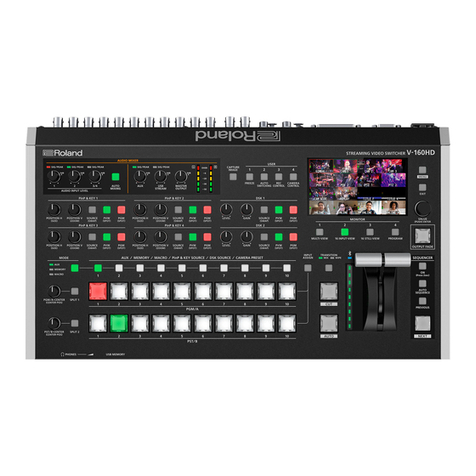
Roland V-160HD Use and maintenance manual
Roland
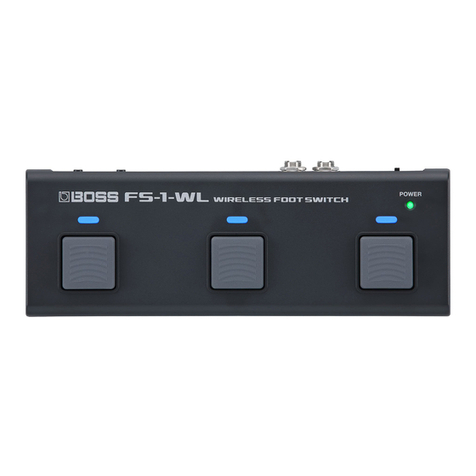
Roland FS-1-WL Instruction Manual
Roland
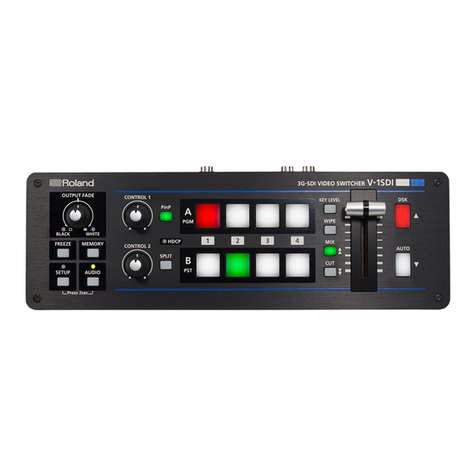
Roland V-1SDI User manual

Roland
Roland V-8HD User manual
Roland
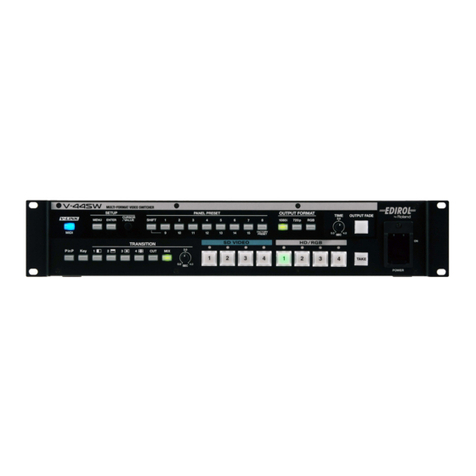
Roland V-44SW User manual
Roland
Roland VC-1HD User manual

Roland
Roland V-40HD User manual
Roland
Roland FS-1-WL Instruction Manual
Roland
Roland V-8HD User guide

Roland
Roland V-60HD User manual
Roland
Roland XS-62S User manual
Roland
Roland V-40HD User manual
Roland
Roland v-1hd User manual
Roland
Roland v-1hd User manual

Roland
Roland V-60HD User manual

Roland
Roland V-1600HD User manual