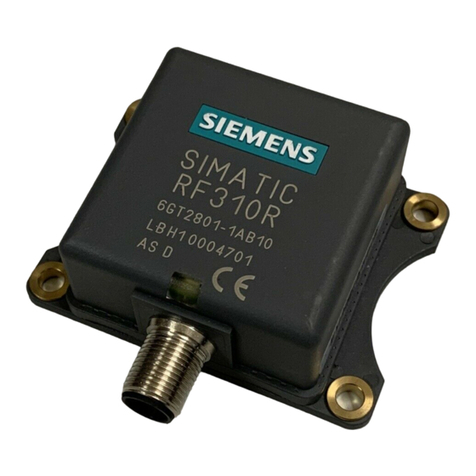
Siemens SIMATIC RF310M User manual

RFID Systems SIMATIC RF310M Mobile Reader
DOCUMENTATION
DOCUMENTATION
Operating Instructions · 07/2007
Mobile Reader
SIMATIC RF310M
simatic sensors


Introduction
1
Description
2
Power supply
3
Commissioning
4
Operation
5
SIMATIC RF310M software
6
Advanced functions
7
Error messages of the
SIMATIC RF310M
application
8
Troubleshooting
9
Technical Specifications
10
Appendix
A
SIMATIC Sensors
RFID Systems
SIMATIC RF310M
Mobile Reader
Operating Instructions
07/2007
J31069-D0191-U001-A1-7618

Safety Guidelines
This manual contains notices you have to observe in order to ensure your personal safety, as well as to prevent
damage to property. The notices referring to your personal safety are highlighted in the manual by a safety alert
symbol, notices referring only to property damage have no safety alert symbol. These notices shown below are
graded according to the degree of danger.
DANGER
indicates that death or severe personal injury will result if proper precautions are not taken.
WARNING
indicates that death or severe personal injury may result if proper precautions are not taken.
CAUTION
with a safety alert symbol, indicates that minor personal injury can result if proper precautions are not taken.
CAUTION
without a safety alert symbol, indicates that property damage can result if proper precautions are not taken.
NOTICE
indicates that an unintended result or situation can occur if the corresponding information is not taken into
account.
If more than one degree of danger is present, the warning notice representing the highest degree of danger will
be used. A notice warning of injury to persons with a safety alert symbol may also include a warning relating to
property damage.
Qualified Personnel
The device/system may only be set up and used in conjunction with this documentation. Commissioning and
operation of a device/system may only be performed by qualified personnel. Within the context of the safety notes
in this documentation qualified persons are defined as persons who are authorized to commission, ground and
label devices, systems and circuits in accordance with established safety practices and standards.
Prescribed Usage
Note the following:
WARNING
This device may only be used for the applications described in the catalog or the technical description and only
in connection with devices or components from other manufacturers which have been approved or
recommended by Siemens. Correct, reliable operation of the product requires proper transport, storage,
positioning and assembly as well as careful operation and maintenance.
Trademarks
All names identified by ® are registered trademarks of the Siemens AG. The remaining trademarks in this
publication may be trademarks whose use by third parties for their own purposes could violate the rights of the
owner.
Disclaimer of Liability
We have reviewed the contents of this publication to ensure consistency with the hardware and software
described. Since variance cannot be precluded entirely, we cannot guarantee full consistency. However, the
information in this publication is reviewed regularly and any necessary corrections are included in subsequent
editions.
Siemens AG
Automation and Drives
Postfach 48 48
90437 NÜRNBERG
GERMANY
Ordernumber: J31069-D0191-U001-A1-7618
Ⓟ 07/2007
Copyright © Siemens AG 2007.
Technical data subject to change

SIMATIC RF310M Mobile Reader
Operating Instructions, 07/2007, J31069-D0191-U001-A1-7618 5
Table of contents
1 Introduction................................................................................................................................................ 7
2 Description................................................................................................................................................. 9
2.1 Application area .............................................................................................................................9
2.2 Features.......................................................................................................................................10
2.3 Design ..........................................................................................................................................11
2.4 Antenna and antenna field...........................................................................................................12
3 Power supply ........................................................................................................................................... 13
3.1 Inserting the battery .....................................................................................................................13
3.2 Charging function.........................................................................................................................14
3.3 Using other batteries....................................................................................................................15
3.4 The backup battery ......................................................................................................................15
4 Commissioning ........................................................................................................................................ 17
4.1 Scope of supply ...........................................................................................................................17
4.2 Switching on the device ...............................................................................................................18
4.3 Basic settings...............................................................................................................................19
4.3.1 Setting the language ....................................................................................................................19
4.3.2 Adjusting the acoustic signal volume...........................................................................................20
4.3.3 Adjusting the screen backlighting and contrast ...........................................................................20
5 Operation................................................................................................................................................. 21
5.1 The keypad ..................................................................................................................................21
5.1.1 The shift keys...............................................................................................................................21
5.1.2 Key functions................................................................................................................................22
5.2 The SIMATIC RF310M menu ......................................................................................................24
6 SIMATIC RF310M software..................................................................................................................... 25
6.1 Overview of functions...................................................................................................................25
6.2 Starting the SIMATIC RF310M software .....................................................................................26
6.3 The data editor.............................................................................................................................26
6.4 The functions in the "File" menu ..................................................................................................28
6.4.1 Loading a file................................................................................................................................28
6.4.2 Save .............................................................................................................................................28
6.4.3 Exit ...............................................................................................................................................29
6.5 The functions in the "Tag" menu..................................................................................................30
6.5.1 Progress and timeout display.......................................................................................................31
6.5.2 Requirements for operating the tag functions..............................................................................32
6.5.3 Read tag (MDS) ...........................................................................................................................34

Table of contents
SIMATIC RF310M Mobile Reader
6 Operating Instructions, 07/2007, J31069-D0191-U001-A1-7618
6.5.4 Read OTP ................................................................................................................................... 35
6.5.5 Reading the tag configuration data ............................................................................................. 36
6.5.6 Writing to the tag ......................................................................................................................... 37
6.5.7 Write OTP.................................................................................................................................... 38
6.5.8 Read tag status ........................................................................................................................... 39
6.5.9 Reading the tag ID ...................................................................................................................... 39
6.5.10 Initialize the tag ........................................................................................................................... 39
6.6 The functions in the "Editor" menu.............................................................................................. 40
6.6.1 Jump to Address ......................................................................................................................... 40
6.6.2 Display......................................................................................................................................... 41
6.6.3 Clear............................................................................................................................................ 41
6.6.4 Data Edit...................................................................................................................................... 42
6.7 The functions in the "Extras" menu............................................................................................. 43
6.7.1 Password..................................................................................................................................... 44
6.7.2 Language .................................................................................................................................... 44
6.7.3 Address Setup............................................................................................................................. 45
6.7.4 Tag Type Selection ..................................................................................................................... 46
6.7.5 SLG Status.................................................................................................................................. 47
6.8 The functions in the "?" menu ..................................................................................................... 48
7 Advanced functions ................................................................................................................................. 49
7.1 File storage on the RF310M........................................................................................................ 49
7.2 Copying data from and to the Mobile Reader ............................................................................. 50
7.2.1 Prerequisites ............................................................................................................................... 50
7.2.2 Working with the Active Sync program ....................................................................................... 51
7.2.3 Organization of the file READ.HEX............................................................................................. 53
7.3 The automatic power-saving function ......................................................................................... 54
7.4 System reset ............................................................................................................................... 54
8 Error messages of the SIMATIC RF310M application.............................................................................. 55
9 Troubleshooting....................................................................................................................................... 61
10 Technical Specifications .......................................................................................................................... 63
A Appendix.................................................................................................................................................. 65
A.1 FCC information .......................................................................................................................... 65
A.2 Accessories................................................................................................................................. 65
A.3 Ordering components for advanced functions ............................................................................ 66
A.4 Developing user applications ...................................................................................................... 66
A.5 ASCII table .................................................................................................................................. 67
A.6 Service and support .................................................................................................................... 68
A.7 Contacts ...................................................................................................................................... 68
A.8 Training ....................................................................................................................................... 69
Glossary .................................................................................................................................................. 71
Index........................................................................................................................................................ 73

SIMATIC RF310M Mobile Reader
Operating Instructions, 07/2007, J31069-D0191-U001-A1-7618 7
Introduction 1
Purpose of this document
These operating instructions contain information required for starting up and using the
RF310M device.
The documentation is aimed at commissioning engineers and machine operators who start
up the application themselves, and it describes the functions of the "SIMATIC RF310M"
software.
Scope of validity of this document
This documentation is valid for the SIMATIC RF310M Mobile Reader and describes the
delivery status from July 2007.
Further information
The present instructions are a supplement to the operating instructions of the basic device
PSION WORKABOUT PRO.
The documents "Quick Reference Guide" and "Regulatory & Warranty Guide" for
"WORKABOUT PRO C/M-E Hand-Held Computer" are included with the device. Please note
the information they contain.
You can find further information in the PSION User Manual and in the documentation for the
docking station.
Conventions
The following terms/abbreviations are used synonymously in this document:
● tag, transponder, mobile data memory (MDS), data carrier
● Reader, read/write device (SLG)
History
Previous editions of these operating instructions:
Edition Remarks
07/2007 First edition

Introduction
SIMATIC RF310M Mobile Reader
8 Operating Instructions, 07/2007, J31069-D0191-U001-A1-7618

SIMATIC RF310M Mobile Reader
Operating Instructions, 07/2007, J31069-D0191-U001-A1-7618 9
Description 2
SIMATIC RF310M expands the RF300 RF identification system with a powerful mobile
handheld reader for applications in the areas of production and service. In addition, it is an
indispensable aid for startup and testing.
2.1 Application area
The RF300 Mobile Reader is intended especially for the SIMATIC RF300 RFID system. The
enclosed SIMATIC RF310M software allows user-friendly, distributed reading and writing of
all RF300 tags.
The Mobile Reader can also be used in harsh environments. The Mobile Reader is
extremely rugged and protected against spray water. The backlit display is easy to read even
under unfavorable lighting conditions.

Description
2.2 Features
SIMATIC RF310M Mobile Reader
10 Operating Instructions, 07/2007, J31069-D0191-U001-A1-7618
2.2 Features
The SIMATIC RF310M Mobile Reader consists of a powerful, rugged and flexible handheld
computer (PSION WORKABOUT PRO) and an integral read/write unit for the SIMATIC
RF300 RFID system. It meets the requirements of mobile RFID data acquisition in harsh
environments in an extremely user-friendly and ergonomic design. Based on
communications standards, the device guarantees simple integration into existing or planned
infrastructure.
The following functions can be executed:
Functions
● Reading the data from the tag (data memory)
● Writing the data to the tag
● Deleting the entire data memory (overwriting it with a filler)
● Reading and displaying the ID number of the tag
● Reading the data carrier status (MDS status)
● Reading the status of the read/write unit (SLG)
● Representing and editing the data in hexadecimal and ASCII format
● Activatable/deactivatable password protection for all write functions and for terminating
the program
● Menu prompting in English and German (switchable)
● Saving of the read-in RF300 data to files. The Mobile Reader has approximately 1.8 MB
available for this purpose.
The RFID read/write unit of RF300 is integrated into the PSION basic unit. Communication
with the basic unit is handled via the internal serial scanner port that also supplies the power
for the RFID unit.
Accessories
The charging and docking station (including wide-range power supply unit, 100 to 240 V AC,
50 to 60 Hz) for recharging the battery and connecting to PCs via USB port must be ordered
separately. This station has a charging bay for an additional replacement battery. See
Accessories (Page 65).
Other manuals for SIMATIC RF310M
3
Table of contents
Other Siemens Card Reader manuals
Siemens
Siemens AR6181-MX Operating and maintenance instructions
Siemens
Siemens AR50M-MF User manual
Siemens
Siemens RB500 User manual
Siemens
Siemens SC7 Installation and operation manual
Siemens
Siemens AR6111-MX User manual
Siemens
Siemens SIMATIC RF1070R User manual
Siemens
Siemens 6FL7171-8AD User manual
Siemens
Siemens SIMATIC MV440 User manual

Siemens
Siemens PR500-Cotag User manual

Siemens
Siemens Bewator PR500 Installation and operation manual