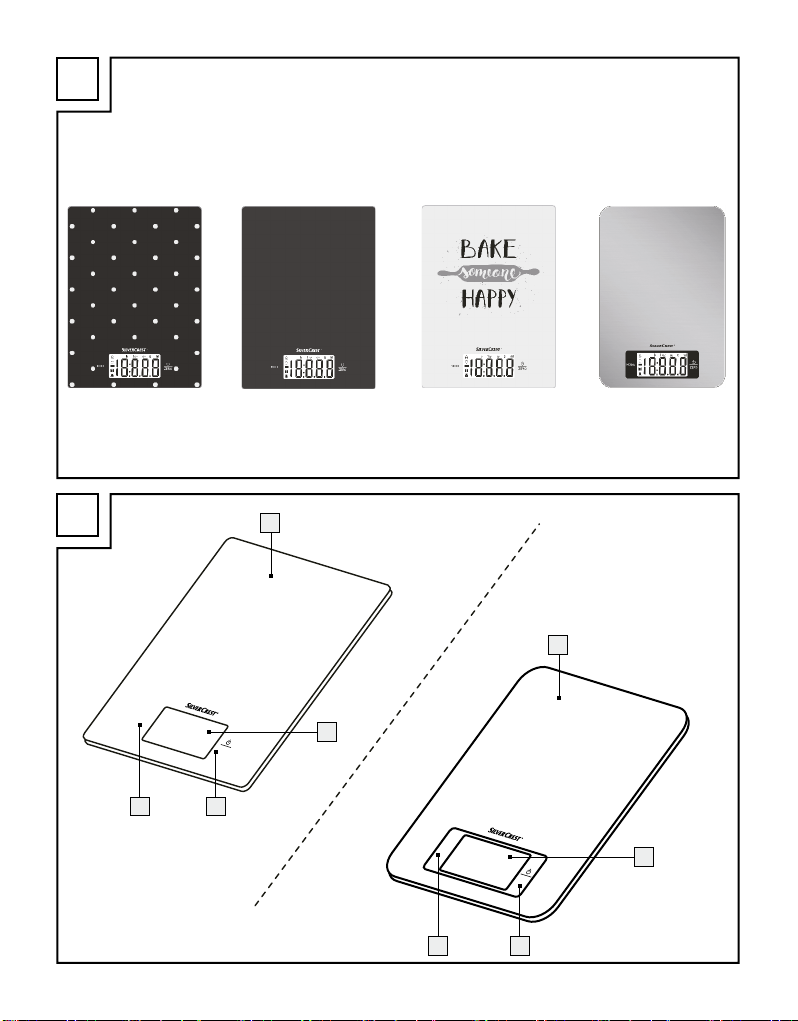
9GB
Risk of damage of the product
Only use the specified type of
battery/ rechargeable battery!
Insert batteries/rechargeable
batteries according to polarity marks
(+) and (-) on the battery/recharge-
able battery and the product.
Clean the contacts on the battery/
rechargeable battery and in the bat-
tery compartment before inserting!
Remove exhausted batteries/
rechargeable batteries from the
product immediately.
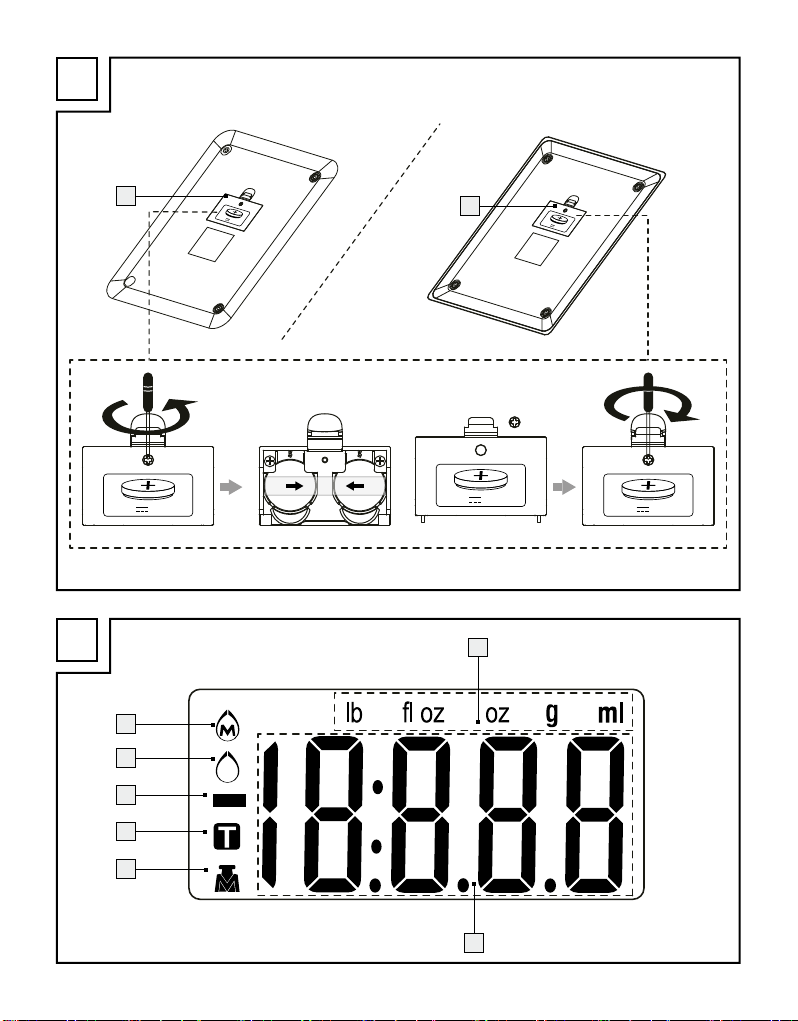
Before first use (Fig. C)
Remove all packaging materials from the product.
Turn the product over and place it on a soft under-
lay to avoid scratching the surface. Loosen the
screw located at the cover of the battery compart-
ment 5on the back of the product.
Open the cover of the battery compartment 5
on the back of the product.
Pull out the insulation strip from the battery
compartment 5.
Close the cover of the battery compartment 5
and tighten the screw.
Replacing the battery (Fig. C)
Turn the product over and place it on a soft underlay
to avoid scratching the surface. Loosen the screw
located at the cover of the battery compartment 5
on the back of the product.
Open the cover of the battery compartment 5
on the back of the product.
Remove the used batteries, if present.
Insert two batteries type CR2032 in the battery
compartment 5.
Note: Make sure you insert the batteries with the
correct polarity. This is indicated on the cover of
the battery compartment 5.
Close the cover of the battery compartment 5
and tighten the screw.
Operation
Set the product on a solid, level and flat surface to
weigh.
Weighing
Note: Always place the object you wish to weigh
gently onto the weighing surface 1to avoid damag-
ing the surface.
Briefly touch the button / ZERO 3to switch on
the product. The LC display 2will show all dis-
plays for approx. 2 seconds.
Note: A slight touch of the button /ZERO 3
and the button MODE 4is sufficient to operate
the product. If there is too much pressure, the
product may cause tilting.
During this time the weighing equipment on the
product is adjusting. Afterwards the numerical
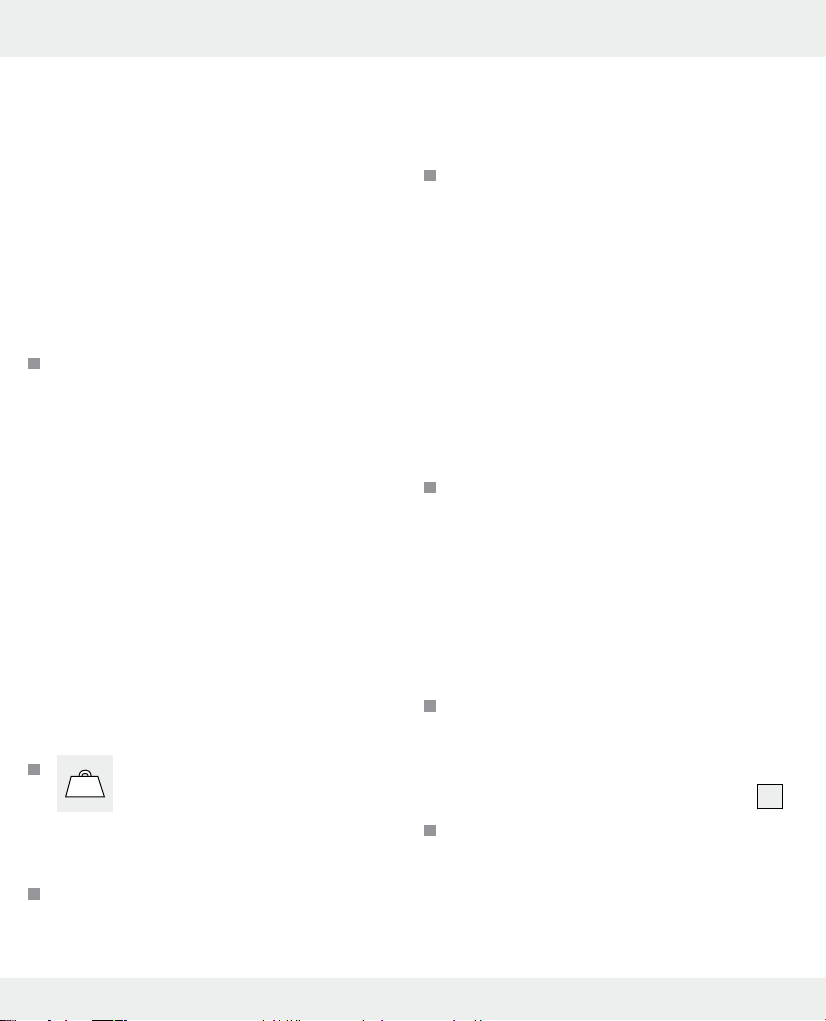
display 7will read „0“. The unit display 6and
the MODE indicator 8, 11 , 12 will
show the last unit and mode selected.
Note: if an object (e.g. a key) is already on the
weighing surface 1while switching on, the
numerical display 7will still read „0“.
Place the item you wish to weigh onto the product.
The numerical display 7will show the weight of
the item you are weighing.