10 GB
Weighing
Note: Always place the object you wish to weigh
gently onto the weighing surface 1to avoid damag-
ing the glass surface.
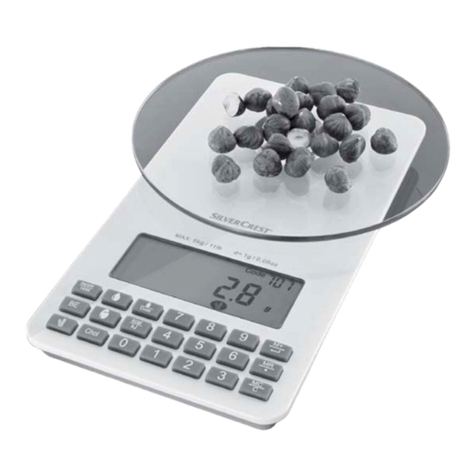
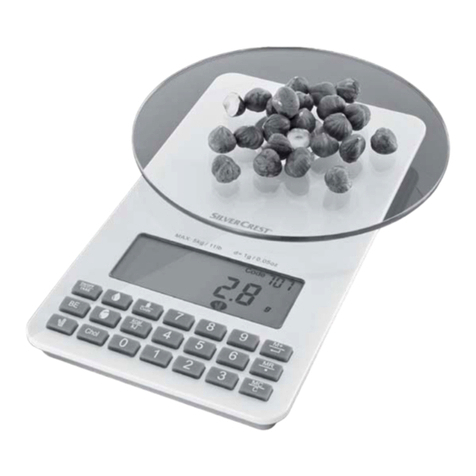
Press the button ON/OFF 6to switch on the
product. The LC display 2will show all displays
for approx. 2 seconds.
During this time the weighing equipment on the
product is adjusting. Afterwards the numerical
display 17 will read „0“. The unit display 14 will
show the last unit selected.
Note: if an object (e.g. a key) is already on the
weighing surface 1while switching on, the
numerical display 17 will still read „0“.
Place the item you wish to weigh onto the weigh-
ing surface 1. The numerical display 17 will
show the weight of the item you are weighing.
Incremental weighing
Pressing the button TARE 5with the product on
will change the numerical display 17 from the
reading to „0“. The TARE symbol T 16 will appear.
Now add another item to weigh onto the weigh-
ing surface 1. The numerical display 17 will
show the weight of the newly added item.
If you remove the item added to the product, the
numerical display 17 will again read „0“.
If you remove all items from the product, the LC
display 2will show a negative value indicated
by the minus symbol - 15 .
Then press the button TARE
5. The numerical display
17 will again read „0“ and the TARE symbol T 16
will disappear.
Important! Be sure never to add more than 5kg
to the weighing surface
1
. Overloading the product
can damage it.
Changing the measuring unit
To switch the unit of measure, press the button UNIT
7. After each time it is pressed, the unit display 14
will switch to the next unit listed:
kg/g -> lb’oz -> oz
Displaying nutritional
and energy values
Switch on the product as described in section
„Weighing“.
Place the food to be weighed on the weighing sur-
face 1.
Look up the appropriate code for the food to be
weighed from the food list provided at the end of
these instructions.
Enter the 3-digit code using number buttons 3,
e.g., 013. The nutritional and energy display 11
will then show the following Nutritional and en-
ergy values for the weighed amount:
PROT: protein
FAT: fat
CARB: carbohydrates
BE: bread units
KJ: kilojoules
KCAL: kilocalories
CHOL: cholesterol
Note: As energy and nutritional values fluctuate natu-
rally, these values only serve as guide values. If you
make a mistake when entering the code, simply re-enter
the code.