10 GB/IE/NI
Weighing
Note: Always place the object you wish to weigh
gently onto the weighing surface 1to avoid damag-
ing the glass surface.
To activate the product, you may directly put a
load (e.g. food container) with minimum 250g
onto the weighing surface 1. Pressing onto the
weighing surface 1with a certain force is also
possible to activate the product. You can always
press the button TARE 3at any time to set the
zero point.
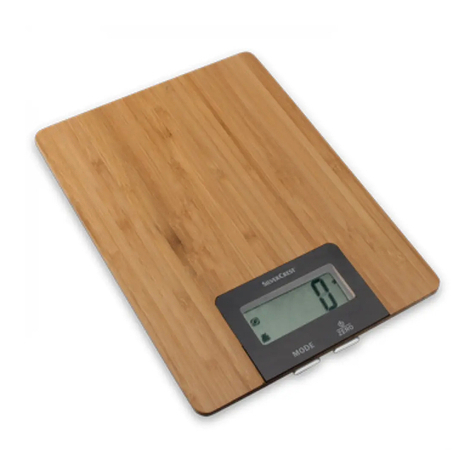
Place the item you wish to weigh onto the product.
The numerical display 7will show the weight of
the item you are weighing.
Incremental weighing
Touching the button TARE 3with the product on
will change the numerical display 7from the
reading to “0”. The “T” symbol 11 will appear.
Note: A slight touch of the button TARE
3
and the
button UNIT 4is sufficient to operate the product.
If there is too much pressure, the product may
cause tilting.
Now add another item to weigh onto the product.
The numerical display 7will show the weight of
the newly added item.
If you remove the item added to the product, the
numerical display 7will again read “0”.
If you remove all items from the product, the LC
display 2will show a negative value indicated
by the minus symbol 10.
Then briefly touch the button TARE 3, and the “T”
symbol 11 will disappear.
Important! Be sure never to add more than 5kg
to the weighing surface
1
. Overloading the product
can damage it.
Changing the measuring unit
The product will display the weight in the official Euro-
pean measuring unit “g” (grams), as well as the tradi-
tional unit of weight “oz” (ounce, 1oz ≈ 28.35g) or
“lb’oz” (pound: ounce, 1lb = 16oz ≈ 453.59 g).
When measuring the volume of water or milk, the product
calculates it by the weight using the official European
unit of volume “ml” (millilitres) or the traditional unit of
measure fl’oz (fluid ounces, 1fl’oz ≈ 28.41ml).
To switch the unit of measure, briefly touch the UNIT
button 4. After each time it is touched, the unit
display 8will switch to the next unit listed:
For MODE weight : g →oz →lb:oz
For MODE water or milk : ml → fl’oz
Switching off
Holding the button TARE 3for approx. 3 seconds
will off the product. If no movement is detected on
the weighing surface 1for 3 minute and no button
is pressed, the product will automatically switch off.
Troubleshooting
= Fault
= Cause
= Solution
= The display shows one of the following symbols
when you switch on the product:
• “T”; or
• “-” symbol; or
• the numerical display 7showing any weight
= The product has memory features of the previous
weight before switching off the product and affects
the calibration point during activation.