9GB/IE
Getting started
Note:
– If the units of weight are set to metric (g) then the
units of volume will be automatically shown as ml.
– If the units of weight are set to imperial (lb:oz)
then the units of volume will be automatically
shown as fl’oz.
– The standard unit of weight is g.
Q
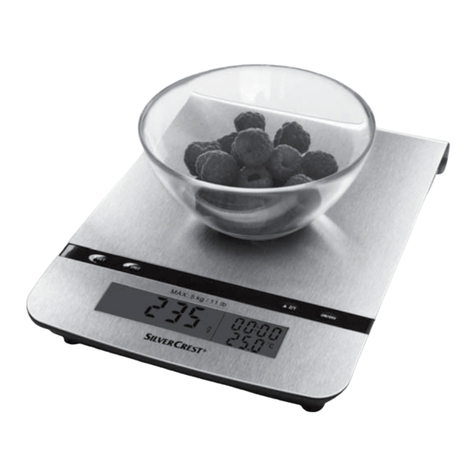
Weighing
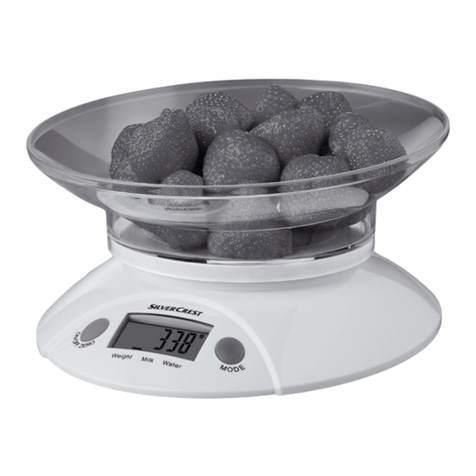
Note: The kitchen scale 2always starts from 0g /
0:0.0lb:oz 17 / 20 if the On/Off/Zero button 5
is pressed. If you place the weighing bowl 1on
to the kitchen scale 2before switching on, it will
also start from 0g/0:0.0lb:oz 17 / 20 .
If you place the weighing bowl 1on the kitchen
scale 2after it has been switched on, then the dis-
play will show the weight of the weighing bowl 1.
Press the On/Off/Zero button 5once to reset
the display to 0g/0:0.0lb:oz 17 / 20 .
Place the kitchen scale on a solid, flat surface.
Press the On/Off/Zero button 5to switch
on the kitchen scale 2.
5
Wait until the LC display 4stops and stabilizes
on 0g 17 , 0:0.0 lb:oz 20
or 0ml 18 or 0.0fl’oz 19 ,
which will be the mode the
kitchen scale was in when
it was last switched off.
Press the mode setting
button 3to set the kitchen
scale to the normal weigh-
ing mode 23 .
If necessary select the units
of weight in advance by
pressing the g/lb:oz unit
conversion button 9on
the bottom of the kitchen scale before you start
weighing.
When you have selected the units of weight press
and hold down the On/Off/Zero button 5
for 3 seconds to switch off the kitchen scale 2.
Stand the kitchen scale 2on a hard, flat table
surface. Place the weighing bowl 1on the
weighing platform 6.
Press the On/Off/Zero button 5to switch on
the kitchen scale in the normal weighing mode.
Wait until all the segments of the LC display 4
have illuminated and the kitchen scale has
stabilized at 0g 17 , 0:0.0lb:oz 20 .
Place the substance to be weighed into the
weighing bowl 1to start the weighing process.
The LC display 4shows the weight of the sub-
stance in the weighing bowl in the selected unit
of weight.
Note: The kitchen scale works without the weighing
bowl 1in the same way. Simply follow and repeat
the above steps without the weighing bowl 1.
Q
Weigh and add
The kitchen scale 2allows you to carry out con-
secutive weighings without emptying the weighing
bowl 1between weighings.
Place the weighing bowl 1on the weighing
platform 6.
Press the On/Off/Zero button 5to switch
on the kitchen scale 2.
Wait until the LC display 4stops and stabiliz-
es on 0g 17 , 0:0.0 lb:oz 20 or 0ml 18 or
0.0fl’oz 19 , which will be the mode the kitchen
scale was in when it was last switched off.
Press the mode button 3to set the scale to
weighing mode 23 (preset to g or lb:oz).
Place the substance to be weighed into the
weighing bowl 1to start the weighing process.
The LC display 4shows the weight of the first
substance placed in the weighing bowl.
Press the On/Off/Zero button 5the scale now
reads „T“ (TARE) 26 .
You can add further substances into the weighing
bowl in the same way and pressing the On/Off/
Zero button 5between each new substance.
Continue in this way only until the maximum
capacity of the kitchen scale 2is reached or
the weighing bowl 1is full.
Safety Instructions/Getting started