manuals.online logo
Brands
  1. Home
  2. •
  3. Brands
  4. •
  5. Sony
  6. •
  7. Projector
  8. •
  9. Sony KP-41T65 - 41" Rear Projection User manual

Sony KP-41T65 - 41" Rear Projection User manual

Other manuals for KP-41T65 - 41" Rear Projection

1

This manual suits for next models

4

Other Sony Projector manuals

Sony BrightEra VPL-SW526M User manual

Sony

Sony BrightEra VPL-SW526M User manual

Sony VPL-CX76 User manual

Sony

Sony VPL-CX76 User manual

Sony VPL-EX100 User manual

Sony

Sony VPL-EX100 User manual

Sony VPL-EW5 Service manual

Sony

Sony VPL-EW5 Service manual

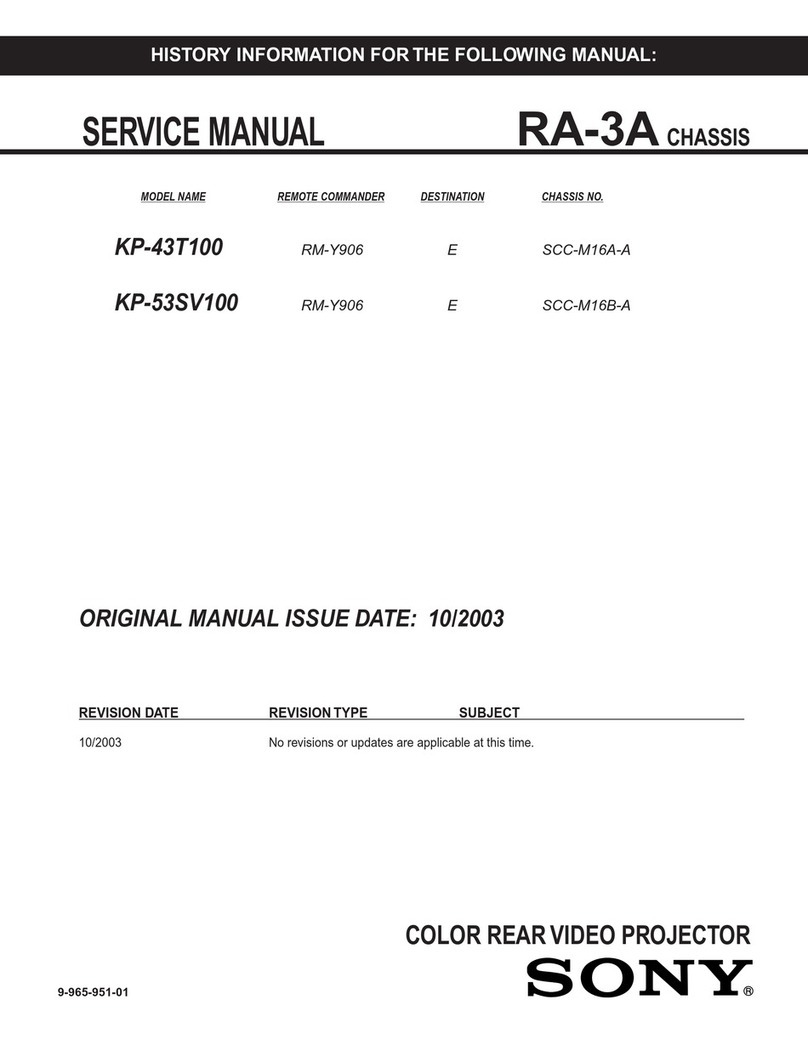
Sony KP-43T100 User manual

Sony

Sony KP-43T100 User manual

Sony VPL-FH500L User manual

Sony

Sony VPL-FH500L User manual

Sony Xperia Touch G1109 User manual

Sony

Sony Xperia Touch G1109 User manual

Sony Superbright VPL-PX40 User manual

Sony

Sony Superbright VPL-PX40 User manual

Sony VPH-1001Q User manual

Sony

Sony VPH-1001Q User manual

Sony SXRD SRX-R110 User manual

Sony

Sony SXRD SRX-R110 User manual

Sony VPLGH10 User manual

Sony

Sony VPLGH10 User manual

Sony KP 48S70 User manual

Sony

Sony KP 48S70 User manual

Sony SRX-R220 User manual

Sony

Sony SRX-R220 User manual

Sony RVP-411DS User manual

Sony

Sony RVP-411DS User manual

Sony VPL-VW260ES User manual

Sony

Sony VPL-VW260ES User manual

Sony VPL-FHZ700L User manual

Sony

Sony VPL-FHZ700L User manual

Sony VPL-BW120S Use and maintenance manual

Sony

Sony VPL-BW120S Use and maintenance manual

Sony KP-53XBR4CT User manual

Sony

Sony KP-53XBR4CT User manual

Sony VPL-PX30 User manual

Sony

Sony VPL-PX30 User manual

Sony VPD-LE100 User manual

Sony

Sony VPD-LE100 User manual

Sony VPL-PX31 User manual

Sony

Sony VPL-PX31 User manual

Sony Xperia Touch G1109 User manual

Sony

Sony Xperia Touch G1109 User manual

Sony VPL-MX20 User manual

Sony

Sony VPL-MX20 User manual

Sony VPLFH31/B User manual

Sony

Sony VPLFH31/B User manual

Popular Projector manuals by other brands

Eiki LC-X985 Specification sheet

Eiki

Eiki LC-X985 Specification sheet

InFocus LitePro 610 quick start

InFocus

InFocus LitePro 610 quick start

Epson EH-TW5900 datasheet

Epson

Epson EH-TW5900 datasheet

FOREVER MLP-100 manual

FOREVER

FOREVER MLP-100 manual

Toshiba TDP-MT8U Specifications

Toshiba

Toshiba TDP-MT8U Specifications

Mitsubishi XD500U specification

Mitsubishi

Mitsubishi XD500U specification

Kodak Ektapro 3020 Illustrated parts list

Kodak

Kodak Ektapro 3020 Illustrated parts list

Toshiba TDP-EW25U Specifications

Toshiba

Toshiba TDP-EW25U Specifications

Barco iQ PRO G500 supplementary guide

Barco

Barco iQ PRO G500 supplementary guide

NEC Showcase Series HT1100 user manual

NEC

NEC Showcase Series HT1100 user manual

Philips LC1341 user guide

Philips

Philips LC1341 user guide

Epson PowerLite 1266 user guide

Epson

Epson PowerLite 1266 user guide

MAGINON DLP 1400S user manual

MAGINON

MAGINON DLP 1400S user manual

Toshiba TLP-380 owner's manual

Toshiba

Toshiba TLP-380 owner's manual

Philips PicoPix PPX2480/EU user manual

Philips

Philips PicoPix PPX2480/EU user manual

Hitachi CP-X605 Series Specifications

Hitachi

Hitachi CP-X605 Series Specifications

Optoma TW1692 user manual

Optoma

Optoma TW1692 user manual

Kodak EKTAPRO instruction manual

Kodak

Kodak EKTAPRO instruction manual

manuals.online logo
manuals.online logoBrands
  • About & Mission
  • Contact us
  • Privacy Policy
  • Terms and Conditions

Copyright 2025 Manuals.Online. All Rights Reserved.

Operating Instructions
Manual de instrucciones
Color Rear Video
Projector
© 1997 by Sony Corporation
3-862-541-31 (1)
EN
ES
KP-41T65
KP-46C65
KP-48S65
KP-53S65
KP-61S65
2-EN
WARNING
To prevent fire or shock hazard, do not
expose the unit to rain or moisture.
CAUTION
RISK OF ELECTRIC SHOCK
DO NOT OPEN
ATTENTION
RISQUE DE CHOC ELECTRIQUE,
NE PAS OUVRIR
PRECAUCION
RIESGO DE CHOQUE ELECTRICO
NO ADRIR
CAUTION : TO REDUCE THE RISK OF ELECTRIC SHOCK,
DO NOT REMOVE COVER (OR BACK).
NO USER-SERVICEABLE PARTS INSIDE.
REFER SERVICING TO QUALIFIED SERVICE PERSONNEL.
This symbol is intended to alert the user to the
presence of uninsulated “dangerous voltage”
within the product’s enclosure that may be of
sufficient magnitude to constitute a risk of
electric shock to persons.
This symbol is intended to alert the user to the
presence of important operating and
maintenance (servicing) instructions in the
literature accompanying the appliance.
CAUTION
To prevent electric shock, do not use this polarized AC plug
with an extension cord, receptacle or other outlet unless the
blades can be fully inserted to prevent blade exposure.
CAUTION
When using TV games, computers, and similar products with
your projection TV, keep the brightness and contrast
functions at low settings. If a fixed (non-moving) pattern is
left on the screen for long periods of time at a high brightness
or contrast setting, the image can be permanently imprinted
onto the screen. These types of imprints are not covered by
your warranty because they are the result of misuse.
Note on Caption Vision
This television receiver provides display of television closed
captioning in accordance with §15.119 of the FCC rules.
Note on CATV system installer
This reminder is provided to call the CATV system installer’s
attention to Article 820-40 of the NEC that provides
guidelines for proper grounding and, in particular, specifies
that the cable ground shall be connected to the grounding
system of the building, as close to the point of cable entry as
practical.
Use of this television receiver for other than private viewing
of programs broadcast on UHF or VHF or transmitted by
cable companies for the use of the general public may require
authorization from the broadcaster, cable company and/or
program owner.
Note on convergence adjustment
Before you use your projection TV, make sure to adjust
convergence. For the procedure, see page 14.
NOTIFICATION
This equipment has been tested and found to comply with
the limits for a Class B digital device pursuant to Part 15 of
the FCC Rules. These limits are designed to provide
reasonable protection against harmful interference in a
residential installation. This equipment generates, uses, and
can radiate radio frequency energy and, if not installed and
used in accordance with the instructions, may cause harmful
inteference with radio communications. However, there is no
guarantee that interference will not occur in a particular
installation. If this equipment does cause harmful
interference to radio or television reception, which can be
determined by turning the equipment off and on, the user is
encouraged to try to correct the interference by one or more
of the following measures:
– Reorient or relocate the receiving antennas
– Increase the separation between the equipment and
receiver.
– Connect the equipment into an outlet on a circuit different
from that to which the receiver is connected.
– Consult the dealer or an experienced radio/TV technician
for help.
You are cautioned that any changes or modifications not
expressly approved in this manual could void your
authority to operate this equipment.
This document is for the remote control RM-Y136A.
MODELS: KP-41T65/46C65/48S65/53S65/61S65.
Please keep this notice with the instruction manual.
Owner’s Record
The model and serial numbers are located at the rear of the
projection TV. Record these numbers in the spaces provided
below. Refer to them whenever you call upon your Sony
dealer regarding this product.
Model No.
Serial No.
NO ABRIR
As an ENERGY STAR Partner, Sony
Corporation has determined that this
product meets the ENERGY STAR
guidelines for energy efficiency.

3-EN
EN
Table of contents 4Welcome!
4Precautions
Getting Started
5Step 1: Installing the projection TV
6Step 2: Hookup
13 Step 3: Setting up the remote control
14 Step 4: Setting up the projection TV automatically
(AUTO SET UP)
18 Changing the menu language
Operations
19 Watching the TV
21 Watching two programs at one time—PIP
22 Freezing the picture (FREEZE)
23 Adjusting the picture (VIDEO)
24 Adjusting the color temperature (TRINITONE)
24 Selecting the video mode (VIDEO)
25 Adjusting the sound (AUDIO)
26 Using audio effect (SURROUND)
27 Selecting stereo or bilingual programs (MTS)
27 Setting the speaker switch (SPEAKER)
28 Setting audio out (AUDIO OUT)
29 Setting daylight saving time (DAYLIGHT SAVING)
29 Setting the clock (CURRENT TIME SET)
30 Setting the timer to turn the projection TV on and
off (ON/OFF TIMER)
31 Customizing the channel names (CHANNEL CAPTION)
32 Blocking out a channel (CHANNEL BLOCK)
32 Setting your favorite channels (FAVORITE CHANNEL)
33 Setting video labels (VIDEO LABEL)
34 Setting Caption Vision (CAPTION VISION)
35 Operating video equipment
37 Operating a cable box or DBS receiver
Additional Information
38 Troubleshooting
39 Specifications
40 Index to parts and controls
42 Index
The captions in parentheses indicate menu names.
4-EN
Welcome!
Thank you for purchasing the Sony Color Rear Video
Projection TV. Here are some of the features you will
enjoy with your projection TV:
• On-screen menus that let you set the picture quality,
sound, and other settings.
• Two tuner Picture-in-Picture (PIP) that allows you
to watch another TV channel, video or cable image
as a window picture.
• Surround system that simulates the sound quality of
a concert hall or movie theater.
• SAVA SPEAKER option of the AUDIO menu that
lets you take advantage of the Sony SAVA series
speaker system’s surround sound and super woofer
mode when you connect it to the projection TV.
About this manual
The instructions in this manual are for models KP-
41T65, KP-46C65, KP-48S65, KP-53S65, and KP-61S65.
Before you start reading this manual, please check your
model number, located at the rear of the projection TV.
Model KP-53S65 is used for illustration purposes in this
manual. Any differences in operation are clearly
indicated in the text, for example “KP-61T65 only.”
The differences in specifications are indicated in the
text.
Instructions in this manual are based on use of the
remote control. You can also use the controls on the
projection TV if they have the same name as those on
the remote control.
Precautions
This projection TV operates on extremely high voltage.
To prevent fire or electric shock, please follow the
precautions below.
Safety
•Operate the projection TV only on 120 V AC.
•One blade of the plug is wider than the other for safety
purposes and will fit into the power outlet only one
way. If you are unable to insert the plug fully into the

outlet, contact your dealer.

•Should any liquid or solid object fall into the cabinet,
unplug the projection TV and have it checked by
qualified personnel before operating it further.
•Unplug the projection TV from the wall outlet if you
are not going to use it for several days or more. To
disconnect the cord, pull it out by the plug. Never
pull the cord itself.
For details concerning safety precautions, see the supplied
leaflet “IMPORTANT SAFEGUARDS.”
Note on cleaning
Clean the cabinet of the projection TV with a dry soft
cloth. To remove dust from the screen, wipe it gently
with a soft cloth using vertical strokes only. Stubborn
stains may be removed with a cloth slightly dampened
with solution of mild soap and warm water. Never use
strong solvents such as thinner or benzine for cleaning.
If the picture becomes dark after using the projection TV
for a long period of time, it may be necessary to clean the
inside of the projection TV. Consult qualified service
personnel.
Installing
•To prevent internal heat build-up, do not block the
ventilation openings.
•Do not install the projection TV in a hot or humid
place, or in a place subject to excessive dust or
mechanical vibration.
•Avoid operating the projection TV at temperatures
below 5°C (41°F).
•If the projection TV is transported directly from a cold
to a warm location, or if the room temperature has
changed suddenly, the picture may be blurred or show
poor color. This is because moisture has condensed on
the mirror or lenses inside. If this happens, let the
moisture evaporate before using the projection TV.
•To obtain the best picture, do not expose the screen to
direct illumination or direct sunlight. It is
recommended to use spot lighting directed down from
the ceiling or to cover the windows that face the screen
with opaque drapery. It is desirable to install the
projection TV in a room where the floor and walls are
not of reflecting material. If necessary, cover them
with dark carpeting or wall paper.
Getting Started 5-EN
EN
Carrying your projection TV
pKP-41T65/46C65/48S65/53S65 only
Besuretograsptheareasindicatedwhencarryingthe
projectionTV,andtousemorethantwopeople.
pKP-61S65 only
CarryyourprojectionTVbythecasters.
Preparing for your projection TV
BeforeyouuseyourprojectionTV,adjustconvergence.
Fortheprocedure,see“Step4:Settinguptheprojection
TVautomatically(AUTOSETUP)”onpage 14.
Getting Started
Step 1: Installing
the projection TV
Forthebestpicturequality,installtheprojectionTV
withintheareasshownbelow.
Optimum viewing area (Horizontal)
Optimum viewing area (Vertical)
(Rear of projection TV)
60°
min. 2.1m (approx. 7 ft.)
53"
min. 1.8m (approx. 6 ft.)
46", 48"
min. 1.5m (approx. 5 ft.)
41"
min. 2.4m (approx. 8 ft.)
61"
60°
60°
min. 2.1m (approx. 7 ft.)
53"
min. 1.8m (approx. 6 ft.)
46", 48"
min. 1.5m (5 ft.)
41"
min. 1.5m (5 ft.)
41"
min. 2.4m (approx. 8 ft.)
61"
20°
20°
6-EN Getting Started
Step 2: Hookup Connecting an antenna/cable TV
system without a VCR
To cable or antenna
Althoughyoucanuseeitheranindoororoutdoor
antennawithyourprojectionTV,werecommendthat
youconnectanoutdoorantennaoracableTVsystem
togetbetterpicturequality.
Connecting an antenna
ConnectyourantennacabletotheVHF/UHFantenna
terminal.Ifyoucannotconnectyourantennacable
directlytotheterminal,followoneoftheinstructions
belowdependingonyourcabletype.
To cable box and cable
Pay cable TV systems use scrambled or encoded signals
requiring a cable box* in addition to the normal cable
connection.
* The cable box will be supplied by the cable company.
Note
• You cannot watch the signal through an AUX connector as a
window picture.
To cable and antenna
Note
• Do not connect anything to the TO CONVERTER connector in
this case.
A75-ohm coaxial cable
B• VHF only
or
• UHF only
or
• VHF/UHF
C
Notes
• Most VHF/UHF combination antennas have a signal splitter.
Remove the splitter before attaching the appropriate connector.
• If you use the U/V mixer, snow and noise may appear in the
picture when viewing cable TV channels over 37.
EAC-66 U/V mixer
(not supplied)
• VHF
and
• UHF
75-ohm coaxial cable
300-ohm twin lead cable
Antenna connector
• VHF only
or
• VHF/UHF
or
• Cable
(Rear of projection TV)
VHF/UHF
(Rear of projection TV)
VHF/UHF
(Rear of projection TV)
VHF/UHF
Cable
To cable box
If your cable company requires you to connect a cable
box, make the connection as follows:
(Rear of projection TV)
VHF/UHF
(Rear of projection TV)
VHF/UHF
Cable
Cable box
IN OUT
CATV cable
75-ohm coaxial
cable (not supplied)
Cable box TO
CONVERTER
VHF/UHF
(Rear of projection TV)
AUX
CATV cable
Antenna cable
TO
CONVERTER
VHF/UHF
(Rear of projection TV)
AUX
Getting Started 7-EN
EN
Connecting an antenna/cable TV system with a VCR
Aftermakingtheseconnections,youwillbeabletodo
thefollowing:
• View the playback of video tapes
• Record one TV program while viewing another
program
• Watch two TV programs at once using PIP
Fordetailsonconnection,seeyourVCRinstruction
manual.
Beforemakingtheconnection,disconnecttheACpower
cordsoftheequipmenttobeconnected.
To a conventional VCR
Notes
• To connect a monaural VCR, connect the audio output of the VCR
to AUDIO-L (MONO) of VIDEO 1/2/3 IN on the projection TV.
Without a cable box
VIDEO (yellow)
AUDIO-L (white)
AUDIO-R (red)
(Rear of projection TV)
Splitter (not supplied)
Antenna
cable
VIDEO (yellow)
AUDIO-L (white)
AUDIO-R (red)
VMC-810S/820S
(not supplied)
Antenna cable
VHF/UHF
Antenna cable
(Rear of projection TV)
VCR
With a cable box
VCR
Antenna cable
Cable box
VMC-810S/820S
(not supplied)
VHF/UHF
Video
and
audio
outputs VHF/UHF
input
Video and audio
outputs
VHF/UHF
input
VHF/UHF
output
VHF/UHF
output
(VAR/FIX)
IN
VIDEO 1 VIDEO 3
S VIDEO
VIDEO
L
R
AUDIO
(MONO)
OUT
MONITOR
AUDIO
CONTROL S
OUT
AUX
TO
CONVERTER
VHF/UHF
AUDIO VIDEO
LINE
OUT
OUT
IN
OUT
IN
OUT
AUDIO VIDEO
LINE
OUT
IN
(VAR/FIX)
IN
VIDEO 1 VIDEO 3
S VIDEO
VIDEO
L
R
AUDIO
(MONO)
OUT
MONITOR
AUDIO
CONTROL S
OUT
AUX
TO
CONVERTER
VHF/UHF
8-EN Getting Started
To an S video equipped VCR
IfyourVCRhasanSVIDEOoutputconnector,make
thefollowingconnections.
WheneveryouconnectthecabletotheSVIDEOinput
connector,theprojectionTVautomaticallyreceivesS
videosignals.
Without a cable box
With a cable box
S VIDEO
AUDIO-L (white)
AUDIO-R (red)
(Rear of projection TV)
S VIDEO
AUDIO-L (white)
AUDIO-R (red)
(Rear of projection TV)
Note
• Video signals are composed of Y (luminance) and C (chroma)
signals. The S connection sends the two signals separately
preventing degradation, and gives better picture quality
compared to conventional connections.
RK-74A
(not supplied)
YC-15V/30V
(not supplied)
VCR
Antenna cable
Cable box
Splitter
(not supplied)
Antenna
cable
VHF/UHF
Antenna cable
Antenna cable
YC-15V/30V
(not supplied)
RK-74A
(not supplied)
VHF/UHF
VCR
Audio
outputs
VHF/UHF
input
VHF/UHF
output
S video
output
Audio
outputs VHF/UHF
input
S video
output
OUT
IN
AUDIO VIDEO S VIDEO
LINE
OUT
(VAR/FIX)
IN
VIDEO 1 VIDEO 3
S VIDEO
VIDEO
L
R
AUDIO
(MONO)
OUT
MONITOR
AUDIO
CONTROL S
OUT
AUX
TO
CONVERTER
VHF/UHF
(VAR/FIX)
IN
VIDEO 1 VIDEO 3
S VIDEO
VIDEO
L
R
AUDIO
(MONO)
OUT
MONITOR
AUDIO
CONTROL S
OUT
AUX
TO
CONVERTER
VHF/UHF
AUDIO VIDEO S VIDEO
LINE
OUT
OUT
IN
OUT
IN
Getting Started 9-EN
EN
Connecting a DBS receiver
Fordetailsonconnection,seetheinstructionmanualof
theDBS(DigitalBroadcastingSatellites)receiver.
To a projection TV
VMC-810S/820S (not supplied)
VIDEO (yellow)
AUDIO-L (white)
AUDIO-R (red)
VHF/UHF
(Rear of projection TV)
Cable or cable box
Antenna
Note
• You can use the S VIDEO connector or the composite video
connector for the video connection.
To a projection TV and VCR
DBS receiver
Satellite
antenna
input
Cable or cable box
DBS receiver Antenna
VMC-810S/820S (not supplied)
VIDEO (yellow)
AUDIO-L (white)
AUDIO-R (red)
(Rear of projection TV)
VCR
Satellite
antenna
input
VHF/
UHF OUT
F-type cable
(not supplied)
VHF/
UHF IN
Audio
outputs Video
output
Audio
outputs Video
output
Audio
inputs Video
input
Audio
outputs Video
output
S VIDEOAUDIO VIDEO
VHF/UHF
OUT
IN
LINE IN
LINE OUT
(VAR/FIX)
IN
VIDEO 1 VIDEO 3
S VIDEO
VIDEO
L
R
AUDIO
(MONO)
OUT
MONITOR
AUDIO
CONTROL S
OUT
AUX
TO
CONVERTER
VHF/UHF
S VIDEOAUDIO VIDEO
VHF/UHF
OUT
IN
LINE IN
LINE OUT
S VIDEOAUDIO VIDEO
VHF/UHF
OUT
IN
LINE IN
LINE OUT
(VAR/FIX)
IN
VIDEO 1 VIDEO 3
S VIDEO
VIDEO
L
R
AUDIO
(MONO)
OUT
MONITOR
AUDIO
CONTROL S
OUT
AUX
TO
CONVERTER
VHF/UHF
10-EN Getting Started
Connecting a camcorder
Usethisconnectiontoviewacamcorderpicture.
AUDIO-L (white)
AUDIO-R (red)
VIDEO
(yellow)
VMC-810S/820S
(not supplied)
Video and
audio outputs
Note
• To connect a monaural camcorder, connect the audio output of
the camcorder to AUDIO-L (MONO) of VIDEO 2 INPUT on
the projection TV.
(Front of projection TV)
Connecting an audio system
Whenconnectingaudioequipment,seepage 28for
moreinformation.
AUDIO OUT-L
(white)
AUDIO OUT-R
(red)
RK-74A (not supplied)
Set the amplifier’s
function to line input.
(Rear of projection TV)
Line
input
Note
• You can adjust the bass, treble, and balance, or select surround
(page 26) or an MTS (Multichannel TV Sound) mode (page 27)
with the supplied remote control. Stereo amplifier
(VAR/FIX)
IN
VIDEO 1 VIDEO 3
S VIDEO
VIDEO
L
R
AUDIO
(MONO)
OUT
MONITOR
AUDIO
CONTROL S
OUT
AUX
TO
CONVERTER
VHF/UHF
VIDEO
S VIDEO
VIDEO 2 INPUT
L(MONO)-AUDIO-R