Quick Start
Les caractéristiques et les spécifications sont sujettes à changement sans préavis.
© 2006 Targus Canada Ltd., 90 Admiral Blvd., Mississauga, ON L5T 2W1
iPod
®
est une marque de commerce déposée d'Apple Computer, Inc., aux États-Unis et dans d'autres pays.
mobile security
lock pour iPod®
Introduction
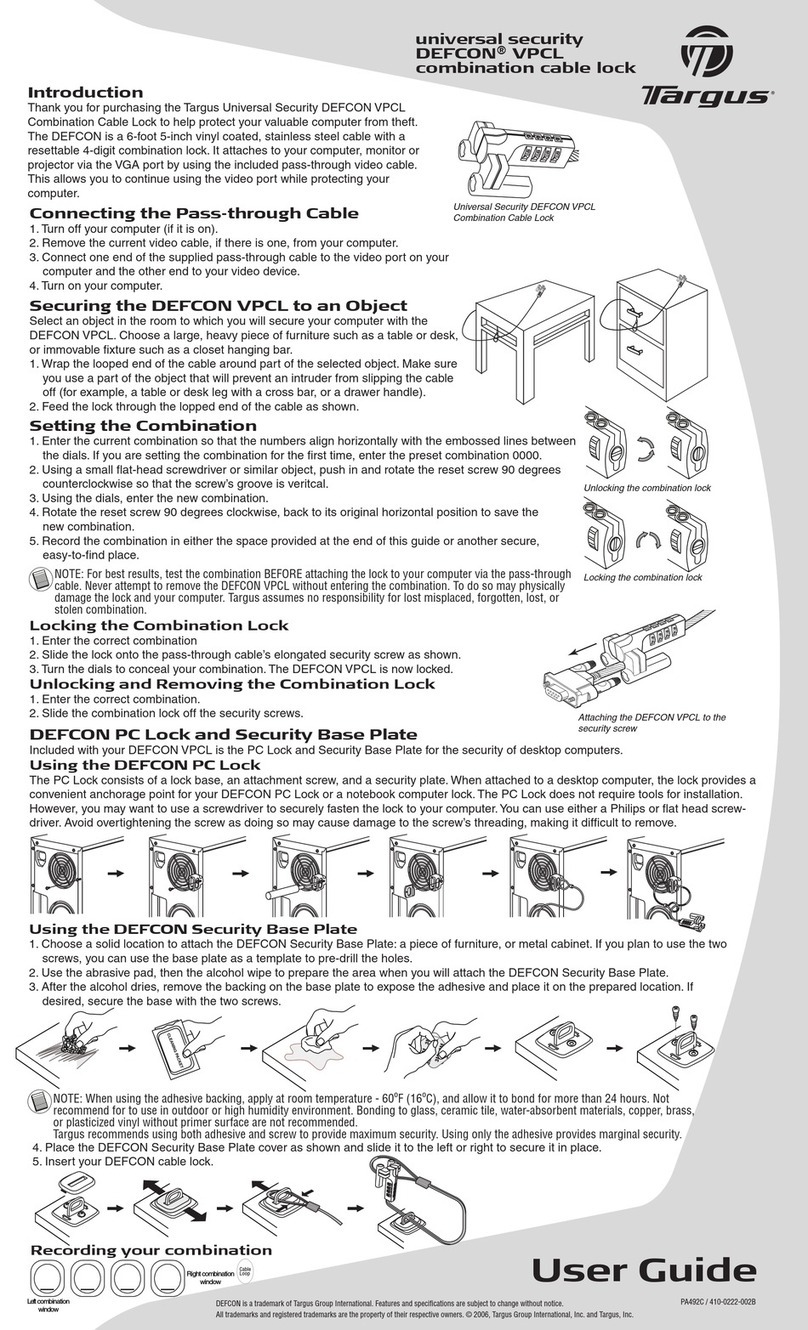
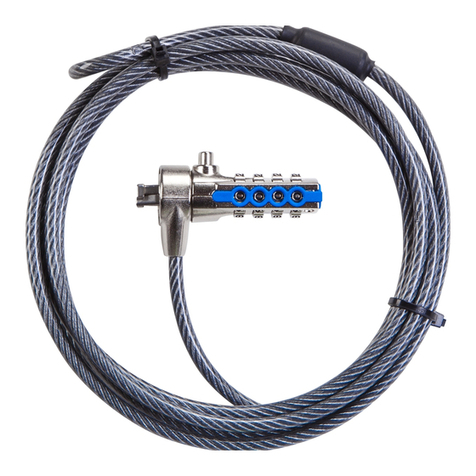
Toutes nos félicitations pour l'achat du Targus Mobile Security Lock pour iPod®. Ce verrou mobile a été
spécifiquement conçu pour être utilisé en tant que solution mobile avec votre sac à dos, votre mallette pour
notebook, votre sac à main ou tout objet stationnaire. Il constitue un moyen abordable de sécuriser votre iPod,
que vous soyez au bureau ou en déplacement. La solution Targus Mobile Lock pour iPod est compacte,
flexible et fournie avec un boîtier unique en son genre conçu pour faciliter l'utilisation de la tête rétractable et
son rangement lorsque vous êtes en déplacement.
Caractéristiques
• Connecteur d'arrimage vous permettant de sécuriser facilement votre iPod.
• Combinaison de trois chiffres programmable par l'utilisateur pour une sécurité accrue.
• Câble en acier galvanisé de 75 cm vous permettant de fixer votre iPod sur n'importe quel objet
REMARQUE : POUR FIXER LE VERROU AU iPOD DE FAÇON APPROPRIÉE, ASSUREZ-VOUS QUE LE VERROU ÉMET UN DÉCLIC LORS DE SA MISE EN PLACE, INDIQUANT
AINSI QUE LES DENTS DU VERROU SONT PARFAITEMENT INSÉRÉES DANS LE iPOD. VOUS POUVEZ ALIGNER LA TÊTE DE VERROUILLAGE EN FAISANT
CORRESPONDRE LE LOGO TARGUS ET LES LIGNES ARGENTÉES SUR LA TÊTE DE VERROUILLAGE.
Verrouillage du Mobile Security Lock
1. Entrez la combinaison de votre choix au moyen des molettes. La combinaison apparaît dans les cases numériques
situées sous le logo Targus.
2. La combinaison prédéfinie en usine est 000. Pour de plus de sécurité, vous devez en changer et opter pour une
combinaison personnalisée.
3. Sécurisez votre iPod. Pour ce faire, insérez la tête de verrouillage tout en appuyant sur les encoches désignées sur
chaque bouton latéral. Pressez la partie supérieure latérale pour débloquer les interrupteurs.
4. À des fins de sécurité, tournez les molettes de réglage de la combinaison pour prévenir tout accès au code
personnalisé que vous avez choisi.
Spécifications
Généralités
Poids : 77g en tout Dispositif de verrouillage
Dimensions : 31 x 29,9 x 20,8 mm
Couleur : Nickel noir
Câble
Longueur : 75 cm
Matériau : Acier inoxydable enduit de vinyle
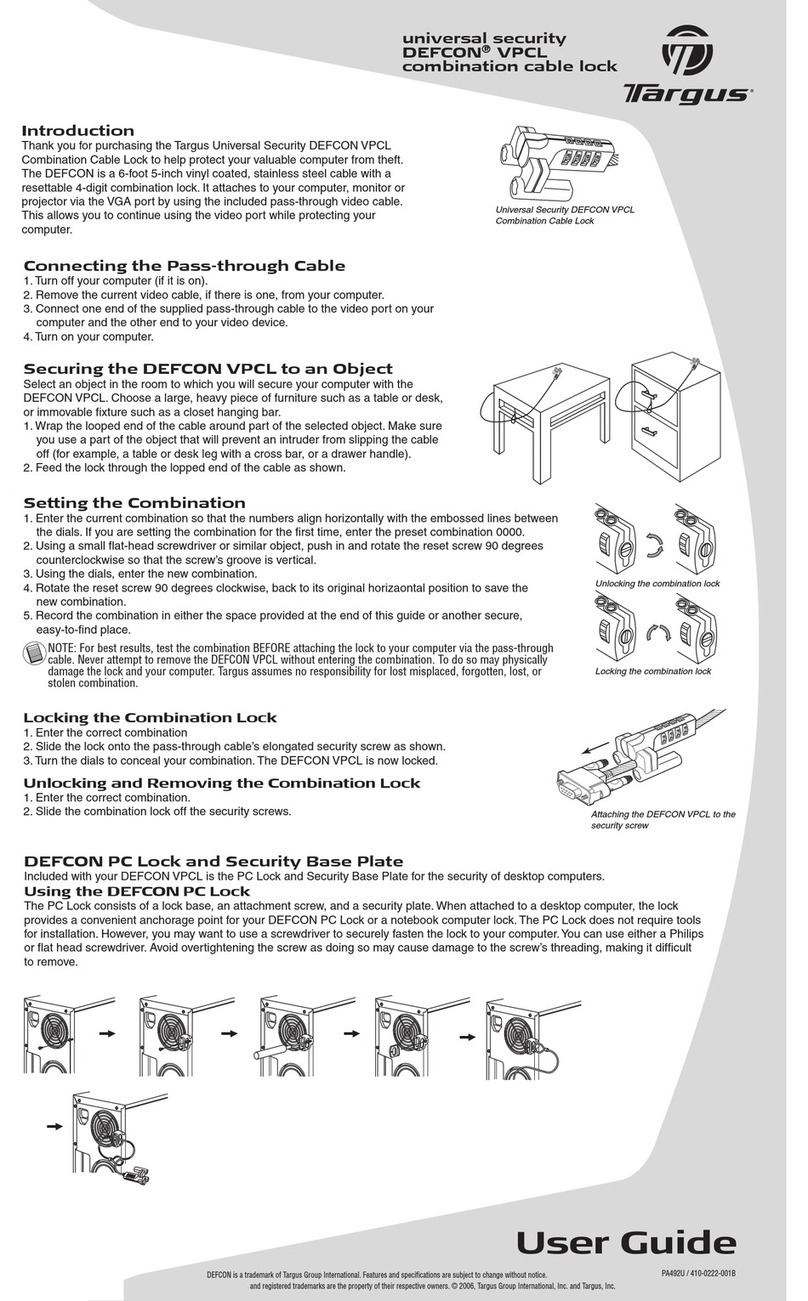
Fixation du Mobile Security Lock
Sélectionnez l'objet auquel vous voulez fixer votre iPod au moyen du Mobile Security
Lock (meuble, table ou bureau massif et lourd).
1. Poussez le verrou hors du boîtier par l'orifice pratiqué au dos de ce dernier.
2. Appuyez sur le bouton de déblocage du boîtier et, tout en le maintenant enfoncé,
tirez délicatement sur le câble.
3. Saisissez le verrou et passez-le autour de l'object sélectionné pour former une
boucle.
4. Insérez le verrou dans l'orifice pratiqué au dos du boîtier, tel que représenté.
Passez le câble autour d'une partie de l'objet pour empêcher tout voleur potentiel
de retirer le câble en le faisant glisser (le pied d'une table ou d'un bureau pourvu
d'une traverse ou la poignée d'un tiroir).
Changement de la combinaison de la Serrure de Sécurité Portable
1. En utilisant un petit tournevis plat ou tout autre objet similaire, enfoncer l'extrémité et effectuer une rotation de 90
degrés de la vis Reset dans le sens inverse des aiguilles d'une montre de sorte que la cannelure de la vis apparaisse
verticalement et alignée avec la rangée de la combinaison comme montré.
2. Entrer la nouvelle combinaison avec les chiffres.
3. En utilisant un petit tournevis plat ou tout autre objet similaire, faire pivoter la vis reset de 90 degrés dans le sens des aiguilles d'une montre de sorte
que la cannelure de la vis apparaisse horizontalement.
4. Appuyer et tenir les boutons de verrouillage de la serrure et insérer la Serrure de Sécurité Portable dans votre iPod.
5. Tourner les chiffres pour annuler votre combinaison.
REMARQUE: TENIR FERMEMENT LA SERRURE DE SECURITE PORTABLE POUR UNE MEILLEUR STABILITE LORSQUE VOUS METTEZ OU ENLEVER LA SERRURE.
ENTRER LA COMBINAISON ACTUELLE AVANT DE COMMENCER LA PROCEDURE DE CHANGEMENT DE CODE.
Contenu
Outre le Guide de l'utilisateur, l'emballage contient ce qui suit :
• Targus Mobile Security Lock pour iPod
iPod (non inclus)
Pousser
Revenir au boîtier de l'ASP07CA Sortir le verrou du boîtier
Appuyer et maintenir
enfoncé
Tirer
Déverrouillage du Mobile Security Lock
1. Entrez la combinaison appropriée au moyen des molettes.
2. La combinaison apparaît dans les cases numériques et le point d'entrée approprié est indiqué par le logo Targus et les
encoches argentées.
3. Pour libérer le verrou, appuyez sur les encoches désignées sur les deux boutons et retirez la tête de verrouillage de votre
iPod en tirant dessus. Pressez la partie supérieure latérale pour débloquer les interrupteurs.
4. Retirez le Mobile Security Lock du connecteur 30 broches de votre iPod.
AVERTISSEMENT : N'ESSAYEZ PAS DE RETIRER LE MOBILE SECURITY LOCK SANS UTILISER LA COMBINAISON. VOUS RISQUERIEZ D'ENDOMMAGER VOTRE iPod
Support Technique
Pour des questions techniques, veuillez visiter le:
Enregistrement du produit
Targus vous recommande d’enregistrer votre accessoire Targus tout de suite après son achat. Enregistrement de votre accessoire Targus à
l'adresse suivante : http://www.targus.com/registration.asp
Vous devrez préciser votre nom complet, votre adresse courriel, votre numéro de téléphone et, le cas échéant, des informations
relatives à votre compagnie.
Garantie
Targus garantit ce produit contre tout défaut de matériel ou de fabrication pour une durée d'un an. Si votre accessoire Targus s'avère
défectueux sous cette garantie, nous veillerons à le remplacer ou à le réparer au plus vite. Cette garantie ne couvre pas les
dommages résultant d'accidents, l'usure normale ou les pertes consécutives ou accessoires. En aucun cas,
Targus ne pourra être tenu responsable de la perte matérielle ou de l'endommagement d'un
ordinateur, ni de la perte de programmes, d'enregistrements ou de données ou de leur
endommagement, ni de tous autres dommages conséquentiel ou
accidentel, même si Targus a été préalablement informé
de cette possibilité. Cette garantie n'a
aucun effet sur vos droits
statutaires.
Support technique
Pour des questions techniques, veuillez visiter le :
Enregistrement du produit
Targus vous recommande d'enregistrer votre accessoire Targus tout de suite après son achat. Enregistrement de votre accessoire Targus à l'adresse suivante :
http://www.targus.com/registration.asp
Vous devrez préciser votre nom complet, votre adresse courriel, votre numéro de téléphone et, le cas échéant, des informations relatives à votre compagnie.
Garantie
Targus garantit ce produit contre tout défaut de matériel ou de fabrication pour une durée d'un an. Si votre accessoire Targus s'avère défectueux sous cette garantie,
nous veillerons à le remplacer ou à le réparer au plus vite. Cette garantie ne couvre pas les dommages résultant d'accidents, l'usure normale ou les pertes
consécutives ou accessoires. En aucun cas, Targus ne pourra être tenu responsable de la perte matérielle ou de l'endommagement d'un ordinateur, ni de la perte de
programmes, d'enregistrements ou de données ou de leur endommagement, ni de tous autres dommages conséquentiel ou accidentel, même si Targus a été
préalablement informé de cette possibilité. Cette garantie n'a aucun effet sur vos droits statutaires.
Début Rapide