www.ti.com
2SLAU664B–February 2016–Revised August 2017
Submit Documentation Feedback
Copyright © 2016–2017, Texas Instruments Incorporated
MSP430FR2311 LaunchPad™ Development Kit (MSP
‑
EXP430FR2311)
Contents
1 Getting Started............................................................................................................... 3
2 Hardware...................................................................................................................... 5
3 Software Examples ........................................................................................................ 14
4 Resources................................................................................................................... 17
5 FAQ .......................................................................................................................... 22
6 Schematics.................................................................................................................. 23
List of Figures
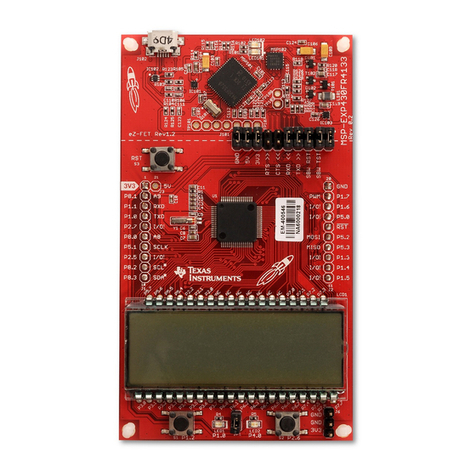
1 MSP430FR2311 LaunchPad Development Kit .......................................................................... 1
2 MSP-EXP430FR2311 Overview........................................................................................... 5
3 MSP-EXP430FR2311 Block Diagram..................................................................................... 5
4 MSP430FR2311 MCU PW20 Pinout...................................................................................... 6
5 eZ-FET Emulator ............................................................................................................ 7
6 eZ-FET Isolation Jumper Block Diagram................................................................................. 9
7 Application Backchannel UART in Device Manager .................................................................... 9
8 MSP-EXP430FR2311 Power Block Diagram........................................................................... 10
9 LaunchPad Development Kit To Boosterpack Plug-in Module Connector Pinout................................. 13
10 TI Resource Explorer Cloud .............................................................................................. 17
11 CCS Cloud .................................................................................................................. 18
12 Directing the Project>Import Function to the Demo Project.......................................................... 19
13 When CCS Has Found the Project ...................................................................................... 19
14 Using TI Resource Explorer to Browse MSPWare .................................................................... 21
15 Schematics (1 of 6) ........................................................................................................ 23
16 Schematics (2 of 6) ........................................................................................................ 24
17 Schematics (3 of 6) ........................................................................................................ 25
18 Schematics (4 of 6) ........................................................................................................ 26
19 Schematics (5 of 6) ........................................................................................................ 27
20 Schematics (6 of 6) ........................................................................................................ 28
List of Tables
1 EnergyTrace Software ...................................................................................................... 7
2 Isolation Block Connections................................................................................................ 8
3 Hardware Change Log .................................................................................................... 13
4 Software Examples ........................................................................................................ 14
5 IDE Minimum Requirements for MSP-EXP430FR2311............................................................... 14
6 Source File and Folders................................................................................................... 14
7 Source File and Folders................................................................................................... 15
8 Source File and Folders................................................................................................... 16
9 How MSP Device Documentation is Organized........................................................................ 21
Trademarks
LaunchPad, BoosterPack, Code Composer Studio, EnergyTrace, MSP430, MSPWare, ControlSUITE,
TivaWare, E2E are trademarks of Texas Instruments.
IAR Embedded Workbench, C-SPY are registered trademarks of IAR Systems.
All other trademarks are the property of their respective owners.