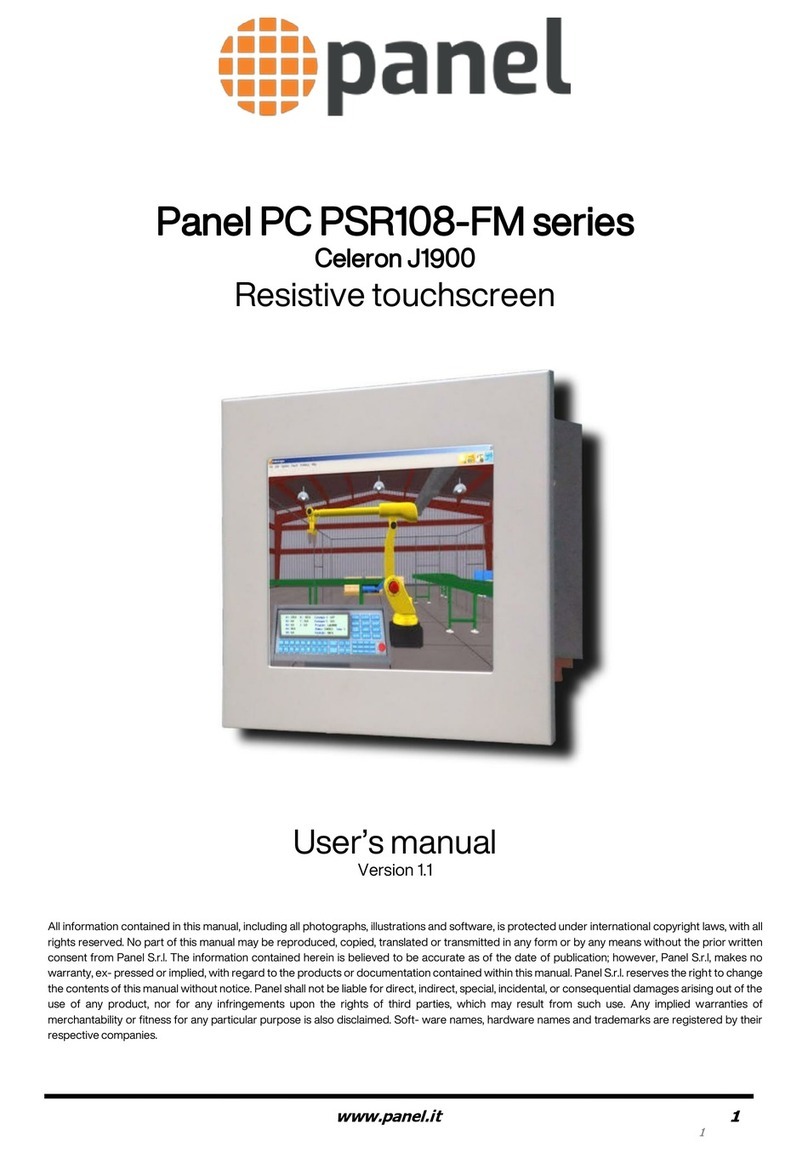
Tipro FREE+ 15 User manual

guide the cables through
the main cable channel
close the connection
cover and secure it by
pressing both snaps!
Before using
your FREE+,
set the
resolution of
your Video card
to 1024×768
and the refresh
rate to 60Hz!
and an external
Tipro module if
present
you can also
connect up to
2 other USB devices
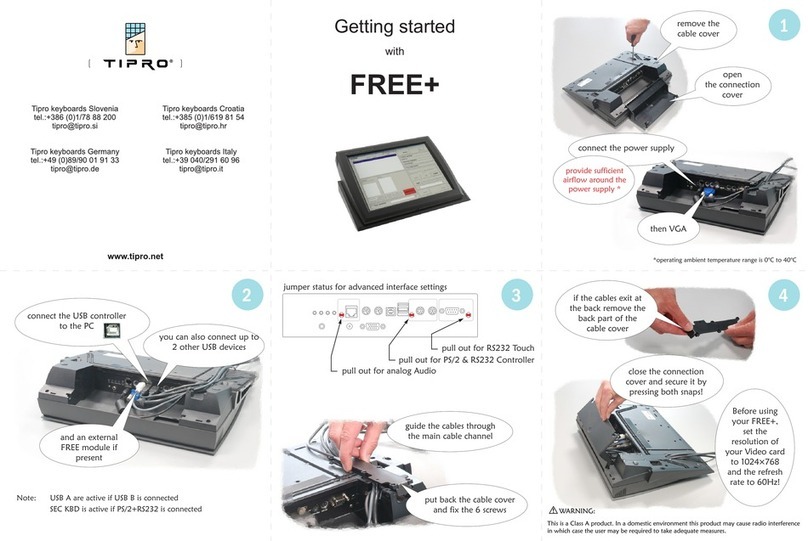
connect the power supply
then VGA, fasten
the 2 screws,
followed by the USB
connection to the PC
open
the connection
cover
remove the
cable cover
if the cables exit at
the back remove the
back part of the
cable cover
put back the cable cover
and fix the 6 screws
guide the cables through
the main cable channel
close the connection
cover and secure it by
pressing both snaps!
Before using
your FREE+,
set the
resolution of
your Video card
to 1024×768
and the refresh
rate to 60Hz!
and an external
Tipro module if
present
you can also
connect up to
2 other USB devices
connect the power supply
then VGA, fasten
the 2 screws,
followed by the USB
connection to the PC
open
the connection
cover
remove the
cable cover
if the cables exit at
the back remove the
back part of the
cable cover
put back the cable cover
and fix the 6 screws
guide the cables through
the main cable channel
close the connection
cover and secure it by
pressing both snaps!
Before using
your FREE+,
set the
resolution of
your Video card
to 1024×768
and the refresh
rate to 60Hz!
and an external
Tipro module if
present
you can also
connect up to
2 other USB devices
connect the power supply
then VGA, fasten
the 2 screws,
followed by the USB
connection to the PC
open
the connection
cover
remove the
cable cover
if the cables exit at
the back remove the
back part of the
cable cover
put back the cable cover
and fix the 6 screws
audio
to PC
ext. Tipro module
touch screen
sec. keyboard
VGA
power supply
RS232 version
11
44
33
22
Getting started
with
15,0” FREE+

insert
Tipro CD follow the on-screen
directions
select ChangeMe
installation from
the pop-up menu
and calibrate the
touch-screen
run
ChangeMe
your FREE+ configuration will
be automatically detected
click on the
module
click on the key
to be defined
enter the content
for each layer
when finished,
download to
the keyboard
and try your
new
configuration!
follow directions and
finish the installation
FOLLOWING STEPS ARE NOT NEEDED IF:
- THE CONFIGURATION IS WITHOUT
PROGRAMMABLE KEYBOARD
- THE KEYBOARD IS ALREADY PROGRAMMED
select
ELO touch driver
installation
from the menu
NOT
www.tipro.net
33
665544
1122
Installing Touch Screen driverInstalling Touch Screen driver Installing ChangeMe programming utilityInstalling ChangeMe programming utility
Other Tipro Touchscreen manuals
Popular Touchscreen manuals by other brands

Elecro Engineering
Elecro Engineering Poolsmart Plus Installation & operating manual
Johnson Controls
Johnson Controls IQ4 HUB installation manual
Elo TouchSystems
Elo TouchSystems ET2270L user manual
Elo TouchSystems
Elo TouchSystems ET1002L user manual
Elo TouchSystems
Elo TouchSystems 3201L user manual

Duratec
Duratec S15 user manual