manuals.online logo
Brands
  1. Home
  2. •
  3. Brands
  4. •
  5. Ubiquiti
  6. •
  7. Radio
  8. •
  9. Ubiquiti airFiber AF-11 User manual

Ubiquiti airFiber AF-11 User manual

Other manuals for airFiber AF-11

6

Other Ubiquiti Radio manuals

Ubiquiti NS-5ACL User manual

Ubiquiti

Ubiquiti NS-5ACL User manual

Ubiquiti airFiber AF-11FX User manual

Ubiquiti

Ubiquiti airFiber AF-11FX User manual

Ubiquiti NanoBeam 5AC Gen 2 User manual

Ubiquiti

Ubiquiti NanoBeam 5AC Gen 2 User manual

Ubiquiti airFiber AF-11 User manual

Ubiquiti

Ubiquiti airFiber AF-11 User manual

Ubiquiti airFiber AF-5XHD User manual

Ubiquiti

Ubiquiti airFiber AF-5XHD User manual

Ubiquiti airFiber X User manual

Ubiquiti

Ubiquiti airFiber X User manual

Ubiquiti AF-5U User manual

Ubiquiti

Ubiquiti AF-5U User manual

Ubiquiti PS-5AC User manual

Ubiquiti

Ubiquiti PS-5AC User manual

Ubiquiti NanoStation AC loco User manual

Ubiquiti

Ubiquiti NanoStation AC loco User manual

Ubiquiti B-DB-AC User manual

Ubiquiti

Ubiquiti B-DB-AC User manual

Ubiquiti Bullet M BM2-Ti User manual

Ubiquiti

Ubiquiti Bullet M BM2-Ti User manual

Ubiquiti airFiber AF-5X User manual

Ubiquiti

Ubiquiti airFiber AF-5X User manual

Ubiquiti LBE-5AC-Gen2 User manual

Ubiquiti

Ubiquiti LBE-5AC-Gen2 User manual

Ubiquiti airFiber 11FX User manual

Ubiquiti

Ubiquiti airFiber 11FX User manual

Ubiquiti IS-5AC User manual

Ubiquiti

Ubiquiti IS-5AC User manual

Ubiquiti GigaBeam GBE-LR User manual

Ubiquiti

Ubiquiti GigaBeam GBE-LR User manual

Ubiquiti airfiber 2x AF-2X User manual

Ubiquiti

Ubiquiti airfiber 2x AF-2X User manual

Ubiquiti airFiber AF-5X User manual

Ubiquiti

Ubiquiti airFiber AF-5X User manual

Ubiquiti AirFiber 4X User manual

Ubiquiti

Ubiquiti AirFiber 4X User manual

Ubiquiti airFiber AF-24 User manual

Ubiquiti

Ubiquiti airFiber AF-24 User manual

Ubiquiti UniFi UBB User manual

Ubiquiti

Ubiquiti UniFi UBB User manual
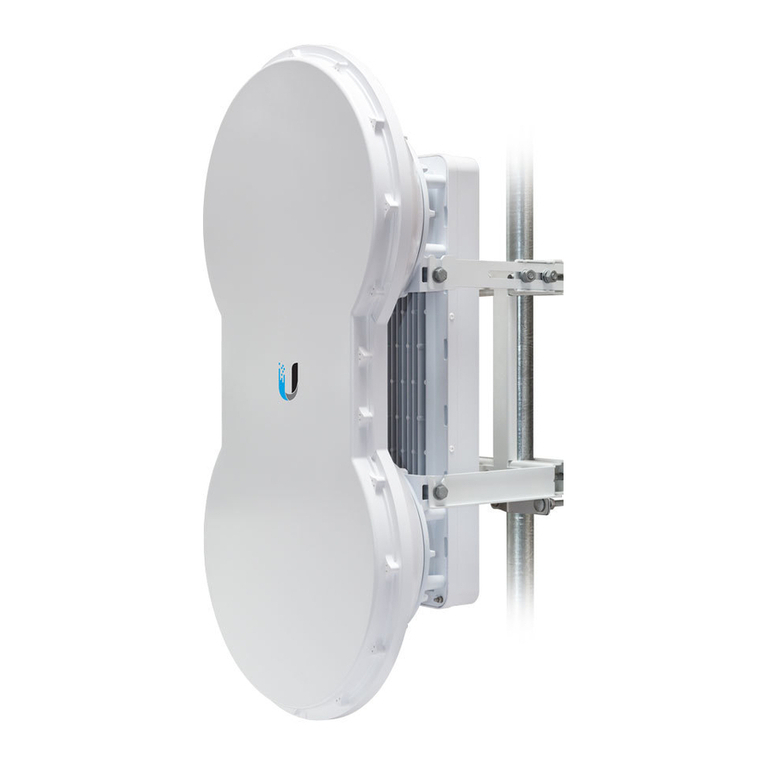
Ubiquiti airFiber AF-11 User manual

Ubiquiti

Ubiquiti airFiber AF-11 User manual

Ubiquiti airFiber 5 User manual

Ubiquiti

Ubiquiti airFiber 5 User manual
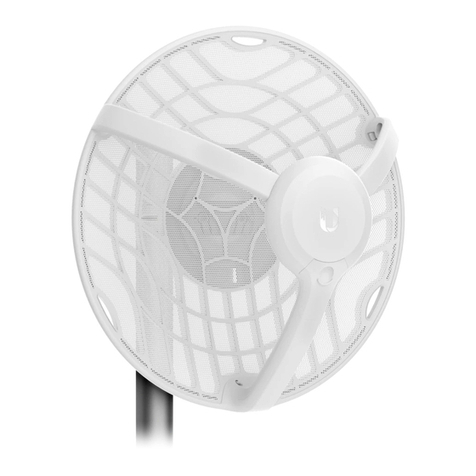
Ubiquiti airFiber AF-5XHD User manual

Ubiquiti

Ubiquiti airFiber AF-5XHD User manual

Popular Radio manuals by other brands

Grundig G6 AVIATOR owner's manual

Grundig

Grundig G6 AVIATOR owner's manual

Makita DMR114 instruction manual

Makita

Makita DMR114 instruction manual

PURE Move R3 manual

PURE

PURE Move R3 manual

Motorola CP040 Detailed service manual

Motorola

Motorola CP040 Detailed service manual

Bosch GPB18V-5C Operating/safety instructions

Bosch

Bosch GPB18V-5C Operating/safety instructions

Ocean Digital WR-230 user manual

Ocean Digital

Ocean Digital WR-230 user manual

Realistic TRC-457 owner's manual

Realistic

Realistic TRC-457 owner's manual

Uniden AX 144 owner's manual

Uniden

Uniden AX 144 owner's manual

SIGNIFY EA2173 instruction manual

SIGNIFY

SIGNIFY EA2173 instruction manual

auna multimedia 10026443 user manual

auna multimedia

auna multimedia 10026443 user manual

GME TX680 instruction manual

GME

GME TX680 instruction manual

Motorola MTM5 00 Series Basic service manual

Motorola

Motorola MTM5 00 Series Basic service manual

Tivoli Audio ONE+ owner's manual

Tivoli Audio

Tivoli Audio ONE+ owner's manual

Sirius Satellite Radio SDVK1 installation guide

Sirius Satellite Radio

Sirius Satellite Radio SDVK1 installation guide

Sirius XM RAdio EDGE user guide

Sirius XM RAdio

Sirius XM RAdio EDGE user guide

Trevi XF 100 user guide

Trevi

Trevi XF 100 user guide

EisSound KBSound iSelect user manual

EisSound

EisSound KBSound iSelect user manual

Kirisun DM588-02 user manual

Kirisun

Kirisun DM588-02 user manual

manuals.online logo
manuals.online logoBrands
  • About & Mission
  • Contact us
  • Privacy Policy
  • Terms and Conditions

Copyright 2025 Manuals.Online. All Rights Reserved.

18.02.2020 AF-11 Quck Start Gude
https://dl.u.com/qsg/AF-11/AF-11_EN.html 1/27
a

rF

ber AF-11 Z

p T

es (Qty. 2) a

rF

ber G

gab

t PoE (50V, 1.2A)
Power Cord
Package Contents
Antenna Compat

b

l

ty
The a

rF

ber AF-11 rad

o

s des

gned for use w

th the a

rF

ber X antenna model AF-
11G35*.
* Check your local/reg

onal regulat

ons for the antenna ga

n allowed for your appl

cat

on
Installat

on Requ

rements
Clear l

ne of s

ght between a

rF

ber rad

os
Vert

cal mount

ng or

entat

on
Mount

ng po

nt:
At least 1 m below the h

ghest po

nt on the structure
For tower

nstallat

ons, at least 3 m below the top of the tower
Ground w

res – m

n. 10 AWG (5 mm ) and max. length: 1 m. As a safety precaut

on,
ground the a

rF

ber rad

o to grounded masts, poles, towers, or ground

ng bars.
WARNING:
Fa

lure to properly ground your a

rF

ber rad

o w

ll vo

d your
warranty.
2
AF-11 Qu

ck Start Gu

de
All manuals and user guides at all-guides.com
all-guides.com
18.02.2020 AF-11 Quck Start Gude
https://dl.u.com/qsg/AF-11/AF-11_EN.html 2/27
(Recommended) 2 Outdoor G

gab

t PoE surge protectors
Note:
For gu

del

nes about ground

ng and l

ghtn

ng protect

on, follow your
local electr

cal regulatory codes.
H

gh-Band Duplexer(s) (model AF-11-DUP-H) or Low-Band Duplexer(s) (model AF-
11-DUP-L) are requ

red for proper operat

on:
SISO mode: One Duplexer of e

ther band type
MIMO mode: Two Duplexers of the same band type
(Opt

onal) If not us

ng PoE: DC power source and 12/30 AWG power cable
Outdoor, sh

elded Category 6 (or above) cabl

ng and sh

elded RJ-45 connectors are
requ

red for all w

red Ethernet connect

ons.
Hardware Overv

ew
Note:
Duplexers must be purchased separately. The Duplexer(s) must
match the terms of your l

cense (frequency bands and polar

t

es allowed).
AF-11 Qu

ck Start Gu

de
All manuals and user guides at all-guides.com
18.02.2020 AF-11 Quck Start Gude
https://dl.u.com/qsg/AF-11/AF-11_EN.html 3/27
Cha

n 0 / Cha

n 1
S

gnal LEDs
Low-Band Duplexer H

gh-Band Duplexer
When the Cha

n 0 or Cha

n 1 duplexer

s

nstalled,

ts N-type connector

s located
here, allow

ng connect

on to an RF cable (Cha

n 1

s covered by the removable
duplexer cap).

S

gnal 4
LED w

ll l

ght blue when on.
S

gnal 3
LED w

ll l

ght green when on.
S

gnal 2
LED w

ll l

ght yellow when on.
S

gnal 1
LED w

ll l

ght red when on.
AF-11 Qu

ck Start Gu

de
All manuals and user guides at all-guides.com
18.02.2020 AF-11 Quck Start Gude
https://dl.u.com/qsg/AF-11/AF-11_EN.html 4/27
L

nk LED
MIMO LED
MGMT LED
Bootup to a

rOS
When power

ng on, the Power, MIMO, LINK, and S

gnal 1-4 LEDs
l

ght on. Once the CPU code takes over, the MIMO, LINK, and S

gnal 1-3 LEDs turn off.
S

gnal 4 LED rema

ns l

t to

nd

cate the boot sequence

s underway.
In

t

al

z

ng a

rF

ber Software
When the a

rF

ber appl

cat

on beg

ns to boot under
a

rOS®, the S

gnal 4 LED goes from sol

dly on to a 2.5 Hz ash. Th

s cont

nues unt

l
the AF
‐
11FX

s fully booted.
S

gnal Level
Once fully booted, the S

gnal 1-4 LEDs act as a bar graph show

ng how
close the AF
‐
11FX

s to

deal a

m

ng. Th

s

s auto-scaled based on the l

nk range, the
antenna ga

ns, and the conf

gured TX power of the remote AF
‐
11FX. Each S

gnal
LED has three poss

ble states: On, Flash

ng, and Off. All S

gnal LEDs would be sol

dly
on

n an

deal l

nk. For example,

f the l

nk has a 1 dB loss, the S

gnal 4 LED w

ll ash;
a 2 dB loss and the S

gnal 4 LED w

ll turn off. The full bar graph LED states are shown
below.
dB loss
0 -1 -2 -3 -4 -5 -6
-7 -8 -9 -10 -11 -12 -13
Off RF Off
Sync

ng
Beacon

ng
Reg

ster

ng
On Operat

onal
Off Rad

o Conf

gured

n SISO Mode
On Rad

o Conf

gured

n MIMO Mode
AF-11 Qu

ck Start Gu

de
All manuals and user guides at all-guides.com
18.02.2020 AF-11 Quck Start Gude
https://dl.u.com/qsg/AF-11/AF-11_EN.html 5/27
Data LED
Power LED
Management Port
Reset Button
Data Port
VDC IN
TX 0, RX 0
RX 1, TX 1
Off No Ethernet L

nk
On Ethernet L

nk Establ

shed
Random Flash Ethernet Act

v

ty
Off No Ethernet L

nk
On Ethernet L

nk Establ

shed
Random Flash Ethernet Act

v

ty
Off No Power
On Powered On
10/100 Mbps, secured Ethernet port for conf

gurat

on. In-Band Management

s
enabled by default

n the a

rF

ber Conf

gurat

on Interface. When In-Band
Management

s d

sabled, the MGMT port

s the only port that can mon

tor,
conf

gure, and/or update f

rmware.
To reset to factory defaults, press and hold the Reset button for more than 10
seconds wh

le the dev

ce

s already powered on.
G

gab

t PoE port for handl

ng all user traff

c and power

ng the dev

ce.
The term

nal block can be used to power the AF-11 w

th +50VDC, 1.2A

nstead of
PoE.
The TX and RX SMA ports for the Cha

n 0 Low-Band Duplexer or H

gh-Band Duplexer
(SISO and MIMO modes).
The RX and TX SMA ports for the Cha

n 1 Low-Band Duplexer or H

gh-Band Duplexer
AF-11 Qu

ck Start Gu

de
All manuals and user guides at all-guides.com
18.02.2020 AF-11 Quck Start Gude
https://dl.u.com/qsg/AF-11/AF-11_EN.html 6/27
N Connector
SMA Port
(MIMO mode only). In SISO mode, these unused ports are protected by the duplexer
cap.
Female N-type connector

nto wh

ch the antenna cable

s plugged.
H

gh-band and low-band channel SMA ports.
Note:
Duplexers are not

ncluded w

th the AF-11. SISO mode requ

res one Low-
Band Duplexer or one H

gh-Band Duplexer. MIMO mode requ

res e

ther two
Low-Band Duplexers or two H

gh-Band Duplexers.
Installat

on Overv

ew
We recommend that you conf

gure your pa

red AF-11 rad

os before s

te

nstallat

on. The
overv

ew below summar

zes the

nstallat

on procedure, and the subsequent sect

ons
prov

de deta

led

nstallat

on

nformat

on.
Install the Duplexer(s)

n the AF-11 rad

o.
Connect the a

rF

ber G

gab

t PoE adapter to the DATA port, and connect your
computer to the MGMT port.
Conf

gure the AF-11.
Install a ground w

re and mount the AF-11 on the a

rF

ber AF-11G35 antenna (or a
compat

ble antenna).
At the

nstallat

on s

te,

nstall the antenna w

th the mounted AF-11 rad

o (see the
antenna’s Qu

ck Start Gu

de for

nstallat

on

nstruct

ons).
Connect the DATA port to your LAN, and connect power (PoE or DC power) to the
AF-11.
Establ

sh and opt

m

ze the RF l

nk.
Install

ng the Duplexers
Install

ng the Duplexer for SISO Mode
1.
AF-11 Qu

ck Start Gu

de
All manuals and user guides at all-guides.com
all-guides.com
18.02.2020 AF-11 Quck Start Gude
https://dl.u.com/qsg/AF-11/AF-11_EN.html 7/27
2.
Note:
Pos

t

on the low channel and h

gh channel ports to y

eld the requ

red
transm

t and rece

ve frequenc

es.
AF-11 Qu

ck Start Gu

de
All manuals and user guides at all-guides.com
18.02.2020 AF-11 Quck Start Gude
https://dl.u.com/qsg/AF-11/AF-11_EN.html 8/27
3.
WARNING:
T

ghten the collars alternately, a half turn at a t

me, unt

l both are
fully t

ghtened. Fa

lure to do so may result

n damage to the Duplexer.
4.
5. Repeat steps 1-4 for the rad

o to be used on the other end of the l

nk, ensur

ng that
the numbers on the second rad

o’s Duplexer are

n the reverse order of the numbers
on f

rst rad

o’s Duplexer.
Note:
For example,

f the numbers on the f

rst rad

o’s Duplexer are (left to
r

ght) 1/3, then the numbers on the second rad

o’s Duplexer should be 3/1.
AF-11 Qu

ck Start Gu

de
All manuals and user guides at all-guides.com
18.02.2020 AF-11 Quck Start Gude
https://dl.u.com/qsg/AF-11/AF-11_EN.html 9/27
Install

ng the Duplexers for MIMO Mode
Note:
MIMO operat

on requ

res two l

censes, one per polar

zat

on and two
Duplexers of the same band type.
1.
2.
Note:
Pos

t

on the low channel and h

gh channel ports to y

eld the requ

red
AF-11 Qu

ck Start Gu

de
All manuals and user guides at all-guides.com
18.02.2020 AF-11 Quck Start Gude
https://dl.u.com/qsg/AF-11/AF-11_EN.html 10/27
transm

t and rece

ve frequenc

es. Also, ensure that the numbers on the
r

ght-s

de Duplexer are

n the reverse order of the numbers on the left-s

de
Duplexer.
3.
WARNING:
T

ghten the collars alternately, a half turn at a t

me, unt

l both are
fully t

ghtened. Fa

lure to do so may result

n damage to the Duplexer.
4.
5.
AF-11 Qu

ck Start Gu

de
All manuals and user guides at all-guides.com