Note: Failure to removecomponents
noted, including internal reflectors will
voidproduct warranty
1. Disconnect electrical power before attempting installation.
2. Remove the fixture globe.
3. Remove internal reflectors or Lite Lid from globe.
4. Clean or replace globe as needed.
5. Remove lamp, original optical components
6. Inspect the Line Voltage (Hot) supply wire, the Neutral supply wire, and the Ground wire for damage or
deterioration. If damaged or deteriorated, replace prior to installation of retrofit kit.
7. If photocell-controlled, connect unit after external control
Vega Light Control Systems ●Holland, Michigan 49423
FIXTURE PREPARATION STEPS
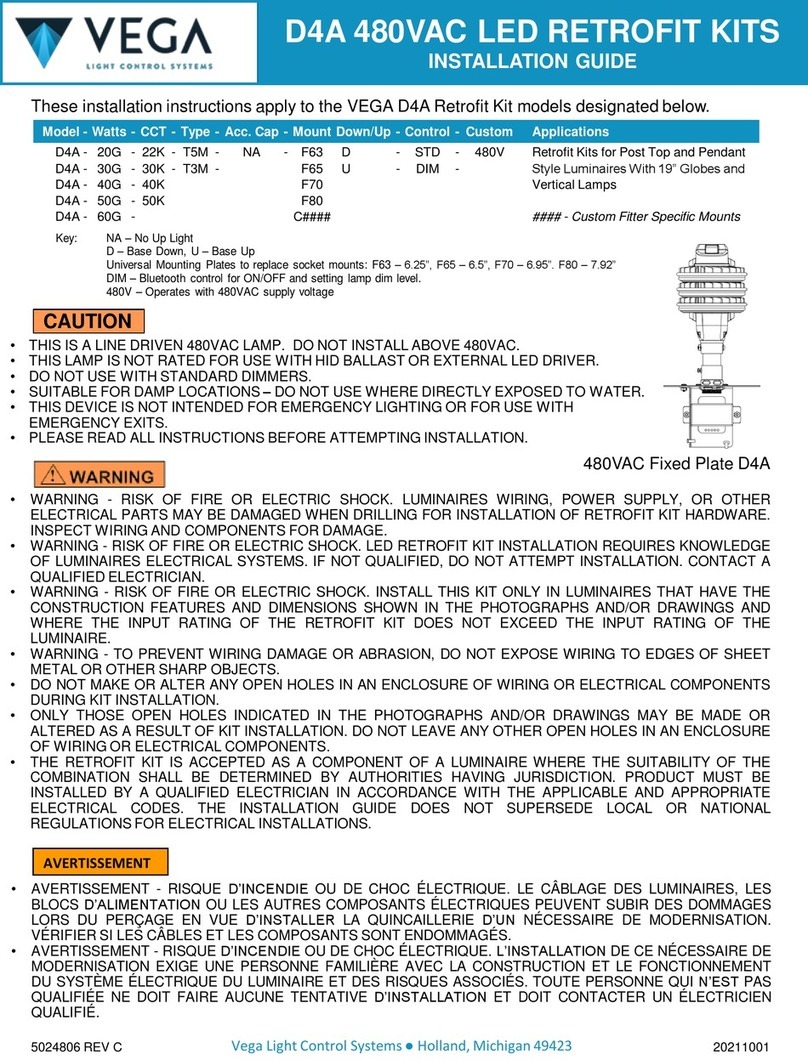
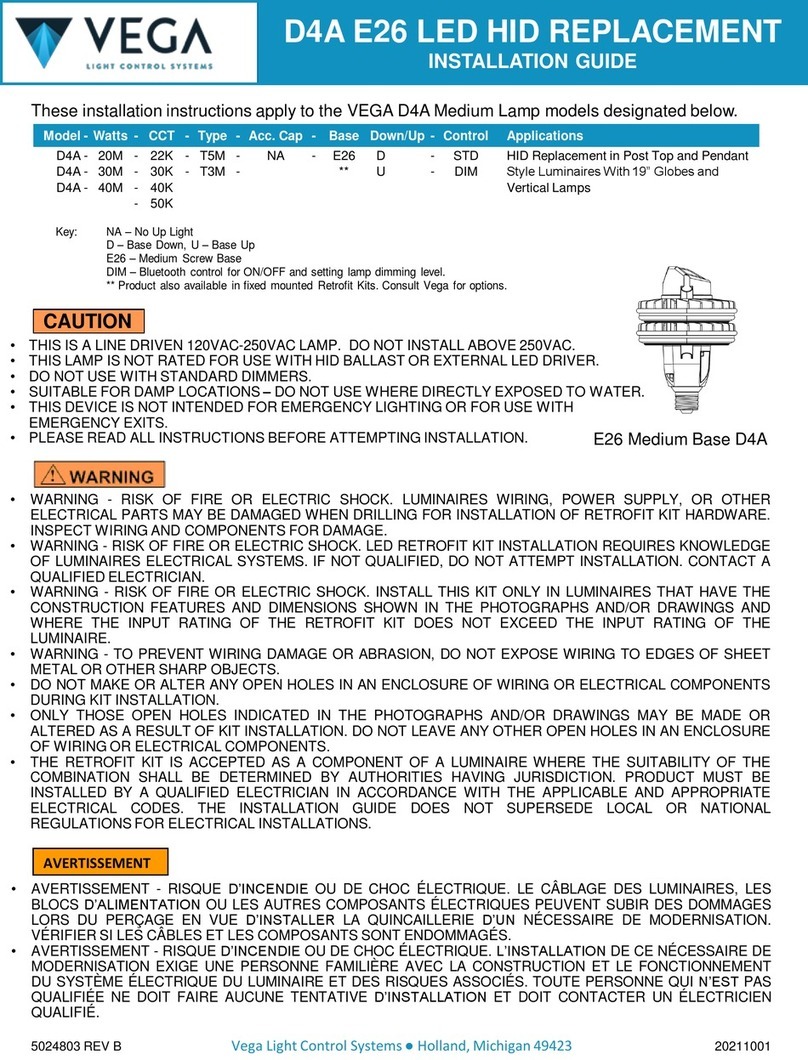
This is a Line Driven (120VAC-277VAC) LED Lamp Retrofit Kit
This lamp only supports 0-10VDC dimming control on the dimming lines. Do not exceed 10VDC.
For supplemental installation instructions, see:
https://vegalightcontrolsystems.com/products/d4a-adaptive-light-source/#tab-id-2
A. Disconnect electrical power to the fixture.
B. Follow the Fixture Preparation Steps, above.
C. Bypass the existing HID ballast. Refer also to the wiring diagrams.
Step 1: Remove the lamp socket mounting plate and disconnect the lamp socket wiring at the
ballast. Retain the socket plate screws for installation of the D4A Retrofit Kit.
Step 2: Remove the ballast and disconnect the incoming Line Voltage (Hot) supply wire, the
Neutral supply wire, and the ground wire from the ballast.
Step 3: a) Disconnect the black-with-red-tape-ring wire from lever nut (a). In its place, connect the
black (hot) node or receptacle wire to the black load wire from D4A at lever nut (a).
b) Connect the red (load) node or receptacle wire to the black-with-red-tape-ringD4A wire
using the additional lever nut (b) that was supplied with the kit.
c) Connect the white (neutral) node or receptacle wire to the white D4A wires at the 3-port
lever nut (c).
d) Connect the node or receptacle 0-10VDC Dim(+)wire to the violet D4A 0-10VDC Dim(+)
wire at the lever nut (d).
e) Connect the node or receptacle Dim(-) wire to the gray D4A Dim(-) wire at lever nut (e).
f) Connect the Line Voltage Hot (120VAC-277VAC) supply wire to the black load wire from
D4A and connect the Neutral supply wire to the white neutral wire from D4A using wire
nuts (f).
Step 4: Connect the D4A ground wire to the existing ground wiring or connect to a chassis screw in
the fixture.
D. Secure the D4A Retrofit Kit to the fixture. Reuse the screws from the fixture to attach the Retrofit Kit
when possible.
E. For Type 3 or Bluetooth models, align to street side or house side: Loosen the set screw in the side of the
metal fitting that connects the mast/support tube to the mounting plate. Rotate the D4A to point in the desired
street side or house side direction as indicated on the part label. Ensure that the mast/tube remains fully
inserted into the fitting. Retighten the set screw.
F. Restore the original light fixture sealing for water and insect control. Rainwater must not enter the wiring
compartment.
G. Install Globe. For Type 3 globe, rotate “Street Side” of globe to street.
H. Turn power on to test installation.
Notes:
Connect D4A line voltage wires using wire nuts as shown in the wiring diagram
✓Strip wires appropriately for the wire nuts utilized, 3/8” for those included in the kit.
✓The surge protector is integrated in the lamp. Maximum protection is provided when Green or Green/Yellow
wire is tied to the grounding conductor.
Connect photocell receptacle or control node wires using included lever nuts as shown in the wiring diagram.
✓Strip wires to length shown on side of lever nuts.
INSTALLATION INSTRUCTIONS - For Direct Connection to a Wireless Lighting Control Node or
to a Photocell Receptacle
5024804 REV C 20211001