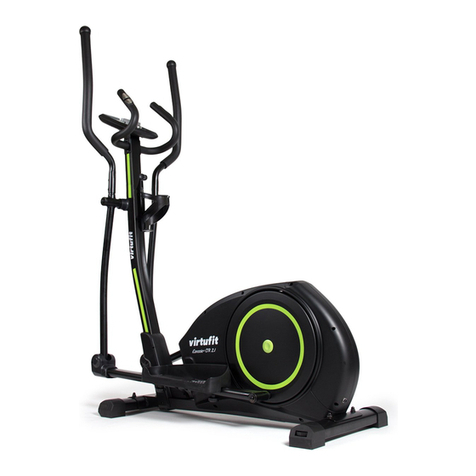
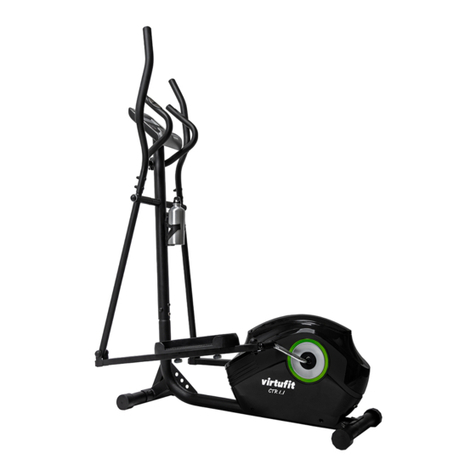
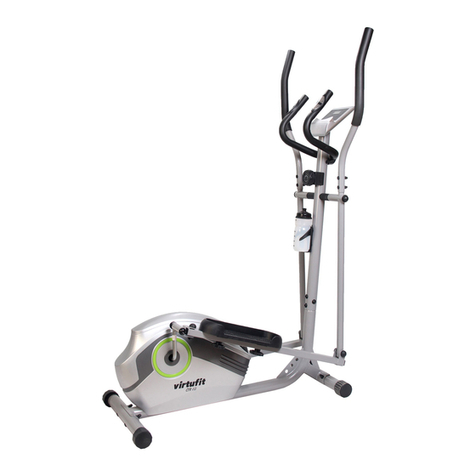
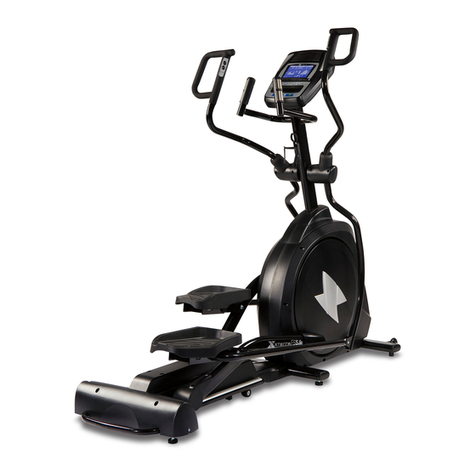
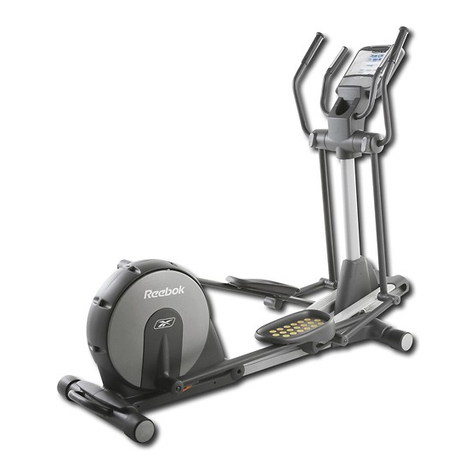
VIRTUFIT CTR 1.2i Crosstrainer User manual

CTR 1.2i Crosstrainer
ENG
User manual

2
VirtuFit CTR 1.2i Crosstrainer
ENG
INDEX
Important safety notice 3
Assembly instructions 5
Maintenance 10
Operating Guide 11
Technical drawing 22
Parts list 24
App 26

3
VirtuFit CTR 1.2i Crosstrainer
ENG
IMPORTANT SAFETY NOTICE
WARNING: We suggest that you should consult with your physician or health
professional before starting your workout, especially for the age up to 35 old or people
with health problems. We take no responsible for any problems or injuries if you don’t
follow our specication.
IMPORTANT
- This elliptical trainer is made for home use only and tested up to a maximum body weight of 115 kgs.
- Follow the steps of the assembly instructions carefully.
- Use only original parts as delivered.
- Before the assembly, be sure to check if delivery is complete by using the included partslist.
- For assembly use only suitable tools and asks for assistance with assembly if necessary.
- Place the exerciser on an even, non-slippery surface. Because of possible corrosion, the usage of anY
exerciser in moist areas is not recommended.
- Check before the rst training and every 1-2 months that all connecting elements are tight tting
and are in the correct condition. Replace defective components immediately and/ or keep the
equipment out of use until repair. For repairs, use only original parts.
- In case of repair, please ask your dealer for advice.
- For repairs, use only original spare parts.
- Avoid the use of aggressive detergents when cleaning the home exerciser.
- Ensure that training starts only after correct assembly and inspection of the item.
- For all adjustable parts be aware of the maximum positions to which they can be
adjusted / tightened to.
- The home exerciser is designed for adults. Please ensure that children use it only under the supervi
sion of an adult.
- Ensure that those present are aware of possible hazards, e.g. movable parts during training.
- Warning: incorrect/excessive training can cause health injuries.
- Consult your physician before starting with any exercise program. He or she can advise on the kind of
training and which impact is suitable.

4
VirtuFit CTR 1.2i Crosstrainer
ENG
ASSEMBLY INSTRUCTION
Before you start to assemble the device, please read the following points carefully:
1. Missing parts: If you think you are missing certain parts in your package, carefully check the styrofoam
and the device yourself. Some parts (bolts, screws, etc.) are already attached to / in the device.
2. Error message: Make sure that all cables are carefully attached. The adjusable feet are very sensitive and
should remain straight. Do you get an error message after the installation of your cross trainer? Then you
should bend these adjustable feet straight again, this may cause the error message to disappear.
STEP 1
– Attach the Front Stabilizer (35) and the Rear Stabilizer (36) to the Main Frame (40)
with Carriage Bolt (33), Domed Nut (23) and Arc Washer (22).
03&6
G53&6
03&6
6

5
VirtuFit CTR 1.2i Crosstrainer
ENG
– Connect the Sensor 16 and 38, x the Upright Post (15) with the Main Frame (40) with Nut (27)
Arc Washer (22). Note: Tighten the Screw (27) and the Arc Washer (22) very tight.
STEP 2
ASSEMBLY INSTRUCTION
03&6
G53&6

6
VirtuFit CTR 1.2i Crosstrainer
ENG
– Fix the Lower Handle Bar ( 25 L / R ) to the Upright Post (15) with Bolt (18), Washer (9),
D Washer (19);
– Fix the Pedal Tubel ( 42 L / R ) with the Pedal Crank by Pedal Hinge Bolt ( 46 L / R )
Curved Washer (50), and Nylon Nut ( 51 L / R ). Install the Pedal (44) on the Pedal
Tube ( 42 L / R ) with Hex Head Bolt (43), Knob (27).
STEP 3
ASSEMBLY INSTRUCTION
/
/
/ / /
5
5 5
5
5
03&6
03&6 G3&6
G3&6
/53&6
G3&6
3&6 /53&6
6
6
6
03&6

7
VirtuFit CTR 1.2i Crosstrainer
ENG
– Install the Middle handlebar (4) on the Upright Post (15) with bolt (8) Arc Waser (9);
– Fix the Handlebar ( 11 L / R ) to the Lower Handle Bar ( 25 L / R ) with Bolt (21),
Arc Washer (85) and Domed Nut (23).
STEP 4
ASSEMBLY INSTRUCTION
5
/
D
03&6
G53&6
03&6
G3&6
6
6
/5
03&6

8
VirtuFit CTR 1.2i Crosstrainer
ENG
STEP 5
ASSEMBLY INSTRUCTION
– Connect Handle Pulse Wire (4a) and (4b), then connect Sensor wire (16) to the Computer (1b);
x the Computer (1) onto the Upright Post (15) with Screw (2) and Washer (103);
– Attach the Bottle Holder (100) to the Support Tube (15) with Crosshead (101);
– Then, put the Bottle (102) in the Bottle Holder (100).
– Place the end cap (17) and (28) on the bolts as pictured above.
CAUTION: MAKE SURE YOU HAVE TIGHTENED ALL THE BOLTS AND NUTS WELL BEFORE
BEGINNING YOUR WORKOUT.
NOTE: THE END CAP ON THE FRONT STABILIZER TUBE IS MOVABLE AND WORKS AS A
WHEEL, WHICH IT IS EASY FOR YOU TO MOVE YOUR ELLIPCTICALL.
D
/
5
63&6
63&6
63&6
D
E
03&6

9
VirtuFit CTR 1.2i Crosstrainer
ENG
MAINTENANCE
1. The upright is xed with Allen screws, making sure that the bolts are tight at all times. If the bolts
are not tightened tight enough, this can cause cracking.
2. All moving parts mounted on the base of the device should be greased with grease once every 6
months. This can be done with Vaseline (without acids) or with silicone oil.
3. After each use, the appliance should be cleaned with a slightly damp cloth and soft soap. If the
perspiration is not removed in time, corrosion can occur.
4. Do not place the cross trainer in a room with high humidity. For example, a shed or a room where
the washing machine is located.
PROBLEM SOLUTIONS
Squeaky crosstrainer: First lubricate all rotating parts with silicone spray. It can also be that a screw is
tightened too tightly or too loosely, this creates friction and therefore a beep. If this is the case, try to nd
out exactly where the beep is coming from and then loosen or tighten this screw. The screws should be
tightened in such a way that they can always be released by hand.
No resistance: First check whether you can hear the motor running. You will hear the motor spin very
briey when you increase or decrease the resistance. If you hear the engine running then all electronics
are OK, but the V-belt probably ended. You can then open the housing and replace the V-belt. If you do
not hear the motor running, it may be that the motor or display is defective. First check whether the cable
that runs upwards in the pipe is connected properly.
Ticking sound: It is possible that the ywheel (in the housing) comes against a cable with every pedaling.
This may be disturbing but will not cause permanent damage to your cross trainer. To solve this, open the
housing and move the cable or you can fasten it with for example a tie-wrap.
Heart rate display does not work: This can have various causes. 1. The sensor cable running from the
heart rate sensor to the display is not properly mounted or has come o during use. 2. It may be that the
sensors have become damp, dirty or greasy, clean them regularly. 3. If you have a lot of calluses on your
hands, it is more dicult for the sensors to measure, when this is the case a chest strap is recommended.

10
VirtuFit CTR 1.2i Crosstrainer
ENG
LOOPBAND AFSTELLEN
OPERATING GUIDE
CONTROL PANEL
1. Program: 21 programs as following
A: 1 Manual program
B: 10 Preset program prole PROGRAM: P1P10

11
VirtuFit CTR 1.2i Crosstrainer
ENG
LOOPBAND AFSTELLEN
OPERATING GUIDE
CONTROL PANEL
P1: Rolling
P2: Valley
P3: Fatburn
P4: Ramp
P5: Mountain
55% Hearthbeat, 75% hearthbeat, 95% hearthbeat, Target heart rate
P6: Interval
P7: Cardio
P8: Endurance
P9: Slope
P10: Rally
C: 1 Watt Control Program (WATT PRO: P16)
D: 4 Heart Rate Control Program: (PULSE PRO: P17-P20)

12
VirtuFit CTR 1.2i Crosstrainer
ENG
LOOPBAND AFSTELLEN
OPERATING GUIDE
CONTROL PANEL
E: 5 User Setting Programs: CUSTOM1 to CUSTOM555P11-P15)
1. Record the user’s data of 5 User Setting Programs.
2. Display Speed(RPM), TIME and WATT., CAL and DIST, at the same time.
3. The computer will turn o automatically if there is no operation, speed signal
and pulse signal over 4 minutes. Meanwhile,it will store your current exercise
data and urn the loading resistance to the minimum. Once you press any button
or in motion, the computer will turn on automatically.

13
VirtuFit CTR 1.2i Crosstrainer
ENG
LOOPBAND AFSTELLEN
OPERATING GUIDE
BUTTON FUNCTION EXPLANATION
(1) ENTER
In “STOP” mode, press “ENTER” button to enter into program selection and
setting value which ash in related window.
A: When you choose the program, press “ENTER”r to conrm the one you like.
During the start mode, press“ENTER” to choose display the speed or RPM, or
switch automatically.
B: When in setting, press “ENTER” to conrm the value that you would like to
preset.
(2) START / STOP
Press “START/STOP” button to start or stop the programs.
During any mode, hold down this button for 2 seconds to totally reset the
computer.
CONTROL PANEL

14
VirtuFit CTR 1.2i Crosstrainer
ENG
BUTTON FUNCTION EXPLANATION
(3) UP
In stop mode and the dot matrix character ash, press this button to select the
program up. If the related window value ash, press this button to increase the
value.
During the start mode, press this button to increase the training resistance.
(4) DOWN
In stop mode and the dot matrix character ash, press this button to select the
program down. If the related window value ash, press this button to decrease
the value.
During the start mode, press this button to decrease the training resistance.
(5) RECOVERY First test your current heart rate and show your heart rate value, press
this button to enter into pulse recovery testing.
When you are in pulse recovery mode, press this button to exit.
OPERATING GUIDE
It is suggested to cover your nger within the marked region to select functions in case of any
wrong action.
NOTE:

15
VirtuFit CTR 1.2i Crosstrainer
ENG
OPERATING GUIDE
OPERATION:
1: Turn on the computer. Plug in one end of the adaptor to the AC electrical source and connect the other
end to the computer. The computer will beep and enter into initial mode.
2: Program select and value setting
Manual Program and Preset Program P1~P10
A. Press UP, DOWN button to select the program that you like.
B. Press ENTER button to conrm the selected program and enter time setting window.
C. The time will ash, and then press UP, DOWN button to set up your desired time. Press ENTER to
conrm the value.
D. The distance will ash, and then press UP, DOWN button to set up the desired distance value.
Press ENTER to conrm the value.
E. The calories will ash, and then press UP, DOWN to set up the desired
calories to be consumed. Press ENTER to conrm the value.
F. Press START/ STOP to begin exercise.
Watt Control Program(WATT PRO:P16)
A. Press UP, DOWN to select the watt control program.
B. Press ENTER to conrm the selected watt control program, and enter into time setting window.
C. The time will ash, and then press UP, DOWN button to set up the desired time,. Press ENTER to
conrm the value.
D. The distance will ash, and then press UP, DOWN button to set up the desired distance value.
Press ENTER to conrm the value.
E. The calories will ash, and then press UP, DOWN button to set up the desired calories to be
consumed. Press ENTER to conrm the value.
F. The watt display will ash, and then press UP, DOWN button to set up the watt to do the
exercise. Press ENTER to conrm the value.
G. PressSTART/STOPtobeginexercise.

16
VirtuFit CTR 1.2i Crosstrainer
ENG
OPERATING GUIDE
HEART RATE CONTROL PROGRAM: 55%H.R, 75% H.R and 95%
H.R(PULSE PRO: P17-P19)
The maximum heart rate depends on dierent age and this program will ensure you do the healthy
exercise within maximum heart rate.
A. Press UP , DOWN button to choose the heart rate control program.
B. Press ENTER to conrm the heart rate control program, and enter into AGE setting window.
C. The time will ash, and then press UP, DOWN button to set up the desired time. Press ENTER to
conrm the value.
D. The distance will ash, and then press UP, DOWN button to set up the desired distance value.
Press ENTER to conrm the value.
E. The calories will ash, and then press UP, DOWN button to set up the desired calories to be
consumed. Press ENTER to conrm the value.
F. The age will ash, and then press UP, DOWN button to set the user’s age. Press ENTER to conrm
the value.
G. When the target heart rate control program ash, the computer will display the user’s target
heart rate according to user’s age.
H. Press START/ STOP to begin exercise.

17
VirtuFit CTR 1.2i Crosstrainer
ENG
OPERATING GUIDE
Heart rate control program: target hearth rate (PULSE PRO: P20)
The user can set any target heart rate to do the exercise.
A. Press UP, DOWN button to select TARGET HEART RATE program.
B. PressENTERtoconrmyourchoiceandentertimesettingwindow.
C. The time display will ash, and then press UP, DOWN button to set the desired time to do the
exercise. Press ENTER to conrm the value.
D. The distance will ash, and then press UP, DOWN button to set up the desired distance value.
Press ENTER to conrm the value.
E. The calories will ash, and then press UP, DOWN button to set up the desired calories to be
consumed. Press ENTER to conrm the value.
F. The target heart rate will ash, and then press UP, DOWN button to set up your target heart rate.
Press ENTER to conrm the value.
G. PressSTART/STOPtobeginexercise.

18
VirtuFit CTR 1.2i Crosstrainer
ENG
OPERATING GUIDE
User Prole Programs: CUSTOM 1 - CUSTOM 5 (P11-P15)
A. Press UP, DOWN button to select the user.
B. PressENTERtoconrmyourchoice,andenterintotimesettingwindow.
C. The time display will ash, and then press UP, DOWN button to set up the desired time to do the
exercise. Press ENTER to conrm the value.
D. The distance will ash, and then press UP, DOWN button to set up the desired distance value.
Press ENTER to conrm the value.
E. The calories will ash, and then press UP, DOWN button to set up the desired calories to be
consumed. Press ENTER to conrm the value.
F. The rst resistance level will ash, and then press UP, DOWN button to set the desired load
resistance. Press ENTER to conrm. Then repeat above operation to set the resistance from 2 to 10.
G. PressSTART/STOPtobeginexercise.
The pulse recovery test is to compare your heart rate before and after exercise. It is target to determine
your heart strength via the measuring. Please do the test as below:
A. Both your hands hold the pulse sensor or via wireless transmitter belt to test the pulse
(if applicable), the computer will display your current pulse value.
B. Press RECOVERY to enter the pulse recovery test and the computer program will enter the stop
status.
C. Keep pulse detecting.
D. Time will count down from 60 seconds to 0 second.
E. Whentimereaches0,thetestresult(F1-F6)appearsonthedisplay.
F1= Excellent, F2= Good, F3= Fair, F4= Below average, F5= No Good and F6=Poor
F. If the computer does not detect your current heart rate rst, pressing RECOVERY will not enter
into pulse recovery test. During the pulse recovery test, press RECOVERY to exit the test and return
to the stop status.

19
VirtuFit CTR 1.2i Crosstrainer
ENG
OPERATING GUIDE
4. Pulse Measurement
Please place both your palms on the contact pads and the computer will show your current heart beat
rate in beats per minute (BPM) on the LCD after 3~4 seconds. During the measurement, heart icon will
ash with simulative ECG showing.
Specications
Speed KM/H(M/H): showing your current speed. Range: 0.0 ~ 99.9 KM/H(M/H).
RPM
showing the current rotate per minute. Range : 0~999.
TIME
the accumulative exercise time, range : 0:00~99M59S.
the preset time range is 5:00~99M00S. The computer will start to count down from preset time to 0:00
with average time for each resistance level. When it reaches to zero, the program will stop and computer
alarm. If you do not preset the time, it will run with one minute decrement each resistance level.
DIST
the exercise accumulative distance. Range : 0.0~99.9~999KM(MILE) the preset distance range
:1.0~99.0~999. When the distance reaches 0, the program will stop and the computer will alarm.
During the process of pulse measurement, because of the contact jamming, the measurement val-
ue may not be stable when start, then it will return to normal level. The measurement value cannot
be regarded as the basis of medical treatment.
NOTE:
Note: If the computer is also equipped with wireless heart rate measuring via the transmitter
belt, and with hand pulse function, the hand-measurement-signal-detecting is preferred.

20
VirtuFit CTR 1.2i Crosstrainer
ENG
OPERATING GUIDE
CALORIE
he exercise accumulative calories burnt. Range : 0.0~99.9~999 the preset calories range :10.0~90.0~990.
When the calorie reaches 0, the program will stop and the computer will alarm.
PULSE
showing the exercise heart rate value. Range: 60~240BPM(beat per minute).
RESISTANCE LEVEL
showing level. Range:1~16
WATT
show the exercise watt,the interval should be 10,between 30-350
ADAPTOR
INPUT: AC 230V
OUTPUT: 8 VDC 500mA
Table of contents
Other VIRTUFIT Elliptical Trainer manuals
VIRTUFIT
VIRTUFIT iConsole CTR 2.1 User manual
VIRTUFIT
VIRTUFIT iConsole Total Fit User manual

VIRTUFIT
VIRTUFIT CTR 1.1 User manual

VIRTUFIT
VIRTUFIT Elite FDR 2.5i Semi-Pro Crosstrainer User manual

VIRTUFIT
VIRTUFIT CTR 3.0i User manual

VIRTUFIT
VIRTUFIT Etappe 2.0i Spinbike User manual

VIRTUFIT
VIRTUFIT CTR 1.0 User manual
VIRTUFIT
VIRTUFIT iConsole CTR 2.1 User manual

VIRTUFIT
VIRTUFIT CTR 1.2i User manual

VIRTUFIT
VIRTUFIT Elite FDR 2.5i Semi-Pro Crosstrainer User manual