manuals.online logo
Brands
  1. Home
  2. •
  3. Brands
  4. •
  5. Waycon
  6. •
  7. Accessories
  8. •
  9. Waycon SX50 Series User manual

Waycon SX50 Series User manual

This manual suits for next models

2

Other Waycon Accessories manuals

Waycon MAP Series User manual

Waycon

Waycon MAP Series User manual

Waycon LX Series User manual

Waycon

Waycon LX Series User manual

Waycon MH60 Series User manual

Waycon

Waycon MH60 Series User manual

Waycon LVDT Series User manual

Waycon

Waycon LVDT Series User manual

Waycon MAB-A User manual

Waycon

Waycon MAB-A User manual

Waycon EZ 105 Series User manual

Waycon

Waycon EZ 105 Series User manual

Waycon SX300 Series User manual

Waycon

Waycon SX300 Series User manual

Waycon SX Series Operating and maintenance instructions

Waycon

Waycon SX Series Operating and maintenance instructions

Waycon MSB Series User manual

Waycon

Waycon MSB Series User manual

Waycon SX300 Series User manual

Waycon

Waycon SX300 Series User manual

Waycon LLD-RS232 User manual

Waycon

Waycon LLD-RS232 User manual

Waycon LZW2 Series User manual

Waycon

Waycon LZW2 Series User manual

Waycon UFA-CP Series User manual

Waycon

Waycon UFA-CP Series User manual

Waycon UFA2 Series User manual

Waycon

Waycon UFA2 Series User manual

Waycon LAS Series User manual

Waycon

Waycon LAS Series User manual

Waycon LAM Series User manual

Waycon

Waycon LAM Series User manual

Waycon UFP Series User manual

Waycon

Waycon UFP Series User manual

Waycon UFP Series User manual

Waycon

Waycon UFP Series User manual

Popular Accessories manuals by other brands

Quincy lab 140AE-1 operating manual

Quincy lab

Quincy lab 140AE-1 operating manual

HomePro ZIR000 user manual

HomePro

HomePro ZIR000 user manual

DOL 20SCR Technical user guide

DOL

DOL 20SCR Technical user guide

RAB Smart Task installation manual

RAB

RAB Smart Task installation manual

Kemppi KMS 300 quick guide

Kemppi

Kemppi KMS 300 quick guide

Stearns 57,500 Series Installation and service instructions

Stearns

Stearns 57,500 Series Installation and service instructions

iGuzzini TWILIGHT COPENAGHEN manual

iGuzzini

iGuzzini TWILIGHT COPENAGHEN manual

Adelaide Annexe & Canvas Avan Deluxe installation guide

Adelaide Annexe & Canvas

Adelaide Annexe & Canvas Avan Deluxe installation guide

OHAUS 5000 instruction manual

OHAUS

OHAUS 5000 instruction manual

HOME8 WLS1300 quick start guide

HOME8

HOME8 WLS1300 quick start guide

MAXBOTIX MaxSonar quick start guide

MAXBOTIX

MAXBOTIX MaxSonar quick start guide

ioSmart iSmart56 Installation and user guide

ioSmart

ioSmart iSmart56 Installation and user guide

Focusrite Scarlett 18i8 user guide

Focusrite

Focusrite Scarlett 18i8 user guide

Velleman ED38105 user manual

Velleman

Velleman ED38105 user manual

JumpSport SkyBounce user manual

JumpSport

JumpSport SkyBounce user manual

Prima-Temp PRIYA Instructions for use

Prima-Temp

Prima-Temp PRIYA Instructions for use

Tefcold BC85I-BC85I W user manual

Tefcold

Tefcold BC85I-BC85I W user manual

Vaisala WMS302 user guide

Vaisala

Vaisala WMS302 user guide

manuals.online logo
manuals.online logoBrands
  • About & Mission
  • Contact us
  • Privacy Policy
  • Terms and Conditions

Copyright 2025 Manuals.Online. All Rights Reserved.

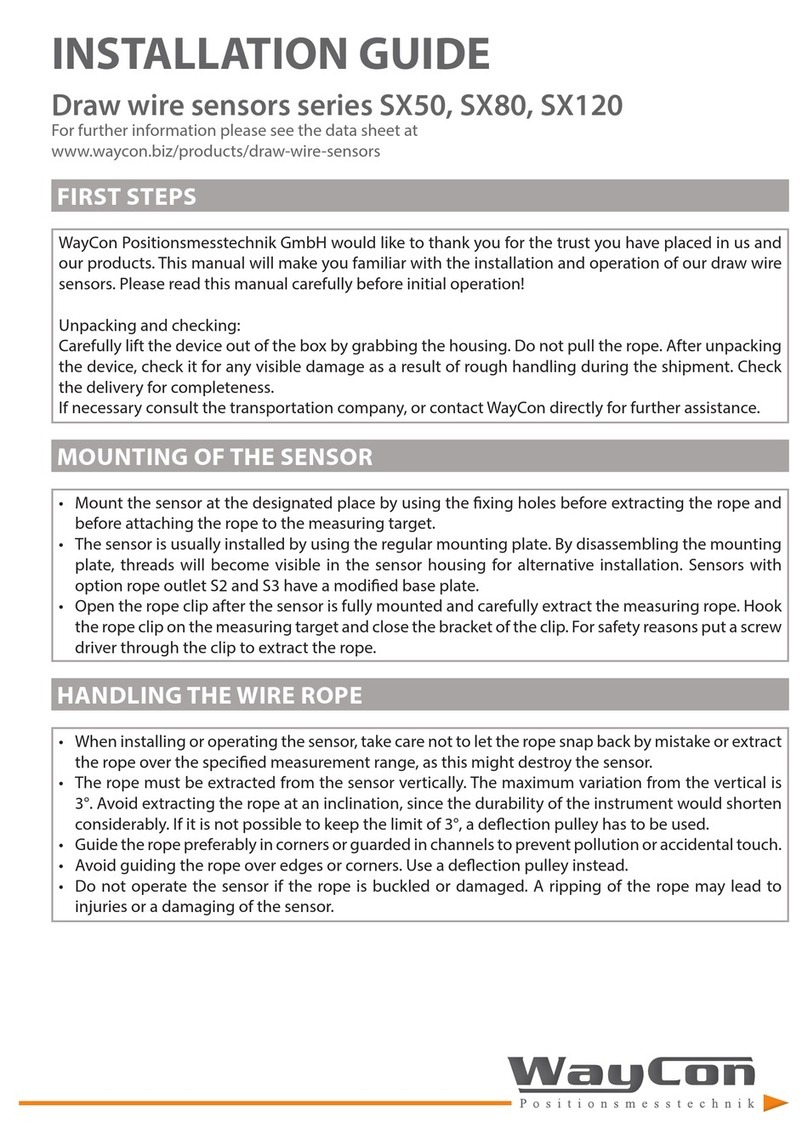
INSTALLATION GUIDE
Draw wire sensors series SX50, SX80, SX120
For further information please see the data sheet at www.waycon.bi /products/draw-wire-sensors
FIRST STEPS
WayCon Positionsmesstechnik GmbH would like to thank you for the trust you have placed in us and our
products. This manual will make you familiar with the installation and operation of our draw wire sensors.
Please read this manual carefully before initial operation!
Unpacking and checking:
Carefully lift the device out of the box by grabbing the housing. Do not pull the rope. After unpacking the
device, check it for any visible damage as a result of rough handling during the shipment. Check the
delivery for completeness.
If necessary consult the transportation company, or contact WayCon directly for further assistance.
MOUNTING OF THE SENSOR
Mount the sensor at the designated place by using the fixing holes before extracting the rope and before
attaching the rope to the measuring target.
The sensor is usually installed by using the regular mounting plate. By disassembling the mounting
plate, 4 threads (2 x M3, 2 x M5) will become visible in the sensor housing for alternative installation.
Sensors with option rope outlet S2 and S3 have a modified base plate.
Open the rope clip after the sensor is fully mounted and carefully extract the measuring rope. Hook the
rope clip on the measuring target and close the bracket of the clip. For safety reasons put a screw driver
through the clip to extract the rope.
HANDLING THE WIRE ROPE
When installing or operating the sensor, take care not to let the rope snap back by mistake or extract the
rope over the specified measurement range, as this might destroy the sensor.
The rope must be extracted from the sensor vertically. The maximum variation from the vertical is 3°.
Avoid carefully extracting the rope at an inclination, since the durability of the instrument would shorten
considerably. If it is not possible to keep the limit of 3°, a deflection pulley has to be used.
Guide the rope preferably in corners or guarded in channels to prevent pollution or accidental touch.
Avoid guiding the rope over edges or corners. Use a deflection pulley instead.
Do not operate the sensor if the rope is buckled or damaged. A ripping of the rope may lead to injuries or
a damaging of the sensor.
WARNING NOTICES
Manufacturer WayCon Positionsmesstechnik GmbH
Mehlbeerenstrasse 4
82024 Taufkirchen / Germany
This is to certify that the products
Classification draw wire sensors
Product series SX
fulfill the current request of the following EC-directives:
EMC-directive 2004/108/EC (until April 19th, 2016)
2014/30/EU (from April 20th, 2016)
applied harmoni ed standards:
IEC 61326-1:2013
The declaration of conformity loses its validity if the product is misused or modified without proper
authorisation.
Taufkirchen, 24.02.2016 Andreas Täger
CEO
DECLARATION OF EC-CONFORMITY
Do not try to open the device. The stored energy of the spring drive may lead to injuries when
being mishandled.
Do not touch the rope when operating the sensor.
When mounting outdoors protect the sensor and the rope from icing at temperatures below 0 °C.
The usage of a deflection pulley may help defrosting the wire rope.
When operating the sensor in a humid environment, install the sensor with the rope outlet downwards.
Otherwise water will gather inside the housing, which leads to corrosion.
Where applicable use option S3.
MAINTENANCE
The devices are maintenance-free. If however, the rope is soiled due to adverse environmental
conditions, it can be cleaned with a cloth drenched in resin-free machine oil.

CONNECTION CABLES (ACCESSORIES)
Cable wit mating connector M12, 4 pole, s ielded
K4P2M-S-M12
K4P5M-S-M12
K4P10M-S-M12
K4P2M-SW-M12
K4P5M-SW-M12
K4P10M-SW-M12
2 m, straight connector, IP67
5 m, straight connector, IP67
10 m, straight connector, IP67
2 m, angular connector, IP67
5 m, angular connector, IP67
10 m, angular connector, IP67
PIN No. Colour PIN No. Colour
PIN 1 brown PIN 3 blue
PIN 2 white PIN 4 black
Cable wit mating connector M12, 8 pole, s ielded
K8P2M-S-M12
K8P5M-S-M12
K8P10M-S-M12
K8P2M-SW-M12
K8P5M-SW-M12
K8P10M-SW-M12
2 m, straight connector, IP67
5 m, straight connector, IP67
10 m, straight connector, IP67
2 m, angular connector, IP67
5 m, angular connector, IP67
10 m, angular connector, IP67
PIN Colour PIN Colour PIN Colour PIN Colour
PIN 1 white PIN 3 green PIN 5 grey PIN 7 blue
PIN 2 brown PIN 4 y ellow PIN 6 pink PIN 8 red
ELECTRICAL CONNECTION
Draw wire sensors series SX
For further information please see the data sheet at www.waycon.bi /products/draw-wire-sensors
ANALOG OUTPUT
DIGITAL OUTPUT INCREMENTAL
Connector output SX80, SX120
Cable colour 0...10 V
brown V + V + V +
white Signal n. c. Cursor
blue GND Signal GND
black GND Signal n. c. n. c.
4...20 mA 1 k hm
Pin 0...10 V 4...20 mA 1 kOhm
1 V + V + V +
2 Signal n. c. Cursor
3 GND Signal GND
4 GND Signal n. c. n. c.
Signal 0 V +V A B Z
PIN 1 2 3 4 5 6 7 8
A
Not
B
Not
Z
Not
Signal 0 V +V A B Z
Cable colour white brown green y ellow pink blue red black v iolet
A Not B Not Z Not 0 V
sens
* +V
sens
*
gray
* only f or Linedriv er L
Signal 0 V +V A B Z
PIN 10 12 11 2 5 6 8 1 3 4
0 Vsens*+V sens * Anot BNot ZNot
* only for Linedriver L.
Cable output SX50, SX80, SX120
Connector output SX80, SX120
Connector output, M23 12 poles: SX80, SX120
Cable output (Linedriver L: 10 wires, Push-Pull G: 8 wires): SX50, SX80, SX120
Analog Output
Digital Output Incremental, M12