manuals.online logo
Brands
  1. Home
  2. •
  3. Brands
  4. •
  5. Xiaomi
  6. •
  7. Watch
  8. •
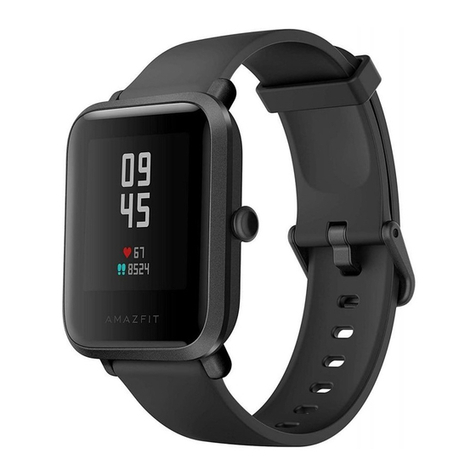
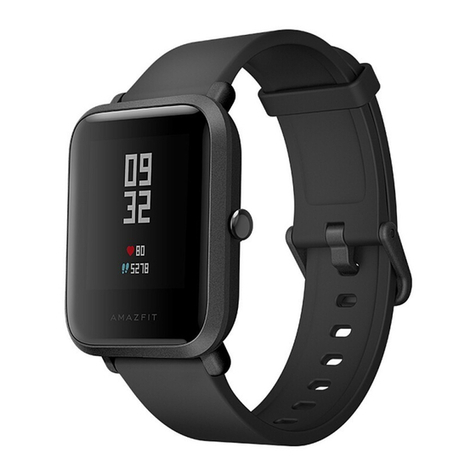
  9. Xiaomi Amazfit Bip User manual

Xiaomi Amazfit Bip User manual

This manual suits for next models

1

Other Xiaomi Watch manuals

Xiaomi Smart Band 8 Pro User manual

Xiaomi

Xiaomi Smart Band 8 Pro User manual

Xiaomi Watch 2 User manual

Xiaomi

Xiaomi Watch 2 User manual

Xiaomi Amazfit Bip S User manual

Xiaomi

Xiaomi Amazfit Bip S User manual

Xiaomi Haylou LS02 User manual

Xiaomi

Xiaomi Haylou LS02 User manual

Xiaomi Mi Smart Fan User manual

Xiaomi

Xiaomi Mi Smart Fan User manual

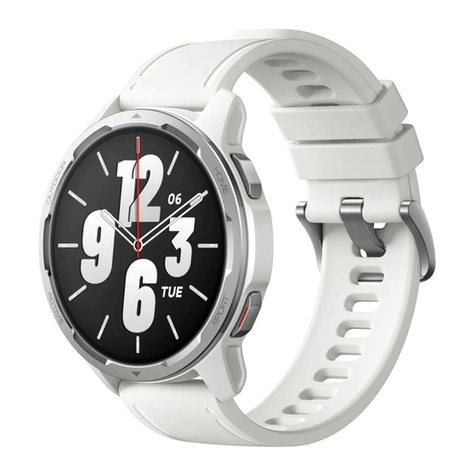
Xiaomi Watch S1 Active User manual

Xiaomi

Xiaomi Watch S1 Active User manual

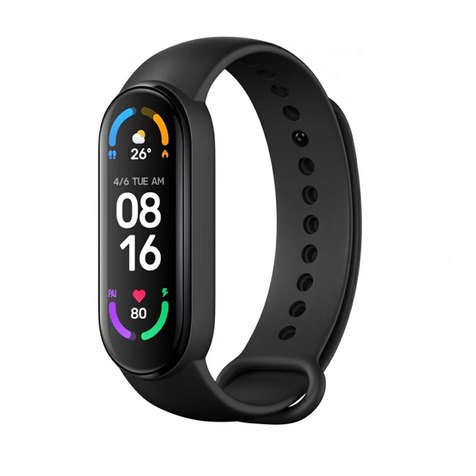
Xiaomi Mi Band 6 User manual

Xiaomi

Xiaomi Mi Band 6 User manual

Xiaomi Mi Band 6 User manual

Xiaomi

Xiaomi Mi Band 6 User manual

Xiaomi M2216W1 User manual

Xiaomi

Xiaomi M2216W1 User manual

Xiaomi Mi Watch Strap User manual

Xiaomi

Xiaomi Mi Watch Strap User manual

Xiaomi Amazfit GTS User manual

Xiaomi

Xiaomi Amazfit GTS User manual

Xiaomi WATCH S1 User manual

Xiaomi

Xiaomi WATCH S1 User manual

Xiaomi Redmi Watch 2 Lite User manual

Xiaomi

Xiaomi Redmi Watch 2 Lite User manual

Xiaomi MI Watch S1 Pro User manual

Xiaomi

Xiaomi MI Watch S1 Pro User manual

Xiaomi realme TechLife Watch S100 User manual

Xiaomi

Xiaomi realme TechLife Watch S100 User manual

Xiaomi Watch Bezel User manual

Xiaomi

Xiaomi Watch Bezel User manual

Xiaomi Mi Smart Band 7 NFC User manual

Xiaomi

Xiaomi Mi Smart Band 7 NFC User manual

Xiaomi Redmi Watch 3 User manual

Xiaomi

Xiaomi Redmi Watch 3 User manual

Xiaomi Amazfit User manual

Xiaomi

Xiaomi Amazfit User manual

Xiaomi WATCH S1 User manual

Xiaomi

Xiaomi WATCH S1 User manual

Xiaomi Watch 2 Pro User manual

Xiaomi

Xiaomi Watch 2 Pro User manual

Xiaomi S1 Active User manual

Xiaomi

Xiaomi S1 Active User manual

Xiaomi Smart Band 5 User manual

Xiaomi

Xiaomi Smart Band 5 User manual

Xiaomi MI Redmi Watch 4 User manual

Xiaomi

Xiaomi MI Redmi Watch 4 User manual

Popular Watch manuals by other brands

Casio QW 5513 Operation guide

Casio

Casio QW 5513 Operation guide

Piaget 560P Instructions for use

Piaget

Piaget 560P Instructions for use

Armitron pro sport MD0346 instruction manual

Armitron

Armitron pro sport MD0346 instruction manual

West Marine BlackTip 13411293 Instruction Booklet and Care Guide

West Marine

West Marine BlackTip 13411293 Instruction Booklet and Care Guide

Jaeger-leCoultre HYBRIS MECHANICA CALIBRE 184 manual

Jaeger-leCoultre

Jaeger-leCoultre HYBRIS MECHANICA CALIBRE 184 manual

FOREVER iGO PRO JW-200 user manual

FOREVER

FOREVER iGO PRO JW-200 user manual

Relic OS10 quick start guide

Relic

Relic OS10 quick start guide

MyKronoz ZeClock manual

MyKronoz

MyKronoz ZeClock manual

Casio QW-782 General guide

Casio

Casio QW-782 General guide

Strikes and Spares SASM80 E-manual

Strikes and Spares

Strikes and Spares SASM80 E-manual

Christopher Ward C1000 Owner's handbook

Christopher Ward

Christopher Ward C1000 Owner's handbook

Lotus ILMFS01 instruction manual

Lotus

Lotus ILMFS01 instruction manual

Chronos Manufactures Chrono Diamond Thyrso 10400 instruction manual

Chronos Manufactures

Chronos Manufactures Chrono Diamond Thyrso 10400 instruction manual

Pandora WATCH2 quick guide

Pandora

Pandora WATCH2 quick guide

Suunto X6 user guide

Suunto

Suunto X6 user guide

Seiko N830 instruction manual

Seiko

Seiko N830 instruction manual

MotionX 365 user guide

MotionX

MotionX 365 user guide

Aplus GV18 user guide

Aplus

Aplus GV18 user guide

manuals.online logo
manuals.online logoBrands
  • About & Mission
  • Contact us
  • Privacy Policy
  • Terms and Conditions

Copyright 2025 Manuals.Online. All Rights Reserved.

User’s Manual
Low
battery
Charging Fully
charged
Install the Mi Fit application on your mobile phone
Scan the QR code from your mobile phone, or nd Mi Fit app in any App Store and
install it.
Charge the clock
Insert the clock into the charging dock according to the method, shown in the picture,
connect the USB cable of charging dock to the charger of mobile phone or USB port
of the computer.
To charge the clock, use a charger for a mobile phone with a nominal output voltage
of 5 V, and an output current of 500 mA or higher.
Connecting the clock
Open Mi Fit application, after logging in to your account, open the «Prole» section,
select «Add device» - «Clock», then follow the prompts to search and connect.
Please note
• This watch is protected against moisture and dust exposure to IP68, can withstand
immersion under fresh water at room temperature to a depth of 1.5 meters for 30
minutes, but they are not suitable for bathing and swimming.
• Do not use the watch under water, after getting underwater it is necessary to wipe
the watches with a soft cloth dry, then you can use the touch screen, and to charge the
device.
• These watches are not protected from contact with seawater, acid and alkaline
solutions, chemical reagents and other uids with corrosive e󰀨ects, damage or defects
caused by inadvertent or incorrect use of non-covered warranty service.
Название и содержание вредных веществ
This table is compiled in accordance with SJ / T 11364.
O: The content of harmful material in all components of the homogeneous material is
within GB / T26572.
X: the content of the harmful material in at least one of the homogeneous component
materials exceeds the limits of GB / T26572 requirements.
The charging docking station with copper alloy contains a small amount of lead.
This product complies with the requirements of the European Union RoHS Directive; at
the moment in the world there is no proven technology, that would allow to replace or
reduce the amount of lead in copper and copper alloys.
Ecologically safe service life indicated on the device is the period during which, under
normal conditions of use, no harmful substances and elements contained in the device
will be released.
Amazt BIP Youth Edition Warranty
The Amazt BIP Youth Edition Service undertakes: to provide warranty service
in accordance with the Law of the People’s Republic of China «On Protection of
Consumer Rights», the Law of the People’s Republic of China «On the Quality of
Products», which includes:
During the warranty period, according to the laws, you have the right to repair,
exchange and return the goods, return the goods on the basis of a sales receipt.
1. Within 7 days after the receipt, in case Amazt BIP Youth Edition issues questions,
included in the «Amazt BIP Youth Edition», which has been diagnosed, a free return or
replacement of the product is performed;
2. Within 8 to 15 days after the receipt, in case Amazt BIP Youth Edition issues
questions, included in the «Amazt BIP Youth Edition Specic Problem Tables», which
was diagnosed, a free replacement or repair of the product is performed;
3. Up to 12 months after the receipt, in case Amazt BIP Youth Edition issues questions,
included in the «Amazt BIP Youth Edition Tables», which has been diagnosed veried,
the product is repaired free of charge.
Manufacturer: Anhui Huami Information Technology Co., Ltd.
Address: Hefei City, High-Tech Zone, 800 Wangjiang West Road, National Animation
Base, Bld. A4, Room 1201.
XIAOMI-MI.COM