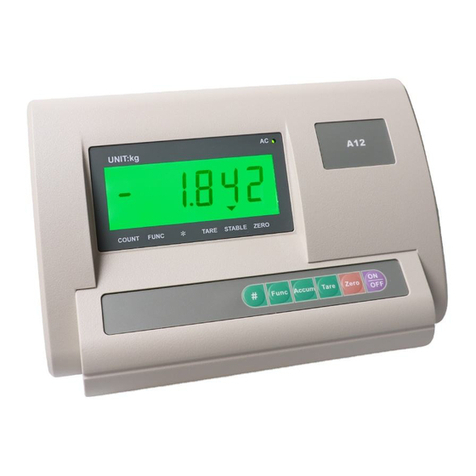
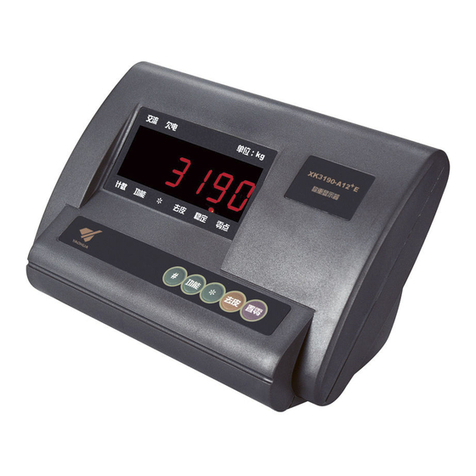
XK3190-A12(E)
Chapter 3 Operation
3.1 POWER ON AND AUTO ZERO
3.1.1 After turning on the switch on the back housing, keep pressing【ON/OFF】key to turn on the indicator.
3.1.2 Theindicatordisplays allsections,andallthe indicationsignsfirst,then thedisplayisas follow
(1)Model name: 【-A12-】
(2) Versionof thesoftware:suchas【V 1.01】
(3) Sectionscheck:111111-999999
If press [Func] beforetheindicatordisplayingtheversionof software,theindicatorwill displayasbelow
(1)Model name: 【-A12-】
(2) Versionof thesoftware:suchas【V 1.01】
(3)Calibrationtimesoftheindicator: suchas【n 10】
(4)Verificationcodeofmetrologyparameters:suchas【C 1A5D】
(5)Verificationcodeofthesoftware:suchas【F 2B6C】
(6) Sectionscheck:111111-999999
3.1.3 When power on, if the scale deviates from the zero point, but it‟s still within auto zero range
(±10%Max), the indicator will zero automatically; if it is out of auto zero range, the indicator will
display【Err 3】as warning, then show the weight.
3.2 SEMI-AUTOMATIC ZERO-SETTING
3.2.1 At weighing mode,if there isany tolerancewhenunloaded,andthetolerance iswithinthesemi-automatic
zero-settingrange, press[Zero] to zero thescale.
If thetoleranceisbeyondthe semi-automaticzero-settingrange,the [Zero] key isinvalid(【Err 7】), andyou
need torecalibratethescale.
3.2.2 Only when the stable indication sign is on, zero operation is valid.
3.3 TARE
At weighing mode, when displaying stable positive weight, and the weight is no more than F.S. , press
the[Tare] key to deduct the weight as tare. The indicator displays net weight as “0”, and the “Net”indication
sign is on. When the displaying weight is negative or zero, pressing [Tare] key can clear the saved tare
weight, and get back to gross weight displaying mode. The “Net”indication sign will be off.
Please warm the indicator up for 20 minutes before using to ensure the best performance