Adam AGB35 User manual

Adam Equipment
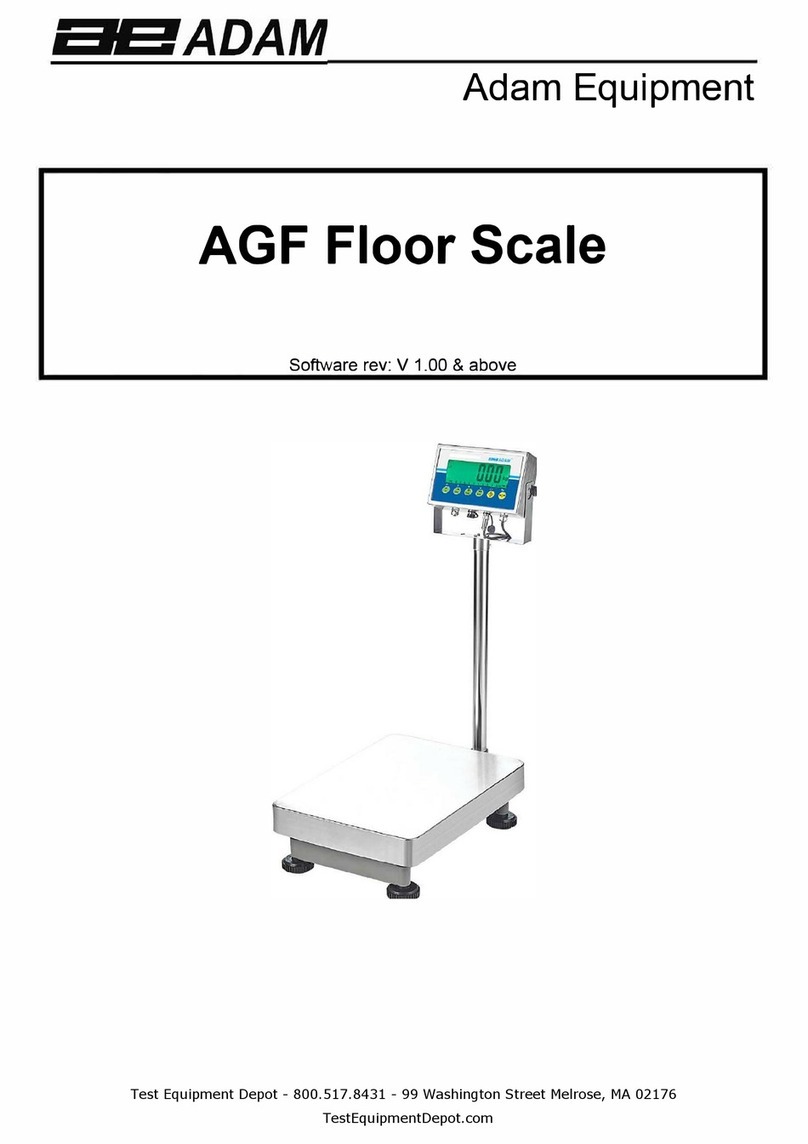
AGF Floor Scale
Software rev: V 1.00 & above

Easy Reference:
Model name of the scale:
Serial number of the unit:
Software revision number
(Displayed when power is first turned
on):
Date of Purchase:
Name of the supplier and place:

CONTENTS
P.N. 3.05.6.6.14275, Rev A2, October 2020
1.0INTRODUCTION ................................................................................................................................... 1
2.0SPECIFICATIONS ................................................................................................................................. 2
3.0INSTALLATION ..................................................................................................................................... 4
3.1LOCATING THE SCALE ................................................................................................................... 4
3.2LIST OF ACCESSORIES .................................................................................................................. 4
4.0KEY DESCRIPTIONS ............................................................................................................................ 6
5.0DISPLAYS ............................................................................................................................................. 7
6.0OPERATION .......................................................................................................................................... 7
6.1ZEROING THE DISPLAY .................................................................................................................. 7
6.2TARING ............................................................................................................................................. 7
6.3WEIGHING A SAMPLE ..................................................................................................................... 8
6.4CHANGING THE WEIGHING UNITS .............................................................................................. 10
6.5PRESET TARE ................................................................................................................................ 10
6.6PARTS COUNTING ......................................................................................................................... 10
6.7CHECK-WEIGHING ........................................................................................................................ 11
6.7.1Relay outputs and checkweighing ....................................................................................... 11
6.8ACCUMULATED TOTAL ................................................................................................................. 13
6.10ANIMAL (Dynamic) WEIGHING ...................................................................................................... 14
6.10.1Animal weighing procedure ................................................................................................. 15
6.11ANIMAL 2 (DYNAMIC 2) WEIGHING .............................................................................................. 15
6.11.1Animal 2 weighing procedure ........................................................................................... 16
6.12HOLD/ PEAK FUNCTION ................................................................................................................ 17
7.0USER PARAMETERS ......................................................................................................................... 17
7.1SCALE PARAMETERS ................................................................................................................... 18
7.2RS-232 PARAMETERS ................................................................................................................... 19
7.2.1Print settings .......................................................................................................................... 19
7.2.2 PC settings ............................................................................................................................. 20
7.2.3Command settings ................................................................................................................ 21
8.0BATTERY OPERATION ...................................................................................................................... 21
9.1INPUT COMMANDS FORMAT ....................................................................................................... 26
10.0CALIBRATION ..................................................................................................................................... 26
11.0ERROR CODES .................................................................................................................................. 27
12.0REPLACEMENT PARTS AND ACCESSORIES ................................................................................. 28
13.0SERVICE INFORMATION ................................................................................................................... 28
WARRANTY STATEMENT ............................................................................................................................. 29

1.0 INTRODUCTION
The AGF Floor Scale provides the user with the electronics necessary to
build an accurate, fast, versatile weighing system.
Functions include, weighing, check weighing, parts counting, animal
weighing and percent weighing.
The system includes automatic zero tracking, audible alarm for check-
weighing, semi-automatic tare and an accumulation facility that allows
individual weights or counts to be stored and the total recalled.
The scales have a bi-directional RS-232 interface for communicating with
a PC or printer.
RS-232 outputs include Real time Clock, English, German, French, Spanish,
Italian or Portuguese language text and data required for GLP reports.
The indicator can be used with 1- to 4 load cell platforms.
Internal rechargeable battery and IP-67 rated enclosure allow for a fully
portable and rigged weighing system.

2.0 SPECIFICATIONS
AGF Standard Models
AGF 150 AGF 300 AGF 600
Maximum capacity 150kg 300kg 600kg
Readability 5g 10g 20g
Resolution 5g 10g 20g
Repeatability 5g 10g 20g
Linearity 10g 20g 40g
AGF US Models (standard)
AGF 175a AGF 350a AGF 660a AGF 1320a
Maximum capacity 175lb / 80kg 350lb / 160kg 660lb/
300kg
1320lb/
600kg
Readability 0.005lb / 2g 0.01lb / 5g 0.02lb / 10g 0.05lb / 20g
Resolution 0.005lb / 2g 0.01lb / 5g 0.02lb / 10g 0.05lb / 20g
Repeatability 0.005lb / 2g 0.01lb / 5g 0.02lb / 10g 0.05lb / 20g
Linearity 0.01lb / 5g 0.02lb / 10g 0.05lb / 20g 0.1lb / 40g
AGF US Models (Trade Approved)
AGF 120aM AGF 300aM AGF 600aM
Maximum capacity 120lb 300lb 600lb
Readability 0.02lb 0.05lb 0.1lb
Resolution 0.02lb 0.05lb 0.1lb
Repeatability 0.02lb 0.05lb 0.1lb
Linearity 0.04lb 0.1lb 0.2lb

AGF Trade Approved Models
AGF 60M AGF 150M AGF 300M
Maximum capacity 60kg 150kg 300kg
Readability 20g 50g 100g
Resolution 20g 50g 100g
Repeatability 20g 50g 100g
Linearity 40g 100g 200g
Pan size 400 x 500mm AGF 600: 600 x 800mm
Operatin
g
temperature 0C-40C
Power Supply 6V 4.5Ah Rechargeable battery And
AC/DC 12V 800mA power adapter;
Battery life 90 hours typical. Battery Life is less when the backlight is used.
Interface RS-232 bi-directional Interface
Displa
y
6 di
g
its, 40mm di
g
it hei
g
ht LCD di
g
ital displa
y
with backli
g
ht
Balance Housing
Indicator: IP 67 rated Stainless Steel
Scale: Grade 304 stainless steel
Overall dimension 870 x 476 x 205 mm AGF 600: 1286 x 661 x
210mm
Net wei
g
ht 18k
g
A
GF 600: 35k
g
Functions
Weighing, Check weighing, Parts counting, Memory
Accumulation, Animal weighing, Percent weighing, Peak hold
Wei
g
hin
g
units Grams, Kilo
g
ram, pound, ounce, pound/ounce; Newton;
Calibration
A
utomatic External

3.0 INSTALLATION
3.1 LOCATING THE SCALE
The scale should not be placed in a location that will
reduce the accuracy.
Avoid extremes of temperature. Do not place in direct
sunlight or near air conditioning vents.
Avoid unsuitable tables or surfaces.
Avoid unstable power sources. Do not use near large
users of electricity such as welding equipment or
large motors.
Do not place near vibrating machinery.
Avoid air movement such as from fans or opening
doors. Do not place near open windows or air-
conditioning vents.
Keep the scale clean. Do not stack material on the
indicator when not in use.
3.2 LIST OF ACCESSORIES
Your packet contains-
AC adapter
Indicator
Wall mount bracket and mounting hardware
Instruction manual


4.0 KEY DESCRIPTIONS
[Tare/↵]
Sets the zero point for all subsequent weighing. The display shows zero.
Tares the scale. Stores the weight currently on the scale as tare value, subtracts
the tare value from the gross weight and shows the results.
A secondary function, is of “Enter” key used when setting up the value for the
Parameters.
[CHK/PRINT/⭡] CHK: Selects checkweighing. Used to set the Low/High weight limits while
checkweighing.
PRINT: Sends the results to a PC or a Printer using the RS-232 interface. It also
adds the value to the accumulation memory if the accumulation function is not
automatic.
⭡: Up directional button for scrolling. Also used for incrementing the active digit
when setting a value for Parameters.
[Disp/Mode/⭢]
Selects the weighing unit to be displayed from those which are enabled. See
parameter rS1 in section 7.2.
A secondary function, ⭢ is to move the active/flashing digit to the right when
setting values for Parameters.
[Func/Set/⭣]
Selects the Functions of the scale. If the scale is weighing, it will select parts
counting. If it is not in weighing mode, it will return the user to weighing.
A secondary function (SET) will bring up the settings menu. Also used to set
values used for parameters
[0/Esc]
Used to zero the scale.
A secondary function (ESC) is to return to normal operation when the scale is in a
Parameter setting mode.
/ ST/ CE]
To switch on and switch off the scale.
ST: Secondary function allows the user to store/ recall checkweighing limits.

5.0 DISPLAYS
The LCD display will show a value and a unit to the right of the digits.
In addition the LED’s above the display will show when a weight is below or above check-
weighing limits.
Other symbols will show when a weight has been tared (NET) the scale is at zero and
stable, if a value has been stored in memory or when the animal weighing function has
been enabled. A battery symbols will show the state of charge of the internal battery.
6.0 OPERATION
6.1 ZEROING THE DISPLAY
You can press the [0/Esc] key at any time to set the zero point. This will
usually be necessary when the platform is empty. You can only zero off a
weight up to a maximum of 20% of the scale capacity. When the zero point is
obtained the display will show an indicator for zero.
The scale has an automatic re-zeroing function to account for minor drifting
or accumulation of material on the platform. However you may need to press
the [0/Esc] key to re-zero the indicator if small amounts of weight are
shown when the platform is empty.
6.2 TARING
This manual suits for next models
8
Table of contents
Other Adam Scale manuals
Adam
Adam TBB User manual
Adam
Adam GBK Mplus Series User manual
Adam
Adam GBK 16a User manual
Adam
Adam CPWplus 35 User manual

Adam
Adam MDW - 300L User manual
Adam
Adam CBC-M Series User manual
Adam
Adam AE-202 User manual
Adam
Adam LBX C Series User manual
Adam
Adam Luna LAB Series User manual
Adam
Adam ACBplus Series User manual