manuals.online logo
Brands
  1. Home
  2. •
  3. Brands
  4. •
  5. Aimco
  6. •
  7. Power Tools
  8. •
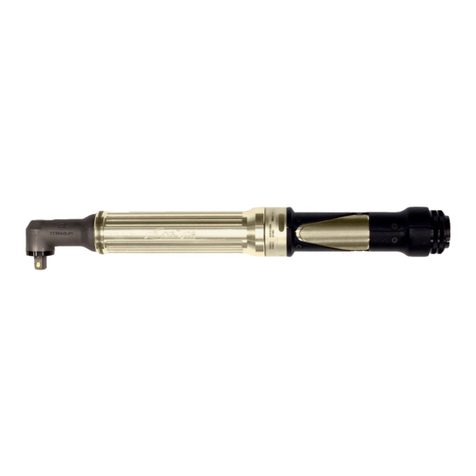
  9. Aimco URW Series Operating instructions

Aimco URW Series Operating instructions

This manual suits for next models

5

Other Aimco Power Tools manuals

Aimco Auditor User manual

Aimco

Aimco Auditor User manual

Aimco SIW-P3225Q User manual

Aimco

Aimco SIW-P3225Q User manual

Aimco AcraDyne Phoenix II User manual

Aimco

Aimco AcraDyne Phoenix II User manual

Aimco AcraDyne AcraDrive 2000 Series User manual

Aimco

Aimco AcraDyne AcraDrive 2000 Series User manual

Aimco AcraDyne Gen III 2000 Series User manual

Aimco

Aimco AcraDyne Gen III 2000 Series User manual

Aimco AcraDyne 1000 Series User manual

Aimco

Aimco AcraDyne 1000 Series User manual

Aimco PISTOL User manual

Aimco

Aimco PISTOL User manual

Aimco AcraDyne Gen IV 2000 Series User manual

Aimco

Aimco AcraDyne Gen IV 2000 Series User manual

Aimco AcraDyne AB-CTA User manual

Aimco

Aimco AcraDyne AB-CTA User manual

Aimco AcraDyne Gen 4 HT Series User manual

Aimco

Aimco AcraDyne Gen 4 HT Series User manual

Aimco AcraDyne Gen III 3000 Series User manual

Aimco

Aimco AcraDyne Gen III 3000 Series User manual

Aimco UOW Series Operating instructions

Aimco

Aimco UOW Series Operating instructions

Aimco AcraDyne HT Series User manual

Aimco

Aimco AcraDyne HT Series User manual

Aimco AcraDyne HT ABG Series Operation manual

Aimco

Aimco AcraDyne HT ABG Series Operation manual

Aimco AcraDyne Gen IV 2000 Series User manual

Aimco

Aimco AcraDyne Gen IV 2000 Series User manual

Aimco Signature Series User manual

Aimco

Aimco Signature Series User manual

Aimco AcraDyne HT Series User manual

Aimco

Aimco AcraDyne HT Series User manual

Aimco AcraDyne Gen III 3000 Series User manual

Aimco

Aimco AcraDyne Gen III 3000 Series User manual

Aimco Signature Series User manual

Aimco

Aimco Signature Series User manual

Aimco UBX-T Series User manual

Aimco

Aimco UBX-T Series User manual

Aimco AcraDyne Gen III 2000 Series User manual

Aimco

Aimco AcraDyne Gen III 2000 Series User manual

Aimco UAT Series Operating instructions

Aimco

Aimco UAT Series Operating instructions

Aimco AcraDyne ABETP Cordless XT Series User manual

Aimco

Aimco AcraDyne ABETP Cordless XT Series User manual

Popular Power Tools manuals by other brands

ISLAND HOPPER Power Egg HT-309 operating instructions

ISLAND HOPPER

ISLAND HOPPER Power Egg HT-309 operating instructions

Sioux Tools SSR6P25 Instructions-parts list

Sioux Tools

Sioux Tools SSR6P25 Instructions-parts list

Makita HM1317C technical information

Makita

Makita HM1317C technical information

ABB Smart Tool + quick start guide

ABB

ABB Smart Tool + quick start guide

Baumr-AG BMJK-24S user manual

Baumr-AG

Baumr-AG BMJK-24S user manual

Bosch Professional GST 18 V-LI S Original instructions

Bosch

Bosch Professional GST 18 V-LI S Original instructions

Ronix RA-2702 quick start guide

Ronix

Ronix RA-2702 quick start guide

Nordson ProBlue user guide

Nordson

Nordson ProBlue user guide

aoyue int6028 instruction manual

aoyue

aoyue int6028 instruction manual

Hitachi CJ 65VA2 Instruction manual and safety instructions

Hitachi

Hitachi CJ 65VA2 Instruction manual and safety instructions

Makita HM1304 instruction manual

Makita

Makita HM1304 instruction manual

Kurtz Ersa Ersa X-TOOL VARIO operating instructions

Kurtz Ersa

Kurtz Ersa Ersa X-TOOL VARIO operating instructions

SCHUNK KSO 65 Installation and operating instruction

SCHUNK

SCHUNK KSO 65 Installation and operating instruction

Harken LokHead 500 user manual

Harken

Harken LokHead 500 user manual

Senco DuraSpin ExTPro installation instructions

Senco

Senco DuraSpin ExTPro installation instructions

Ferm JSM1020 Original instructions

Ferm

Ferm JSM1020 Original instructions

Milwaukee M12 FUEL 2559-20 Operator's manual

Milwaukee

Milwaukee M12 FUEL 2559-20 Operator's manual

EINHELL BT-CD 12/2 operating instructions

EINHELL

EINHELL BT-CD 12/2 operating instructions

manuals.online logo
manuals.online logoBrands
  • About & Mission
  • Contact us
  • Privacy Policy
  • Terms and Conditions

Copyright 2025 Manuals.Online. All Rights Reserved.

PO Box 16460, Portland, OR 97292-0460 503-254-6600 Fax 503-255-2615
URW Series
URW-6, 8, 9, 10 & 12 Series
Repair Manual
Contents
Page
Number
1. Tools Needed for Repair 1
2. Disassembly and Reassembly of the Cam Casing 2-4
3. Disassembly and Reassembly of the Gear Section 5-9
4. Disassembly and Reassembly of the Air Motor Section 10-14
5. Recommended Maintenance 15
October 2006 -1-
Tools Needed for Repair
1. One Set of T-Handle Metric Allen Wrenches
2. Flat-Bladed Screwdrivers
3. Brass Hammer
4. Dead Blow Hammer
5. 10 oz. Ball Peen Hammer
6. One Set of Pin Punches
7. One Set of O-Ring Picks
8. 6” Adjustable End Wrench
9. 12” Adjustable End Wrench
10. Medium Pair Channel Locks or Adjustable Jaw Pliers
11. Medium Honing Stone
12. 220 Grit Wet/Dry Sandpaper
13. Lap Plate
14. Loc-Tite #242
15. CFC Free Degreaser-Cleanser
16. Loc-Tite Accelerator
17. Arbor Press
18. UTA-204 and UMS Transducers and UFT Joint Simulators
19. Needle Nose Pliers
20. Propane Torch
October 2006 -2-
Disassembly and Reassembly of the Cam Casing
Disassembly
1. Remove the Rod Guide Bolts and Rod Guide Nuts.
2. Remove the Rod Guides, Ratchet, Checker, Springs, and Rod Plate Spring.
3. Remove the Cam Casing from the tool (left-hand thread).
•On the URW-6, you must loosen the Gear Casing Lock Nut first and then remove the Connector, Cam,
Bearing, Spacer, Thrust Washers, and Thrust Bearing.
•On the URW-8N & 9N, over-tightening the Handle Nut will keep the Casing from turning.
4. Remove the Operating Rod, Cam Roller, Cam Roller Pin, Cam Roller Push Pin(s), and Spring(s).
5. Thoroughly clean all parts.
Inspection of Parts for Wear
1. Rod Guides:The Ratchet should turn freely in the Rod Guides but should not move from side to side;
replace as needed.
2. Ratchet and Checker:The teeth should come to a point; replace if they are rounded off. The flats inside
of the Ratchet should not be pitted or grooved; replace as needed.
3. Operating Rod:The end of the Rod that contacts the Ratchet should come to a point; replace if it’s
rounded.
4. Cam Roller and Cam Roller Pin:The Cam Roller should be round and smooth; replace if it has flat spots
and pitting. The Cam Roller Pin should be inspected for shininess and grooving; replace as needed.
5. Rod Plate Spring:Inspect the Rod Plate Spring for cracks and wear from the Operating Rod; replace as
needed.
6. Springs:Check for the correct dimension of the Spring; replace as needed.
Reassembly
1. Install the Cam Roller Push Pin(s) and Spring(s) into the Cam Casing. Put a light coat of grease on both
parts.
2. Install the Cam Roller and the Cam Roller Pin into the Operating Rod. Now install the Operating Rod into
the Cam Casing making sure that the Cam Roller Push Pin gets under the Cam Roller Pin. Put a light coat
of grease on all parts.
3. Put a light coat of grease on the Operating Rod and install the Rod Plate Spring.
4. Install the Springs and Checker onto the Cam Casing.
5. Install the Ratchet and Rod Guides being sure to line up the slot in the Rod Guide with the notch on the
Checker. Install the Rod Guide Bolts and Nuts and tighten.
6. When installing the Cam Casing Assembly back onto the Gear Casing, the Cam Casing Assembly will have
to be shimmed to adjust the Operating Rod to the Ratchet.
October 2006 -3-
Disassembly and Reassembly of the Cam Casing (cont.)
Adjusting the Cam Casing Assembly
For all Tools Except the URW-6:
1. While running the tool, reinstall the Cam Casing to the Gear Casing.
2. Watch the Ratchet as the Cam Casing turns down onto the Gear Casing. When the Ratchet starts to turn,
mark its position and continue to allow the Cam Casing to turn down onto the Gear Casing until the Ratchet
stops or the Cam Casing bottoms out.
3. Turn the Cam Casing back halfway between the two points and measure the amount of Adjusting Spacers it
will take to take up the space between the Cam Casing and the Gear Casing.
For the URW-6 Only:
1. Install the Connector into the Gear Casing. Now install the Thrust Washers, Thrust Bearing, Spacer,
Bearing, and Cam into the Connector.
2. While running the tool, reinstall the Cam Casing onto the Connector.
3. Watch the Ratchet as the Cam Casing turns down onto the Connector. When the Ratchet starts to turn, mark
its position and continue to allow the Cam Casing to turn onto the Connector until the Ratchet stops or the
Cam Casing bottoms out.
4. Turn the Cam Casing back halfway between the two points and measure the distance from the bottom of the
Cam Casing to the top of the Gear Casing.
5. Turn the Cam Casing down until it bottoms out and measure the distance from the bottom of the Cam
Casing to the top of the Gear Casing. Subtract the two measurements; this is the amount of Adjusting
Spacers that should be put between the Cam Casing and the Connector.
October 2006 -4-
Disassembly and Reassembly of the Cam Casing (cont.)
URW - Cam Casing
Part
Number
Description
Part
Number
Description
1
2
3
4
5
6
7
8
9
10
Checker
Ratchet
Snap Ring
Spring
Rod Guide Left
Round Head Screw
Rod Plate Spring
Spring Washer
Cam Roller Pin
Operating Rod
11
12
13
14
15
16
17
18
19
Cam Roller
Spacer (URW-8N only)
Rod Guide Nut
Spring
Cam Roller Push Pin
Cam Casing
Grease Cup
Rod Guide Right
Rod Guide Bolt
October 2006 -5-
Disassembly and Reassembly of the Gear Casing
Disassembly
1. Remove the Cam Casing (left-hand thread).
2. On the URW-6 Only:
a. Remove the Connector from the Cam Casing. Remove the Cam, Bearing, Spacer, Thrust Washers, and
Thrust Bearing.
b. Remove the Gear Casing, Gear Cage, Roller Pins, Planet Gears, Needle Roller Bearings, and Bearing.
c. Remove the Allen Head Dog Point Screw from the side of the Gear Casing. Remove the Internal Gear
and Bearing.
3. On the URW-8N & 9N:
a. Using a Bearing Separator, put it between the Cam and the Casing to remove the Cam, Key, Bearing,
Thrust Rear Spacer or Spacer, and Thrust Bearing from the Casing.
b. Remove the Casing from the Handle.
c. Remove the Air Motor from the Casing.
d. Remove the Bearing, Gear Cage, Needle Rollers, Planet Gear Bushings (on URW-8N only), and
Internal Gear from the Casing.
4. On the URW-8:
a. Using a Bearing Separator, put it between the Cam and the Casing to remove the Cam, Key, Bearing,
Thrust Rear Washer, and Thrust Bearing from the Casing.
b. Remove the Gear Casing from the Handle.
c. Remove the Gear Cage, Roller Pins, Planet Gear Bushings, and Planet Gears from the Gear Casing.
d. Remove the Internal Gear from the Gear Casing.
5. On the URW-10N, 12N, 12NA & 12NB:
a. Remove the Cam, Bearing, and Spacer from the Gear Casing.
b. Remove the Gear Casing from the Casing. Note:Over-tightening the Handle Nut will help keep the
casing from turning.
c. Remove the Gear Cage, Planet Gear Pins, Needle Roller Bearing, Bearing, and Planet Gears from the
Gear Casing.
6. Thoroughly clean all parts and blow dry.
Inspection of Parts for Wear
1. Cam:Inspect for pitting and flat spots; replace as needed.
2. Needle Rollers and Planet Gear Pins:Inspect for shininess and grooving; replace as needed.
3. Planet Gears and Internal Gears:Inspect teeth for pitting and grooving; replace as needed.
4. Bearings:Inspect for side play and knocking; replace as needed.

October 2006 -6-
Disassembly and Reassembly of the Gear Casing (cont.)
Reassembly
1. Grease all Bearings, Gears, and Internal Gears.
2. For the URW-6 Only:
a. Install the Bearing, Internal Gear, and Allen Head Dog Point Screw into the Gear Casing.
b. Install the Needle Roller Bearing into the Planet Gears and both Planet Gears into the Gear Cage. Put
the Roller Pins into the Gear Cage and through the Planet Gears.
c. Install the Spacer onto the Gear Cage and install the Gear Cage into the Gear Casing. Install the
Bearing into the Gear Cage.
d. Install the Gear Casing onto the Air Motor Casing.
e. Install the Connector onto the Gear Casing and install the Thrust Washers, Thrust Bearing, Spacer,
Bearing, and Cam into the Connector.
3. For the URW-8N & 9N:
a. Install the Internal Gear into the Casing.
b. Install the Planet Gear Bushing (URW-8N only) into the Planet Gear and install them into the Gear
Cage. Install the Needle Rollers into the Gear Cage.
c. Install the Gear Cage into the Casing and install the Key into the Gear Cage.
d. Install the Bearing, Thrust Rear Spacer or Spacer, and Thrust Bearing onto the Cam. Press the Cam
onto the Gear Cage making sure to line up the Key in the Gear Cage with the key way in the Cam.
Note:The Gear Cage should extend out past the Cam about 2mm.
4. For the URW-8:
a. Install the Internal Gear into the Gear Casing.
b. Install the Planet Gear Bushing into the Planet Gears and install the Planet Gears into the Gear Cage.
Install the Needle Rollers into the Gear Cage.
c. Install the Gear Cage into the Gear Casing and install the Key into the Gear Cage.
d. Install the Bearing, Thrust Rear Spacer or Spacer, and Thrust Bearing onto the Cam. Press the Cam
onto the Gear Cage making sure to line up the Key in the Gear Cage with the key way in the Cam.
Note:The Gear Cage should extend out past the Cam about 2mm.
5. For the URW-10N, 12N, 12NA, & 12NB:
a. Install the Needle Roller Bearing into the Planet Gears and both Planet Gears into the Gear Cage. Put
the Planet Gear Pins into the Gear Cage and through the Planet Gears.
b. Install the Spacer onto the Gear Cage and install the Gear Cage into the Gear Casing. Install the
Bearing onto the Gear Cage.
c. Install the Bearing and Cam onto the Gear Cage.
October 2006 -7-
Disassembly and Reassembly of the Gear Casing (cont.)
URW-6 - Gear Casing
Part
Number
Description
Part
Number
Description
1
2
3
4
5
6
7
8
9
10
Cam
Bearing
Thrust Washer
Connector
Cam Casing Lock Nut
Grease Cup
Set Screw
Spacer
Roller Pin
Needle Roller Pin
11
12
13
14
15
16
17
18
19
20
Planet Gear
Spacer
Thrust Bearing
Adjusting Spacer
Gear Casing
Bearing
Internal Gear
Gear Cage
Bearing
Spacer
October 2006 -8-
Disassembly and Reassembly of the Gear Casing (cont.)
URW - Gear Casing
Part
Number
Description
Part
Number
Description
1
2
3
4
5
6
7
Cam
Bearing
Spacer
Thrust Bearing
Set Screw
Gear Casing
Internal Gear
8
9
10
11
12
13
Key
Planet Gear
Roller Pin
Bushing
Gear Cage
Bearing