manuals.online logo
Brands
  1. Home
  2. •
  3. Brands
  4. •
  5. APRVTIO
  6. •
  7. Security Sensor
  8. •
  9. APRVTIO WJL-6000 User manual

APRVTIO WJL-6000 User manual

Other APRVTIO Security Sensor manuals

APRVTIO ALD-100 User manual

APRVTIO

APRVTIO ALD-100 User manual

APRVTIO ALD-300 User manual

APRVTIO

APRVTIO ALD-300 User manual

APRVTIO ALD-200 User manual

APRVTIO

APRVTIO ALD-200 User manual

APRVTIO WJL-6000 PRO User manual

APRVTIO

APRVTIO WJL-6000 PRO User manual

Popular Security Sensor manuals by other brands

Honeywell Home PROSiXCOCN Installation and setup guide

Honeywell Home

Honeywell Home PROSiXCOCN Installation and setup guide

Duevi SIRPZ-RB-868 Operation

Duevi

Duevi SIRPZ-RB-868 Operation

RKI 65-2483RK Operator's manual

RKI

RKI 65-2483RK Operator's manual

Nortech PD160 Enhanced Series user manual

Nortech

Nortech PD160 Enhanced Series user manual

Omron K8AC-H2 manual

Omron

Omron K8AC-H2 manual

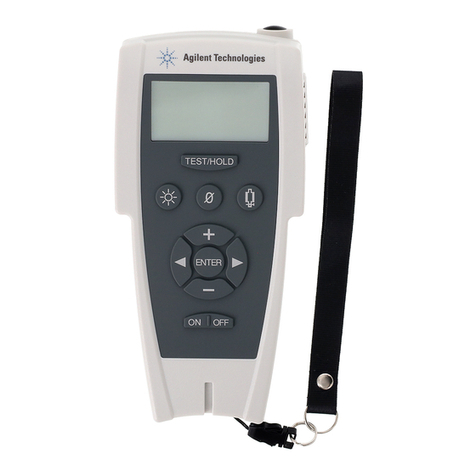
Agilent Technologies G8610 Series Quick reference card

Agilent Technologies

Agilent Technologies G8610 Series Quick reference card

Shinko SE2EA-1-0-0 instruction manual

Shinko

Shinko SE2EA-1-0-0 instruction manual

Det-Tronics X Series instructions

Det-Tronics

Det-Tronics X Series instructions

ACR Electronics COBHAM RCL-300A Product support manual

ACR Electronics

ACR Electronics COBHAM RCL-300A Product support manual

TOOLCRAFT 1712612 operating instructions

TOOLCRAFT

TOOLCRAFT 1712612 operating instructions

Elkron IM600 Installation, programming and functions manual

Elkron

Elkron IM600 Installation, programming and functions manual

Bosch WEU PDO 6 Original instructions

Bosch

Bosch WEU PDO 6 Original instructions

THORLABS PDA10JT user guide

THORLABS

THORLABS PDA10JT user guide

Waeco UV-DETECT operating manual

Waeco

Waeco UV-DETECT operating manual

Intermatic IOS-DSIMF manual

Intermatic

Intermatic IOS-DSIMF manual

Siemens AZL66 Series manual

Siemens

Siemens AZL66 Series manual

BTI Profiline Multi Finder operating instructions

BTI

BTI Profiline Multi Finder operating instructions

Challenger SL01 instruction manual

Challenger

Challenger SL01 instruction manual

manuals.online logo
manuals.online logoBrands
  • About & Mission
  • Contact us
  • Privacy Policy
  • Terms and Conditions

Copyright 2025 Manuals.Online. All Rights Reserved.

[email protected]https://aprvtiotech.com/ +1 713 701 1986
WJL-6000
REFRIGERANT LEAK DETECTOR
[email protected]https://aprvtiotech.com/ +1 713 701 1986
INSTRUCTIONS
WJL-6000
TURN THE KNOB ON, THEN
ADJUST THE SENSITIVITY TO
A SUITABLE DEGREE.
DETECTION BEGINS SIX
SECONDS AFTER TURNING
ON THE DETECTOR.
SEARCH FOR LEAKS.TICK-
ING TURNS TO SHARPLY
SIREN IN PRESENCE OF
REFRIGERANT LEAK.
RECALIBRATE THE TICKING
SIREN.CONTINUE SEARC-
HING UNTIL THE LEAK IS
PINPOINTED.
Specifications
- Operating temperature: 0 °C - 52 °C
- Maximum sensitivity: 6 gr/yr, for all halogenated refrigerants
- Battery life: approx 50 hours of normal use
- Response time: instant
- Work mode: continuous, no limitations
- Fixed probe length: 20 cm
- Dimension: 22.9 x 6.5 x 6.5 mm
- Warm up time: 6 seconds approx
- Power supply: 4 x 1.5V DC AAA # batteries(no included)
Thank you for purchasing the WJL-6000. Incorporated with
advanced leak detect technology,WJL-6000 is a product with
the functions of easy operation, stable function and small ap-
pearance.It's an ideal and economic halogen leak detector.
Structure:
[email protected]
https://aprvtiotech.com/ +1 713 701 1986 [email protected]https://aprvtiotech.com/ +1 713 701 1986
1. Sensing tip
2. Flexible probe
3. Indicator light
4. Buzzer
5. Power on/off and sensitivity
adjusting faucet
6. Battery compartment
7. Shell
- Power (on/off): short press
power button.
- Hold the device to the possibly leaking
area.
Battery Installation
Step 1: Open and take the
battery rack out of the device.
Step 2: Install total 4 x AAA
batteries.
Step 3: Return the battery rack
to the device.
2 X
2 X
3
2
1
INSTRUCTIONS
WJL-6000
TURNTHE KNOB ON, THEN
ADJUSTTHE SENSITIVITY TO
ASUITABLE DEGREE.
DETECTIONBEGINS SIX
SECONDSAFTER TURNING
ONTHE DETECTOR.
SEARCHFOR LEAKS.TICK-
INGTURNS TO SHARPLY
SIRENIN PRESENCE OF
REFRIGERANTLEAK.
RECALIBRATETHE TICKING
SIREN.CONTINUESEARC-
HINGUNTIL THE LEAK IS
PINPOINTED.
INSTRUCTIONS
WJL-6000
TURNTHEKNOBON, THEN
ADJUSTTHESENSITIVITYTO
ASUITABLEDEGREE.
DETECTIONBEGINSSIX
SECONDSAFTERTURNING
ONTHEDETECTOR.
SEARCHFORLEAKS.TICK-
INGTURNSTOSHARPLY
SIRENINPRESENCEOF
REFRIGERANTLEAK.
RECALIBRATETHETICKING
SIREN.CONTINUESEARC-
HINGUNTILTHELEAK IS
PINPOINTED.
INSTRUCTIONS
WJL-6000
TURNTHE KNOB ON, THEN
ADJUSTTHE SENSITIVITY TO
ASUITABLE DEGREE.
DETECTIONBEGINS SIX
SECONDSAFTER TURNING
ONTHE DETECTOR.
SEARCHFOR LEAKS.TICK-
INGTURNS TO SHARPLY
SIRENIN PRESENCE OF
REFRIGERANTLEAK.
RECALIBRATETHE TICKING
SIREN.CONTINUESEARC-
HINGUNTIL THE LEAK IS
PINPOINTED.
①
②③
④
⑤
⑥
⑦
- Power (on/off): Rotate the button. A conti-
nuous beep tone will indicate the unit is
normally functioning. Check the battery
voltage level by observing the power indicator.
INSTRUCTIONS
WJL-6000
TURNTHE KNOB ON, THEN
ADJUSTTHE SENSITIVITY TO
ASUITABLE DEGREE.
DETECTIONBEGINS SIX
SECONDSAFTER TURNING
ONTHE DETECTOR.
SEARCHFOR LEAKS.TICK-
INGTURNS TO SHARPLY
SIRENIN PRESENCE OF
REFRIGERANTLEAK.
RECALIBRATETHE TICKING
SIREN.CONTINUESEARC-
HINGUNTIL THE LEAK IS
PINPOINTED.
INSTRUCTIONS
WJL-6000
TURNTHE KNOB ON, THEN
ADJUSTTHE SENSITIVITY TO
ASUITABLE DEGREE.
DETECTIONBEGINS SIX
SECONDSAFTER TURNING
ONTHE DETECTOR.
SEARCHFOR LEAKS.TICK-
INGTURNS TO SHARPLY
SIRENIN PRESENCE OF
REFRIGERANTLEAK.
RECALIBRATETHE TICKING
SIREN.CONTINUESEARC-
HINGUNTIL THE LEAK IS
PINPOINTED.
Setup
- Wait for 6s to warm up after the unit is switched on.
Adjust appropriate sensitivity or adjust the sensitivity
at any time during operation. This adjustment will not
interrupt detection.
- When a leak refrigerant is detected, the buzzer will
beep in a higher frequency. The light indicator will
flash quickly at the same time.
[email protected]
https://aprvtiotech.com/ +1 713 701 1986 [email protected]https://aprvtiotech.com/ +1 713 701 1986
FAQ
Q1: Why does the Refrigerant Gas Leak Detector beep continuously
after it is turned on? Can it be turned off?
A: After the leak detector is turned on, it will beep slowly and
continuously, which proves that it is operating normally and
this sound cannot be turned off. When it detects a refrigerant
gas leak, it will make a rapid beep.
Q4: How can the detector avoid false alarms?
A: WJL-6000 has automatic-circuit function. when in the measu-
ring state, automatic circuit will follow the halogen gas conce-
ntration changes in the environment and is able to avoid false
alarms. Another option to avoid the false alarms is to move the
device to open-air environment. Then please restart the device
and adjust sensitivity to maximum level.
Q3: How can I know if the battery voltage is normal?
A: The forepart light of panel indicates the leak and the battery
voltage. Green- Battery voltage is normal, sufficient for proper
operation. Red-Battery voltage is approaching the lower thre-
shold for operation, replace as soon as possible.
Q2: The detector didn't detect a leak, what should I do?
A: When a leak can't be found, adjust to the higher sensitivity.
Be aware that in windy areas, even a large leak is difficult to be
found. In this condition, it is better to shield the potential leak
area.
- Do not dismantle or attempt repairs of the product without
authorisation.
- Remove the batteries when not used for extended periods of
time.
- Keep the sensing tip clean from dust, moisture and grease.
- If dirty, clean the tip by immersing in mild solvent such as
alcohol for several seconds then using compressed air or a
towel to dry.
- Do not use solvents such as gasoline, turpentine minerals etc to
clean the product.
- Turn the tool off before replacing the sensing tip to avoid mild
electric shock.
Notices
- Do not submerge the product in water.
- Do not expose the product to temperatures exceeding 60°C.
- Do not leave the product in direct sunlight for long periods of
time.
Technical Specifications Video Instructions