manuals.online logo
Brands
  1. Home
  2. •
  3. Brands
  4. •
  5. Artec
  6. •
  7. Robotics
  8. •
  9. Artec Robo 2.0 Lucky Lottery User manual

Artec Robo 2.0 Lucky Lottery User manual

Other Artec Robotics manuals
Artec Robo 2.0 User manual

Artec

Artec Robo 2.0 User manual

Artec T.REX User manual

Artec

Artec T.REX User manual
Artec Sensor Melody User manual

Artec

Artec Sensor Melody User manual

Artec Robo 2.0 User manual

Artec

Artec Robo 2.0 User manual

Artec Robo 2.0 Fire Fighter User manual

Artec

Artec Robo 2.0 Fire Fighter User manual

Artec Robo 2.0 Canoe Trip User manual

Artec

Artec Robo 2.0 Canoe Trip User manual
Artec Robotist Double Dolphins User manual
Artec

Artec Robotist Double Dolphins User manual

Artec Robo 2.0 User manual

Artec

Artec Robo 2.0 User manual
Artec Working Arm Robot User manual

Artec

Artec Working Arm Robot User manual
Artec Robo 2.0 Ninja Sword User manual
Artec

Artec Robo 2.0 Ninja Sword User manual
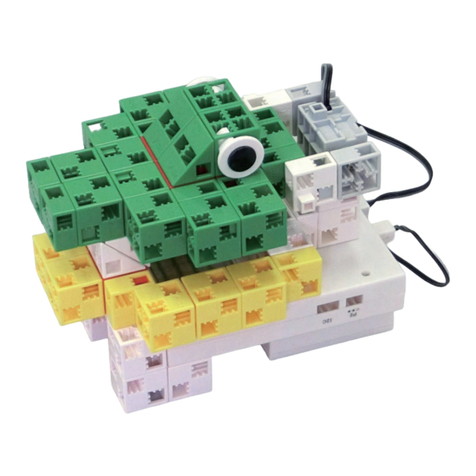
Artec Studuino User manual

Artec

Artec Studuino User manual

Artec Robo 2.0 User manual

Artec

Artec Robo 2.0 User manual

Artec Line Tracer User manual

Artec

Artec Line Tracer User manual

Artec Doggy Robot User manual

Artec

Artec Doggy Robot User manual

Artec Robo 2.0 User manual

Artec

Artec Robo 2.0 User manual

Artec Robotist Transporter User manual

Artec

Artec Robotist Transporter User manual

Popular Robotics manuals by other brands

Edison Edison Robot V2.0 manual

Edison

Edison Edison Robot V2.0 manual

Aldebaran plato Original instructions

Aldebaran

Aldebaran plato Original instructions

AgileX SCOUT MINI user manual

AgileX

AgileX SCOUT MINI user manual

Keenon Robotics W3 user manual

Keenon Robotics

Keenon Robotics W3 user manual

Franka Emika RESEARCH 3 product manual

Franka Emika

Franka Emika RESEARCH 3 product manual

STEMCenter USA Pi-Bot v2.00 user manual

STEMCenter USA

STEMCenter USA Pi-Bot v2.00 user manual

SunFounder PiDog manual

SunFounder

SunFounder PiDog manual

Universal Robots UR5 Service manual

Universal Robots

Universal Robots UR5 Service manual

Universal Robots E Series Original instructions

Universal Robots

Universal Robots E Series Original instructions

EFORT ECR5 Quick start manual

EFORT

EFORT ECR5 Quick start manual

RoboMaster AI Robot 2020 Standard Version user manual

RoboMaster

RoboMaster AI Robot 2020 Standard Version user manual

fischertechnik Mini Bots manual

fischertechnik

fischertechnik Mini Bots manual

Abicor Binzel iCAT mini operating instructions

Abicor Binzel

Abicor Binzel iCAT mini operating instructions

ABB OmniCore E10 product manual

ABB

ABB OmniCore E10 product manual

Moorebot Scout quick start guide

Moorebot

Moorebot Scout quick start guide

pitsco Tetrix Max Creator's Guide

pitsco

pitsco Tetrix Max Creator's Guide

ECOVACS DEEBOT R95 instruction manual

ECOVACS

ECOVACS DEEBOT R95 instruction manual

Feng Yuan Interstellar Warrior user guide

Feng Yuan

Feng Yuan Interstellar Warrior user guide

manuals.online logo
manuals.online logoBrands
  • About & Mission
  • Contact us
  • Privacy Policy
  • Terms and Conditions

Copyright 2025 Manuals.Online. All Rights Reserved.

Lucky Lottery
K0919083613
013_en Lucky Lottery
Unauthorized reproduction and distribution prohibited
2
①
②
③
④
×2
×2
×2
×2
3
⑤
②
④
⑥
⑦
⑧
×2
4
⑨
⑩
⑪
⑫
5
⑬
⑭
⑮
⑯
6
⑰
7
BATT
P0
IR Photoreflector
Battery Box
8
9
Turn your lottery machine's handle three
times to make a white, yellow, or red ball
appear on screen.
The lottery machine can put out a total
of 100 balls. 94 of those balls are white,
5 are yellow, and 1 is red.
The lottery machine will play a different
animation for each color of ball.
When the animation is done, the ball you
just got will move to the bottom left of
the screen.
The balls you roll will pile up on top of
each other and start a new stack in the
next column to the right when they reach
the top of the screen.
①
②
③
④
Load and transfer the sample program
LuckyLottery_1 to use your lottery
machine!
10
Press the   icon on top of your screen
to switch to fullscreen.
Press the  to go to the game's start
screen.
Press the A button to start the game!
Turn your lottery machine's handle three
times to make a random number from
1 to 75 appear on screen.
All the numbers drawn so far will be
recorded in the list on the left side of
the screen.
①
②
③
④
Open the sample program BingoGame_1
on your computer or tablet and connect it
to your ArtecRobo 2.0 unit via USB or
Bluetooth to use your lottery machine to
play a game of bingo!
(You'll need to make your own bingo
cards first.)