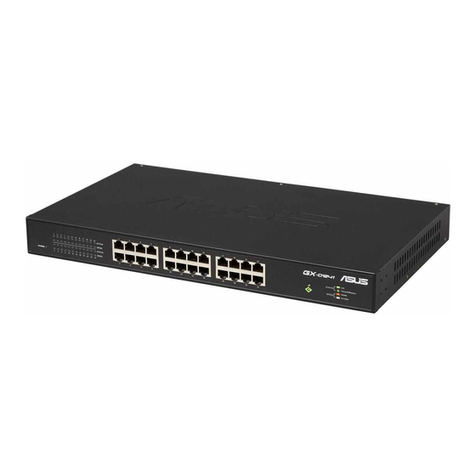
Asus GX-D1241 User manual

English
Quick Start Guide
GX-D1241
24-Port 10/100/1000Mbps
Rackmount Switch
Copyright © 2011 ASUSTeK Computer Inc. All Rights Reserved.
HW ver. 2
Q6876_GX-D1241_V2_QSG.indb 5 9/22/11 6:47:57 PM

English
Notices
Federal Communications Commission Statement
This device complies with Part 15 of the FCC Rules. Operation is subject to the
following two conditions:
1. This device may not cause harmful interference.
2. This device must accept any interference received, including interference that
may cause undesired operation.
This equipment has been tested and found to comply with the limits for a Class A
digital device, pursuant to Part 15 of the FCC Rules. These limits are designed to
provide reasonable protection against harmful interference when the equipment is
operated in a commercial environment. This equipment generates, uses, and can
radiate radio frequency energy, and if it is not installed and used in accordance with
the instruction manual, it may cause harmful interference to radio communications.
Operation of this equipment in a residential area is likely to cause harmful
interference, in which case the user will be required to correct the interference at
his own expense.
CE Mark Warning
This is a Class A product, in a domestic environment, this product may cause radio
interference, in which case the user may be required to take adequate measures.
REACH
Complying with the REACH (Registration, Evaluation, Authorisation, and Restriction
of Chemicals) regulatory framework, we published the chemical substances in our
products at ASUS REACH website at http://green.asus.com/english/REACH.htm.
Manufacturer: ASUSTeK Computer Inc.
Tel: +886-2-2894-3447
Address: No. 150, LI-DE RD., PEITOU, TAIPEI 112, TAIWAN
Authorised representative in Europe: ASUS Computer GmbH
Address: HARKORT STR. 21-23, 40880 RATINGEN, GERMANY
Authorised distributors in Turkey: BOGAZICI BIL GISAYAR SAN. VE TIC. A.S.
Tel: +90 212 3311000
Address: AYAZAGA MAH. KEMERBURGAZ CAD. NO.10 AYAZAGA/ISTANBUL
CIZGI Elektronik San. Tlc. Ltd. Stl.
Tel: +90 212 3567070
Address: CEMAL SURURI CD. HALIM MERIC IS MERKEZI No.15/C D:5-6
34394 MECIDIYEKOY/ISTANBUL
Q6876_GX-D1241_V2_QSG.indb 3 9/22/11 6:47:57 PM

DECLARATION OF CONFORMITY
Per FCC Part 2 Section 2. 1077(a)
Responsible Party Name: Asus Computer International
Address: 800 Corporate Way, Fremont, CA 94539.
Phone/Fax No: (510)739-3777/(510)608-4555
hereby declares that the product
Product Name : 24-Port Rack-mountable Gigabit Switch
Model Number : GX-D1241
Conforms to the following specifications:
FCC Part 15, Subpart B, Unintentional Radiators
FCC Part 15, Subpart C, Intentional Radiators
FCC Part 15, Subpart E, Intentional Radiators
Supplementary Information:
This device complies with part 15 of the FCC Rules. Operation is subject to
the following two conditions: (1) This device may not cause harmful
interference, and (2) this device must accept any interference received,
including interference that may cause undesired operation.
Representative Person’s Name : Steve Chang / President
Signature:
Date: Sep. 30, 2011
Ver. 110101

EC Declaration of Conformity
We, the undersigned,
Manufacturer: ASUSTek COMPUTER INC.
Address, City: No. 150, LI-TE RD., PEITOU, TAIPEI 112, TAIWAN R.O.C.
Country: TAIWAN
Authorized representative in Europe: ASUS COMPUTER GmbH
Address, City: HARKORT STR. 21-23, 40880 RATINGEN
Country: GERMANY
declare the following apparatus:
Product name : 24-Port Rack-mountable Gigabit Switch
Model name : GX-D1241
conform with the essential requirements of the following directives:
2004/108/EC-EMC Directive
EN 55022:2006+A1:2007
EN 61000-3-2:2006
EN 55013:2001+A1:2003+A2:2006
EN 55024:1998+A1:2001+A2:2003
EN 61000-3-3:2008
EN 55020:2007
1999/5/EC-R &TTE Directive
EN 300 328 V1.7.1(2006-05)
EN 300 440-1 V1.4.1(2008-05)
EN 300 440-2 V1.2.1(2008-03)
EN 301 511 V9.0.2(2003-03)
EN 301 908-1 V3.2.1(2007-05)
EN 301 908-2 V3.2.1(2007-05)
EN 301 893 V1.4.1(2005-03)
EN 302 544-2 V1.1.1(2009-01)
EN 50360:2001
EN 50371:2002
EN 50385:2002
EN 301 489-1 V1.8.1(2008-04)
EN 301 489-3 V1.4.1(2002-08)
EN 301 489-4 V1.3.1(2002-08)
EN 301 489-7 V1.3.1(2005-11)
EN 301 489-9 V1.4.1(2007-11)
EN 301 489-17 V2.1.1(2009-05)
EN 301 489-24 V1.4.1(2007-09)
EN 302 326-2 V1.2.2(2007-06)
EN 302 326-3 V1.3.1(2007-09)
EN 301 357-2 V1.3.1(2006-05)
EN 302 623 V1.1.1(2009-01)
2006/95/EC-LVD Directive
EN 60950-1:2006
EN 60950-1:2006+A11:2009
EN 60065:2002+A1:2006+A11:2008
2009/125/EC-ErP Directive
Regulation (EC) No. 1275/2008
EN 62301:2005
Regulation (EC) No. 642/2009
EN 62301:2005
Regulation (EC) No. 278/2009
EN 62301:2005
Ver. 110101
CE marking
Declaration Date: Sep. 30, 2011
Year to begin affixing CE marking:2011
Position : CEO
Name : Jerry Shen
Signature : __________
(
EC conformit
y
markin
g)

English
Index
1. English .................................................................................................1
2. 繁體中文.............................................................................................12
3. Bahasa Indonesia ..............................................................................18
4.
ไทย
.....................................................................................................24
5. Türkçe................................................................................................30
6. Español..............................................................................................36
7. Français .............................................................................................42
Q6876_GX-D1241_V2_QSG.indb 4 9/22/11 6:47:57 PM

English
Quick Start Guide
GX-D1241
24-Port 10/100/1000Mbps
Rackmount Switch
Copyright © 2011 ASUSTeK Computer Inc. All Rights Reserved.
Q6876
HW ver. 2
Q6876_GX-D1241_V2_QSG.indb 5 9/22/11 6:47:57 PM

6 Quick Start Guide
English
Key features
ASUS Green Network Technology features two power saving functions:
• Link down mode
The Ethernet port powers down to the standby mode when no link is detected
on it.
• Cable length detection
Each Ethernet port on the switch automatically detects the length of the cable
plugged to it and adjusts the power it consumes. Shorter cables require less
power.
Package contents
Before installing the GX-D1241 switch, check your package for the following items.
• ASUS GX-D1241 switch x1
• AC power cable x1
• Quick Start Guide x1
• Rack mounting kit x1 (2 brackets, 6 screws)
• Warranty Card x1
NOTE: Contact your retailer if any of the items is damaged or missing.
Q6876_GX-D1241_V2_QSG.indb 6 9/22/11 6:47:58 PM

Quick Start Guide 7
English
Technical specications
Standard compliance IEEE 802.3 10BASE-T Ethernet
IEEE 802.3u 100BASE-TX Fast Ethernet
IEEE 802.3ab 1000BASE-T Gigabit Ethernet
IEEE 802.3x Flow Control
IEEE 802.3az Energy Efcient Ethernet
Features Number of Ports: 24 x Gigabit Ethernet ports
MAC Address Table: 16K
Switch Fabric: 48Gbps
Buffer Memory: 3.5M bits
Jumbo Frame: 9.2KB
Transmission Method: Store-and-forward
Data transfer rate Ethernet: 10Mbps (Half-duplex)
Ethernet: 20Mbps (Full-duplex)
Fast Ethernet: 100Mbps (Half-duplex)
Fast Ethernet: 200Mbps (Full-duplex)
Gigabit Ethernet: 2000Mbps (Full-duplex)
Interface RJ-45
Status LEDs Per unit: SYSTEM
Per port: STATUS, SPEED
Power consumption 30 Watts Max.
Power supply 100-240VAC, 50/60Hz Internal Universal Power
Environmental specications Operating Temperature: 0ºC-45ºC (32ºF-113ºF)
Storage Temperature: -20ºC-70ºC (-4 ºF-158 ºF)
Operating Humidity: 10%-90% RH (Non-condensing)
Storage Humidity: 5%-95% RH (Non-condensing)
Physical specications Dimensions: 430mm (L) x 250mm (W) x 44.45mm (H)
Weight: 2.02kg
Certication CE / FCC / C-Tick / LVD
Rack mounting kit 2 x brackets, 6 x screws
NOTE: Specications are subject to change without notice.
Q6876_GX-D1241_V2_QSG.indb 7 9/22/11 6:47:59 PM

8 Quick Start Guide
English
Rear panel
The rear panel of GX-D1241 includes the power connector. The input power is
100-240VAC, 50/60Hz.
Hardware
Front panel
The front panel of GX-D1241 includes 24 RJ-45 10/100/1000Mbps Gigabit Ethernet
ports and LED indicators that show real-time status of the switch.
Table 1. LED indicators
LED Color Status Description
SYSTEM Green ON The switch is ON.
OFF The switch is OFF.
STATUS Green
ON The corresponding port is connected and a valid
link is established.
Blinking A valid link is established and data is being
transmitted or received.
OFF No valid link is established.
SPEED Amber ON 1000Mbps
OFF 10/100Mbps
Power connector
100~240 VAC~
1000 Mbps
10/100 Mbps
Link
Transmit/ Receive
Q6876_GX-D1241_V2_QSG.indb 8 9/22/11 6:48:00 PM

Quick Start Guide 9
English
Mounting the switch on a 19-inch rack
Mount the GX-D1241 switch on a rack with the supplied mounting brackets and
screws.
To mount the switch on a rack:
1. Locate three screw holes on both sides of the switch.
2. Align the mounting brackets with the switch screw holes.
3. Secure the mounting brackets with six screws supplied in the mounting kit on
both sides of the switch.
4. Place the switch in a 19-inch rack, then secure both sides with four rack
mount screws.
NOTE: The rack mount screws are not supplied.
Desktop placement
Put the GX-D1241 switch on a at and stable surface.
Placement options
CAUTION:
• DO NOT place any device on top of the switch.
• Leave enough space around the switch for adequate ventilation. Ensure
that the switch is placed in a location that meets the environmental
specications. See page 4 for details.
1000 Mbps
10/100 Mbps
Link
Transmit/Receive
Q6876_GX-D1241_V2_QSG.indb 9 9/22/11 6:48:01 PM
Other manuals for GX-D1241
1
Table of contents
Languages:
Other Asus Switch manuals
Asus
Asus GigaX1104PS User manual
Asus
Asus E1816 User manual
Asus
Asus GX1108B User manual
Asus
Asus GIGAX2024 User manual

Asus
Asus GigaX1116i+ User manual
Asus
Asus GIGAX2048 User manual
Asus
Asus GigaX1024 User manual
Asus
Asus GigaX1008 User manual
Asus
Asus GigaX1024X User manual
Asus
Asus GigaX 2124X User manual
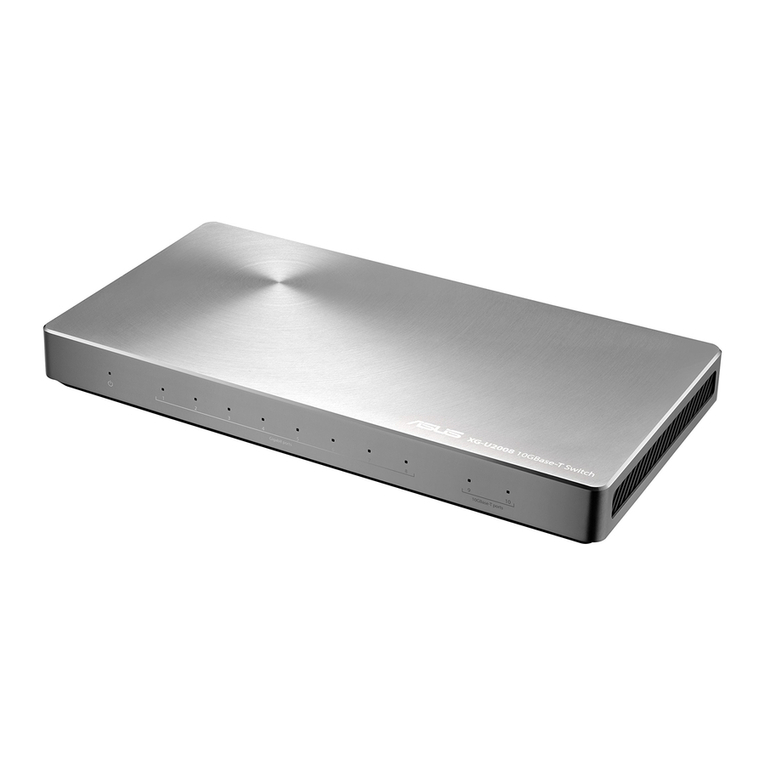
Asus
Asus XG-U2008 User manual
Asus
Asus GigaX1024i+ User manual
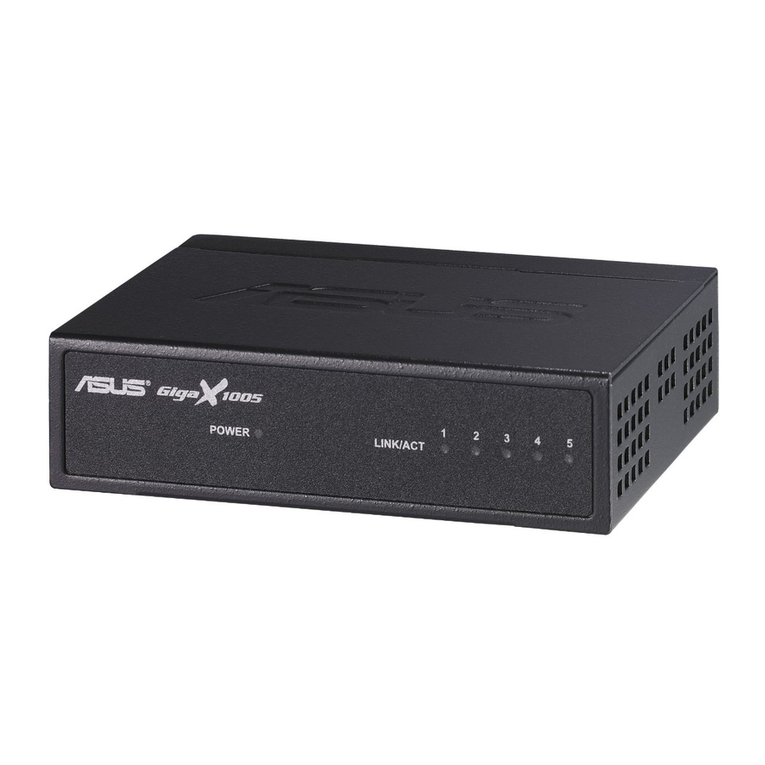
Asus
Asus GIGAX 2024M User manual
Asus
Asus GX1105N User manual
Asus
Asus GigaX 1016 User manual
Asus
Asus GigaX1105N User manual
Asus
Asus GIGAX 1008B User manual
Asus
Asus GIGAX 2024M User manual

Asus
Asus GigaX1024i User manual

Asus
Asus GigaX1105N User manual