SEC
TI
ON
502-304
-1
01
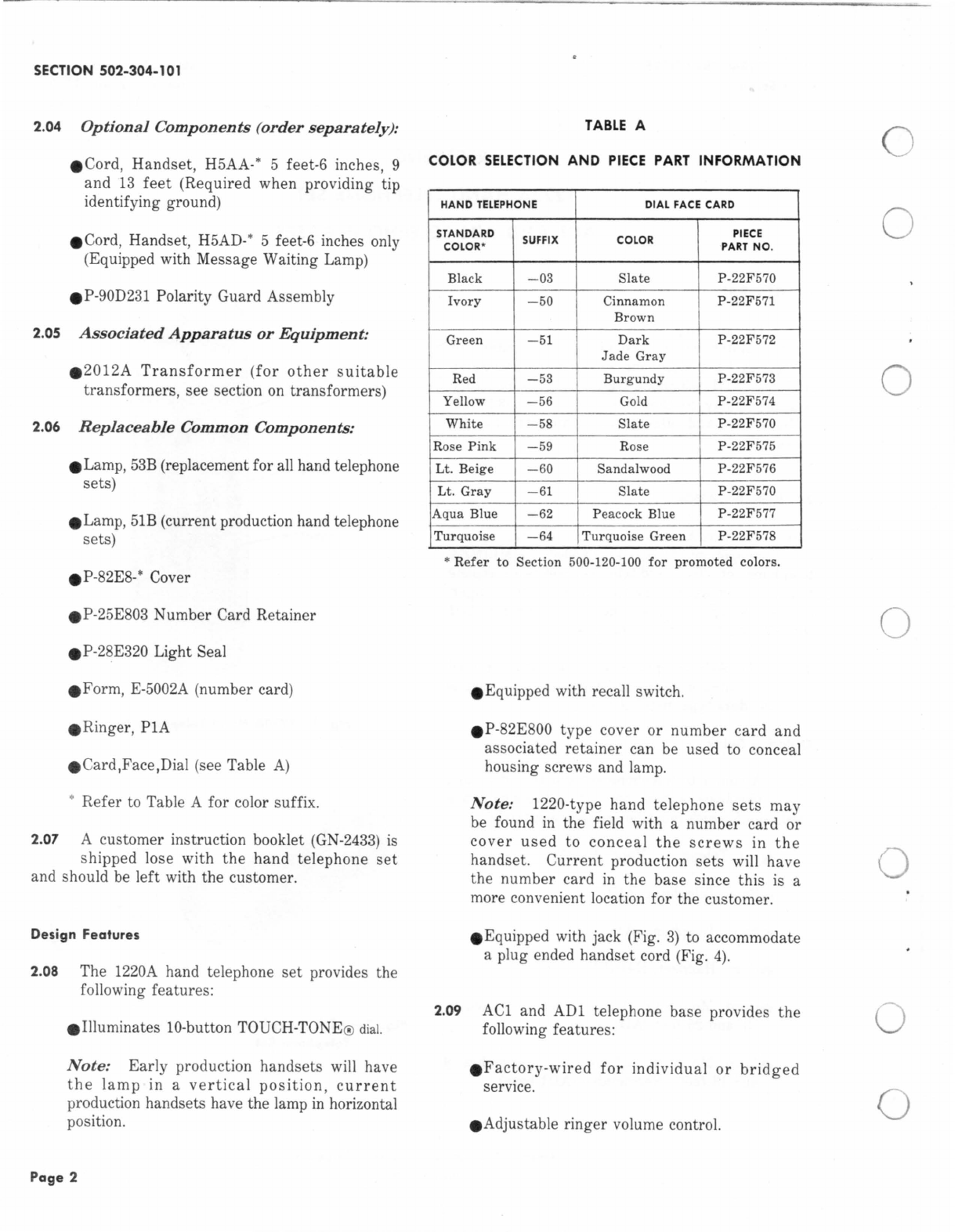
2.09 The hand telephone
set
with base can be
used
on
CO
or PBX lines and can be modified
for use with lA,
1A2,
or
()A
k
ey
telephone s.vstems.
3. INSTALLATION
3.01 When planning the installation of a hand
telephone
set
together
with its companion
base, consider the following:
eSafety for yourself, customer, and maintenance
personnel
e
Location-desk,
table, wall, etc.
eAvailability ofpower outletfor hand telephone
set
dial light transformer
eSpace requirement
eGeneral appearance of installation
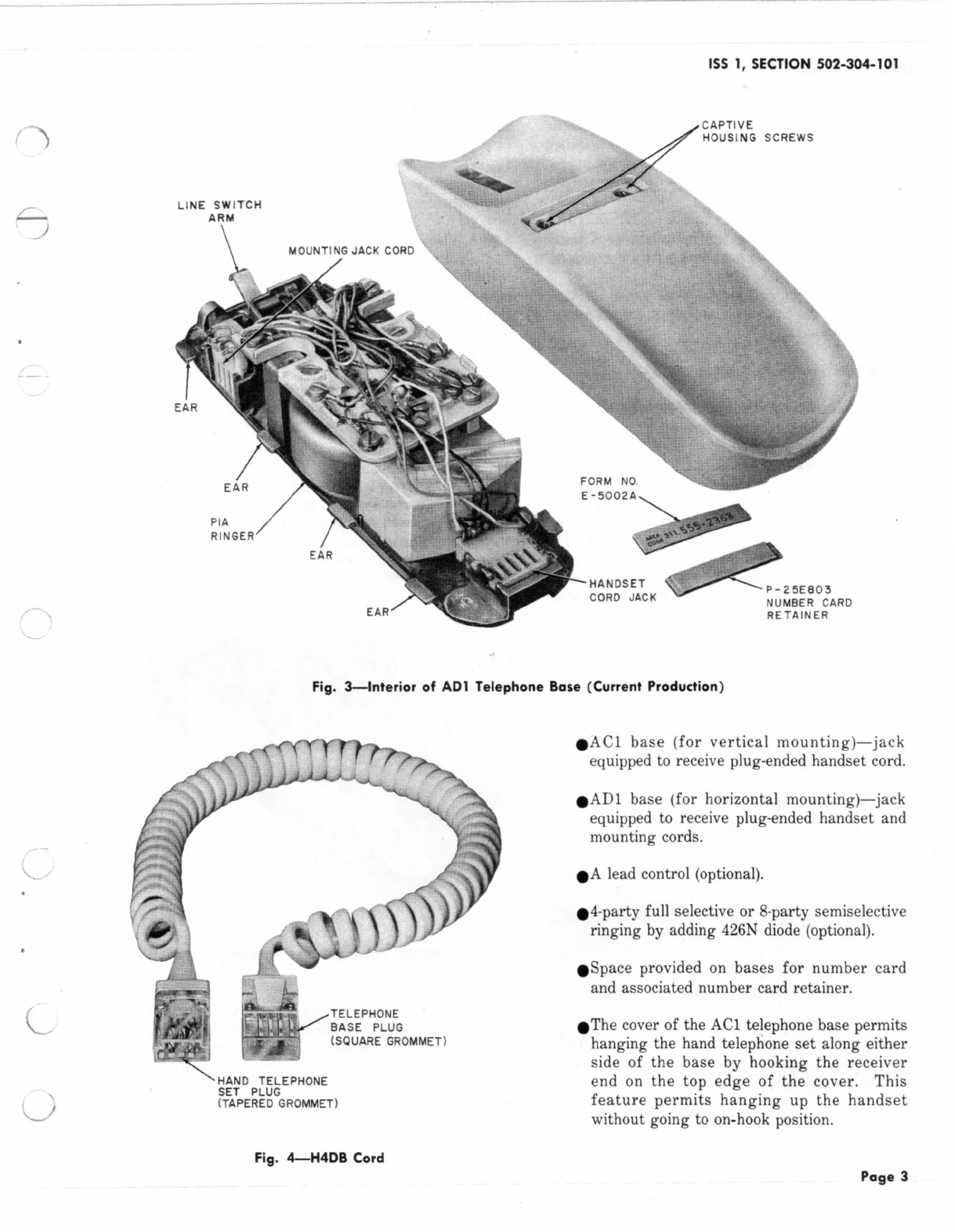
3.02 The plastic housings of the
ACl
and ADI
bases are secured by captive housing screws
located behind the number card and number card
retainer.
To
remove the housing from either base
assembly,use a KS-16750 type releaser or equivalent
to remove the number card retainer (Fig.
5).
Be
c
areful
no
t to
damage
the
hou
si
ng
. Loosen
the
two captive screws, which
are
now exposed,
and lift the housing off.
./A
CI
/"'
TELEPHONE
BASE
Fi
g.
5-Remov
i
ng
Number Card Retainer
Page 4
3.03 The
ACl
base may be mounted directly to
a firm vertical surface.
If
necessary, use a
155-type adapter or 182-type backboard. Refer to
appropriate section
in
Division
463
for additional
information on adapters and backboards.
3.04 When inside wire to the ACl (wall) telephone
base
is
exposed,
terminate
the
line
and
transformer
wiring
at
a common bridging point,
such
as
a 42A connecting block. Run one
quad
station
wire
from
the
connecting
block to
the
telephone base. Wiring may enter from the opening
at
the bottom, top, or through the backplate.
3.05 In cases where an inside wire is already
in
place through a wall, an exposed wire
run
may be necessary between the dial light transformer
and the base.
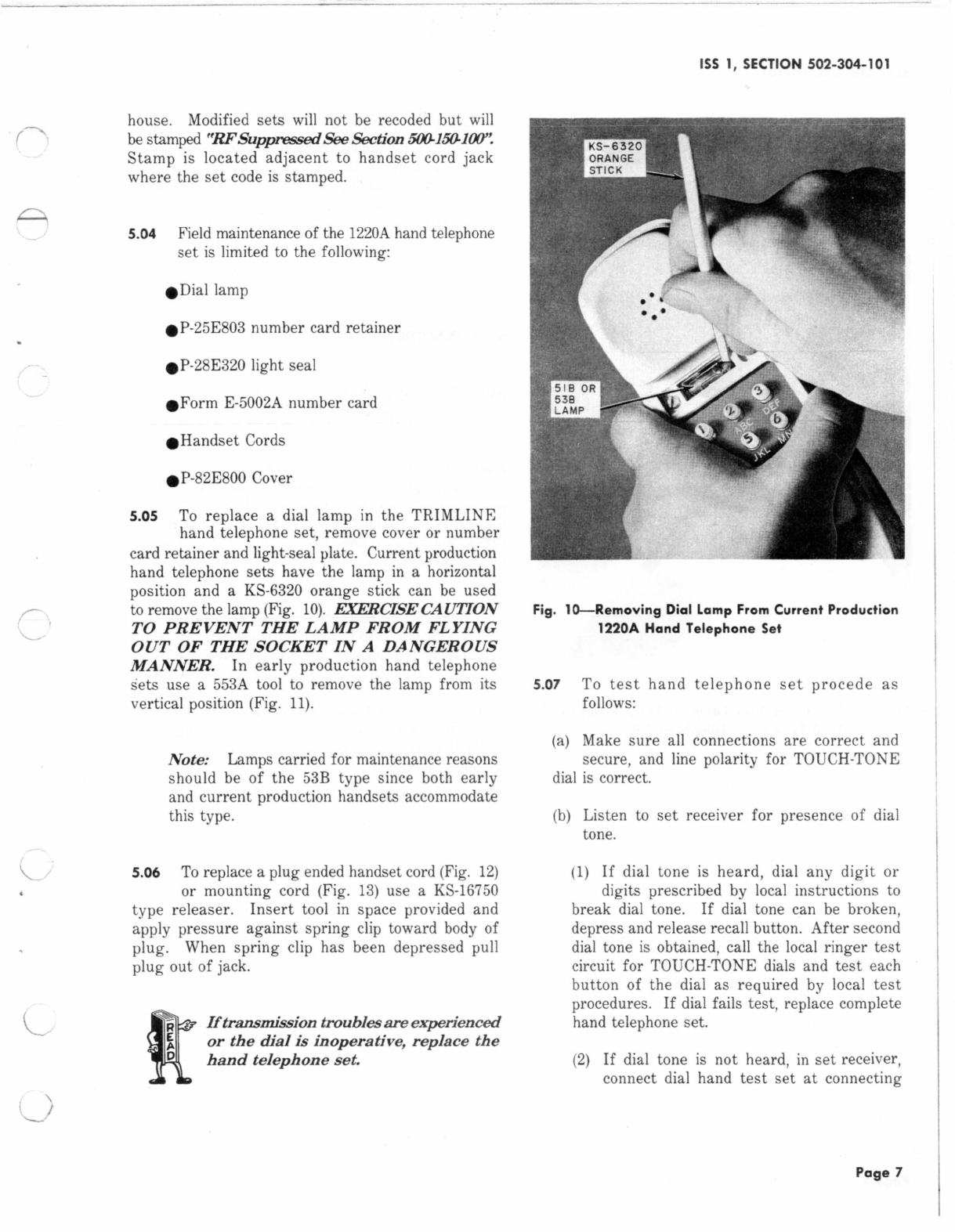
t<
E
Polarit
y
Guard
should
only
be
install
ed
when
instructed
by
lo
c
al
administrat
iv
e
practices
or
procedures
for
end-to-end
signaling
purposes
when
batter
y
and
ground
re
v
ersals
ar
e enc
ountered
(Fig. 6).
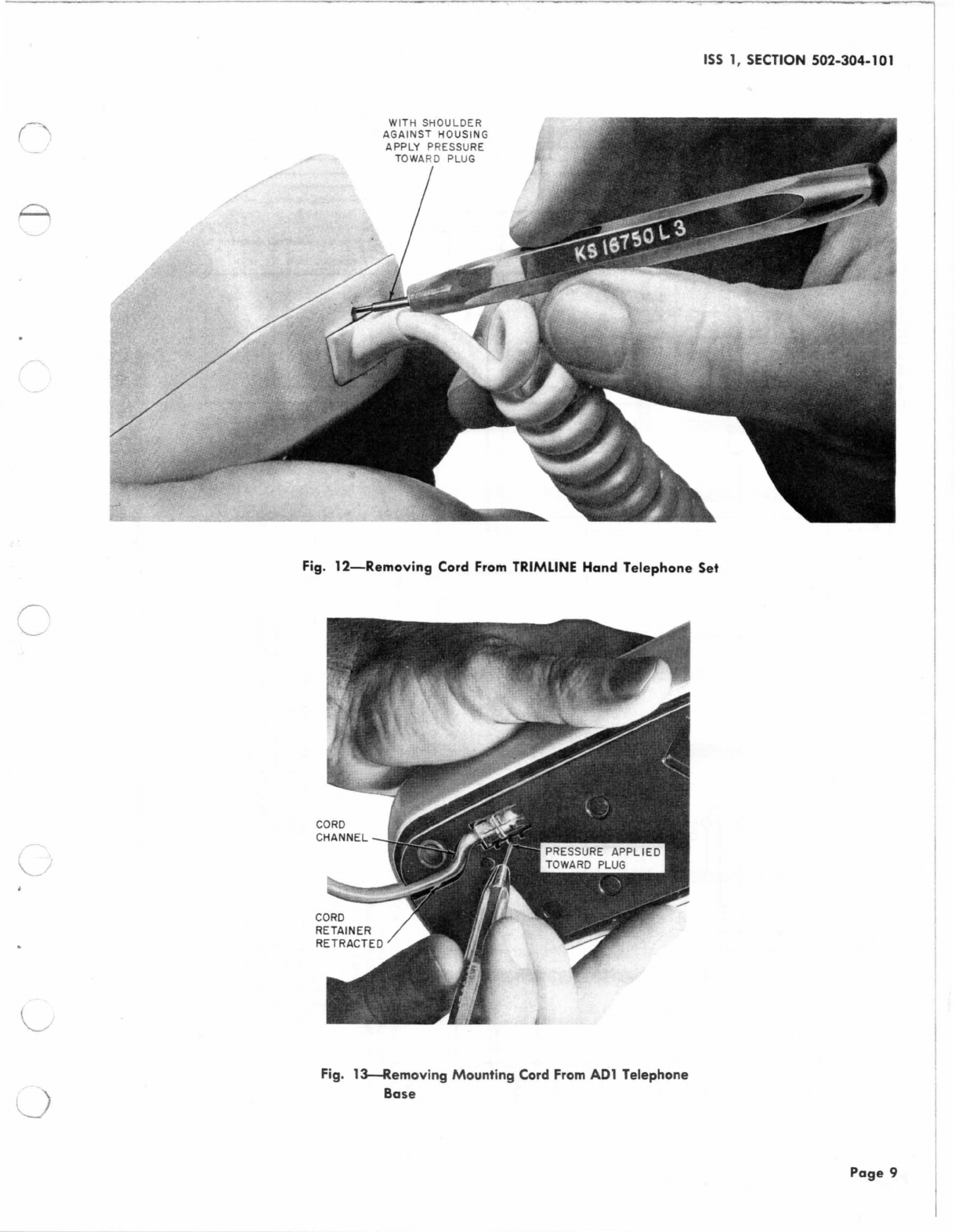
Fi
g.
6-P-900231
Polarity Guard Assembly, Installed
3.06
To
replace the housing on the ACl base lift
and hold the line switch plunger while housing
is
placed
on
the backplate. Release plunger so
it
will
rest
properly on the line switch
arm
of
the
base assembly. Tighten the captive housing screws
and replace the number card.
0
0
0
0
0
0
0
TCI Library: www.telephonecollectors.info