EnglishDeutsch
 logo
Brands
  1. Home
  2. •
  3. Brands
  4. •
  5. Balboa
  6. •
  7. Control Panel
  8. •
  9. Balboa SUV M-7 Parts list manual

Balboa SUV M-7 Parts list manual

Other Balboa Control Panel manuals

Balboa TP800 series User manual

Balboa

Balboa TP800 series User manual

Balboa ML700 User manual

Balboa

Balboa ML700 User manual

Balboa spaTouch series User manual

Balboa

Balboa spaTouch series User manual

Balboa TP200 PANEL User manual

Balboa

Balboa TP200 PANEL User manual

Balboa ML400 User manual

Balboa

Balboa ML400 User manual

Balboa TP600 User manual

Balboa

Balboa TP600 User manual

Balboa GL Series User manual

Balboa

Balboa GL Series User manual

Balboa MVP260 Parts list manual

Balboa

Balboa MVP260 Parts list manual

Balboa GL Series User manual

Balboa

Balboa GL Series User manual

Balboa BP2000 Operator's manual

Balboa

Balboa BP2000 Operator's manual

Balboa TP900 series Reference guide

Balboa

Balboa TP900 series Reference guide

Balboa ML900 User manual

Balboa

Balboa ML900 User manual

Balboa TP500 User manual

Balboa

Balboa TP500 User manual

Balboa TP200 PANEL User manual

Balboa

Balboa TP200 PANEL User manual

Balboa EL Series User manual

Balboa

Balboa EL Series User manual

Balboa TP600 User manual

Balboa

Balboa TP600 User manual

Balboa ML550 User manual

Balboa

Balboa ML550 User manual

Balboa ML260 User manual

Balboa

Balboa ML260 User manual

Popular Control Panel manuals by other brands

RDZ PC-HRX user manual

RDZ

RDZ PC-HRX user manual

STG-BEIKIRCH MZ3 operation instruction

STG-BEIKIRCH

STG-BEIKIRCH MZ3 operation instruction

Efka Variocontrol V810 instruction manual

Efka

Efka Variocontrol V810 instruction manual

Cebora 208-10 instruction manual

Cebora

Cebora 208-10 instruction manual

AMX AutoPatch CP-15 instruction manual

AMX

AMX AutoPatch CP-15 instruction manual

Satel CA-6 KLED-S user manual

Satel

Satel CA-6 KLED-S user manual

Evolution IQ plus 800 installation manual

Evolution

Evolution IQ plus 800 installation manual

Fagor 8040 TCO CNC operating manual

Fagor

Fagor 8040 TCO CNC operating manual

AKO PROCool AKO-17635-2 quick guide

AKO

AKO PROCool AKO-17635-2 quick guide

ABB 6136/30M-101 operating instructions

ABB

ABB 6136/30M-101 operating instructions

Telikou BK-603 Belt Pack instruction manual

Telikou

Telikou BK-603 Belt Pack instruction manual

Mapei Mapeheat Thermo Touch user guide

Mapei

Mapei Mapeheat Thermo Touch user guide

Bosch D9412GV4 owner's manual

Bosch

Bosch D9412GV4 owner's manual

Mitsubishi Heavy Industries SC-SL4-AE2/1 user manual

Mitsubishi Heavy Industries

Mitsubishi Heavy Industries SC-SL4-AE2/1 user manual

Sminn BOX L VF1L EI instruction manual

Sminn

Sminn BOX L VF1L EI instruction manual

Nice HSCU1 Instructions and warnings for installation and use

Nice

Nice HSCU1 Instructions and warnings for installation and use

Truma CP plus installation instructions

Truma

Truma CP plus installation instructions

Crowcon Vortex Installation, operation and maintenance

Crowcon

Crowcon Vortex Installation, operation and maintenance

https://manuals.online logo
https://manuals.online logoBrands
  • About & Mission
  • Contact us
  • Privacy Policy
  • Terms and Conditions

Copyright 2026 Manuals.Online. All Rights Reserved.

(over)
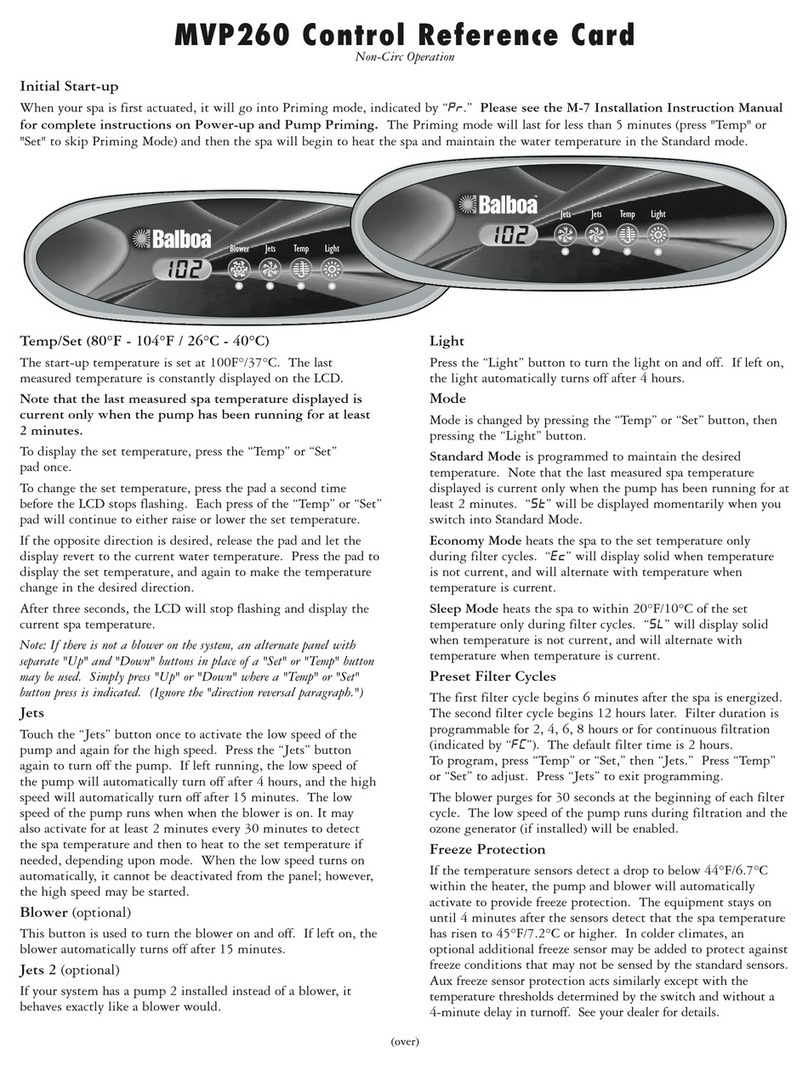
SUV M-7 Control Reference Card
Initial Start-up
When your spa is first actuated, it will go into Priming mode, indicated by “ .” Please see the M-7 Installation Instruction
Manual for complete instructions on Power-up and Pump Priming.The Priming mode will last for less than 5 minutes and
then the spa will begin to heat the spa and maintain the water temperature in the Standard mode.
Temp/Set (80°F - 104°F / 26°C - 40°C)
The start-up temperature is set at 100F°/37°C. The
last measured temperature is constantly displayed on
the LCD.
Note that the last measured spa temperature displayed is
current only when the pump has been running for at least
2 minutes.
To display the set temperature, press the “Temp” or “Set”
pad once.
To change the set temperature, press the pad a second
time before the LCD stops flashing. Each press of the
“Temp” or “Set” pad will continue to either raise or
lower the set temperature.
If the opposite direction is desired, release the pad and
let the display revert to the current water temperature.
Press the pad to display the set temperature, and again
to make the temperature change in the desired direction.
After three seconds, the LCD will stop flashing and
display the current spa temperature.
Jets
Touch the “Jets” button once to activate the low speed
of the pump and again for the high speed. Press the
“Jets” button again to turn off the pump. If left running,
the low speed of the pump will automatically turn off
after 4 hours, and the high speed will automatically
turn off after 15 minutes. The low speed of the pump
runs when the blower is on. It may also activate for
at least 2 minutes every 30 minutes to detect the spa
temperature and then to heat to the set temperature if
needed, depending upon mode. When the low speed
turns on automatically, it cannot be deactivated from the
panel; however, the high speed may be started.
Jets 2
This button is used to turn pump 2 on and off. If left on,
the pump automatically turns off after 15 minutes.
Light
Press the “Light” button to turn the light on and off. If
left on, the light automatically turns off after 4 hours.
Mode
Mode is changed by pressing the “Temp” or “Set” button,
then pressing the “Light” button.
Standard Mode is programmed to maintain the desired
temperature. Note that the last measured spa temperature
displayed is current only when the pump has been
running for at least 2 minutes. “ ” will be displayed
momentarily when you switch into Standard Mode.
Economy Mode heats the spa to the set temperature
only during filter cycles. “ ” will display solid when
temperature is not current, and will alternate with
temperature when temperature is current.
Sleep Mode heats the spa to within 20°F of the set
temperature only during filter cycles. “ ” will display
solid when temperature is not current, and will alternate
with temperature when temperature is current.
Preset Filter Cycles
The first filter cycle begins 6 minutes after the spa is
energized. The second filter cycle begins 12 hours later.
Filter duration is programmable for 2, 4, 6, 8 hours or for
continuous filtration (indicated by “ ”). The default filter
time is 2 hours.
To program, press “Temp” or “Set,” then “Jets.”
Press “Temp” or “Set” to adjust. Press “Jets” to
exit programming.
The blower purges for 30 seconds at the beginning of
each filter cycle. The low speed of the pump runs during
filtration and the ozone generator (if installed) will
be enabled.
Freeze Protection
If the temperature sensors detect a drop to below
45°F within the heater, the pump and blower will
automatically activate to provide freeze protection. The
equipment stays on until 4 minutes after the sensors
detect that the spa temperature has risen to 45°F or
higher. In colder climates, an optional additional freeze
sensor may be added to protect against freeze conditions
that may not be sensed by the standard sensors. Aux
freeze sensor protection acts similarly except with the
temperature thresholds determined by the switch and
without a 4-minute delay in turnoff. See your dealer
for details.
Light
Jets 1
Set
Jets 2
Duplex Digital System
Heat
Electronic Spa Controls
Light
Heat
Temp
LCD Lite Duplex
System
JetsJets

P/N 40651 Rev. A 06/29/2006
Warning! Shock Hazard! No User Serviceable Parts.
Do not attempt service of this control system. Contact your dealer or service organization for assistance. Follow all owner’s manual power
connection instructions. Installation must be performed by a licensed electrician and all grounding connections must be properly installed.
Message
No message on display.
Power has been cut off to the spa.
Temperature unknown.
“Overheat” - The spa has shut down. One
of the sensors has detected 118°F at the
heater.
“Overheat” - The spa has shut down. One
of the sensors has detected that the spa
water is 110°F.
“Ice” - Potential freeze condition detected.
Spa is shut down. The sensor that is
plugged into the Sensor “A” jack is
not working.
Spa is shut down. The sensor that is
plugged into the Sensor “B” jack is
not working.
Sensors are out of balance. If alternating
with spa temperature, it may just be a
temporary condition. If flashing by itself,
spa is shut down.
A significant difference between
temperature sensors has been detected.
This could indicate a flow problem.
Persistent low flow problems. (Displays on
the fifth occurrence of “ ” message within
24 hours.) Heater is shut down, but other
spa functions continue to run normally.
Possible inadequate water, poor flow, or
air bubbles in detected in the heater. Spa
is shut down for 15 minutes.
Inadequate water detected in heater.
(Displays on third occurrence of “ ”
message.) Spa is shut down.
The control panel will be disabled until power returns.
Spa settings will be preserved until next power up.
After the pump has been running for 2 minutes, the
temperature will be displayed.
DO NOT ENTER THE WATER. Remove the spa cover
and allow water to cool. Once the heater has cooled,
reset by pushing any button. If spa does not reset,
shut off the power to the spa and call your dealer or
service organization.
DO NOT ENTER THE WATER. Remove the spa
cover and allow water to cool. At 107°F, the spa
should automatically reset. If spa does not reset,
shut off the power to the spa and call your dealer or
service organization.
No action required. The pump and blower will
automatically activate regardless of spa status.
If the problem persists, contact your dealer or service
organization. (May appear temporarily in an overheat
situation and disappear when the heater cools.)
If the problem persists, contact your dealer or service
organization. (May appear temporarily in an overheat
situation and disappear when the heater cools.)
If the problem persists, contact your dealer or
service organization.
Check water level in spa. Refill if necessary. If the
water level is okay, make sure the pumps have been
primed. If problem persists, contact your dealer or
service organization.
Follow action required for “ ” message. Heating
capability of the spa will not reset automatically; you
may press any button to reset.
Check water level in spa. Refill if necessary. If water
level is okay, make sure the pumps have been
primed. Press any button to reset, or this message
will automatically reset within 15 minutes. If problem
persists, contact your dealer or service organization.
Follow action required for “ ” message. Spa will not
automatically reset. Press any button to reset.
Meaning Action Required
Diagnostic Messages