2
CHAPTER : INTRODUCTION AND INSTALLATION
1. 8 7 7. 8 7 7. 2 2 6 9 BLACKBOX.COM
NEED HELP?
LE AVE THE TECH TO US
LIVE 24/7
TECHNICAL
SUPPORT
1. 8 7 7. 87 7. 2 2 6 9
INTRODUCTION
EME1TS, AlertWerks Temperature Sensor String, and EME1THS, AlertWerks Temperature/Humidity Sensor String, are
Thermal Map Sensors (TMS) designed for use with our AlertWerks Wired Gateways. These sensors can help you locate hot
sports in your server cabinets.
The TMS sensor includes six Temperature Sensors and optional two Humidity sensors that are mounted within your server
cabinet in the front and rear of the cabinet.
Both the EME1TS and EME1THS only use one sensor port on the Gateway.
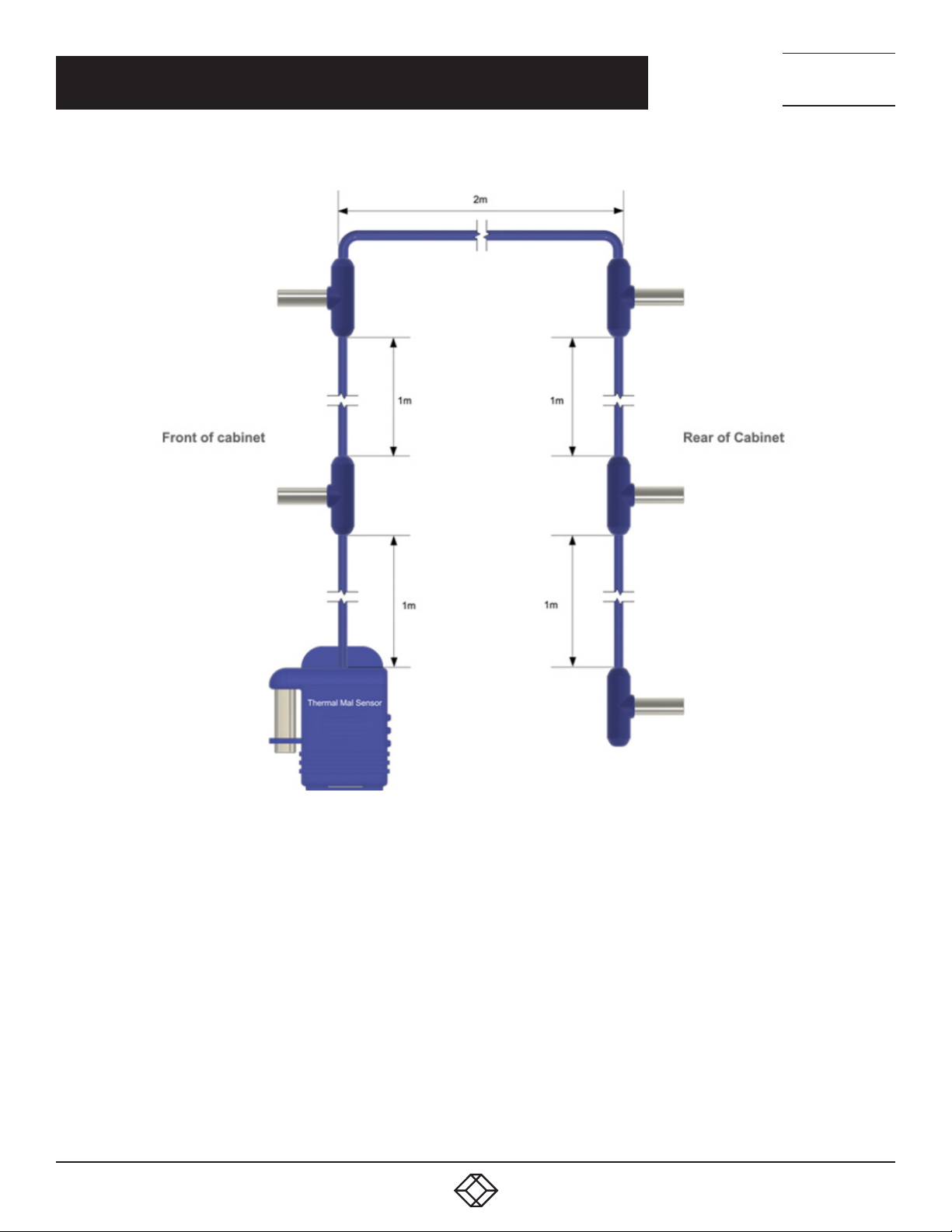
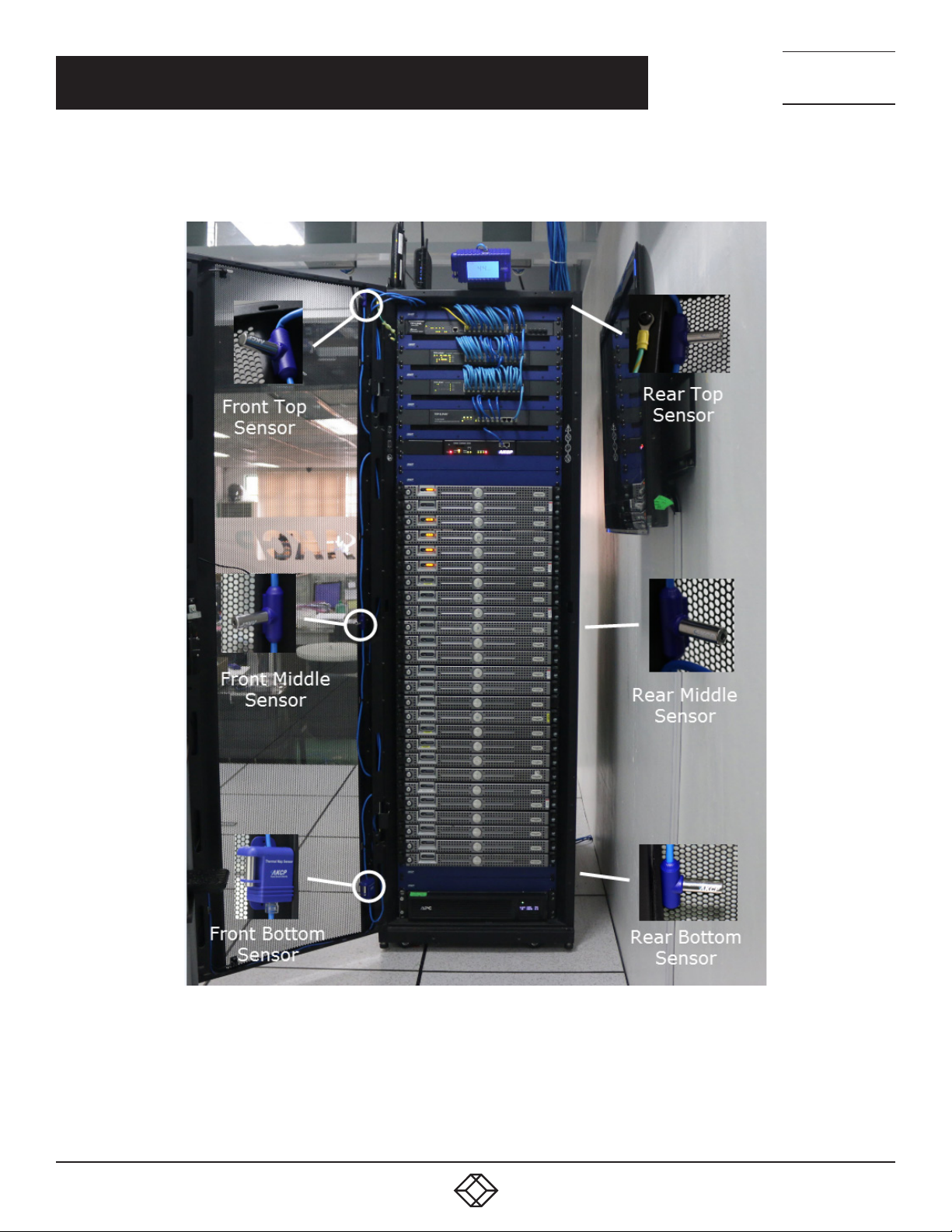
Pre-wired to be easily installed in your cabinet, the sensors are placed at the top, middle, and bottom – front and rear of the
cabinet. This sensor configuration monitors the cabinet’s air intake, exhaust temperatures, and its temperature differential
from the front to the rear. Use Thermal Map sensors to identify cabinet hot spots and problem areas.
This manual will explain how to install and configure the sensor with Web UI options.
Although we focus on the EME1TS sensor, which has six temperature sensors, the configuration process is the same for the
EME1THS.
NOTE: The TMS sensors are only compatible with the AlertWerks Wired Plus Gateways and will not work on older hubs.
These sensors will also not work on EMEMS prior to version v13.0.
THERMAL MAP INSTALLATION
TMS sensors are easy to install. They ship pre-wired and ready to mount with magnetic fasteners, cable ties, or ultra high
bond adhesive tape to hold them in position in your cabinet.
As shown in Figure 1-1 below, mount each sensor on the front and rear doors of your perforated cabinet so they are
exposed directly to the airflow in and out of the rack.