manuals.online logo
Brands
  1. Home
  2. •
  3. Brands
  4. •
  5. Bticino
  6. •
  7. Touch Panel
  8. •
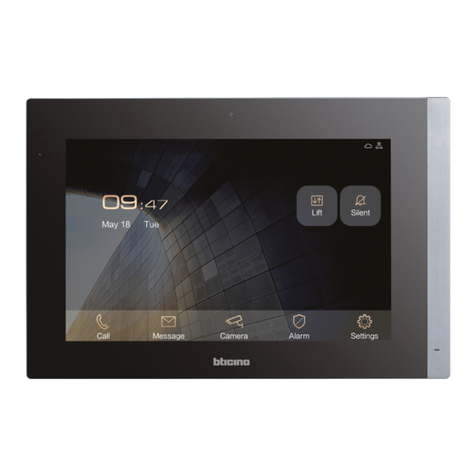
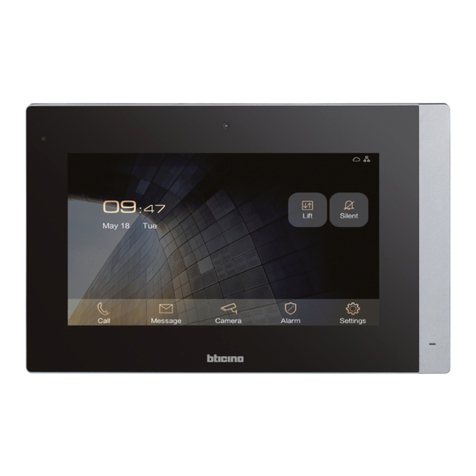
  9. Bticino MyHOME 3488 User manual

Bticino MyHOME 3488 User manual

This manual suits for next models

1

Other Bticino Touch Panel manuals

Bticino 373001 User manual

Bticino

Bticino 373001 User manual

Bticino H/L 4684 User manual

Bticino

Bticino H/L 4684 User manual

Bticino 373002 User manual

Bticino

Bticino 373002 User manual

Bticino 373005 User manual

Bticino

Bticino 373005 User manual

Bticino CLASSE 300X13E User manual

Bticino

Bticino CLASSE 300X13E User manual

Bticino 374005 Operating manual

Bticino

Bticino 374005 Operating manual

Bticino HC 4690 User manual

Bticino

Bticino HC 4690 User manual

Bticino H/L 4684 User manual

Bticino

Bticino H/L 4684 User manual

Bticino HC 4690 Instruction Manual

Bticino

Bticino HC 4690 Instruction Manual

Popular Touch Panel manuals by other brands

Endress+Hauser ria45 operating instructions

Endress+Hauser

Endress+Hauser ria45 operating instructions

Wincomm WLP-7B20 Series user manual

Wincomm

Wincomm WLP-7B20 Series user manual

NEC ME Series user manual

NEC

NEC ME Series user manual

VIPA TP 606C CAN manual

VIPA

VIPA TP 606C CAN manual

Acnodes PC 1080 quick guide

Acnodes

Acnodes PC 1080 quick guide

Extron electronics TLP 700MV user guide

Extron electronics

Extron electronics TLP 700MV user guide

AMX AXT-EL Plus Dimensional drawing

AMX

AMX AXT-EL Plus Dimensional drawing

LEGRAND 67285 installation manual

LEGRAND

LEGRAND 67285 installation manual

FlowLine Data loop quick start

FlowLine

FlowLine Data loop quick start

ALPEX AEx-8 P Series user manual

ALPEX

ALPEX AEx-8 P Series user manual

Harman AMX MODERO S MSD-701-L2 quick start guide

Harman

Harman AMX MODERO S MSD-701-L2 quick start guide

ADT 6270ADT Installation and setup gude

ADT

ADT 6270ADT Installation and setup gude

Acnodes PC 1150 installation guide

Acnodes

Acnodes PC 1150 installation guide

AMX ViewPoint quick start guide

AMX

AMX ViewPoint quick start guide

AIS IP10IA99 series user guide

AIS

AIS IP10IA99 series user guide

IBASE Technology ASTUT-152-RE1S user manual

IBASE Technology

IBASE Technology ASTUT-152-RE1S user manual

YASKAWA TP 610C manual

YASKAWA

YASKAWA TP 610C manual

B&R Power Panel C Series user manual

B&R

B&R Power Panel C Series user manual

manuals.online logo
manuals.online logoBrands
  • About & Mission
  • Contact us
  • Privacy Policy
  • Terms and Conditions

Copyright 2025 Manuals.Online. All Rights Reserved.

www.homesystems-legrandgroup.com
LE10294AB-02PC-18W08
3488
0 672 59
• Altezza consigliata salvo diversa normativa vigente.
• Recommended height, unless different regulations are specified.
• Hauteur conseillée sauf autre norme en vigueur.
• Empfohlene Höhe falls die gesetzlichen Vorschriften
nichts anderes vorschreiben.
• Altura recomendada salvo normativa vigente
diferente.
• Aanbevolen hoogte behoudens andere normen in voege.
• Altura aconselhada a não ser se a norma em vigor for
diferente.
• Συνιστώμενο ύψος εκτός άλλου κανονισμού.
•  ,   
 .
• Zalecana wysokość z zastrzeżeniem innych
obowiązujących przepisów.
• Yürürlüktek standarttan değşk olan harç tavsye
edlen yükseklk.
•推荐高度,除非另有适行的规定。
160 – 165 cm
90 – 130 cm
25 mm
147 mm
196 mm
- Situazione con scatola incassata tra 0 e 4 mm
- Situation with flush-mounted box between 0 and 4 mm
- Situation avec boîtier à encastrer entre 0 et 4 mm
- Ansicht einer UP-Dose zwischen 0 und 4 mm
- Situación con caja de empotrar entre 0 y 4 mm
- Situatie met ingebouwde doos tussen 0 en 4 mm
- Situação com caixa embutida entre 0 e 4 mm
- Κατάσταση με εντοιχισμένο κουτί από 0 έως 4 mm
-      0  4 
- Sytuacja z puszką podtynkową od 0 do 4 mm
- 0 la 4 mm arası ankastre kutu le durum
- 嵌盒0至4 mm的情况
10 20 30
0 – 4 mm Patent
Pending
0 – 4 mm
CLACK
1
2
A0 – 4 mm
3487
• Installazione da incasso con accessorio 3487
• Flush-mounting installation with accessory 3487
• Installation encastrée avec accessoire 3487
• UP-Installation mit Zubehör 3487
• Instalación empotrada con accesorio 3487
• Inbouwinstallatie met accessoire 3487
• Instalação a encaixar com o acessório 3487
• Eντοιχισμένη εγκατάσταση με παρελκόμενο 3487
•     3487
• Instalacja podtynkowa za pomocą akcesoria 3487
• 3487 aksesuarı le gömme kurulum
• 配件3487嵌入安装
2
3
x4 4
5
6
B
- Situazione con scatola incassata tra 4 e 9 mm oppure tra 9 e 14 mm
- Situation with flush-mounted box between 4 and 9 mm or between 9 and 14 mm
- Situation avec boîtier à encastrer entre 4 et 9 mm ou entre 9 et 14 mm
- Ansicht einer UP-Dose zwischen 4 und 9 mm oder zwischen 9 und 14 mm
- Situación con caja de empotrar entre 4 y 9 mm o entre 9 y 14 mm
- Situatie met ingebouwde doos tussen 4 en 9 mm of tussen 9 en 14 mm
- Situação com caixa embutida entre 4 e 9 mm ou entre 9 e 14 mm
- Κατάσταση με εντοιχισμένο κουτί από 4 και 9 mm ή από 9 και 14 mm
-      4  9    9  14 
- Sytuacja z puszką podtynkową od 4 do 9 mm lub od 9 do 14 mm
- 4 la 9 mm arası veya 9 la 14 mm arası ankastre kutu le durum
- 嵌盒4至9 mm或9至14 mm的情况
CLACK
1
x 8
CLACK
10 20 30
4 – 14 mm
Patent
Pending
4 – 14 mm
3487
3
4 – 9 mm 9 – 14 mm
2
4 – 9 mm 9 – 14 mm
4 – 9 mm 9 – 14 mm
x 8
0–4 mm
CLACK
3
4
5
x4
4
8
6
7
• Installazione con scatole da incasso aventi interassi di Ø
60 mm o Ø 83,5 mm
• Installation with ush-mounted boxes with Ø 60 mm or Ø
83.5 mm centre distance
• Installation avec boîtes encastrées avec entraxe de Ø
60 mm ou Ø 83,5 mm
• Installation mit UP-Dose mit einem Zwischenabstand von
Ø 60 mm oder Ø 83,5 mm
• Instalación con cajas de empotrar con distancia entre
ejes de Ø 60 mm o Ø 83,5 mm
• Installatie met inbouwdozen met een tussenafstand van
Ø 60 mm of Ø 83,5 mm
• Instalação com caixas de embutir tendo distâncias
entre eixos de Ø 60 mm. ou Ø 83,5 mm.
• Εγκατάσταση με εντοιχισμένο κουτί με αξονικές
αποστάσεις από Ø 60 mm ή Ø 83,5 mm
•    , 
  Ø 60   Ø 83,5 
• Instalacja z puszkami podtynkowymi o średnicach Ø 60
mm lub Ø 83,5 mm
• Ml mesafes Ø 60 mm veya Ø 83.5 mm olan kutu
montajlı kurulum
• 安装轴距Ø 60 mm 或 Ø 83.5 mm 的嵌盒
23
4
1
83,5 mm
60 mm
83,5 mm 60 mm
• Installazione a parete
• Wall-mounting installation
• Installation murale
• Wandinstallation
• Instalación mural
• Installatie aan de muur
• Instalação na parede
• Επιτοίχια εγκατάσταση
•  
• Instalacja naścienna
• Duvara kurulum
• 墙面安装
5
• Installazione con scatola da incasso 506E
• Installation with ush-mounted box 506E
• Installation avec boîte encastrée 506E
• Installation mit UP-Dose 506E
• Instalación con caja de empotrar 506E
• Installatie met inbouwdoos 506E
• Instalação com a caixa de embutir 506E.
• Εγκατάσταση με εντοιχισμένο κουτί 506E
•     506
• Instalacja z puszką podtynkową 506E
• 506E kutu montajlı kurulum
• 安装嵌盒506E
• Attenzione: evitare di ssare la staa su superci non piane o irregolari e di eettuare un eccessivo serraggio delle viti, al ne di evitare deformazioni della staa che potrebbero
compromettere la corretta installazione del dispositivo. Il dispositivo deve scorrere nelle apposite guide della staa con una leggera pressione e senza sforzo eccessivo.
• Caution: avoid fastening the bracket on uneven or irregular surfaces and excessive screw tightening, in order to prevent any bracket distortion that may compromise the correct
installation of the device. The device must slide in the appropriate bracket rails with a slight pressure and without straining.
• Attention : éviter de xer la bride sur des surfaces non plates ou irrégulières ainsi que d’eectuer un serrage excessif des vis pour prévenir les déformations de la bride susceptibles de
compromettre la bonne installation du dispositif. Le dispositif doit coulisser sur les guides de la bride prévus à cet eet en exerçant une légère pression sans eort excessif.
• Achtung: den Bügel nicht an unebene Flächen befestigen und die Schrauben nicht übermäßig festziehen, um den Bügel nicht zu verformen und die Installation der Vorrichtung zu
beeinträchtigen. Die Vorrichtung muss in den Führungen des Bügels mit einem leichten Druck mühelos gleiten können.
• Atención: evite jar el soporte en supercies no planas o irregulares y no apriete excesivamente los tornillos para evitar deformaciones del soporte que podrían comprometer la
instalación correcta del dispositivo. El dispositivo ha de deslizarse por las guías correspondientes del soporte con una ligera presión sin esfuerzos excesivos.
• Opgelet: de beugel niet bevestigen aan niet-vlakke of onregelmatige oppervlakken, de schroeven niet te veel aandraaien om de vervorming van de beugel te voorkomen, waardoor de
inrichting niet langer correct kan worden geïnstalleerd. Het apparaat moet met een lichte druk over speciale geleider van de beugel kunnen schuiven, zonder dat daar veel kracht voor nodig is.
• Atenção: evitar xar a braçadeira em superfícies não planas ou irregulares, evitado também apertar excessivamente os parafusos, para impedir deformações do suporte, que
poderiam comprometer a correta instalação do dispositivo. O dispositivo deve deslizar nas expressas guias do suporte com uma leve pressão e sem esforço excessivo.
• Προσοχή: αποφύγετε την στήριξη σε ανώμαλες επιφάνειες ή ακανόνιστες και την πραγματοποίηση υπερβολικής σύσφιγξης των βιδών, ώστε να αποφευχθεί η παραμόρφωση του βραχίονα που θα
μπορούσε να θέσει σ κίνδυνο τη σωστή εγκατάσταση της συσκευής. Η συσκευή θα πρέπει να ολισθαίνει μέσα στους ειδικούς οδηγούς με ελαφρά πίεση και χωρίς υπερβολική προσπάθεια.
• :             ,   
,      .        
     .
• Ostrzeżenie: nie należy mocować wspornika na nierównych powierzchniach i zbyt mocno dokręcać śrub, aby nie dopuścić do jego deformacji, która mogłyby narazić na szwank
prawidłową instalację urządzenia. Urządzenie należy wsunąć w otwory we wsporniku z lekkim naciskiem i bez nadmiernego wysiłku
• Dkkat: aygıtın düzgün kurulumunu etklemesn ve köşebentn deforma olmasını önlemek amacı le köşebent pürüzlü veya düzensz yüzeyler üzernde sabtlemeyn ve vdaları
aşırı sıkıştırmayın. Aygıt aşırı efor sarfetmeden haff br tme le uygun köşebent kılavuzları üzernde kaymalıdır.
• 注意:请勿将支架固定在不平或不规则的表面上,请勿过度拧紧螺丝,以免支架变形,进而影响设备的正确安装。设备应轻压滑动嵌入支架的导轨,不要过分用力。
1
2
5
6
3
4
6
2
3
5
67
4
1
ON
OFF
1
2
BUS
AV
BTICINO SpA
Viale Borri, 231
21100 VARESE
ITALY
Made in Italy
BUS
MH
13
8
14
9
10
11
12

1. Display 7”(Touch screen)
2. Stato Wi-Fi:
Led lampeggiante = Wi-Fi attivo ma non connesso ad una rete
3. Stato Esclusione suoneria:
Led acceso = suoneria chiamata disattivata
4. Tasto videocitofonico:
- apertura serratura (pressione lunga)
- attivazione/disattivazione fonica (pressione breve durante una chiamata)
5. Microfono
6. Sensore di prossimità
7. Led RGB Multifunzione:
LED blu fisso= la funzione segnala lo stato“porta aperta”( sole se l’impianto è
predisposto mediante apposito attuatore)
Led rosso fisso = allarme antifurto in corso
Led rosso lampeggiante= assenza connessione internet
Led verde fisso = il dispositivo è in comunicazione con l’APP
Led verde lampeggiante = chiamata in arrivo, call home e chiamata intercom
Led bianco fisso = presenza messaggi (segreteria, disponibilità aggiornamento o altri
messaggi di sistema)
Led bianco lampeggiante= aggiornamento in corso (download o installazione)
8. Microinterruttore OFF/ON di terminazione di tratta
9. Morsetti (1 - 2) per alimentazione
10.Morsetti per il collegamento al BUS AV
11.Morsetti ( ) per il collegamento di un pulsante esterno di chiamata al piano
12.Morsetti per il collegamento al BUS MH
13.Collegamento ethernet
14.Presa mini USB (di servizio)
Nota: nel momento in cui l’app Door Entry è connessa con l’impianto (es. chiamata in
corso, videocontrollo di una telecamera ecc.), non si possono eseguire altre operazioni
dal display.
1. 7”(Touch Screen) display
2. Wi-Fi Status:
LED flashing = Wi-Fi is active but not connected to a network
3. Bell exclusion status:
LED on = call ringtone disabled
4. Video door entry key:
- door lock release (long pressure)
- audio enabling/disabling (short pressure during a call)
5. Microphone
6. Proximity sensor
7. RGB Multifunction LED:
Blue LED steady = the function indicates the“door open”status (only for systems
preset with appropriate actuator).
Red LED steady = burglar alarm in progress
Red LED flashing = no internet connection
Green LED steady = the device is communicating with the APP
Greeen LED flashing = incoming call, call home and intercom call
White LED steady = notification of messages (answering machine, update availability
or other system messages)
White LED flashing = update in progress (download or installation)
8. Line termination OFF/ON micro-switch
9. Power supply clamps (1 - 2)
10.Clamps for connection to the AV BUS
11.Clamps ( ) for the connection of an external call to the floor pushbutton
12. Clamps for connection to the MH BUS
13.Ethernet connection
14.(Service) USB mini socket
Note: it is not possible to perform other operations from the display when the Door
Entry App is connected to the system (e.g. call in progress, camera CCTV, etc.).
1. Écran 7”(tactile)
2. État Wi-Fi:
Voyant clignotant = Wi-Fi activé mais non connecté à un réseau.
3. État Exclusion sonnerie :
Voyant allumé = sonnerie appel désactivée
4. Touche vidéophonique
- ouverture serrure (pression prolongée)
- activation/désactivation de phonique (pression brève pendant un appel)
5. Micro
6. Capteur de proximité
7. Voyant RGB multifonction:
Voyant bleu fixe = la fonction signale l’état“porte ouverte”(uniquement si
l’installation est prévue à cet effet avec actionneur).
Voyant rouge fixe = alarme antivol en cours
Voyant rouge clignotant = absence de connexion Internet
Voyant vert fix = le dispositif est en communication avec l’APP
Voyant vert clignotant = arrivée d’un appel, call home et appel intercom
Voyant blanc fixe = présence de messages (répondeur, disponibilité mise à jour ou
autres messages de système)
Voyant blanc clignotant = mise à jour en cours (téléchargement ou installation)
8. Microinterrupteur OFF/ON de fin de ligne
9. Bornes (1 – 2) d’alimentation
10.Bornes de branchement au BUS AV.
11.Bornes ( ) de branchement d’un bouton externe d’appel à l’étage.
12.Bornes de branchement au BUS MH.
13.Connexion Ethernet
14.Prise mini USB (de service)
Note: Quand l’appli Door Entry est connectée à l’installation (ex. appel en cours, contrôle
vidéo d’une caméra, etc.), aucune autre opération ne peut être eectuée depuis l’écran.
1. Display 7”(Touchscreen)
2. Wi-Fi-Status:
Blinkende Led = Wi-Fi aktiv aber nicht mit einem Netz verbunden
3. Ausschluss-Status des Läutwerks:
Led leuchtet = Anrufklingel deaktiviert
4. Taste Gegensprechanlage:
- Schloss öffnen (langer Druck)
- Audio aktivieren/deaktivieren (kurzer Druck während eines Gesprächs)
5. Mikrophon
6. Näherungssensor
7. Multifunktionale RGB Led:
Blaue LED fest leuchtend = Die Funktion meldet den Zustand„offene Tür“ (nur wenn
Anlage für einen entsprechenden Aktor vorbereitet ist)
Rote Led leuchtet fest = Diebstahlalarm im Gang
Rote Led blinkt = kein Internetanschluss
Grüne Led leuchtet fest = Kommunikation zwischen Gerät und APP ist hergestellt
Grüne Led blinkt = eintreffen eines Anrufs, call home und Intercom-Anruf
Weiße Led leuchtet fest = Nachrichten vorhanden (Anrufbeantworter, Aktualisierung
möglich oder Benachrichtigungen vom System)
Weiße Led blinkt = Aktualisierung im Gang (Download oder Installation)
8. Mikroschalter OFF/ON am Ende der Strecke
9. Klemmen (1 -2) für Stromversorgung
10.Klemmen zum Anschluss an BUS AV
11.Klemmen ( ) zum Anschluss an eine externe Etagenruftaste
12.Klemmen zum Anschluss an BUS MH
13.Ethernet Anschluss
14.Mini-USB-Steckbuchse (Service)
Anmerkung: wenn die App Door Entry an das System angeschlossen ist (z. B. laufende
Gespräche, Videokamerasteuerung usw.), kann vom Display aus keine andere Bedienung
durchgeführt werden.
7
2
3
5
67
4
1
1. Pantalla 7”(pantalla táctil)
2. Estado Wi-Fi:
Led parpadeante = Wi-Fi activado pero no conectado a una red
3. Estado Exclusión timbre:
Led encendido = timbre llamada desactivado
4. Tecla de videoportero:
- apertura cerradura (presión prolongada)
- activación/desactivación del sonido (presión breve durante una llamada)
5. Micrófono
6. Sensor de proximidad
7. LED RGB multifunción:
LED azul fijo = la función indica el estado“puerta abierta”(solamente con el sistema
predispuesto mediante el actuador correspondiente)
Led rojo fijo = alarma antirrobo en curso
Led rojo parpadeante = ausencia de conexión Internet
Led verde fijo = el dispositivo comunica con la APP
LED verde parpadeante = llamada entrante, call home y llamada intercom
Led blanco fijo = presencia mensajes (contestador, disponibilidad actualización u
otros mensajes de sistema)
Led blanco parpadeante = actualizando (descarga o instalaación)
8. Microinterruptor OFF/ON final de tramo
9. Bornes (1 - 2) para alimentación
10.Bornes para la conexión al BUS AV
11.Bornes ( ) para la conexión de un pulsador externo de llamada a la planta
12.Bornes para la conexión al BUS MH
13.Conexión Ethernet
14.Toma mini USB (de servicio)
Nota: con la app Door Entry conectada al sistema (ej.: llamando, videocontrol de una
cámara, etc.), no se pueden efectuar otras operaciones en la pantalla.
1. Display 7”(touchscreen)
2. Status WiFi:
Led knippert = WiFi geactiveerd maar niet met een netwerk verbonden
3. Status uitsluiting beltoon:
Led brandt = Beltoon oproep gedeactiveerd
4. Toets beeldhuistelefoon:
- opening slot (lang indrukken)
- activering/deactivering geluid (kort indrukken tijdens een gesprek)
5. Microfoon
6. Naderingssensor
7. Multifunctionelel RGB-led:
Blauwe LED aan = de functie signaleert de status “deur geopend”(uitsluitend als de
installatie met de specifieke actuator voorbereid is)
Rode led aan = inbraakalarm geactiveer
Rode led knippert = geen internetverbinding
Groene led aan = apparaat communiceert met de APP
Groen knippert = inkomende oproep, call home en oproep via intercom
Witte led aan = berichten aanwezig (antwoordapparaat, update beschikbaar of andere
systeemberichten)
Witte led knippert = update gestart (download of installatie)
8. Microschakelaar OFF/ON voor de afsluiting van het traject
9. Aansluitklemmen (1 - 2) voor voeding
10.Aansluitklemmen voor de verbinding met de BUS AV
11.Aansluitklemmen ( ) voor de verbinding van een externe knop op de verdieping
12.Aansluitklemmen voor de verbinding met de BUS MH
13.Ethernet-aansluiting
14.Mini-UBS-aansluiting
Opmerking: wanneer de app Door Entry met de installatie verbonden is (bijv. lopend gesprek,
beeldcontrole van een camera, enz.) kunnen geen andere handelingen op het display worden verricht.
1. Ecrã 7”(Touch screen)
2. Estado de Wi-Fi:
LED intermitente = Wi-Fi ativo, mas não conectado a uma rede
3. Estado de exclusão da campainha:
Led aceso = campainha de chamada desactivada
4. Tecla de de intercomunicação vídeo:
- abertura da fechadura (pressão prolongada)
- ativação/desativação fónica (pressão curta durante uma chamada)
5. Microfone
6. Sensor de proximidade
7. Led RGB Multifunção:
LED azul fixo = A função sinaliza a condição“porta aberta”(somente se a instalação
estiver configurada por meio de expresso atuador).
LED vermelho fixo = alarme antifurto em andamento
Led vermelho intermitente = sem conexão à internet
Led verde fixo = O dispositivo está em comunicação com o aplicativo (APP)
Led verde intermitente = Chamada em chegada, call home e chamada vídeo-
intercomunicadora)
Led branco fixo = presença de mensagens (atendedor de chamadas, disponibilidade
de atualização ou outras mensagens do sistema)
Led branco intermitente = atualização em andamento (baixando ou instalando)
8. Micro-interruptor OFF/ON de terminação do segmento
9. Bornes (1-2) para alimentação
10. Bornes para a conexão ao BUS AV
11. Bornes ( ) para a conexão de um botão externo de chamada no piso
12. Bornes para a conexão ao BUS MH
13. Conexão Ethernet
14. Tomada mini USB (de serviço)
Nota: quando o aplicativo Door Entry está conectado ao sistema (por exemplo, chamada
em andamento, controlo-vídeo de uma câmara, etc.), não será possível efetuar outras
operações por meio do visor.
1. Display 7”(Touch screen)
2. Κατάσταση Wi-Fi:
Λυχνία LED διακοπτόενου φωτισού = ενεργή σύνδεση Wi-Fi, αλλά συνδεδεένη σε
ένα δίκτυο
3. Κατάσταση Αποκλεισού ήχων:
LED ενεργοποιηένο = ήχοι κλήση απενεργοποιηένοι
4. Πλήκτρο θυροτηλεφώνου:
- Άνοιγα κλειδαριά (παρατεταένη πίεση)
- φωνητική ενεργοποίηση/απενεργοποίηση (σύντοη πίεση κατά την κλήση)§
5. Μικρόφωνο
6. Αισθητήρα εγγύτητα
7. Πολυλειτουργικό Led RGB:
LED πλε σταθερό= η λειτουργία σηατοδοτεί την κατάσταση“ανοικτή θύρα”(όνο αν το
σύστηα διατίθεται έσω ενό ειδικού ενεργοποιητή)
Κόκκινο σταθερό Led = αντικλεπτικό συναγερό σε εξέλιξη
Led κόκκινο διακοπτόενου φωτισού = απουσία σύνδεση ίντερνετ
Led πράσινο σταθερό = το σύστηα είναι σε επικοινωνία ε την APP
Πράσινο Led που αναβοσβήνει = εισερχόενη κλήση, call home και κλήση intercom
Σταθερό Led λευκό = παρουσία ηνυάτων (τηλεφωνητή, διαθεσιότητα ενηέρωση ή άλλων
Led λευκό διακοπτόενου φωτισού= ενηέρωση σε εξέλιξη (download ή εγκατάσταση)
8. Μικροδιακόπτη OFF/ON τερατισού περιοχή
9. Τερατικά (1-2) για ισχύ
10.Τερατικά για τη σύνδεση ε το BUS AV
11.Τερατικά ( ) για τη σύνδεση ενό εξωτερικού πλήκτρου κλήση στον όροφο
12.Τερατικά για τη σύνδεση ε το BUS MH
13.Σύνδεση Ethernet
14.Μίνι βύσα USB (λειτουργία)
Σηείωση: Την στιγή κατά την οποία η εφαρογή Door Entry είναι συνδεδεένη ε το
σύστηα (πχ. κλήση σε εξέλιξη, θυροτηλέφωνο ια τηλεκάερα κλπ.), δεν γίνεται να
εκτελεστούν άλλε διαδικασίε από το display.
ON
OFF
1
2
BUS
AV
BTICINO SpA
Viale Borri, 231
21100 VARESE
ITALY
Made in Italy
BUS
MH
13
8
14
9
10
11
12
8
2
3
5
67
4
1
1.  7”()
2.  Wi-Fi:
  = Wi-Fi ,     
3.   :
  =   
4.  :
-   ( )
- /   (    )
5. 
6.  
7.  RGB :
    =    
« » (    
  )
      =   

   =  -
      =    
 
   =  , call home   
      =  
(,      )
   =   (  )
8.  /  
9.  (1 - 2)  
10.     AV
11. ( )       
12.     MH
13. Ethernet
14. mini USB ()
:   Door Entry    (,
 ,    ..),     
  .
1. Wyświetlacz 7”(ekran dotykowy)
2. Stan Wi-Fi:
Dioda Led migająca = aktywny Wi-Fi, ale nie podłączony do sieci
3. Stan wyłączenia dźwięku:
Dioda Led włączona = Dzwonek wywołania wyłączony
4. Klawisz wideodomofonu:
- otwieranie zamka (długie naciśnięcie)
- aktywacja / dezaktywacja (krótkie naciśnięcie w trakcie rozmowy)
5. Mikrofon
6. Czujnik zbliżeniowy
7. Wielofunkcyjne LED RGB:
Stała niebieska dioda LED = funkcja wskazuje stan„otwartych drzwi”(tylko jeśli
system jest przygotowany za pomocą specjalnego siłownika)
Czerwona dioda LED stała = alarm antywłamaniowy w toku
Czerwona dioda LED miga = brak połączenia z Internetem
Zielona dioda LED stała= urządzenie komunikuje się z aplikacją
Zielona dioda LED miga = połączenie przychodzące, call home i połączenie interkom
Biała dioda LED stała = obecność wiadomości (automatyczna sekretarka, dostępność
aktualizacji lub inne komunikaty systemowe)
Biała dioda LED miga = aktualizacja w toku (pobieranie lub instalacja)
8. Mikrowyłącznik OFF/ON zakończenia odcinka.
9. Zaciski (1 - 2) do zasilacza
10. Zaciski do podłączenia do magistrali AV
11. Zaciski ( ) do podłączenia zewnętrznego przycisku wywołania na piętrze.
12. Zaciski do podłączenia do magistrali MH
13.Podłączenie do sieci Ethernet
14.Gniazdo mini USB (obsługi)
Uwaga: Gdy aplikacja Door Entry jest podłączona do systemu (np. połączenie w toku,
kamera wideo itp.), nie można wykonywać innych operacji na wyświetlaczu.
1. 7“(Dokunmatk Ekran) ekran
2. W-F Durumu:
LED yanıp sönüyor = W-F etkn, ancak br ağa bağlı değl
3. Zl ses harç tutma durumu:
LED açık = çağrı zl ses devre dışı
4. Görüntülü kapı telefonu tuşu:
- kapı kldnn açılması (uzun basma)
- sesl açma/kapatma (çağrı sırasında kısa basma)
5. Mkrofonu
6. Yakınlık sensörü
7. Çok İşlevl RGB (KYM) LED:
Sabt mav led = İşlev“açık kapı”durumunu gösterr (yalnızca uygun aktüatörle
önceden ayarlanmış sstemler çn)
Kırmızı LED sabt = hırsız alarmı devam edyor
Kırmızı LED yanıp sönüyor = nternet bağlantısı yok
Yeşl sabt LED = chaz APP le letşm kuruyor
Yeşl LED yanıp sönüyor = gelen çağrı, call home ve nterkom çağrı
Beyaz LED sabt = mesaj bldrm (telesekretere, güncelleme durumu veya dğer
sstem mesajları)
Beyaz LED yanıp sönüyor = güncelleme devam edyor (ndrme veya yükleme)
8. Kısım btş OFF/ON mkro anahtarı
9. Besleme kaynağı termnaller (1 - 2)
10.AV BUS’a bağlantı çn termnaller
11.Kata harc br çağrı butonu bağlamak çn termnaller ( )
12.BUS MH’a bağlantısı çn termnaller
13.Ethernet Bağlantısı
14.(Servs) USB mn soket
Not: app Door Entry ssteme bağlandığında ekrandan başka şlemler gerçekleştrmek
mümkün değldr (örneğn, çağrı devam edyor, tele kamera vdeo kontrolü vb.)
1. 7”显示屏(触摸屏)
2. Wi-Fi状态:
Led闪烁 = Wi-Fi有效但未连接到网络
3. 解除铃音状态:
Led亮起 = 禁用呼叫铃音
4. 大门视频对讲机按键:
- 打开门锁(长按)
- 启用/禁用声音(在呼叫中短按)
麦克风
5. 接近传感器
6. 多功能RBG LED:
Led蓝色固定亮起 = 这个功能表示“门开着”的状态(仅在系统设备配有专门的
执行器情况)
Led红色固定亮起 = 防盗报警进行中
Led红色闪烁 = 没有互联网连接
Led绿色固定亮起 = 设备正与APP程序通信
Led绿色闪烁 = 来电(呼叫)和室内分机呼叫
7. Led白色固定亮起 = 有信息(电话秘书、可用更新或其它系统信息)
Led白色闪烁 = 更新进行中(下载或安装)
8. 线程末端OFF/ON微开关
9. 电源接线插槽(1-2)
10.连接到BUS AV的接线插槽
11.连接呼叫楼层外部按键的接线插槽( )
12.连接到BUS MH的接线插槽
13.连接乙太网
14.迷你USB(服务)插口
备注:在Door Entry程序连接系统设备时(如:正在呼叫、摄像头视频监控等),
不能在显示屏上进行其它操作。
ON
OFF
1
2
BUS
AV
BTICINO SpA
Viale Borri, 231
21100 VARESE
ITALY
Made in Italy
BUS
MH
13
8
14
9
10
11
12
9
• Per qualsiasi altra informazione sull’installazione ed il funzionamento del dispositivo
fai riferimento al relativo Manuale Utente ed al relativo Manuale Installatore, tutti
disponibili sul sito: www.homesystems-legrandgroup.com
• For any other information on its installation and operation, refer to the User Manual and to
the Installer Manual, both available at: www.homesystems-legrandgroup.com
• Pour toute information sur l’installation et sur le fonctionnement du dispositif, faire
référence au Manuel Utilisateur et au Manuel Installateurs correspondants, tous deux
disponibles sur le site: www.homesystems-legrandgroup.com
• Weitere Informationen zur Installation und zum Betrieb der Vorrichtung sind im Benutzer-
und im Installationshandbuch enthalten. Beide stehen in folgender Webseite zur
Verfügung: www.homesystems-legrandgroup.com
• Para obtener información sobre la instalación y el funcionamiento del dispositivo
consulte el Manual del Usuario correspondiente y el Manual del Instalador relativo;
todos ellos están en la web: www.homesystems-legrandgroup.com
• Voor overige informatie over de installatie en de werking van het apparaat, raadpleeg
de gebruikers- en installatiehandleiding, welke u kunt vinden op de website: www.
homesystems-legrandgroup.com
• Para qualquer outra informação inerente à instalação e o funcionamento do dispositivo,
rogamos-lhe consultar o respetivo Manual do Utilizador e o respetivo Manual do
Instalador, todos disponíveis no sítio: www.homesystems-legrandgroup.com
• Για οποιαδήποτε πληροφορία σχετικά με την εγκατάσταση και τη λειτουργία της συσκευής,
ανατρέξτε στο Εγχειρίδιο Χρήσης του αντίστοιχου και το σχετικό Εγχειρίδιο Εγκατάστασης,
όλα διαθέσιμα στην ιστοσελίδα: www.homesystems-legrandgroup.com
•          
      , 
 : www.homesystems-legrandgroup.com
• Wszystkie inne informacje na temat instalacji i funkcjonowania urządzenia znajdują się w
odnośnej Instrukcji Użytkownika i odnośnej Instrukcji Instalatora, wszystkie dostępne na
stronie: www.homesystems-legrandgroup.com
• Kurulumu ve çalışması le lgl dğer blgler çn, www.homesystems-legrandgroup.com
adresndek Kullanıcı Kılavuzu’na ve Kurulumu yapan kş Kılavuzu’na başvurun.
• 有关安装和设备运行的其它信息,请参照相关的用户手册和安装手册,可登
录:www.homesystems-legrandgroup.com
F411U2F411U2
3488
0 672 59
BUS
MH
BUS
AV 1 – 2
MyHOMEServer1
System Speed Link
SCS2-1
Modem router Wi-Fi
346841
1 – 2
Montante
Riser
Montant
Steigleitung
Montante
Stijgleiding
Montante
Ορθοστάτης
Стояк
Pion
Yükseltici
安装支架
346020
PRI
1 2
346020
PRI: 220- 240V~
175-165mA
50/60Hz
1-2: 27Vdc
600mA
110 –240 Vac
PRI
SCS
E49
110 –240 Vac
ONOFF
• Schema d’esempio
• Example diagram
• Exemple de schéma
• Beispielschema
• Esquema de ejemplo
• Voorbeeldschema
• Esquema de exemplo
• Διάγραμμα παραδείγματος
•  
• Schemat przykładowy
• Örnek dyagram
• 示例图
• Per scaricare l’App Door Entry for HOMETOUCH utilizza il seguente QR code
• Use the following QR code to download the Door Entry App for HOMETOUCH
• Pour télécharger l’appli Door Entry pour HOMETOUCH, utiliser le code QR suivant
• Um die App Door Entry für HOMETOUCH herunter zu laden, verwenden Sie folgenden QR-Code
• Para descargar la App Door Entry for HOMETOUCH, use el siguiente QR code
• Gebruik de volgende QR-code om de app Door Entry te downloaden voor HOMETOUCH
• Para baixar o App Door Entry para HOMETOUCH usar o seguinte código QR
• Για να κατεβάσετε την εφαρμογή App Door Entry για το HOMETOUCH χρησιμοποιήστε τον
ακόλουθο QR code
•    Door Entry for HOMETOUCH  
  QR
• Aby pobrać aplikację Door Entry dla HOMETOUCH, użyj następującego kodu QR.
• App Door Entry for HOMETOUCH’ı ndrmek çn aşağıdak QR kodunu kullanın
• 下载HOMETOUCH 的Door Entry程序可扫描以下二维码
www.homesystems-legrandgroup.com
10
• Per un corretto accoppiamento magnetico tra PI ed apparecchio acustico ti consigliamo di posizionarti frontalmente al dispositivo ad una distanza di 25 – 35 cm.
Ti ricordiamo che la presenza di metallo e rumore di fondo generato da apparecchiature elettriche/elettroniche (es. computer), può compromettere la qualità e le performance
del dispositivo di accoppiamento.
• To ensure correct magnetic coupling between the IU and the acoustic device, we recommend a position in front of the device, at a distance of 25 – 35 cm.
It is reminded that the presence of metal and background noise generated by electric/electronic devices (e.g. computer) may compromise the performance and the quality of the coupling device.
• Pour garantir un bon accouplement magnétique entre PI et appareil acoustique, il est recommandé de se placer face au dispositif à une distance de 25 – 35 cm.
Il est rappelé que la présence de métal et de bruit de fond généré par des appareillages électriques/électroniques (ex. ordinateurs) peut compromettre la qualité et les
performances du dispositif d’accouplement.
• Zur richtigen magnetischen Kopplung zwischen TS und akustisches Gerät, empfehlen wir, sich vor das Gerät in einem Abstand von 25 – 35 cm zu stellen.
Bitte beachten Sie, das Metallgegenstände und Grundgeräusche elektrischer/elektronischer Geräte (z.B. PC) die Qualität und Leistung der Kopplungsvorrichtung beeinträchtigen können.
• Para un correcto acoplamiento magnético entre la UI y el aparato acústico, le aconsejamos situarse en frente del dispositivo a una distancia aproximada de 25 – 35 cm.
Recuerde que la presencia de metal y ruido de fondo generado por aparatos eléctricos/electrónicos (por ejemplo un PC) puede comprometer la calidad y la eciencia del
dispositivo de acoplamiento.
• Voor een correcte magnetische koppeling tussen de binnenpost en het akoestische apparaat raden we aan om op circa 25 – 35 cm voor het apparaat te gaan staan.
Onthoud dat de aanwezigheid van metaal en achtergrondgeluid veroorzaakt door elektrische/elektronische apparatuur (bijv. computer) de kwaliteit en de prestaties van het
koppelapparaat kunnen beïnvloeden.
• Para um correto acoplamento magnético entre a Unidade Interna e o aparelho acústico sugerimos-lhe posicionar-se frontalmente ao dispositivo numa distância de 25 – 35 cm.
Lembramos-lhe que a presença de metal e ruído de fundo, gerado por equipamentos elétricos/eletrônicos (por exemplo: computador), pode afetar a qualidade e o desempenho
do dispositivo de acoplamento.
• Για τη σωστή μαγνητική σύζευξη μεταξύ του PI και της ακουστικής συσκευής σας προτείνουμε την εμπρόσθια θέση στο σύστημα σε μια απόσταση 25 – 35 cm.
Παρακαλώ σημειώστε ότι η παρουσία του μετάλλου και του θορύβου που παράγεται από ηλεκτρικές/ηλεκτρονικές συσκευές (π.χ.. Υπολογιστών), μπορούν να επηρεάσουν την ποιότητα
και την απόδοση της διάταξης ζεύξης.
•                 25 – 35 .
 ,      ,  /  ( ),   
   .
• W celu prawidłowego sprzężenia magnetycznego pomiędzy aparatem wewnętrznym (AW) i aparatem akustycznym, należy się ustawić naprzeciw urządzenia w odległości 25-30 cm.
Należy pamiętać, że obecność metalu i hałas generowany przez sprzęt elektryczny/elektroniczny (np. komputer) może mieć wpływ na jakość i wydajność urządzenia sprzęgającego.
• DÜ ve ştme chazı arasında doğru br manyetk kuplaj çn, chazın ön kısmına doğru 25 - 35 cm’lk br mesafede bulunmanızı önerrz.
Metal nesnelern varlığı ve elektrkl /elektronk ekpmanın (örneğn blgsayarlar) oluşturduğu arka plan gürültüler, kuplaj chazının kaltesn ve performansını olumsuz
etkleyebleceğn hatırlatırız.
• 有关PI与音响正确的磁耦合,建议站在设备面前25 – 35厘米的距离。
谨记有金属或电气/电子设备产生的背景噪音可能影响品质和耦合装置的性能。
• Commuta l’apparecchio acustico in posizione T
• Switch the acoustic device to the T position
• Commuter l’appareil acoustique sur la position T
• Umschalten des akustischen Geräts auf Position T
• Conmuta el aparato acústico a la posición T
• Schakelt het akoestische apparaat in positie T om
• Comuta o aparelho acústico em posição T
• Ματαγάγει την ακουστική συσκευή σε θέση του Τ
•      T
• Przełącza aparat akustyczny w położenie T
• İştme chazını T konumuna getrr.
• 将音响切换到位置T
• Utilizzo teleloop
• Inductive loop use
• Utilisation teleloop
• Gebrauch des Teleloops
• Uso del teleloop
• Gebruik teleloop
• Utilização teleloop
• Χρήση Teleloop
•  teleloop
• Zastosowanie teleloop
(pętli indukcyjnej)
• Teleloop kullanımı
• 使用Teleloop
25-35 cm
4
0
cm
• Disinstallazione con scatola 3487
• Disassembling with 3487 box
• Désinstallation avec boîtier 3487
• Deinistallation mit Dose 3487
• Desinstalación con caja 3487
• De-installatie met inbouwdoos 3487
• Desinstalação com caixa 3487
• Απεγκατάσταση με κουτί 3487
•    3487
• Demontaż z puszką 3487
• 3487 kutusu le kaldırma
• 拆除嵌盒3487
1
1
22
1
• Disinstallazione con staffa
• Disassembling with bracket
• Désinstallation avec bride
• Deinistallation mit Bügel
• Desinstalación con soporte
• De-installatie met beugel
• Desinstalação com suporte
• Απεγκατάσταση με βραχίονα
•   
• Demontaż ze wspornikiem
• Braket le kaldırma
• 拆除支架