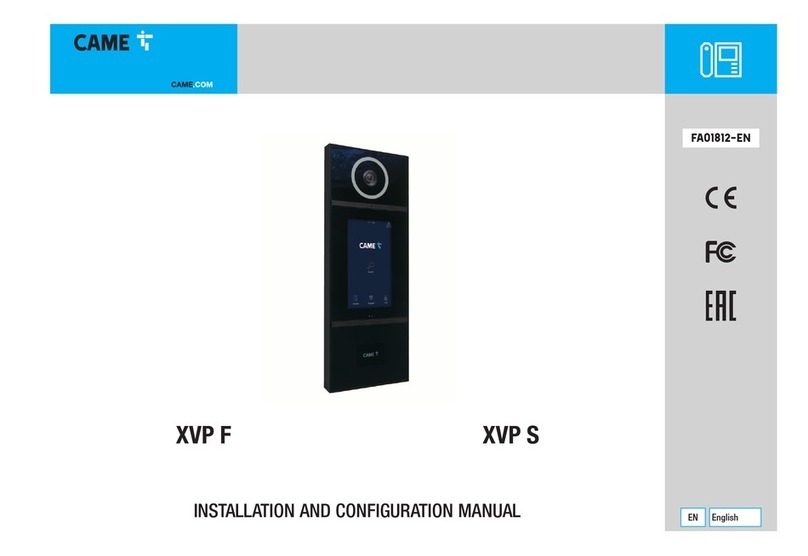
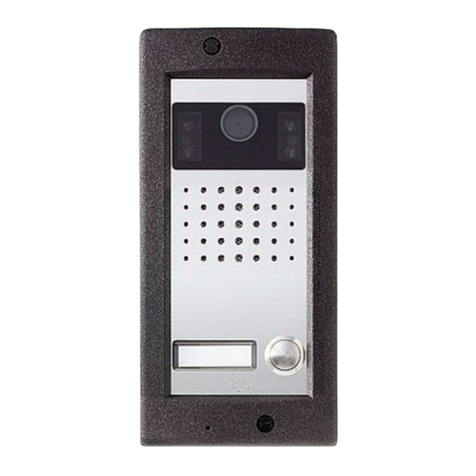
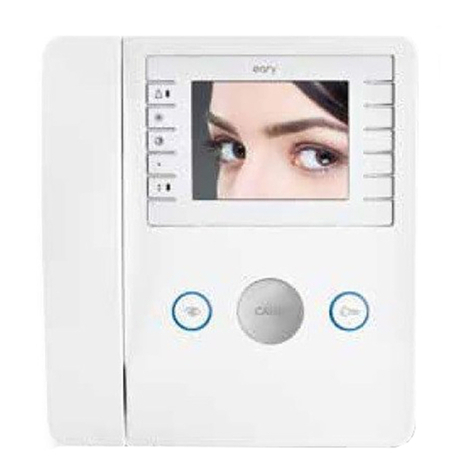
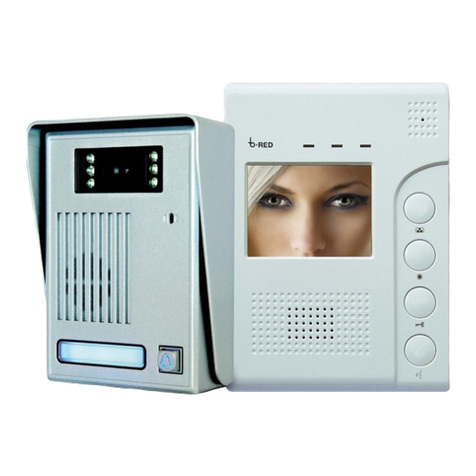
CAME AGTMTMVKIT User manual

AGTMTMVKIT
AGT V
M2M1
+–
VAS/101
MTMV/01
FA01481-EN
INSTALLATION MANUAL
AGT V + MTM KIT
IT
I
tal
i
ano
EN
E
n
g
lish
FR
F
ran
ç
ais
RU
Pу
сски
й
FA01481M04

AGT V
M2M1
+–
VAS/101
MTMV/01
Page 2 - Manual FA01481-EN - 09/2020 - © CAME S.p.A. - The contents of this manual may be changed, at any time, and without notice. - Translation of the original instructions
CONTENTS OF THE KIT
General precautions
• Read the instructions carefully before beginning the installation and carry out the procedures as specified by the manufacturer.
• The product must be installed, programmed, commissioned and serviced by qualified technicians, correctly trained with regard to
respecting the regulations in force, including implementing accident-prevention measures.
• Before carrying out any cleaning or maintenance operation, disconnect the power supply.
• The equipment must only be used for the purpose for which it was designed.
• The manufacturer declines all liability for any damage as a result of improper, incorrect or unreasonable use.

–
+
AL
B
M1
CL.RES
M/S
CL.RES
XDV/304
CL.RES CL.RES
M/S MASTER SLAVEM/S
Page 3 - Manual FA01481-EN - 09/2020 - © CAME S.p.A. - The contents of this manual may be changed, at any time, and without notice. - Translation of the original instructions
AGT V
Description
Internal video receiver.
Function of terminals and jumpers
Terminal board M1
BBUS-line input
–
+Landing call
AL Alarm input
Closing resistance (CL.RES)
Master/slave selector (M/S)
Technical data
Type AGT V
Power supply from BUS line (VDC) 15 to 20
Maximum consumption (mA) 175
Consumption in stand-by mode (mA) <1
Single LED consumption (mA) 1
Operating temperature (°C)
+5 to +40
IP Rating IP 30
Video standard PAL/NTSC
LCD TFT display (inches) 5

1
2
①
②
Page 4 - Manual FA01481-EN - 09/2020 - © CAME S.p.A. - The contents of this manual may be changed, at any time, and without notice. - Translation of the original instructions
Installation
• Unhook the device from the metal support by press-
ing the plastic tab and sliding the device smoothly o
the support .
• Fix the wall support to the round Ø 60 mm recessed
box , to the rectangular box 503 , or to the
Ophera (PHI) recessed box , with the “TOP” arrow
pointing upwards.
• Avoid overtightening the screws.
• Use screws and plugs to make the support more
stable.
• The box must be installed at a suitable height for the
user.
• Once the connections have been made, attach the
video terminal to the metal support .
• To unfasten the unit from the metal support, press the
plastic tab and lift the terminal .

N° Slave
Lb
La
Lc
XDV/304
VAS/101
N° Master
MT M
Page 5 - Manual FA01481-EN - 09/2020 - © CAME S.p.A. - The contents of this manual may be changed, at any time, and without notice. - Translation of the original instructions
VCM/1D UTP CAT5
No. Master 3211
No. Slave 0373
VCM/1D VCM/2D UTP/CAT 5 2x1mm22 x 2.5 mm2
La+Lb ≤100 m – ≤100 m – –
Lc – – – ≤25 m ≤60 m
La+Lb+Lc ≤100 m
System limits
4 monitors can be switched on simultaneously only in one- or two- family systems with entry panel X1+VA/01.

3sec
... beep!
Page 6 - Manual FA01481-EN - 09/2020 - © CAME S.p.A. - The contents of this manual may be changed, at any time, and without notice. - Translation of the original instructions
Configuring melodies
☞Perform each of the following programming steps, in suc-
cession:
1-Enter programming mode.
Press and hold the button for 3 seconds. A short buzzing
sound and a red flashing LED confirm that you have entered pro-
gramming mode .
2-Programming the melody associated with the call from
the entry panel.
To listen to the melodies in sequence, press .
To select the melody and exit the programming mode, press
.
To select the melody and continue programming, press .
3- Programming the melody associated with a call from the
landing.
To listen to the melodies in sequence, press .
To select the melody and exit the programming mode, press key
.
To select the melody and continue with programming, press button
.
4-Programming the number of rings per call.
Press as many times as the number of rings you want (from
1 to 12 rings) .
Three seconds after the key was last pressed, the selected call is
played back with the chosen number of rings.
To exit programming mode, press .
☞To program a call, please see the entry panel manual.

❶
❿❷
❸
❹
❻
❺
⓭
⓬
⓫
⓰⓯⓮
❼
❾
❽
MTMV/01
Page 7 - Manual FA01481-EN - 09/2020 - © CAME S.p.A. - The contents of this manual may be changed, at any time, and without notice. - Translation of the original instructions
Description
Communication unit for X1 systems.
- MTMV/01 Video module X1
Description of parts, front view
❶Speaker.
❷Yellow LED - Conversation in progress.
❸Green LED - Door open.
❹Mini USB port for programming from PC.
❺Microphone.
❻Button not enabled.
❼PROG button for manual programming.
❽Settings:
Speaker volume control
Microphone volume control
Electric lock opening time control (1-10 seconds, default set-
ting: 1 second)
❾Blue LED - System busy.
❿Red LED - Call in progress.
⓫Video camera lens.
⓬Light.
Description of parts, rear view
⓭Terminal board housing.
⓮Socket for the unit for the hard-of-hearing.
⓯Additional unit socket.
⓰Terminal board cover.
☞For more information on the button and LED func-
tions, please see the programming instructions.
Function of terminals
MTMV/01 terminal board Audio/video module X1
16-18 V DC power supply
Busbar
12 V - 1 A max electric lock
Earth
Door lock release button (NO)
Door contact input (NO)*
Entry panel enabling output*
(to earth)
Auxiliary contact max. 1A, 30V (AUX 2)*
* Factory settings. The contact can be programmed to
perform different functions.
Technical data
Type MTMV/01
Video standard PAL/NTSC
Video camera resolution (pixels) 680x512
Minimum lighting (LUX) 1
Maximum absorption (mA) 250
Consumption in stand-by mode (mA) 70
Power supply (V DC)* 16 to 18
Storage temperature (°C) -25 to +70
Operating temperature (°C) -25 to +55
Protection rating (IP) 54
* Use BPT/CAME power supply units that are electronically pro-
tected with maximum output current of 2.5 A.

1
3
5
7
21
421
632 1
12 1
843 2
Page 8 - Manual FA01481-EN - 09/2020 - © CAME S.p.A. - The contents of this manual may be changed, at any time, and without notice. - Translation of the original instructions
REMOTE CONTROLLING CALL BUTTONS
Manual configuration of terminals and as call inputs 1 and 2
Short circuit the terminals ( and ), press and hold the two call buttons on the unit, and power the device. The unit will restart.
This indicates that the procedure has been completed successfully.
Remove the short circuit and connect the additional N.O. buttons to the terminals and .
BUTTON NUMBERING

PRO
G
PROG
>3’’
>3’’
<6’’
<6’’
aa
a
a
a
Page 9 - Manual FA01481-EN - 09/2020 - © CAME S.p.A. - The contents of this manual may be changed, at any time, and without notice. - Translation of the original instructions
PROGRAMMING
Programming for the first time
Entering programming mode
Press and hold the PROG button on the entry panel for at least
3 seconds and release within 6 seconds.
The LEDs and and the button LEDs flash to show the
buttons are being programmed .

a
a
b
b
a
a
Page 10 - Manual FA01481-EN - 09/2020 - © CAME S.p.A. - The contents of this manual may be changed, at any time, and without notice. - Translation of the original instructions
Programming buttons
Press the first call button on each module or . The mod-
ule stops flashing and remains on. Repeat for all the other call
devices.
NOTE. For the basic module (no call buttons)
a
a, you do
not need to press the buttons that are shown as flashing in
figure
a
a.
Once programming is complete, you are automatically taken to
“programming calls”.
Programming calls
The LED flashes. Lift the internal receiver handset (if present)
and press the door lock release and AUX2 buttons . On
the entry panel, press the call button to be linked to the internal
receiver
a
a. A beep confirms that the setting has been stored
b
b. End the call and repeat programming for all of the other
internal receivers.
Table of contents
Other CAME Intercom System manuals
CAME
CAME 001CK0010 User manual
CAME
CAME PLACO-VC User manual
CAME
CAME STDCSN User manual
CAME
CAME XVP S User manual
CAME
CAME Entrotec Entroview User manual
CAME
CAME BPT KIT FREE DVC Series User manual
CAME
CAME XTS 5IP WH User manual
CAME
CAME XVP S Instruction sheet
CAME
CAME LHS A/01 Manual
CAME
CAME VRK01 User manual
CAME
CAME AGT A200 User manual
CAME
CAME BPT DVC/01 Owner's manual
CAME
CAME BPT KIT FREE LVC User manual
CAME
CAME LVC/01 Owner's manual
CAME
CAME AGT V User manual
CAME
CAME ENTROTEC PRO-DC4 User manual
CAME
CAME XTS 7IP WH WIFI User manual
CAME
CAME ENTROTEC Entroview+ User manual
CAME
CAME 001CS1PLCO User manual

CAME
CAME AGT V EVO User manual