EnglishDeutsch
 logo
Brands
  1. Home
  2. •
  3. Brands
  4. •
  5. Chauvet
  6. •
  7. Lighting Equipment
  8. •
  9. Chauvet Precision ZX-15 User manual

Chauvet Precision ZX-15 User manual

Other Chauvet Lighting Equipment manuals

Chauvet Colordash Block User manual

Chauvet

Chauvet Colordash Block User manual

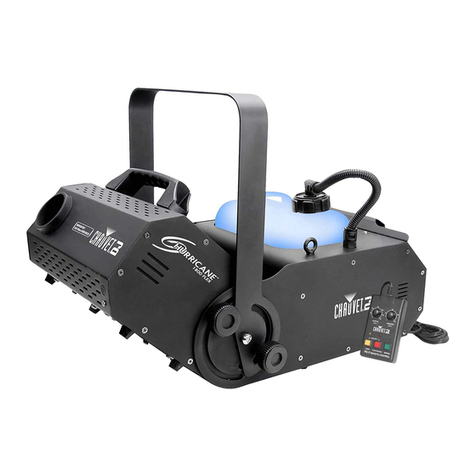
Chauvet Hurricane 1800 Flex User manual

Chauvet

Chauvet Hurricane 1800 Flex User manual

Chauvet COLORado 1 Tour User manual

Chauvet

Chauvet COLORado 1 Tour User manual

Chauvet Freedom Strip HEX-4 User manual

Chauvet

Chauvet Freedom Strip HEX-4 User manual

Chauvet COLOR ADO 1-Quad TOUR User manual

Chauvet

Chauvet COLOR ADO 1-Quad TOUR User manual

Chauvet ST-800X Manual

Chauvet

Chauvet ST-800X Manual

Chauvet Freedom Par Quad-4 User manual

Chauvet

Chauvet Freedom Par Quad-4 User manual

Chauvet SlimPAR Tri IRC 7 IRC User manual

Chauvet

Chauvet SlimPAR Tri IRC 7 IRC User manual

Chauvet LED PAR 38 TRI-B User manual

Chauvet

Chauvet LED PAR 38 TRI-B User manual

Chauvet 4 Bar Flex User manual

Chauvet

Chauvet 4 Bar Flex User manual

Chauvet COLORado PXL Bar 8 User manual

Chauvet

Chauvet COLORado PXL Bar 8 User manual

Chauvet COLORrail User manual

Chauvet

Chauvet COLORrail User manual

Chauvet TRIDENT User manual

Chauvet

Chauvet TRIDENT User manual

Chauvet COLORmist System User manual

Chauvet

Chauvet COLORmist System User manual

Chauvet Rogue R2 Wash User manual

Chauvet

Chauvet Rogue R2 Wash User manual

Chauvet COLORstrip User manual

Chauvet

Chauvet COLORstrip User manual

Chauvet Intimidator Wash LED 150 User manual

Chauvet

Chauvet Intimidator Wash LED 150 User manual

Chauvet LAZER SCAN LGG-3100X User manual

Chauvet

Chauvet LAZER SCAN LGG-3100X User manual

Chauvet Freedom Par Tri-6 User manual

Chauvet

Chauvet Freedom Par Tri-6 User manual

Chauvet Scorpion Dual User manual

Chauvet

Chauvet Scorpion Dual User manual

Chauvet COLORdash Accent Series User manual

Chauvet

Chauvet COLORdash Accent Series User manual

Chauvet TFX-BL400 Black Shadow User manual

Chauvet

Chauvet TFX-BL400 Black Shadow User manual

Chauvet Vue 6.1 User manual

Chauvet

Chauvet Vue 6.1 User manual

Chauvet SCAN LED User manual

Chauvet

Chauvet SCAN LED User manual

Popular Lighting Equipment manuals by other brands

Brizo 8SP-MU-4 manual

Brizo

Brizo 8SP-MU-4 manual

LUCE&LIGHT BROM 1.0 installation instructions

LUCE&LIGHT

LUCE&LIGHT BROM 1.0 installation instructions

IKEA BJÖRKSPIREA manual

IKEA

IKEA BJÖRKSPIREA manual

Laserworld Evolution Series ES-400RGB manual

Laserworld

Laserworld Evolution Series ES-400RGB manual

EuroLite LED B-40 user manual

EuroLite

EuroLite LED B-40 user manual

Qazqa Suplux SL 3 Black 103062 instruction manual

Qazqa

Qazqa Suplux SL 3 Black 103062 instruction manual

Commercial Electric 54568141 Use and care guide

Commercial Electric

Commercial Electric 54568141 Use and care guide

CREE LIGHTING 304 Series installation instructions

CREE LIGHTING

CREE LIGHTING 304 Series installation instructions

Goobay 49867 user manual

Goobay

Goobay 49867 user manual

ECOMAN ITALIA LED T8 instruction manual

ECOMAN ITALIA

ECOMAN ITALIA LED T8 instruction manual

Alkalite Krypton KT-81 user manual

Alkalite

Alkalite Krypton KT-81 user manual

Clas Ohlson GU10 manual

Clas Ohlson

Clas Ohlson GU10 manual

DTS DELTA 10 F user manual

DTS

DTS DELTA 10 F user manual

ring Solar Steplight manual

ring

ring Solar Steplight manual

One Stop Gardens 57696 Owner's manual & safety instructions

One Stop Gardens

One Stop Gardens 57696 Owner's manual & safety instructions

SIREM Swimeo A2 instructions

SIREM

SIREM Swimeo A2 instructions

Silvair MESH-CEDRP quick start guide

Silvair

Silvair MESH-CEDRP quick start guide

S&P PCRL80 manual

S&P

S&P PCRL80 manual

https://manuals.online logo
https://manuals.online logoBrands
  • About & Mission
  • Contact us
  • Privacy Policy
  • Terms and Conditions

Copyright 2026 Manuals.Online. All Rights Reserved.

Troubleshooting
• If the unit is not functional – check main power supply is ‘on’and check fuses.
• If the unit is functional but lamp does not light - lamp may require replacing.
• If the unit is not moving to the music check the sound-activation adjustment (when applicable)
• If after trying this solution you still have a problem contact your dealer or CHAUVET.
Contact Chauvet
USA
Tecnical Assistance: 1-800-762-1084 (954) 929-1115
E-Mail [email protected]
Caution
Do not obstruct the air vents.
Do not touch unit or lamps while hot.
Never put any objects through the air grill on the top of the unit.
No user serviceable parts inside, please refer to CHAUVET for service.
Power Connections
The unit is supplied with a power plug appropriate to its voltage and destination. Should any other
connections be required they must be carried out with the following configuration.
Earth = Green/Yellow cable
Neutral = Blue cable
Live = Brown cable
In the USA & Europe, it is required that all plugs are 3-pin type i.e. with Earth/Ground connection.
In the UK, it is required that all mains plugs are fitted with 5Afuses.
Technical Specifications
User Informtion (Please complete for your records)
Date Purchased: / / Serial No: ________________
Dealer Stamp Model: PRECISION ZX-15
Power
Fuse

Lamps
Dimensions
Weight
120V~60Hz AC
2A 125V
1 x 12V 100W
Part No. FCR
470 x 140 x 178mm / 18.5in x 5.5in x 7in
2.7kg / 6lbs
230V~50Hz AC
1A250V
1 x 12V 100W
Part No. FCR
470 x 140 x 178mm / 18.5in x 5.5in x 7in
2.7kg / 6lbs
Precision ZX-15
User Guide
Please read these instructions carefully before use

World-wide Headquarters:
3000 North 29th Ct., Hollywood, FL
USA 33020
Tel: +1-954-929-1115 Fax: +1-954-929-5560
www.ChauvetLighting.com
shaft. Replace with chosen effect dish, tighten screws and replace cover. Remember
CHAUVET also provide a selection of effect dishes which are interchangeable for this unit.
Replacing Lamps
1. Disconnect from main power supply before attempting to replace either lamps or fuse.
2. Ensure that the unit is sufficiently cool, before removing blown lamps.
3. Never touch new lamps with your fingers; use a tissue or a cloth.
In order to replace the lamp, disconnect from main power supply first, and unscrew the lamp
replacement cover, which is highlighted on the diagram (fig.1). Only use the appropriately
rated lamps as use of any other lamp type may cause the unit to be non-operational.
Due to the nature of halogen lamps it is vitally important that you do not touch the new
replacement lamp with your fingers, as this will reduce lamp life considerably. Once again a
tissue or cloth can be used for fitting the replacement lamp.
Finally before using, check that the lamp is housed correctly in the lamp holder and that the
lamp replacement cover has been screwed back into place.
If after replacement of the lamp, the unit is still not working then please contact your dealer or
CHAUVET for servicing.
Replacing Fuses
If the unit does not function at all when connected to the main power supply i.e. the mecha-
nism does not spin. Then it is highly likely that the fuse has blown.
Disconnect from main power supply before attempting to replace either lamps or fuse.
In order to replace the fuse, disconnect from the main power supply first, and then unscrew
the fuseholder cover to reveal the fuse. The unit has a label attached which indicates the
correct fuse rating and you will also find this listed as part of the specifications for the unit
later in this guide. It is most important that replacement fuses are of the correct rating. Failure
to use the correct fuse could damage the lighting effect beyond economic repair.
The fuse should simply be placed inside the holder and the screw cap replaced, when this is
done connect to the main power supply to check. If the unit is still not working then please
contact your dealer or CHAUVET for servicing.
Cleaning
The most important part of your lighting effect to keep clean is the lens as it allows the light
output to transmit. This should be cleaned with a soft damp cloth. The body of the unit may
also be cleaned in the same way. We recommend internal cleaning be carried out by a fully
qualified technician.
Maintenance & Servicing
Work on internal parts should be carried out by a qualified technician. Removal of covers
other than the front to replace lamp or effect dish, or the fuseholder is considered a breach of
warranty and will not be covered under any such agreement unless authorized first by the
company.
Introduction
Congratulations on the purchase of your new CHAUVET lighting effect. We are confident you
will enjoy many trouble free hours with this unit. To assist with the care and use of the product
we have prepared this short guide.
Operation
Before connecting this unit to the mains power supply for the first time you must first install
the lamps. (See 'Replacing Lamps' for details).
This lighting effect has been designed to function on a mains power supply of either
120V~60Hz or 230V~50Hz and has been fitted with a suitable power plug for use with your
local voltage. Check the label and voltage selector switch (if fitted) on the unit and the power
plug for the correct voltage.
When connected to the mains power supply the unit should illuminate. This effect has three
modes of operation - static, continuous rotation or sound activated. There is a selector switch
at the rear which determines the mode (see fig.1).
Due to the high operating temperature of halogen lamps it is advisable that the effect be used
in well ventilated areas taking care not to obstruct the air vents. After use allow time to 'cool'
for safety and to ensure lamp life before moving or touching.
The duty cycle for this effect should be no more than 15 minutes on then 15 minutes off.
Installation / Mounting
Although this unit can be used in an upright position, it is recommended that, for safety pur-
poses, your lighting effect be properly mounted using a suitable hanging clamp and safety
cable. CHAUVET offers a range of items, which are ideal for safe mounting.
Use in a well-ventilated area without obstruction to air vents.
Replacing Effect Dish
Disconnect from main power supply before attempting to replace effects dish.
Simply remove bottom cover which will reveal the lamp, holder and dish. The dish is held in
place with two small screws, which when removed allow the dish to be removed from the
motor
• Lens
• Bracket
•Lamp
Replacement
Cover
• Mode Switch
• Fan
• Fuse