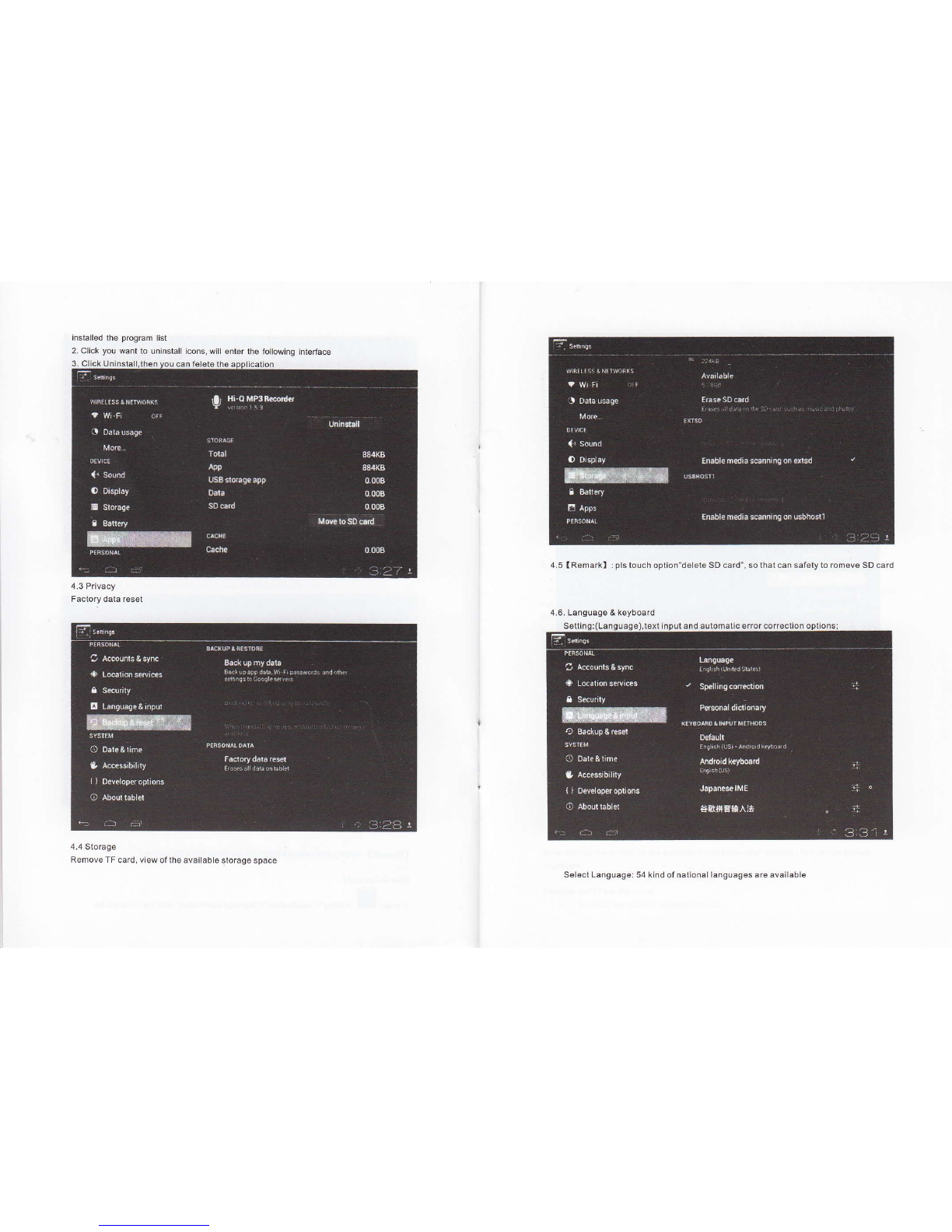
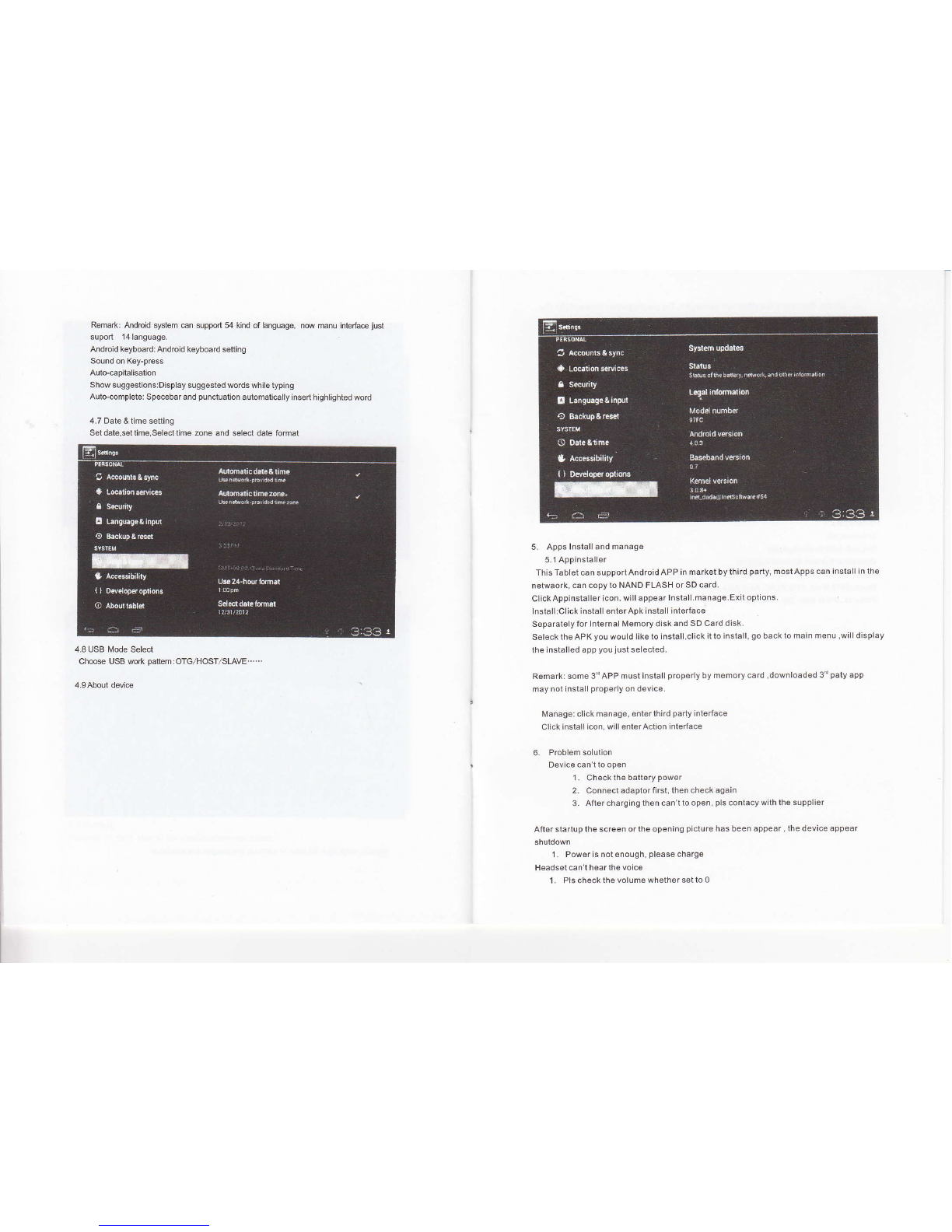
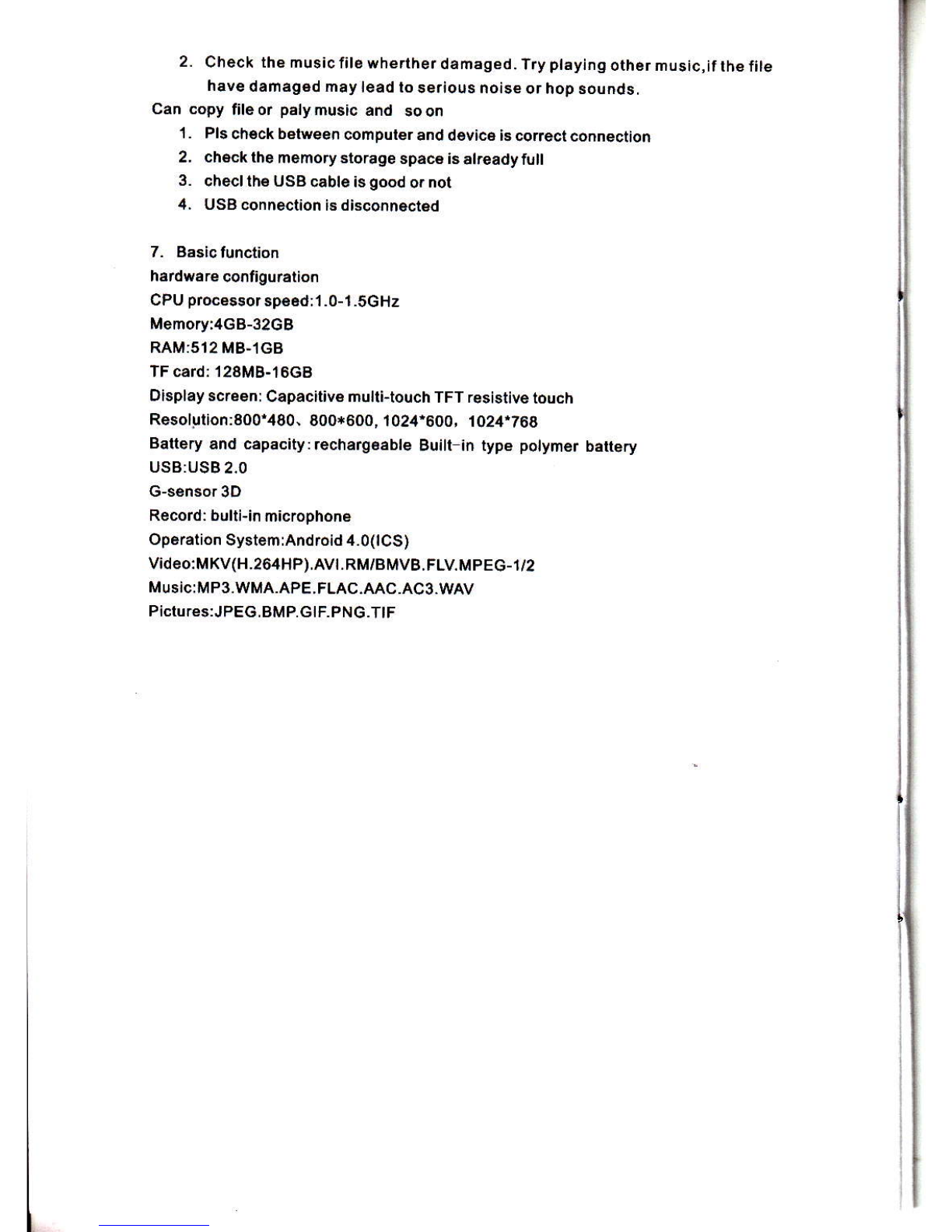
This handbook contains Impofrant security measures and the @rect use of the product
information, in order to avoid accidents. Pls make sur6 to aeading the manual carefully
before use thedevice,
a Pleasedon'l be in high t€hpersture.moisture orverydust place
a Ploasodon'tbeinhightemperature,Especiallyinsummerdon'tpulthedevic€inthe
carwhenWindows clos6d.
a Avoid fall orViolenl collision oflh€ d6vic6. don't makelheTFTdispley scr€en were
violentl16moiThiscouldcauseTFTdisplayscreenabnomalordamage.
a Pleasechoose the appropriatevolume.Us6 h6adphonesshoulds not b6too big
volume, lfteel tinnilus,Lowerthe volume or stop using il
a plsas6chargs ln the following condition,
A. The battery power ICONS shows have no power
B. Tho system automatically shutoff,stadup afterpow€roff soon
C. Operation butons no rc6ponse
O. The machine that the top rghl corner show red icons
a When the dovice in lhe format or ongoing upload and downloadfile, please do
n'l suddenly disconned, This could cause application 6rror
a Forthose who because ofdamage lo the product, repait or othercauses ofeGsed
the memory Thecompanyshall not be liableforanyresponslbility,please followthe
user manual torthe 6bndardized operation to use the device.
a Don'tdisassemblelheprodud,don'lusealcohol, Thinnerorbonzenetoscrubbing
products
a Don'tusethedevice oneof the placeof prohibitto use eleclronicequipmenl in
regional(suchas the plane)
a Pleasedon'tusing theTablel PCwhen you in driving orwalking down the steet,
a USB juslonlybeusedfordatatransmission
I he company 16ssryes lhs nghtto improv€ producl. producls specilicalion and desi
gn have any change, The information is sub,ect to changeswithourpriornotice.
(This tablet is no wateerool function)
lRemarkl All picturesin lhis manual is jusl for your reference. producls speciiicati
on and design hav6 any change, The information is subject to changes withoul pri
1. appearanc€ and bunon:
1.1 Touch panel
Capaciiive touch panel: tnThe Op€ration, to ctick,dragging on thetouch panel
1.2 POWER
stadup: Long Press and hold the pow6r buton, the system will enter the main In
lerfa@
shutdown: ln the main m€nu intedac€,pr6ssthe power buton aboutS secondto
shotdown.The system can hint'poweroff "option,Ctike " ok'. you can safely shul down.
LockscreeniShofr pressPowerbunonlolockscreenorunlockscr6€n.
Remark L Wh6n poweris€mpty systemwitt shutdown automaticaily
2.lllegal turn offlhe device,restad wiil scan and restore the disk, it may take
longertihe lo enler inlo syslem
1.3ESC
ShodPress ESC buttonwitt retum the tasl intet'ace, long press ESC bullon wil return
themain int€dace
1.4 Menu
theTabl6tunder normal operating conditions, shod press M buttonwil Backtothe
l.5Volume +, Volume-
lhe buttonson top Volume +,Votum€-achieve changss in the votume.
1.6 earphon6jack
3.5 mm standard earphonejack
1.7Video output interfac€
HDMI outputinterfacs
1.8TF card
TF-CARDsolt external T-FLASH card
1.9 MiniUSB
MiniUSB jack: you can us6 it to connect th6 omputer for data tanamission, charging
and external connection USBflssh drive
1.1 0 Reset
When the Tablet under th6 condition ofthe crash, use th6 smail objocls to shod press
RESET buton, Tabtet witl forc6 to shutdown.
IRsmarkI:unlessunabletoshutdown,otheMisedon,tus€thereset,suggestyouto
shuldown by normal, ifno will easytodamagethe machinesystem.
2. First use
2.1 Bat6ry manag6m6nt and charge
Before first use, pleaso setthe device,s battery is fuily charged
JustneedtoconnocttheadaptororUSB int6dac€, lhenyou cancharge
The fLsl Mo limes charging ptease ksep about 6 hourc, afler that youjusl need 4