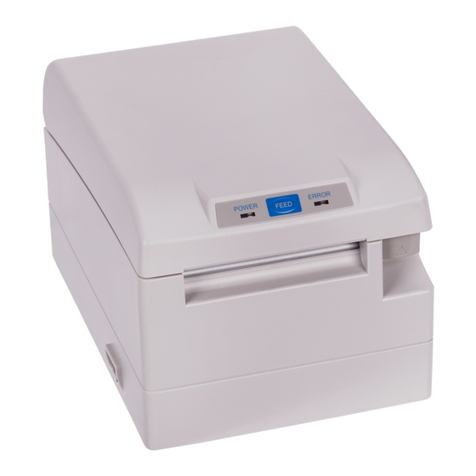
Datecs EP-60 User manual

1 DATECS
ESC/POS Thermal Printer
User’s Manual
EP-60

. . . . . . . . . . . . . . . . . . . .
Page 2
EP-60 User Manual
The information in this document cannot be reproduced in any mechanical,
electrical or electronic way and under any circumstances without the written
consent from Datecs Ltd.
1784 Sofia, Bulgaria, tel: +359 2 974 00 55, fax: +359 2 974 11 00
e-mail: sales@datecs.bg
Version 02.2009 / En

. . . . . . . . . . . . . . . . . . . .
Page 3
EP-60 User Manual
Contents
Introduction...............................................................................5
Technical Specifications ...........................................................6
Safety and operation instructions..............................................8
Box Contents.........................................................................10
About the printer EP-60 ..........................................................11
Front/right view.................................................................11
Front view / Control Panel / Indications.............................11
Back view / connectors.....................................................11
Back view / connectors.....................................................12
FEED Button Functions....................................................12
LED’s ................................................................13
DIP switches...........................................................................14
Serial Interface .......................................................................16
Paper Loading ........................................................................17
AUTO cutter .....................................................................17
Paper feed sensors ..........................................................18
Extended SELF TEST print.....................................................19
Frequently occurring problems ...............................................20
Command List ........................................................................21
Appendix ................................................................................23

. . . . . . . . . . . . . . . . . . . .
Page 4
EP-60 User Manual

. . . . . . . . . . . . . . . . . . . .
Page 5
EP-60 User Manual
Introduction
DATECS EP-60 is an ESC/POS printer with a wide variety of
applications.
DATECS EP-60 is developed for integration into communication
terminals, POS systems, hospitality systems, etc.
Datecs EP-60 allows fast printing of regular text as well as graphics,
specified by the end user – bar code, company logo, etc.
Datecs EP-60 is the newest in Datecs line of ESC/POS printers.
FEATURES:
〉 Compact and lightweight design
〉 High-speed printing – up to 150 mm/sec
〉 Easy paper loading
〉 Low-noise printer mechanism even at high printing speeds
〉 Supports text and graphics printing
〉 Bar code printing
〉 Auto cutter mechanism provided as standard
〉 Paper feed sensors
〉 High reliability and secure operation
〉 Operates horizontally and vertically (hanging on a wall)
INTERFACES:
〉 Serial RS-232
〉 USB

. . . . . . . . . . . . . . . . . . . .
Page 6
EP-60 User Manual
Technical Specifications
Parameter Description
Print Method Line Thermal Dot Printing
Print mechanism
with Auto cutter
CAPG247A-E
Seiko Instruments
Dot Density 203 dpi (8 x 8 dots/mm)
Dot spacing Horizontal – 0.125 mm (8 dots/mm)
Vertical – 0.125 mm (8 dots/mm)
Max print width 54 mm / 432 dots per line
Characters per line 36 – for А and С Fonts
48 – for B and D fonts
Paper feed Step wise
Print
Print speed (Max.) 150 mm/s (1200 dots/sec)
Internal Font А: 12 х 24 dots
Font B: 9 х 16 dots
Character
Loadable Font C: 12 х 24 dots
Font D: 9 х 16 dots
Width, mm 58
Outer roll diameter,
mm max 83
Thermal paper
Max. thickness, µm max 80 (65-80 µm)
1D
EAN 13, EAN 8, UPC A, UPC E,
Codabar, Code 39, Code 93, Code
128, Interleaved 2 of 5
Bar Code support
2D PDF417
Logo 1 Black & White Dimensions 432 х 544 dots
Processor H8S2350 – HITACHI
Flash memory –
8Мbit 29F800DB
Electronic
components
RAM – 4Mbit K6X40008CIF – SAMSUNG
Serial RS 232 – max 115200 bps
Interface USB USB type - emulated COM port
Emulation ESC/POS Work with continuous paper

. . . . . . . . . . . . . . . . . . . .
Page 7
EP-60 User Manual
Input buffer 32 KB
Power supply АC/DC adapter DC 24V/2A
Button FEED
- Paper feed
- Status information
Operation
Switch ON/OFF Power ON/OFF
Power Supply
control ON/OFF
Weight, g Without paper: 550
Dimensions (mm) (W) x (L) x (H) 111 x 185.5 x 127.5
Operating Temperature from 0°С to 40°С
Humidity from 30% RH to 80% RH
Environment
Storage Temperature from -20°С to 60°С
Humidity from 20% RH to 90% RH
RS232 interface cable
Cables Option USB cable A to B cable

. . . . . . . . . . . . . . . . . . . .
Page 8
EP-60 User Manual
Safety and operation instructions
Instructions which have to be followed precisely
Warning
Caution
Negligence of this precaution may result in
problems during work with the printer.
Negligence of this precaution may result in
damage to the printer.
Warning
● Read the user manual for EP-60 carefully before installing the printer and
using it. Always refer to the manual when necessary.
● Do not allow any objects into the printer. This may cause serious problems.
● Do not allow water or any other fluids (tea, coffee, juice, etc.) to be spilled on
the printer. Prevent spray from deodorant or any other type from entering the
printer. If this happens turn the printer off and call your authorized dealer.
● Transport the printer carefully. Dropping it may cause damage.
● Don’t clean the surface of the printer with thinner, gasoline, ketone or other
similar chemicals.
● Operate the control panel correctly. Careless or rude exploitation may cause
problems. Don’t use sharp objects while operating the printer.
● If problems occur during print turn the printer off immediately. Do not try to
disassemble and repair the printer by yourself. Contact your authorized
dealer.
● Don’t disassemble or modify the printer.
After unpacking the printer throw away or safely store the polyethene
packing away from children.

. . . . . . . . . . . . . . . . . . . .
Page 9
EP-60 User Manual
Working environment requirements
Do not expose the printer to:
High humidity or oil vapor
Strong vibrations
Temperature below 0˚C
Degrees
Strong electromagnetic
disturbance or corrosion
Humidity over 80%
Direct sunlight Temperatures over
40˚C Degrees
Dust
Places with high temperature
drops or condensation corrosion
D
ATEC
S
WARNS:
● Datecs reserves the right to change the contents of this manual without
preliminary warning.
● The information in this manual may not be copied or reproduced by any means
and under any circumstances, without a written preliminary agreement with
Datecs Ltd.
● Datecs Ltd is not responsible for failures, occurred due to the use of accessories,
other than the ones, originally specified for the printer.
● Don’t mount, dismount or try to repair parts of the printer, which are not
specifically mentioned in the User’s manual.
● Datecs Ltd is not responsible for failures, occurred while using the printer in
inappropriate working environments and under unsuitable conditions.
● Datecs Ltd is not responsible for damage, missed advantages or loss of data,
resulting from technical failure.
● Datecs Ltd kindly asks you to signalize in time for occurred mistakes, misses or
inaccuracies in the User’s manual. We will be very grateful!

. . . . . . . . . . . . . . . . . . . .
Page 10
EP-60 User Manual
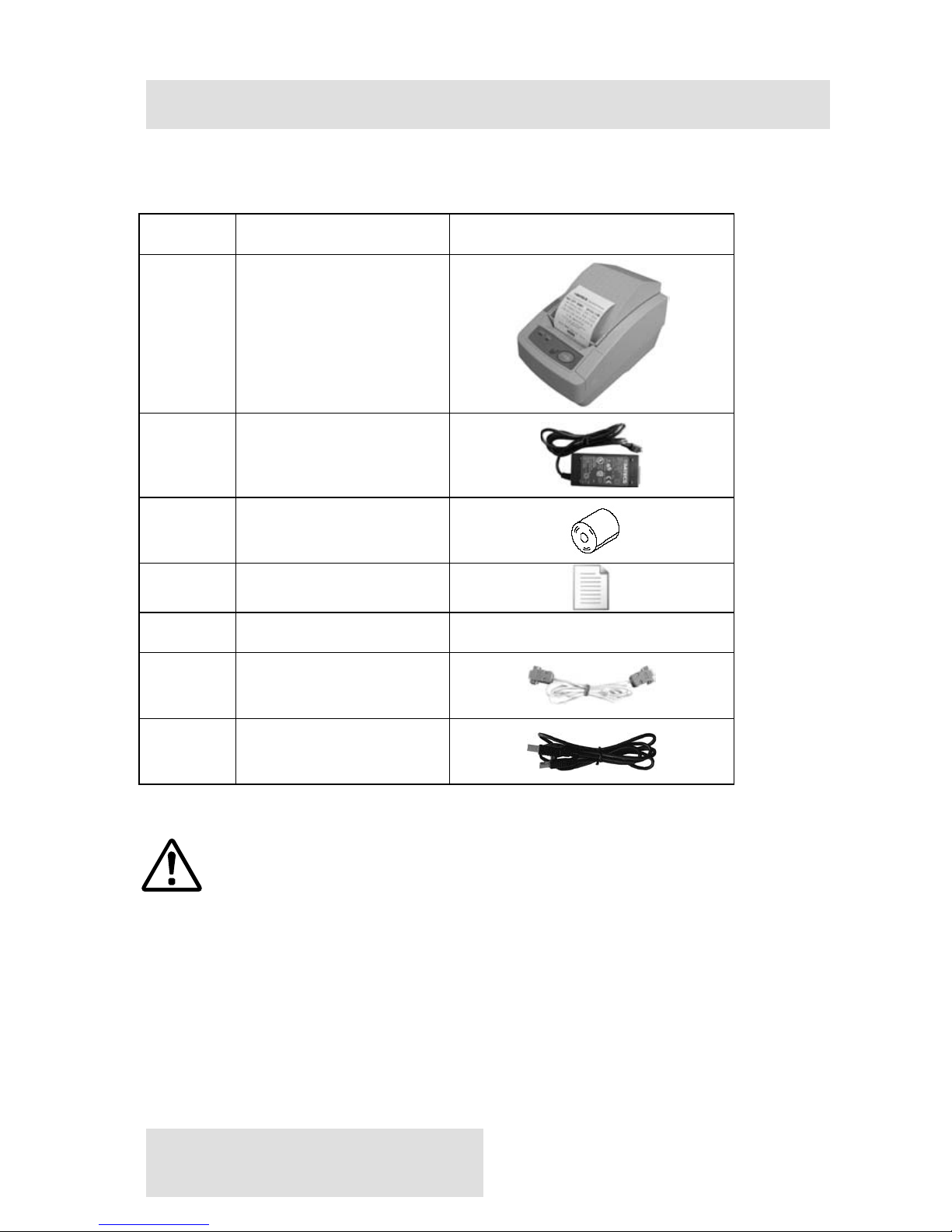
Box Contents
When unpacking the printer, confirm that the following are provided:
Item Descriptions Image
1 Thermal printer
EP-60
2 Adapter
3 Sample paper roll
4 User’s Manual
5 Drivers for EP-60
6 RS-232 cable
7 USB a to B cable
Note:
The up-to-date version of the included software, drivers and
support are uploaded on the website of Datecs
www.datecs.bg and can be downloaded for free.
Other manuals for EP-60
1
Table of contents
Other Datecs Printer manuals

Datecs
Datecs DPP-450 User manual

Datecs
Datecs EP-50 User manual

Datecs
Datecs DPP-350 User manual

Datecs
Datecs FP-550F User manual

Datecs
Datecs PP-55 User manual

Datecs
Datecs FP-2000 User manual

Datecs
Datecs DPP-255 User manual

Datecs
Datecs PP-60 User manual

Datecs
Datecs DPP-250 User manual

Datecs
Datecs LP-50H User manual