EnglishDeutsch
 logo
Brands
  1. Home
  2. •
  3. Brands
  4. •
  5. Enabling Devices
  6. •
  7. Mobility Aid
  8. •
  9. Enabling Devices Ultimate Switch User manual

Enabling Devices Ultimate Switch User manual

This manual suits for next models

1

Other Enabling Devices Mobility Aid manuals
Enabling Devices Twitch Switch User manual

Enabling Devices

Enabling Devices Twitch Switch User manual

Enabling Devices Put-Em-Arounds 9012 User manual

Enabling Devices

Enabling Devices Put-Em-Arounds 9012 User manual

Enabling Devices iActivity Center User manual

Enabling Devices

Enabling Devices iActivity Center User manual

Enabling Devices 718-X User manual

Enabling Devices

Enabling Devices 718-X User manual

Enabling Devices Ultimate Switch User manual

Enabling Devices

Enabling Devices Ultimate Switch User manual

Enabling Devices 792 User manual

Enabling Devices

Enabling Devices 792 User manual

Enabling Devices 1910 User manual

Enabling Devices

Enabling Devices 1910 User manual

Enabling Devices Adapted Pie Face User manual

Enabling Devices

Enabling Devices Adapted Pie Face User manual

Enabling Devices Carnival Tube User manual
Enabling Devices

Enabling Devices Carnival Tube User manual

Popular Mobility Aid manuals by other brands
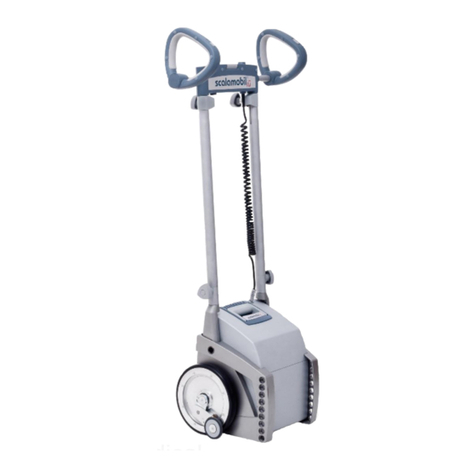
Alber Scalamobil iQ operating instructions

Alber

Alber Scalamobil iQ operating instructions

Ferno CCT-PX user manual

Ferno

Ferno CCT-PX user manual

Otto Bock Pheon 3R62 Instructions for use

Otto Bock

Otto Bock Pheon 3R62 Instructions for use

NRS Healthcare M11090 User instructions

NRS Healthcare

NRS Healthcare M11090 User instructions

Medline MDS86835DSHEC User Instructions & Warranty

Medline

Medline MDS86835DSHEC User Instructions & Warranty

HEPRO Gripo user manual

HEPRO

HEPRO Gripo user manual

Guldmann Twin Turner II user manual

Guldmann

Guldmann Twin Turner II user manual

Drive ROOMBA Operation manual

Drive

Drive ROOMBA Operation manual

Gate Balder operating instructions

Gate

Gate Balder operating instructions

Decon wheel TNS Notos Assembly instructions

Decon wheel

Decon wheel TNS Notos Assembly instructions

ExoAtlet ExoAtlet-II user manual

ExoAtlet

ExoAtlet ExoAtlet-II user manual

Invacare Storm Series parts catalog

Invacare

Invacare Storm Series parts catalog

Rhythm Healthcare B3800F manual

Rhythm Healthcare

Rhythm Healthcare B3800F manual

AMF-BRUNS PROTEKTOR installation manual
AMF-BRUNS

AMF-BRUNS PROTEKTOR installation manual

Drive DeVilbiss Healthcare OTTER Instructions for use

Drive DeVilbiss Healthcare

Drive DeVilbiss Healthcare OTTER Instructions for use

Rhythm Healthcare C500U Assembly and Fitting Instructions
Rhythm Healthcare

Rhythm Healthcare C500U Assembly and Fitting Instructions

Lumex RJ4200A manual

Lumex

Lumex RJ4200A manual

Rebotec Jumbo user manual

Rebotec

Rebotec Jumbo user manual

https://manuals.online logo
https://manuals.online logoBrands
  • About & Mission
  • Contact us
  • Privacy Policy
  • Terms and Conditions

Copyright 2026 Manuals.Online. All Rights Reserved.

Ultimate Switch - #1671
USER’S GUIDE
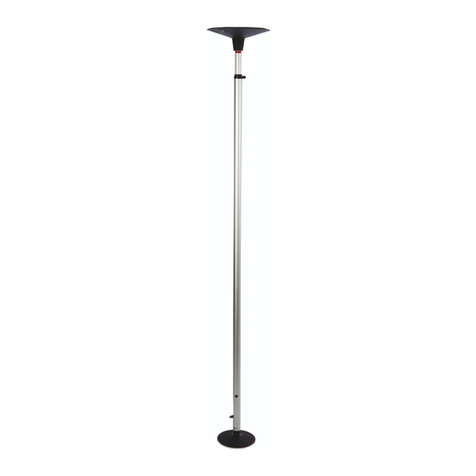
Our exclusive Ultimate Switch is THE most universal, versatile, multi-faceted
switch. It’s designed to be used by even the most profoundly challenged or
neurologically impaired individuals. It requires only the slightest touch for
activation (10 grams of force), yet can easily withstand the abuse of gross body
movements or severe blows. 19" Gooseneck and universal clamp included.
Operation:
1. Using the mounting clamp, attach the Ultimate Switch to a Wheel Chair,
Table or Desk. Tighten the clamp enough to hold the Ultimate Switch
securely, but do not over-Tighten the clamp. (See Photos).
2. Plug the Ultimate Switch into your switch adapted toy/device. Make sure
that the connection is tight. There should be NO gaps. If you use an
adapter for devices with ¼ inch jacks, make sure that it is a MONO
adapter, not stereo.
3. Actuate the Ultimate switch in order to turn on your toy/device. Your
toy/device will only remain activated while you hold the Ultimate switch
in the actuated position. Once you release pressure on the Ultimate switch,
the toy/device will turn off.
Troubleshooting:
Problem #1: The toy/device is not activating.
Action #1: Make sure that the connection to the toy/device is very tight. There
should be NO gaps. Make sure that you are using a MONO adapter, if
applicable.
Action #2: Try using your toy/device with a different switch in order to rule
out the toy/device as the source of the problem. You may need to change the
batteries in the toy/device.
Care of Unit:
The Ultimate Switch can be wiped clean with any household multi-purpose
cleaner and disinfectant. We recommend Simple Green, which is a non toxic
biodegradable all-purpose cleaner.
Do not submerge the unit, as it will damage the electrical components.
Do not use abrasive cleaners, as they will scratch the surface of the unit.
Rev 1/4/07