- 8 -
Mi2480
ITALIANOENGLISHFRANÇAISESPAÑOLPORTUGUÊSDEUTSCH
IT
FUNZIONAMENTO
Chiamatadapostoesterno.
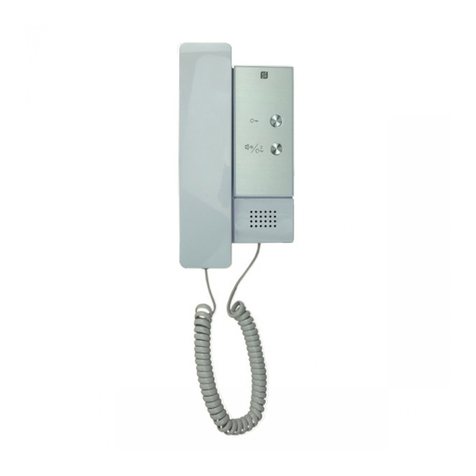
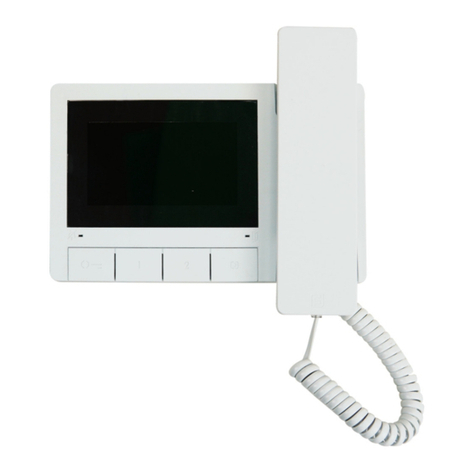
Effettuandounachiamatadalpostoesterno,ilvideocitofonosiaccende,
emetteuna segnalazione acusticae si abilitaper circa 30secondi. Se il
tempo di chiamata è scaduto ed il videocitofono si è spento, premere il
pulsante" "percollegarsinuovamenteconilpostoesternochiamante.
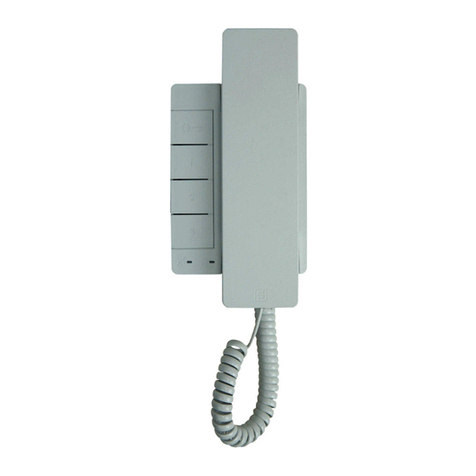
Sollevandoilmicrotelefonosicomunicaconilpostoesternoperuntempo
dicirca90secondie,premendoilpulsante" ", si aziona la serratura.
Nelcasodichiamataadunutentechehanelproprioappartamentopiùdi
unvideocitofonoinparallelotuttiivideocitofonisquillano,masoloquello
ilcuiindirizzointernoè000siaccende.Perrisponderedaquestovideo-
citofono si può procedere come descritto in precedenza. Dagli altri
videocitofonièpossibileinognicasorisponderesollevandoilmicrotelefono.
Quest'operazioneaccendeautomaticamenteilvideocitofonointeressato
e spegne quello precedentemente acceso. Nel caso in cui prima di
risponderedaivideocitofonispentisivogliavederechistaeffettuandola
chiamata,sipuòpremereilpulsante" "e,successivamente,sollevare
il microtelefono. Tenere premuto il pulsante " " per più di 4 secondi
consente la commutazione sull'eventuale telecamera supplementare
collegataal postoesterno.
Accensionidicontrolloecollegamentoconunoopiùpostiesterni.
Ad impianto a riposo e nessuna conversazione in corso, è possibile
effettuaredelleaccensionidicontrollopremendosulvideocitofono,senza
sollevareilmicrotelefono,ilpulsante“ ” oilpulsante"1"seprogrammato
perquestotipodifunzione.
Se nell’impianto vi sono più posti esterni e il pulsante “ ” è stato
correttamenteprogrammato,èpossibileeffettuareilcontrolloinsequenza
dei vari posti esterni (massimo 4) premendo più volte il medesimo
pulsante.L’accensionedicontrollohaunaduratadicirca30secondi,ma
è interrotta se nell’impianto viene eseguita un’ulteriore accensione di
controllo o una chiamata tra utenti o da posto esterno. Se si solleva il
microtelefonodurantel’accensionedicontrollosientraautomaticamente
in comunicazione fonica con il posto esterno. Se premendo il pulsante
"" il videocitofono rimane spento, l’impianto è occupato e occorre
attenderecheritornilibero.
Effettuareoricevereunachiamatadaaltroutente.
Con impianto a riposo è possibile effettuare una chiamata ad un altro
utente.Pereseguirequestaoperazionebisognaaverepreventivamente
memorizzato nel pulsante "1" l’indirizzo dell’utente che si desidera
chiamare.
Pereffettuarelachiamataoccorresollevareilmicrotelefono,verificarela
presenza del tono di impianto libero, e premere il pulsante "1"; sul
microtelefonosiudiràiltonodichiamata,mentreilvideocitofonodell’altro
utente suonerà (senza accendersi) con la melodia scelta nella fase di
programmazione.
Sel’utentechiamatorispondeentro30secondihainiziounaconversazione
chepuòdurare fino a90secondi,altrimenti l’impianto ritorna libero.
Una chiamata da posto esterno ad un qualunque utente dell’impianto
concluderàforzatamentelaconversazioneinternaincorso.
Sesollevandoilmicrotelefonononsiodealcuntono,l’impiantoèoccupato
eoccorreattendere che ritorni libero.
Effettuareoricevereunachiamataintercomunicantenelproprio
appartamento.
Conimpiantoariposoèpossibileeffettuareunachiamataintercomunicante
con i videocitofoni presenti nello stesso appartamento (massimo 4 e
codicid'internoda000a003)premendoilpulsante"1"precedentemente
programmatoconuncorrettoindirizzointerno.
Per effettuare la chiamata intercomunicante occorre sollevare il
microtelefono,verificarelapresenzadeltonodiimpiantolibero,epremere
il pulsante "1". Sul microtelefono si udirà il tono di chiamata, mentre il
videocitofonochiamatosuonerà(senzaaccendersi)conlamelodiascelta
nella fase di programmazione. Se l’utente chiamato risponde entro 30
secondi ha inizio una conversazione che può durare fino a 90 secondi,
altrimentil’impiantoritornalibero. Una chiamatadapostoesternoadun
qualunqueutentedell’impiantoconcluderàforzatamentelaconversazione
internaincorso.
EN
OPERATION
Callfromexternalstation.
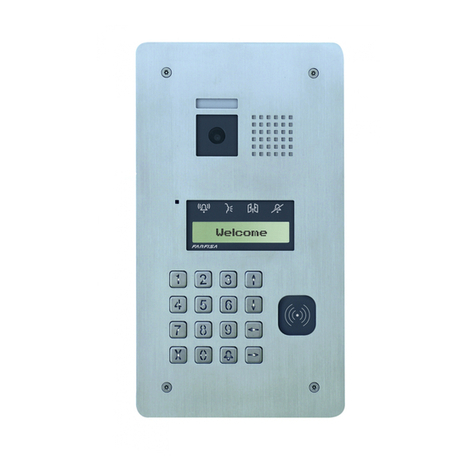
When a call is made from the external station, the videointercom turns
ON, generates the calling melody and stays ON for about 30 seconds.
IfthecalltimehasexpiredandthevideointercomhasturnedOFF,press
thebutton" "toreconnectwiththecallingexternalstation.Pickupthe
handset to start conversation with the external station for about 90
seconds and press button " " to open the door.
In case of a call to a user with more than one videointercom in parallel
installed in the apartment, all the videointercom will ring, but only the
videointercom with internal user address 000 will turn ON. You can
answeralsofromthisvideointercombyfollowingtheinstructionsabove.
Youcananswerfromtheothervideointercombypickingupthehandset.
ThisoperationwillautomaticallyturnONthisvideointercomandwillturn
OFF the videointercom that had been turned ON before. Press button
"" if you want to get the image before answering and then pick up the
handset.Pressandholdthe“ ”buttonformorethan4secondstoswitch
ON the possible additional camera connected to the external door
station.
Monitor function and connection with one or more external
stations.
Withthesysteminstand-byandnoconversationinprogress,itwouldbe
possibleto monitorthe external doorstations bypickingup thehandset
andpressingthebutton or thebutton"1" previouslyprogrammedfor
this function.
If the installation includes more external stations and button " " is
programmedcorrectly,youcanmonitortheexternal stations (max. 4) in
sequence by pressing the same button again and again.
ThevideointercomwillbeturnedONforabout30seconds.Themonitoring
will be interrupted in case of request of monitor from another user, call
between users or from an external station.
If you pick up the handset during the monitoring, you will automatically
establish a conversation with the external station.
If the videointercom will not turn ON when you press button " ", this
means the installation is busy and you will have to wait until it becomes
free again.
Makingorreceivingacallfromanotheruser.
Whentheinstallationisinstand-by,youcanmakeacalltoanotheruser.
Youmusthavestoredtheaddressofthedesireduser’sinthebutton"1".
To make the call, pick up the handset, wait for the free tone and press
button"1".Youwillhearthecalltoneandthevideointercomofthecalled
userwillring(withoutturningON)withamelodydifferentfromcallsfrom
externalstationsorintercomcallsfromthesameapartment.Ifthecalled
user answers within 30 seconds, a 90-second conversation starts,
otherwise the system goes back to free.
Theinternalconversationinprogresswillbeautomaticallyinterruptedin
case of call from external station to any other user.
If you pick up the handset and receive no tone, the installation is busy
and you must wait until it is free.
Makingorreceivinganintercomcallinyourapartment.
When the system is in stand-by it would be possible to make a local
intercommunicating call to all the videointercoms installed in the
apartment (max 4 monitors with internal user address from 000 to 003)
bypressingbutton"1"previouslyprogrammedwithproperinternaluser
address.
Tomaketheintercomcall,pickupthehandset,waitforthefreetoneand
pressthebutton"1". After pressingthebuttonyouwillgeta calling tone
onthehandset,whilethe videointercom ofthecalleduserrings(without
switching-ON)with theprogrammed melody.
Ifthecalleduseranswers within 30seconds,a90-secondconversation
starts,otherwise thesystem goes backto free.
Theinternalconversationinprogresswillbeautomaticallyinterruptedin
case of call from external station to any other user.