5
3. VEZÉRLŐ PANEL / CONTROL PANEL
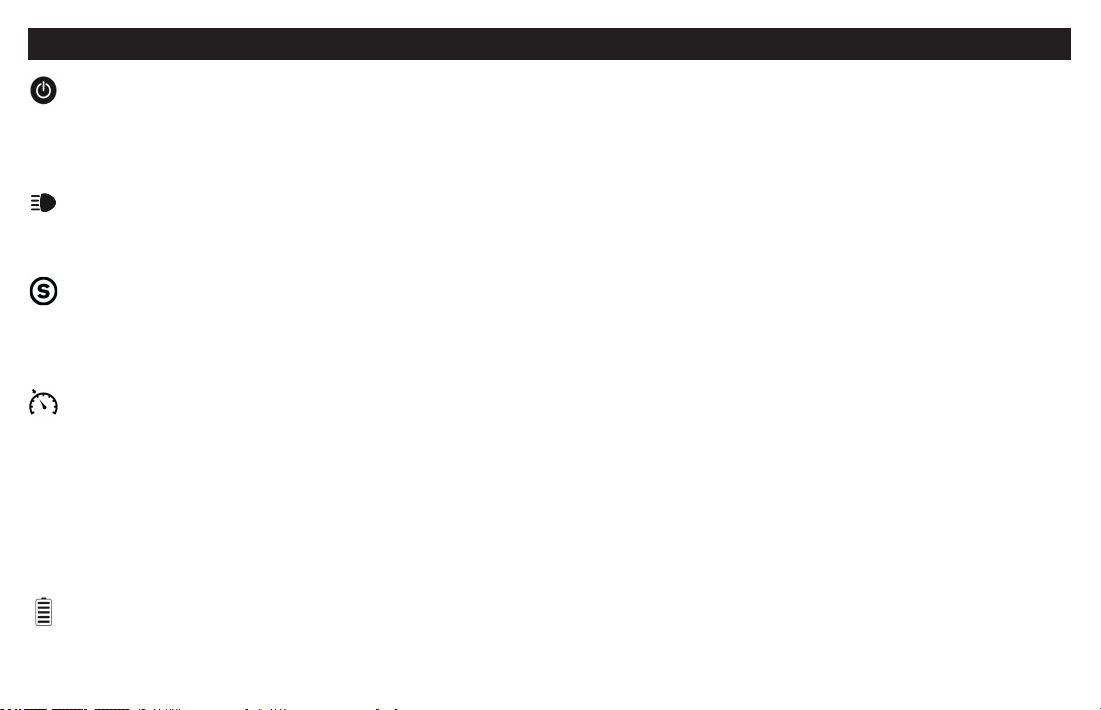
Kapcsoló gomb / Power Button
Hosszú megnyomásával kapcsolja be/ki a rollert.
Unplug the scooter charger, click the power button to turn on the scooter. Hold down the power button for three se-
conds to turn o the scooter.
Fény / Light
Amikor a roller bekapcsolt állapotban van, egyetlen érintéssel be-/ki kapcsolhatja az elülső és oldalsó LED világítást.
When the scooter is on, one-tap will turn on/o the front light and side LED lights.
Sebesség mód (ECO, SPORT) / Ride mode (ECO, SPORT)
Koppintson duplán a használati mód megváltoztatásához. A fehér ikon a sport üzemmódot jelöli, a fény hiánya pedig
a kényelmi (ECO) módot.
Double-tap to change the riding mode. White icon indicates sports mode, and not light indicates comfort (ECO) mode.
Cruise / Tempomat
A sebességtartó automatika (TEMPOMAT) BE-KI kapcsolásához nyomja meg háromszor a kapcsológombot. A gázpedál
ugyanabban a helyzetben való tartásával (a roller állandó sebessége mellett) 5 másodperc után a sebességtartó
automatika (TEMPOMAT) aktiválódik. Amint az ikon világítani kezd, elengedheti a gázpedált. A sebességtartó automatika
(TEMPOMAT) kikapcsolásához fékezzen vagy használja újra a gázpedált.
Press the three times button to turn on / o the cruise control function. Hold the accelerator in the same position
(the scooter goes at a constant speed) for 5 seconds to activate cruise control, the icon will illuminate, you can release
the accelerator. To deactivate the cruise control, use the accelerator again or brake.
Akkumulátor indikátora / Battery Indicator
Az ikonban lévő szintek az akkumulátor feltöltöttségét jelzik.
The power level is indicated by ve power lights on the control panel.